A Guide to Multi Channel Inventory Management
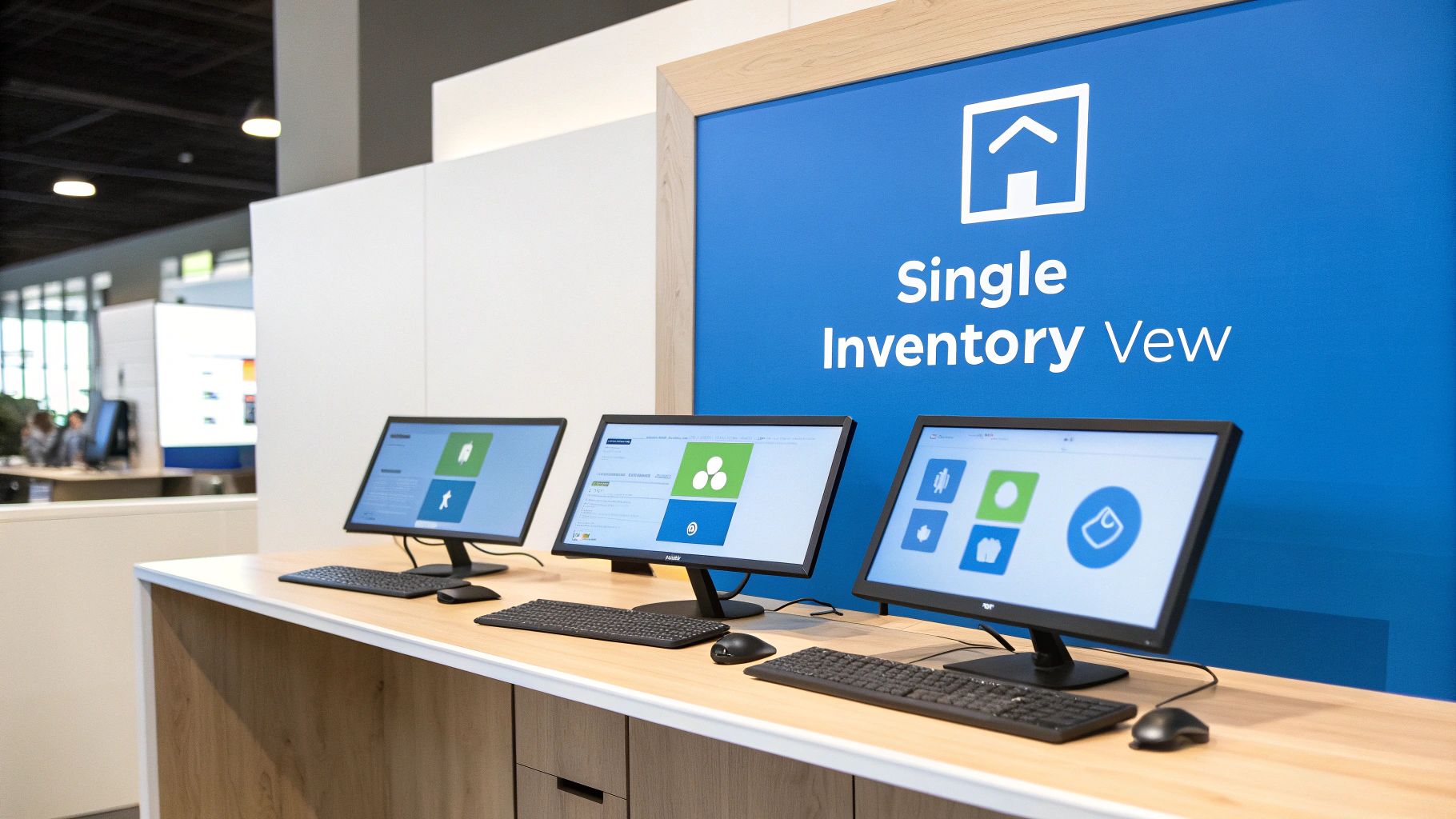
If you're selling products in more than one place, you've probably felt the pain of juggling inventory. Multi-channel inventory management is the answer to that headache. It’s all about using a single, central hub to track your stock levels across every single sales channel you use—your website, Amazon, a brick-and-mortar store, you name it.
Think of it as the ultimate control tower for your products. It gives you a live, up-to-the-minute view of every item, no matter where it's listed. This simple idea prevents a world of problems, starting with the dreaded oversell.
What Is Multi-Channel Inventory Management?
Picture trying to run a packed restaurant where each chef keeps their own private list of ingredients. The pizza station thinks there are 10 tomatoes, the salad bar is sure there are only 5, and the soup station has no clue. You'd have chaos, angry customers, and a lot of wasted food. That's exactly what happens when you sell on different platforms without a unified inventory system.
Multi-channel inventory management fixes this by creating one source of truth for your stock. When a T-shirt sells on your Shopify store, the system instantly updates the available count on Etsy, your physical pop-up, and anywhere else it's listed.
This real-time sync is the magic ingredient. It gets you away from messy, disconnected spreadsheets and the constant manual counting that just can't keep up with modern e-commerce.
The Problem It Solves
Without a central system, businesses operate with "inventory blindness." It’s a frustrating and costly condition that leads to a few classic, growth-killing problems:
- Overselling: Nothing sours a customer experience faster than selling them a product you don't actually have. This forces you to cancel orders, issue refunds, and apologize for something that was entirely preventable.
- Stockouts: You miss out on a sale because an item is marked "out of stock" on one channel, even though you've got a box full of them sitting in the warehouse. It’s a missed opportunity, plain and simple.
- Inefficient Fulfillment: When an order comes in, your team has to manually figure out which warehouse or location to ship from. This guesswork adds delays, drives up shipping costs, and slows everything down.
- Data Black Holes: How can you forecast demand or spot slow-moving products without accurate data? You can't. Without a unified view, you’re just guessing.
At its heart, multi-channel inventory management turns your stock from a logistical nightmare into a strategic asset. It gives you the clarity to make smart, fast decisions that boost your bottom line and keep customers happy.
Why It Matters Now More Than Ever
Selling everywhere is the new standard. This isn’t just a passing trend; it's a fundamental shift in how people buy and sell. The numbers back it up: the market for multi-channel inventory software was valued at around $4.5 billion in 2021 and is on track to hit $11.5 billion by 2026. This explosive growth is happening for one reason: retailers desperately need to sync their stock in real time to survive. You can explore more data on this market expansion to see just how big this shift is.
Ultimately, this is about building a business that can grow without breaking. It ensures that as you add new sales channels, your operations get smoother, not more chaotic. You can expand your reach with confidence, knowing your inventory data is accurate, reliable, and working for you.
Before we dive deeper, let's look at the night-and-day difference between old-school manual tracking and a modern, automated system.
Comparing Manual vs Automated Inventory Tracking
The table below breaks down the operational realities of sticking with spreadsheets versus adopting a dedicated system. It highlights not just the features but the real-world business outcomes.
| Feature | Manual Tracking (Spreadsheets) | Multi-Channel System |
|---|---|---|
| Data Updates | Manual entry required for every sale on every channel. | Real-time, automatic sync across all channels. |
| Accuracy | High risk of human error (typos, forgotten updates). | Near 100% accuracy, eliminating data entry mistakes. |
| Overselling Risk | Very high. A sale on one channel isn't seen by others. | Virtually eliminated. Stock levels update instantly everywhere. |
| Time Investment | Hours spent daily on manual reconciliation and updates. | Minimal. The system handles updates automatically. |
| Scalability | Becomes unmanageable as you add more channels or SKUs. | Easily scales to handle hundreds of channels and thousands of SKUs. |
| Reporting | Basic and time-consuming to compile. | Provides deep, automated insights into sales and stock trends. |
As you can see, while manual tracking might seem "free," the hidden costs in lost sales, wasted time, and poor customer experiences are enormous. A multi-channel system is an investment in efficiency, accuracy, and growth.
What You Really Gain From a Unified Inventory System
Moving to a unified inventory system is so much more than just tidying up your spreadsheets. It’s a strategic decision that has a direct impact on your growth, customer loyalty, and how you stack up against the competition. When every place you sell—your website, Amazon, your physical store—is all pulling from the same, up-to-the-minute data, your business starts running with a whole new level of precision.
Think about it this way: a hot-selling item is sold out on your website, but you’ve got a case of them collecting dust in your back room. Without a unified view, that stock might as well not exist. A central system breaks down those walls, turning that stranded inventory into products you can confidently sell to any customer, anywhere. This is where the magic happens, connecting your day-to-day operations directly to your bottom line.
Stop Making Costly Sales Blunders
Overselling and stockouts are two of the biggest—and most avoidable—mistakes you can make in retail today. When you oversell, you’re promising a customer a product you can’t deliver, which instantly kills trust and can lead to some nasty online reviews. Stockouts are just as bad; you're essentially turning away customers who are ready to buy and sending them straight to your competitors.
A multi-channel inventory management system is your best line of defense against both. By keeping stock levels synced in real time, it ensures that the moment the last widget sells on Amazon, it's automatically marked as "out of stock" on your website and your Etsy shop. That simple, automated accuracy keeps you from letting customers down and protects your reputation.
A unified system transforms your inventory from a source of potential errors into a reliable, single source of truth. It’s the foundation for a customer experience built on trust and dependability, ensuring you never make a promise your stock levels can't keep.
Create a Better Customer Experience
In today's market, the experience you provide is your brand. Customers expect to know if a product is available, and they want it fast. A unified inventory system helps you nail both of these expectations, which is the secret to creating happy, repeat customers.
When your stock data is dead-on accurate everywhere, people can shop with confidence. They see "2 in stock" on your site and know it's true. This removes all the guesswork and friction, building a positive feeling about your brand from the very first click. It also unlocks modern fulfillment options like buy online, pick up in-store (BOPIS), which are impossible without knowing exactly what you have in each location.
On top of that, a central system makes your whole order process faster. Instead of someone having to manually figure out where an item is, the system can instantly route the order to the warehouse or store closest to the customer. This simple bit of automation leads to some big wins:
- Faster Shipping Times: Getting products into your customers' hands sooner.
- Lower Shipping Costs: Cutting down on distance and carrier fees.
- Improved Efficiency: Freeing up your team to focus on growing the business, not chasing down products.
Make Smarter Business Decisions
Beyond just preventing mistakes, a unified system gives you the clean, consolidated data you need to make intelligent decisions about the future. When all your sales information flows into one place, you get a bird's-eye view of your entire business. You can finally see which products are your true bestsellers across all your channels, not just one.
This historical data is gold when it comes to smarter purchasing. You can forecast what customers will want with much better accuracy, so you order the right amount of the right products at the right time. This data-driven approach stops you from tying up precious cash in slow-moving inventory and cuts down on the high costs of storing things you don't need.
Selling on more channels is a fantastic way to grow, but only if you have the back-end to support it. In fact, companies selling on three or more channels generate over 140% more revenue than those on fewer platforms. You can discover more about multichannel retail statistics to see the full financial picture. That kind of growth is only sustainable when you have a system in place that gives you the insights to scale smart.
Solving Common Multi-Channel Management Hurdles
Switching to a unified system is a huge step forward, but let's be honest—the path to getting your multi-channel inventory management running smoothly isn't always a straight line. The rewards are massive, but a few common hurdles can easily trip you up if you're not prepared. Knowing what to watch for is half the battle.
The journey usually starts with technical headaches that can feel like a tangled mess. We're talking about messy product data, confusing fulfillment logistics, and integrations that just don't talk to each other properly. These issues create friction and can stop your growth in its tracks.
But by tackling them head-on, you can build a solid foundation for an operation that grows with you, not against you. Let’s walk through the most common pain points and what you can actually do about them.
Taming Data Synchronization Chaos
By far, the biggest challenge most businesses face with multi-channel inventory management is data synchronization. It's one thing to connect all your channels, but it's another thing entirely to make them talk to each other in real-time. If that data flow is slow or unreliable, you end up creating more problems than you solve.
A cheap or poorly configured integration can introduce delays where your stock levels are out of sync for minutes, or even hours. That lag is a recipe for disaster. A product sells out on your website, but the slow sync means it still shows as available on Amazon. The result? You oversell, cancel orders, and are left with angry customers. The only real solution is to insist on real-time, bi-directional syncing, where a sale on one channel is reflected everywhere else, instantly.
Inconsistent data is like trying to navigate with multiple maps that all show different routes. A single, unified system acts as your GPS, providing one reliable source of truth that guides every decision and prevents you from getting lost.
Creating a Single Source of Product Truth
Another massive headache is inconsistent product data. Just picture it: you're selling the same blue shirt on your website, a marketplace, and in-store. But in your system, it has three different SKUs, two different product descriptions, and a handful of mismatched images. This digital chaos makes accurate tracking a nightmare and creates a confusing experience for everyone involved.
To fix this, you absolutely have to establish a single source of truth for all your product information. This means getting everything standardized before it ever gets pushed out to a sales channel.
- Standardized SKUs: Give every single product variant one unique SKU and use it across the board. No exceptions.
- Consistent Descriptions: Write a master product description. You can tweak it slightly for each channel's specific rules, but the core information must stay the same.
- Centralized Images: Keep one master folder of high-quality product photos to ensure a consistent look and feel everywhere you sell.
Getting this foundational work done is non-negotiable. Cleaning up your data gives you the clean slate you need for any inventory management software to do its job properly.
Simplifying Complex Fulfillment Logistics
As your business grows, so does the complexity of getting orders into your customers' hands. Fulfilling orders from multiple locations—whether that's different warehouses, retail stores, or a 3PL partner—adds a whole new layer of logistical puzzles. Without an intelligent system, your team is stuck manually deciding where each order should ship from.
This manual process is slow, expensive, and a magnet for human error. You might end up shipping a product from a warehouse across the country when a retail store just two towns over from the customer had it on the shelf. That’s just burning money on shipping.
A robust multi-channel inventory system automates this entire decision with smart order routing. You can set up rules that automatically send an order to the location that offers the lowest shipping cost or the fastest delivery time. This kind of automation doesn't just save you money; it dramatically improves the customer experience. For a deeper dive into operational efficiency, you can find valuable insights on the TimberCloud blog. This is how you transform a logistical nightmare into a true competitive advantage.
What to Look for in Your Inventory Software
Picking the right software for your multi-channel inventory management strategy is one of those decisions that can truly make or break your business. With so many options out there, it’s incredibly easy to get dazzled by flashy dashboards and slick marketing promises.
To cut through that noise, you need to focus on the core features that will actually help you grow, not just keep the lights on. Think of it like building a house: you don’t start by picking out paint colors. You start with a rock-solid foundation. For your inventory software, that foundation is real-time, bi-directional syncing. It isn't just a nice-to-have—it’s the whole point.
Real-Time, Bi-Directional Syncing
At its core, any multi-channel system has one job: to sync your inventory data instantly across every single place you sell. When a product sells on your website, its stock level has to update immediately on Amazon, Etsy, and in your physical store's point-of-sale system. No delays.
And that sync has to be bi-directional, meaning information flows both ways. A sale on Amazon reduces stock everywhere else, just as a restock at your warehouse updates availability across all platforms. Anything less than instant, two-way communication is a recipe for disaster, creating dangerous data lags that lead directly to overselling and frustrating your customers.
A Centralized Order Hub
Once you have a single source of truth for your inventory, you need a single place to manage all the sales it generates. A centralized order management hub does exactly that, pulling every order from every channel—Shopify, Walmart Marketplace, in-store purchases—into one clean, unified view.
This completely gets rid of the chaotic process of logging into five different platforms just to see what sold. Instead, your team works from a single screen. The benefits here are huge:
- Massive Efficiency Gains: You’ll drastically cut down the time spent manually processing orders.
- Fewer Headaches: It minimizes the risk of missing an order or, even worse, shipping the same one twice.
- Happier Customers: Your team can quickly find any order, no matter where it was placed, to handle questions or returns in a snap.
A great system brings order to the chaos. It consolidates all your sales channels into one clear, actionable dashboard, turning a complex operation into a streamlined workflow that saves time and prevents mistakes.
Smart Reordering and Forecasting
The best inventory software doesn't just tell you what you have on hand; it helps you figure out what you'll need next. More advanced systems use your own historical sales data to automate purchasing and stop stockouts before they ever happen.
You can set reorder points for each item. So, when your stock drops below a certain level—say, 20 units—the system can automatically generate a purchase order and send it to your supplier. Some platforms are even smart enough to account for supplier lead times and recent sales velocity, making sure you order the right amount at just the right time. This kind of data-driven approach stops you from tying up cash in slow-moving products and keeps your bestsellers flying off the shelves.
Reporting That Actually Tells You Something
You can't improve what you don't measure. A powerful multi-channel inventory management platform has to give you detailed reports that paint a clear picture of your business's health. You need more than just a list of what sold; you need insights you can act on.
Look for software that can easily show you:
- Sales by Channel: Which platforms are your real money-makers?
- Top and Bottom Performers: Pinpoint which products are winners and which are just collecting dust.
- Inventory Turnover Rate: How fast are you actually selling through your stock?
- Profit Margin Analysis: See the true profitability of each product and on each channel.
These insights are absolutely critical for making smart decisions about everything from marketing spend to purchasing. The global push for this kind of data is undeniable, with the multichannel order management market projected to grow from $3.7 billion in 2025 to $9.4 billion by 2035. This boom highlights just how much businesses are coming to rely on software that delivers these crucial insights. You can read more about the expanding multichannel management market and the tech behind it.
Choosing the right platform comes down to finding a solution with the right mix of these essential features. To help you evaluate your options, here’s a checklist of core functionalities to look for.
Core Features Checklist for Your Inventory Software
| Feature | What It Does | Why It's Critical |
|---|---|---|
| Real-Time Syncing | Instantly updates stock levels across all sales channels. | Prevents overselling, stockouts, and data errors. It's the foundation of multi-channel success. |
| Centralized Orders | Consolidates all orders from every channel into one dashboard. | Boosts efficiency, reduces human error, and makes customer service a breeze. |
| Automated Purchasing | Uses sales data and reorder points to generate purchase orders. | Keeps bestsellers in stock and frees up cash from slow-moving inventory. |
| Demand Forecasting | Analyzes historical data to predict future sales trends. | Helps you make smarter purchasing decisions and plan for seasonal spikes. |
| Robust Analytics | Provides detailed reports on sales, products, and channel performance. | Delivers actionable insights needed for strategic growth and profitability. |
| Seamless Integrations | Connects natively with your e-commerce, accounting, and shipping software. | Creates a unified tech stack, eliminates manual data entry, and saves countless hours. |
Using this checklist can help you cut through the marketing fluff and focus on the features that will genuinely support and scale your operations.
Seamless Third-Party Integrations
Finally, remember that your inventory software doesn't live on an island. It has to play nicely with all the other tools you depend on to run your business. Native, pre-built integrations are almost always more reliable than custom-coded solutions that can break every time there's a software update.
Key integrations to look for include your accounting software (like QuickBooks), shipping carriers (like ShipStation), and your e-commerce platform. For businesses in specialized fields like woodworking, finding a solution that connects sales, production, and inventory all in one place is a game-changer. You can explore a variety of powerful software features for manufacturers to see just how deep these integrations can go. When your systems all talk to each other seamlessly, you finally eliminate tedious manual data entry and build a truly efficient backbone for your entire operation.
How to Implement Your Inventory Strategy
Making the jump to a real multi-channel inventory management system can feel like a huge project, but when you break it down into manageable steps, it's not so daunting. This isn't just about turning on new software. It’s about building a solid operational backbone that will support your business as it grows.
Think of it like renovating a house. You wouldn't just start throwing paint on the walls without first checking the foundation and making sure the framing is solid. The same logic applies here. A successful launch starts with doing the groundwork first: auditing your stock, cleaning up your product data, and then, and only then, picking the right tech. This roadmap will walk you through each phase, helping you sidestep common mistakes and get your new system up and running with confidence.
Start with a Full Inventory Audit
Before you can even think about managing your inventory across different channels, you have to know exactly what you have and where it is. A full, wall-to-wall inventory audit is the non-negotiable first step. This means physically counting every single item you own, no matter where it's sitting—in the warehouse, on a store shelf, or at a 3PL partner's facility.
This physical count becomes your single source of truth, the baseline that all your future data will sync with. It might sound tedious, but this is where you uncover all the gremlins hiding in your operations—shrinkage, misplaced stock, and data entry errors that would poison your shiny new system from day one.
Standardize All Your Product Data
With an accurate physical count in hand, your next job is to clean up and standardize all your product information. Inconsistent data is the enemy of any good inventory system. Things like having multiple SKUs for the same exact product or different names for it across channels create absolute chaos. The goal is to build a master product catalog where every single item is identified in one consistent way.
Zero in on standardizing these key details:
- SKUs (Stock Keeping Units): Every product variant needs one unique SKU. That's it. Use it everywhere.
- Product Titles: Settle on a consistent naming format for all your products.
- Attributes: Standardize how you list things like color, size, and material. This makes filtering and reporting a breeze later on.
Getting your data house in order is what allows your multi-channel inventory management software to do its job and accurately track products as they fly off the virtual and physical shelves.
Choose the Right Software Partner
Okay, your inventory counts are accurate and your data is clean. Now you're ready to pick your software. Use that feature checklist from the last section to weigh your options, focusing on what your business actually needs. Don't get distracted by flashy features—think about the user interface, the quality of their customer support, and whether it can grow with you.
This infographic breaks down the essential workflow you should be looking for. It all starts with syncing your data, flows through managing orders, and ends with getting reports that actually tell you something useful.
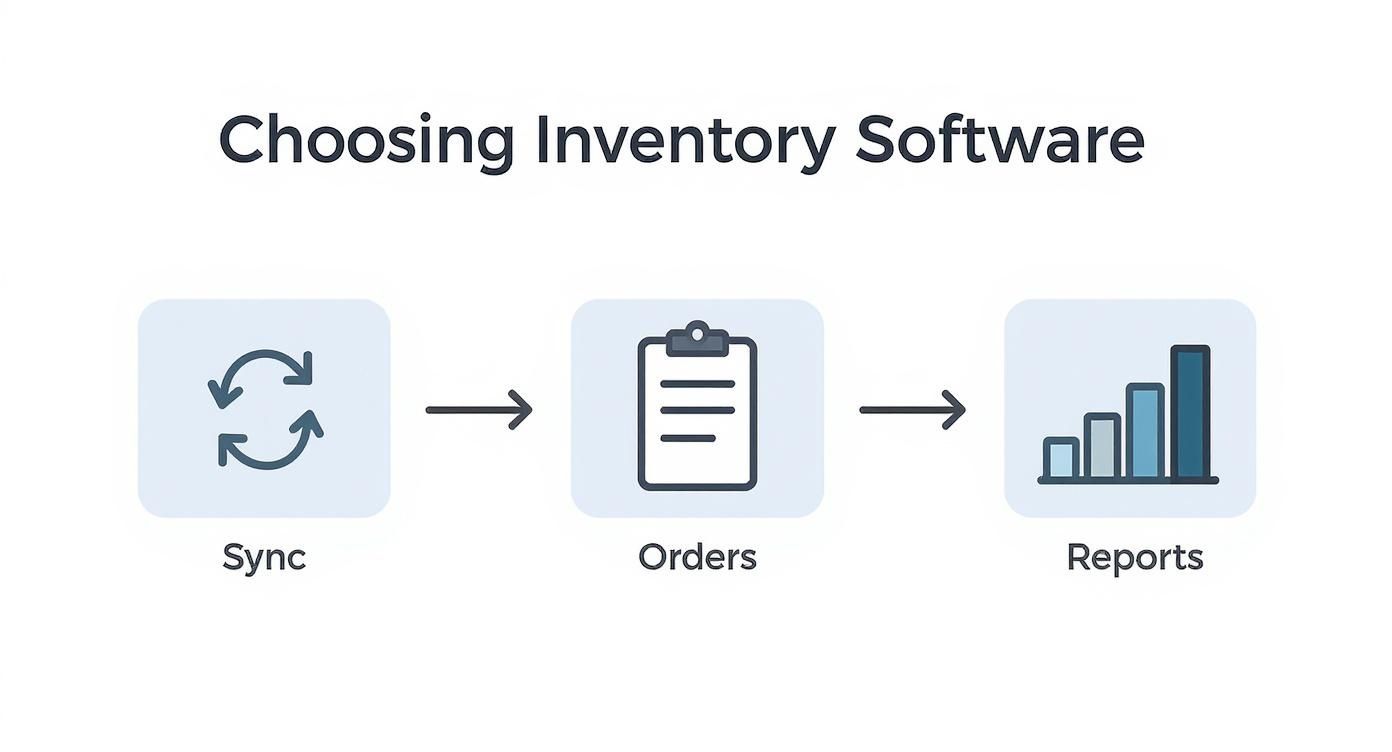
As you can see, a good system connects inventory sync, order processing, and reporting into one smooth, continuous loop.
It's also crucial to think about the total cost. Some platforms have simple monthly fees, but others might have hidden costs for setup, training, or connecting to specific tools you use. To get a feel for how features and costs line up, you can look into the details on software pricing and available plans.
Execute a Phased Rollout
Once you've picked your partner, fight the urge to connect everything all at once. A phased rollout is a much smarter, safer way to go. It keeps business disruption to a minimum and lets you iron out any kinks on a smaller scale.
Here’s a sensible way to approach the rollout:
- Integrate One Channel at a Time: Start with your main sales channel, like your Shopify store. Test it inside and out to make sure orders and inventory levels are syncing perfectly.
- Add Additional Channels: When you're sure the first channel is solid, start adding your other marketplaces (Amazon, Etsy, etc.) one at a time. Test each one as you go.
- Configure Your Inventory Rules: With your channels connected, it's time to set up your core inventory rules. This means defining your safety stock levels to avoid overselling and setting reorder points to automate purchasing.
- Set Up Automated Workflows: The final step is to automate repetitive tasks like order routing. For instance, you can set up a rule that automatically sends an order to the warehouse closest to the customer, saving you a bundle on shipping.
A slow and steady rollout is always better than a fast and chaotic one. By testing each component individually, you build a stable, reliable system that you can trust to run your operations.
Train Your Team for Success
Great technology is only one part of the puzzle. For this system to actually work, your team needs to know how to use it—and use it well. Good training isn't just a box to check at the end; it's what makes the entire transition smooth and sets you up for long-term success.
Make sure everyone gets trained, from the warehouse crew managing stock counts to the customer service reps who need to look up orders. Write down your new standard operating procedures and make them easy for everyone to find. A team that knows what it's doing can turn a piece of software into a powerful engine for growing the business.
Frequently Asked Questions
As you get deeper into multi-channel inventory management, you’re bound to have some questions. It’s totally normal. To help you connect the dots, we’ve put together answers to some of the most common questions we hear from business owners making this shift.
Think of this as a quick-reference guide to clear up any lingering confusion. We'll cover everything from the "when" and "how" of implementation to the nitty-gritty differences between key terms.
When Should I Switch from Spreadsheets to a System?
Honestly, this moment usually arrives a lot sooner than people think. It’s less about hitting a specific revenue goal and more about hitting a wall with your current process. If you or your team are spending hours every week manually adjusting stock levels, you're already feeling the pain. If you've ever had to email a customer to apologize for overselling an item, even just once? That's a huge red flag.
The real tipping point is when managing inventory stops being a quick daily task and starts becoming a source of constant stress and expensive mistakes. Spreadsheets are a fantastic tool when you're just starting out, but they simply can’t keep up with the real-time demands of selling online. The second you add another sales channel or your order volume makes manual updates feel like a high-wire act, it’s time to move on. A dedicated system isn't a luxury at that point—it’s the foundation for growth.
What Is the Difference Between Multi-Channel and Omni-Channel?
This is a great question, and it's easy to get them mixed up because they sound so similar. They actually describe two different, but related, ideas.
Here’s a simple way to think about it:
-
Multi-channel is about being present in multiple places. You might have your own website powered by Shopify, a storefront on Amazon, and maybe even a pop-up shop. Each one acts as its own separate store. The goal of multi-channel inventory management is to make sure your stock counts are synced across these different "silos."
-
Omni-channel is the next evolution. It's about weaving those separate channels together to create one seamless customer experience. It’s not just about being everywhere; it's about making those places work together. For example, an omni-channel approach lets a customer buy a product on your website and easily return it to your physical store.
In short, multi-channel is the operational setup—the "what" and "where" of your sales. Omni-channel is the customer-focused strategy you build on top of it, creating a unified brand experience no matter how someone chooses to shop with you.
How Should I Handle Returns Across Different Channels?
Handling returns smoothly is a make-or-break part of any multi-channel strategy. A clunky, confusing returns process can quickly ruin a great customer experience. The key is to have a single, central system that can process a return regardless of where the item was originally purchased.
Your inventory management software should make this easy. When an item is returned, the system should instantly log it and add it back to your sellable stock pool, making it available again on all your channels. This simple step prevents returned goods from getting lost in a logistical black hole or sitting on a shelf when they could be sold.
Imagine this: a customer buys a shirt from your Amazon store but wants to return it to your local brick-and-mortar shop. Your in-store POS system should be able to scan the receipt, process the return, issue the refund, and signal your central inventory hub that one more shirt is back in stock and ready to sell—everywhere. That’s what a truly unified process looks like.
What Kind of Cost and ROI Should I Expect?
The investment for a multi-channel inventory system can vary quite a bit. For a small business, it might be under $100 a month. For a larger enterprise with complex needs, it could run into the thousands. The final price tag usually depends on things like your number of SKUs, how many orders you process a month, and the number of channels you need to connect.
But the real story isn't the cost—it's the return on that investment (ROI). And it goes way beyond just saving time on data entry, although that's a huge plus. The true value comes from:
- Preventing Lost Sales: By putting an end to stockouts, you capture all the revenue you were previously missing out on.
- Eliminating Overselling: You avoid the costs of canceling orders, from non-refundable transaction fees to the damage to your brand’s reputation.
- Reducing Carrying Costs: With better data and forecasting, you stop tying up cash in products that just sit on the shelf.
- Improving Team Efficiency: Automation frees up your people to focus on growing the business instead of just putting out inventory fires.
When you add up the money saved by avoiding errors and the new revenue gained from always having the right stock available, most businesses find the system pays for itself incredibly quickly. It's an investment in building a more resilient and profitable company.
Ready to stop juggling spreadsheets and start building a more efficient, scalable business? The TimberCloud, Inc. platform was designed for custom manufacturers and woodworking shops to do just that. It integrates e-commerce, production tracking, and inventory management into a single, powerful system. See how TimberCloud can transform your operations.
Topics
TimberCloud Team
Content Team
The TimberCloud team is dedicated to helping manufacturers streamline their operations with intelligent software solutions.