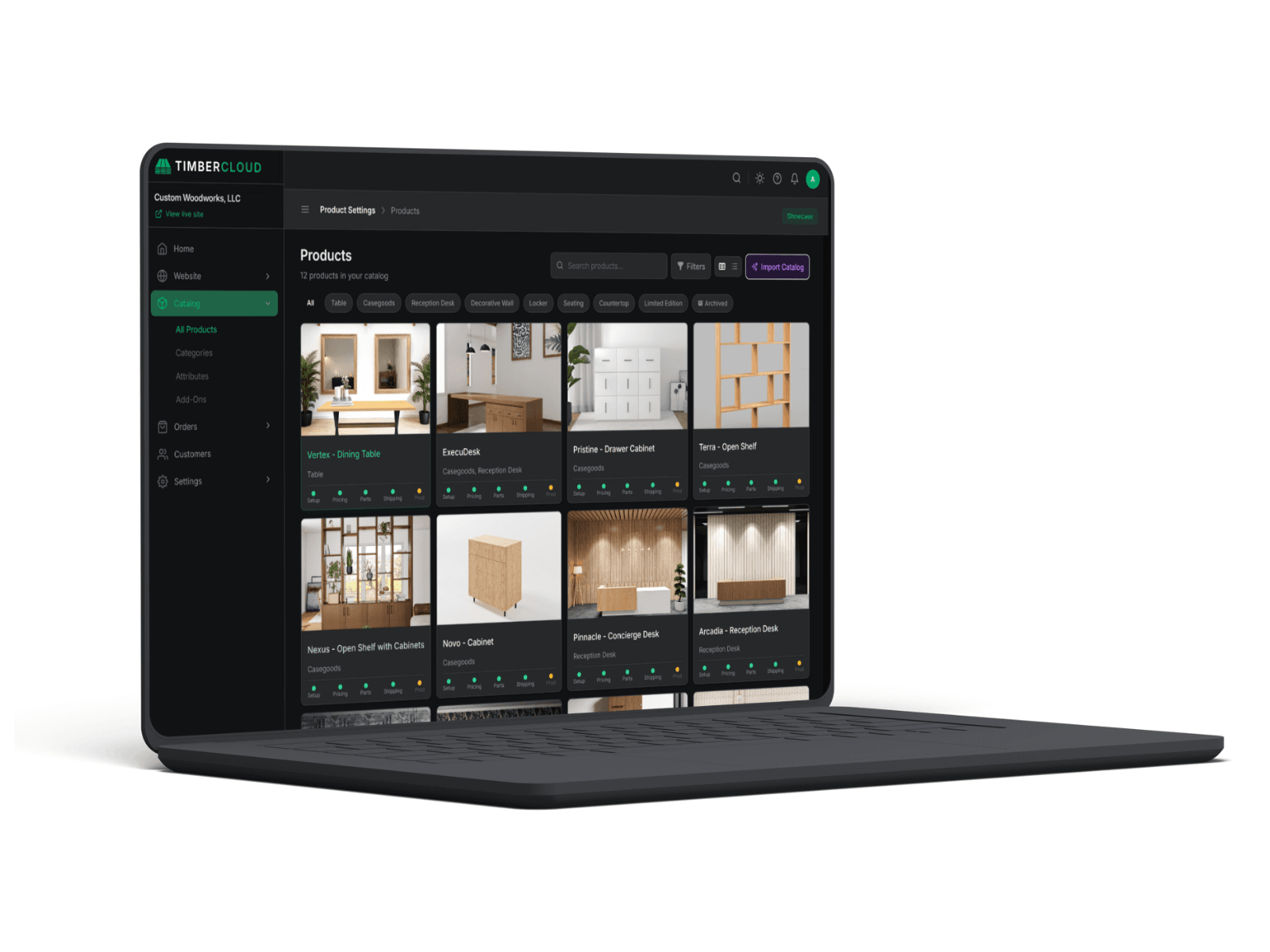
Replace the Shopify + Katana + ShipStation Stack
Whether it's Shopify + Katana + ShipStation or Squarespace + email + spreadsheets — the patchwork tax is real. Here's what it costs and what replaces it.
Built for shops that outgrew their patchwork stack and aren't ready for a 6-month ERP.
Custom manufacturers often bolt together Shopify the storefront, Katana for production, and ShipStation for shipping. Three subscriptions, three data silos, and an order that gets re-entered at every handoff. TimberCloud replaces that patchwork with one platform built for custom, build-to-order work: sell online, price with formulas, run production, and ship, all from the same order.
Why the patchwork breaks for custom work
The stack works fine if you sell fixed products. Custom manufacturing breaks it in three places:
-
Shopify wasn't built for custom. It sells set SKUs. Configurable dimensions, option-based pricing, and quote-to-order flows need workarounds and apps — and still can't produce a real shop quote. (This is the core reason shops look for a Shopify alternative for custom manufacturers.)
-
Katana is stock-first MRP. It's designed around inventory and BOMs for repeatable products, not one-off custom builds priced from a configure-price-quote flow.
-
ShipStation is a separate island. Rates and labels live away from the order, so shipping is another export/re-entry step.
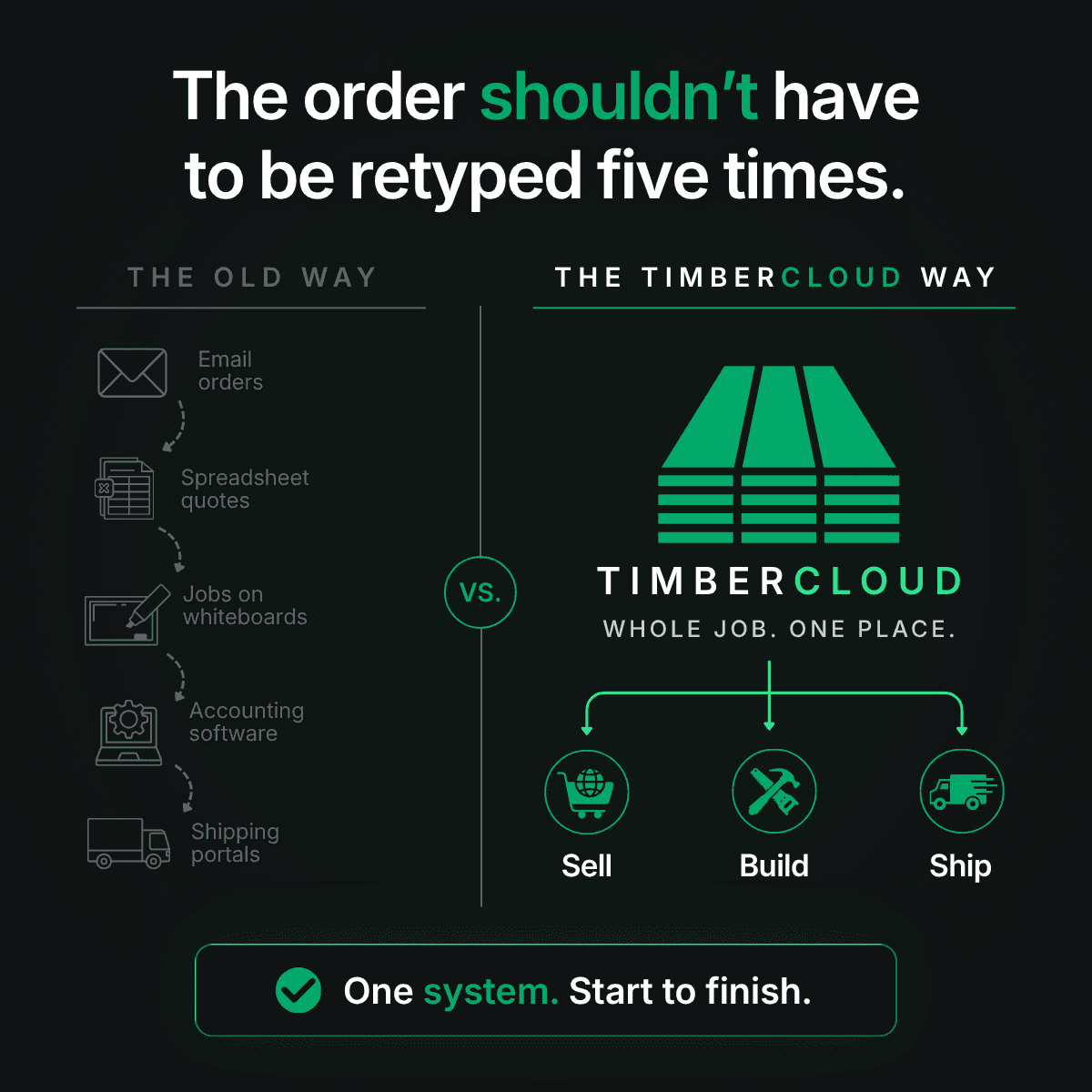
Between them, the same custom order gets rebuilt about five times. Every re-entry is a chance for an error, a delay, and a margin leak.
Which patchwork is yours?
The named stack
You've bought real software and stitched it together. Roughly:
- WordPress or Squarespace for the brochure pages — $30/mo
- Shopify for ordering — $79–$299/mo + 2.9% per order
- Katana or similar MRP — $179–$799/mo
- ShipStation for shipping — $30–$300/mo
- QuickBooks for accounting — $35–$200/mo
- ClickUp / Asana / Trello for production tracking — $50–$300/mo
- Excel for the configurator and quote math — "free"
- Email for everything else — also "free," also where things go to die
$400–$2,000/mo in software before the time spent gluing it together.
The improvised stack
You haven't really bought software — you've improvised. Roughly:
- Squarespace or Wix website you update twice a year
- Email for customer inquiries and approvals
- Spreadsheets for quotes, pricing, and the job tracker
- Paper build sheets on the shop floor
- QuickBooks for invoicing
- Maybe Shopify for a few standardized SKUs
- Google Drive for job documents
- A text thread for rush orders
The bill is small. The hidden cost isn't.
The patchwork tax
The visible cost is the SaaS bill. The invisible cost is bigger and harder to see.
- Re-typing. The same order entered into multiple systems — by different humans, sometimes with different details, always at the worst possible time.
- Data fragmentation. Inventory in Katana doesn't match Shopify. Shipping doesn't know the configuration. Customer history is split across four systems and no one's CRM.
- Spreadsheet quotes. Hours per week of someone writing quotes by hand because no tool in the stack knows your pricing rules.
- Pricing drift. Formulas built two years ago referencing labor rates from before the last raise. Margin leak that nobody catches until a quarterly review (if there is one).
- Missed orders. "We forgot the hinges." "We never sent it to production." Typical baseline: a few per month.
- New-hire ramp. When your operations live in spreadsheets and people's heads, new hires take months to be fully productive instead of weeks.
We don't have a clean number for what this costs your specific shop. But for a typical $5M shop running the named stack, we estimate the imputed time-cost runs $1,200–$2,000/mo on top of the SaaS bill — and for a $2M shop running mostly on spreadsheets, the margin leak from pricing drift alone is often the single biggest line item, even though it never shows up on a P&L.
What TimberCloud replaces, line by line
One order, from storefront to shop floor to shipment – TimberCloud is designed so the customer's order is the system:
| Tool you have today | What it does | TimberCloud replaces with |
|---|---|---|
| WordPress / Squarespace / Wix | Brochure site | Hosted website, or embed TimberCloud onto your existing site |
| Shopify | Online ordering | Storefront + Visual Configurator + Stripe checkout |
| Katana | MRP / inventory | Inventory, BOMs, build sheets, purchasing |
| ShipStation | Shipping labels | Integrated shipping — 30+ carriers + LTL (Production) |
| Excel quote workbooks | Configurator math | Step-based formula builder + AI Formula Translator |
| Paper build sheets | Production handoff | Build sheets generated from configuration |
| ClickUp / Asana / Trello | Production tracking | Production stations + dashboard |
| Order intake | AI Order Assistant — PO/email → structured order | |
| QuickBooks | Accounting | Stays. We integrate; we don't replace accounting. |
| Google Drive | Job documents | Documents attached to the order, not a folder somewhere |
How to cut over without breaking the shop
Segment by segment, not big-bang. The patchwork runs in parallel for the cut-over window.
- Week 1–2. Import catalog — AI Product Setup ingests Shopify exports, spreadsheets, or PDF catalogs and builds your product catalog automatically. Configurator and Visual Configurator live on your existing site as an embed if you want. Orders start landing in TimberCloud.
- Week 3–4. Pricing rules dialed in. The quote spreadsheets go away.
- Week 5–6. Production stations configured. Build sheets and BOMs flow from configuration.
- Week 7–8. Inventory cut over from Katana. Integrated shipping replaces ShipStation. QuickBooks stays for accounting.
Eight weeks is the conservative plan. Smaller shops on the improvised stack often move faster because there's less to untangle.
What you actually save
Consolidating isn't just tidier — it removes the re-entry tax. One order, entered once, becomes the quote, the production job, the material pull, and the shipment. That's fewer subscriptions, fewer errors, and quotes that go out in minutes instead of days. Most shops are live within a week.
See how TimberCloud lines up against trade-specific tools too: vs Allmoxy, vs Innergy, and vs ShopVOX.
Want to see your own order move through one system? Book a demo.
The real question is when, not whether
Most shops that hit $1M+ with 5+ employees move off the patchwork eventually. The only question is whether you do it while the migration is cheap and the returns start compounding now — or after a few more expensive mistakes.
Frequently asked questions
Yes. TimberCloud replaces Shopify for custom, build-to-order manufacturers by adding a configurable storefront, formula-based pricing, and a direct link to production — things Shopify's fixed-SKU model can't do natively. It also includes shipping and a website builder, so it can replace several tools at once.
No. Many shops start with the storefront and pricing, then bring production, inventory, and shipping onto TimberCloud over time. You can also embed the TimberCloud storefront on an existing website. Explore our flexible pricing tiers.
es. TimberCloud includes build-to-order production (in place of stock-first MRP like Katana) and multi-carrier shipping with live rates and labels (in place of ShipStation), so the order never leaves one system.
Most shops are live within about a week. TimberCloud's convenient AI features help your team structure your catalog, pricing, and storefront, then connect production, inventory, and shipping. And if you have any questions, our dedicated team is here to help.