
TimberCloud vs Allmoxy
Compare TimberCloud and Allmoxy on 3D configuration, usage-based pricing, support, AI, and shop workflows. See current plans and which fits your business.
Both platforms help woodworking businesses quote, take orders, and manage work. TimberCloud connects a full website and storefront, native 3D product configuration, pricing, and production. Allmoxy emphasizes ordering portals plus project, accounting, and operational workflows.
The right choice depends on how you sell, what your team needs to manage, and what makes your software bill grow.
Compare the workflows that matter
| Feature | TimberCloud | Allmoxy |
|---|---|---|
| Full website + storefront | Yes — included | No — buyer portal only |
| Native 3D configurator | Yes — every plan | Not listed as native customer-facing 3D |
| Selling modes | Public checkout, quote-only, dealer-only, or storefront + B2B | Customer ordering portals |
| Audience-specific access | Custom pricing, permissions, and offers by customer type | Confirm in demo |
| Your own domain | Included — no monthly domain fee | $20/month for portal on your domain |
| Usage model | Unlimited core order activity | Plans vary by segment, volume, and tools |
Why TimberCloud goes beyond a buyer portal
Embed it in your existing site, or launch a complete website and storefront in days—not months.
Use public pricing and checkout, quote-only, dealer-only, or a full storefront and B2B portal together.
Native 3D configuration and rule-driven pricing are included on every TimberCloud plan.
Build sheets, purchasing, receiving, shipping, and shop-floor tracking stay connected by plan.
Where TimberCloud makes the difference
Show customers what they are ordering
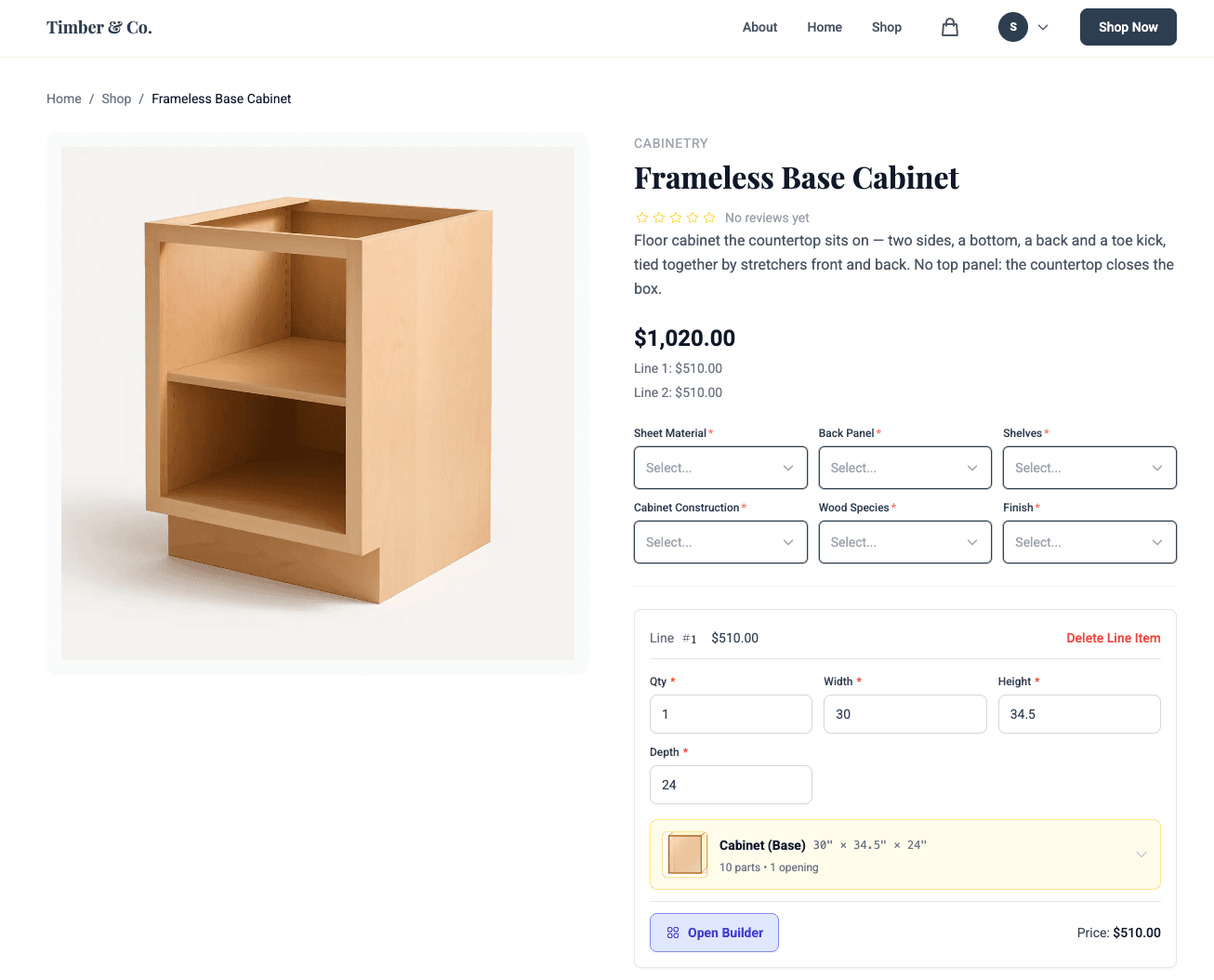
A native 3D product configurator is included on every TimberCloud plan. Customers change dimensions and options, see the product update, and get pricing from your rules. Build a website with TimberCloud or embed the buying experience on the site you already have.
Allmoxy offers product configuration and live pricing. Its reviewed pages describe working with external design tools; they do not list a native customer-facing 3D product configurator. TimberCloud plans
Choose your plan by workflow
TimberCloud does not meter orders, bids, line items, pricing formulas, file-to-order inputs, payments, invoices, or generated documents. Move up a plan when you need more capabilities, rather than because an order-count or revenue threshold changed.
That does not mean every cost stays fixed: additional users cost extra on Commerce, Build, and Production. Commerce and Build also have platform fees on successful card payments through TimberCloud checkout. How TimberCloud pricing works
Carry the configured order into the shop
Start with your catalog and pricing rules, sell through your storefront, and carry the order into the work behind it. Build adds build sheets, purchasing, receiving, and a B2B portal. Production adds shop-floor tracking and more advanced inventory tools.
Allmoxy also connects ordering and operations. TimberCloud puts the native 3D buying experience and website into that same flow. TimberCloud plans
Get human support with every subscription
Every TimberCloud plan includes a free live kickoff session, plus email and chat support. Production adds priority phone, live chat, and screen-share help.
Allmoxy offers a free self-service support option with a kickoff call and learning resources. Its paid support options start at $60/month; email and chat appear in the paid options. TimberCloud support and implementation
Compare the workflows that matter
Website and buying experience
TimberCloud: More than a buyer portal—it is the only option in this comparison with a full website builder. Bring your existing site and embed the storefront, or start from scratch and launch a complete website and storefront in days, not months. You can show public pricing and let every customer check out, run quote-only, offer a dealer-only portal, or combine a full storefront with a B2B portal. Customize permissions, pricing, and offers by customer type—for example, contractors versus dealers. Domain migration is free, with no ongoing TimberCloud domain fee. Native 3D product configuration is included on every plan; the B2B portal is available on Build and above.
Allmoxy: Customer ordering portals with configuration and live pricing. An equivalent full marketing website builder and embeddable native 3D buying experience are not listed on the reviewed pages. Allmoxy charges $20/month to place the customer portal on your own domain.
AI and order intake
TimberCloud: AI Order Assistant, AI Product Setup, and AI website/storefront generation, included on every plan.
Allmoxy: Advertises Smart Import, AI-assisted catalog setup, and Operator. Some feature lists still mark the AI engine as coming soon; confirm the specific Operator tasks available in your account.
Shop operations and shipping
TimberCloud: Build sheets, purchasing, and receiving on Build; production tracking and multi-warehouse tools on Production. Carrier and freight tools are included on every plan; shipping charges still apply.
Allmoxy: Advertises production scheduling, inventory allocation, time tracking, machine exports, and shipping coordination.
Project management and accounting
TimberCloud: Best evaluated around configured products, orders, and production. Works complementary to your accounting and billing software via file import/export.
Allmoxy: Advertises room-based projects, file versioning, agreements, milestone billing, retainage, and QuickBooks sync.
Integrations
TimberCloud: Cabinet Vision workflow support and export-ready files for Mosaik and other design platforms; confirm the file formats and plan needed for your shop.
Allmoxy: Advertises design-software integrations plus API and webhooks. Check your exact software version and the direction of each data transfer.
Which should you choose?
Choose TimberCloud if
- Your buyers need to see configurable products in 3D while dimensions, options, and pricing change.
- You want a true storefront—not just a buyer portal—with public checkout, quote-only, dealer-only, or combined storefront and B2B experiences.
- You want pricing, permissions, and offers tailored to different customer types, such as contractors and dealers.
- You want to embed the storefront in your existing site or launch a complete website and storefront in days, not months.
- You want your own domain migrated for free, without a recurring TimberCloud domain fee.
- You want unlimited core order activity, with a subscription tier selected around workflow.
- Included email/chat support and clearly stated seat allowances fit how your team works.
Give Allmoxy a close look if
- Unlimited users are a priority for a large team.
- QuickBooks sync and installation-oriented workflows are central requirements.
- Your existing design tools and supplier relationships make its integration ecosystem essential.
Both products advertise AI, online ordering, and connected operations. Bring a real product, a difficult pricing rule, and a representative order to each demo.
Frequently asked questions
Yes. TimberCloud can power a complete public storefront, a quote-only experience, a private dealer portal, or a storefront and B2B portal together. You decide who can see pricing, who can check out, and which products, offers, and permissions each customer type receives.
Yes. TimberCloud is the only option in this comparison with a full website builder. If you already have a website, embed the TimberCloud storefront into it. If you do not, TimberCloud can help you launch a complete website and storefront in days, not months.
Yes. Create customer-specific permissions, pricing, catalogs, and offers for different audiences. A contractor, dealer, and retail buyer can each see the experience designed for them without forcing you to manage separate commerce systems.
Yes, native 3D product configuration is included on every TimberCloud plan. Buyers can change dimensions and options, see the product update, and receive pricing based on your rules. It is a selling and configuration experience—not a replacement for full CAD/CAM or room-planning software, but complementary to them.
The configured product, pricing, and order stay connected to the work that follows. Depending on your plan, TimberCloud can carry the order into build sheets, purchasing, receiving, inventory, production tracking, shipping, and customer communication—without rebuilding the order in disconnected tools.
No. TimberCloud can migrate your domain at no charge and does not add a recurring domain fee. Allmoxy charges $20/month to place its customer portal on your own domain.
No. TimberCloud does not meter orders, bids, line items, pricing formulas, file-to-order inputs, invoices, payments, or generated documents. Choose a plan based on the workflows you need. Extra users, optional services, plan upgrades, and applicable checkout fees can still change your total cost.
Yes. TimberCloud supports dimensional and option-driven pricing rules, minimum charges, material choices, exceptions, and customer-specific pricing. Bring your hardest pricing rule to a demo and the team can show how it works with your actual products.
Yes. Start with a sample export of your products, customers, pricing, and order history. TimberCloud will review what can be imported, what needs mapping, and what requires additional migration work. Scope and cost depend on the quality and complexity of the source data.
See TimberCloud with your products
Bring your catalog and a real order. We'll walk through the customer experience, pricing, and the work that follows it.