Production management for a growing woodworking operation
Coordinate more jobs, people and stations with connected production, shop-floor management and reporting. Keep materials, shipping and QuickBooks Online connected as your shop scales.
Run the work beyond the sale
As a woodworking shop grows, the challenge becomes coordinating more orders, people, materials and deadlines. TimberCloud connects the customer’s specifications with the work the office and shop floor need to manage.
For mid-sized and larger operations, bring build documentation, purchasing, inventory, production tracking, shipping and reporting into one connected workflow. Organize it around the way your team builds.
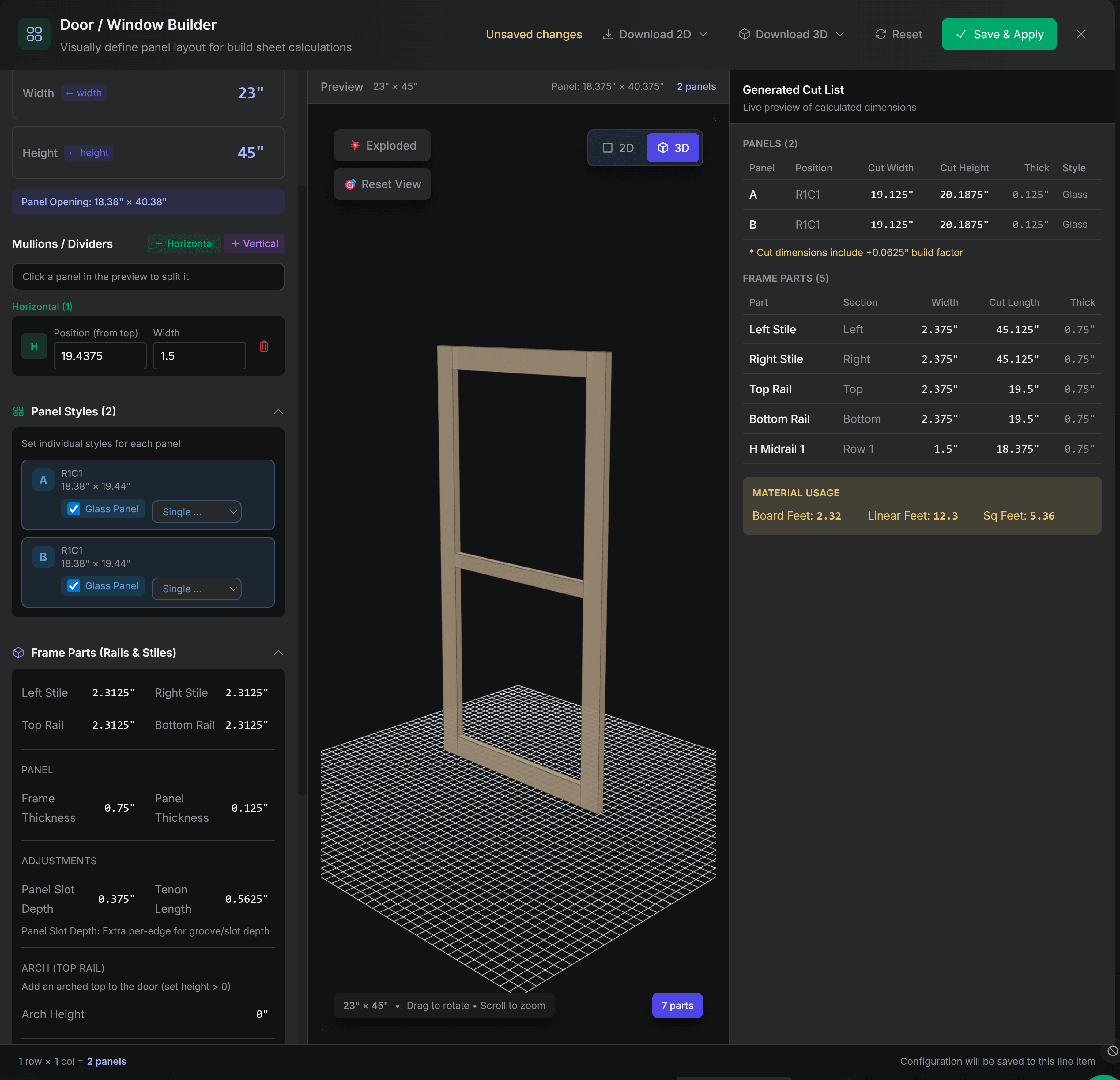
Core capabilities
Generate supported cut sheets and build documents from configured product data. Keep dimensions, materials and selected options connected as the job moves from the office to the shop floor.
Define stations such as cutting, assembly, finishing and quality control. Track order progress on the production board and use supported station updates and QR scanning to keep the next handoff visible.
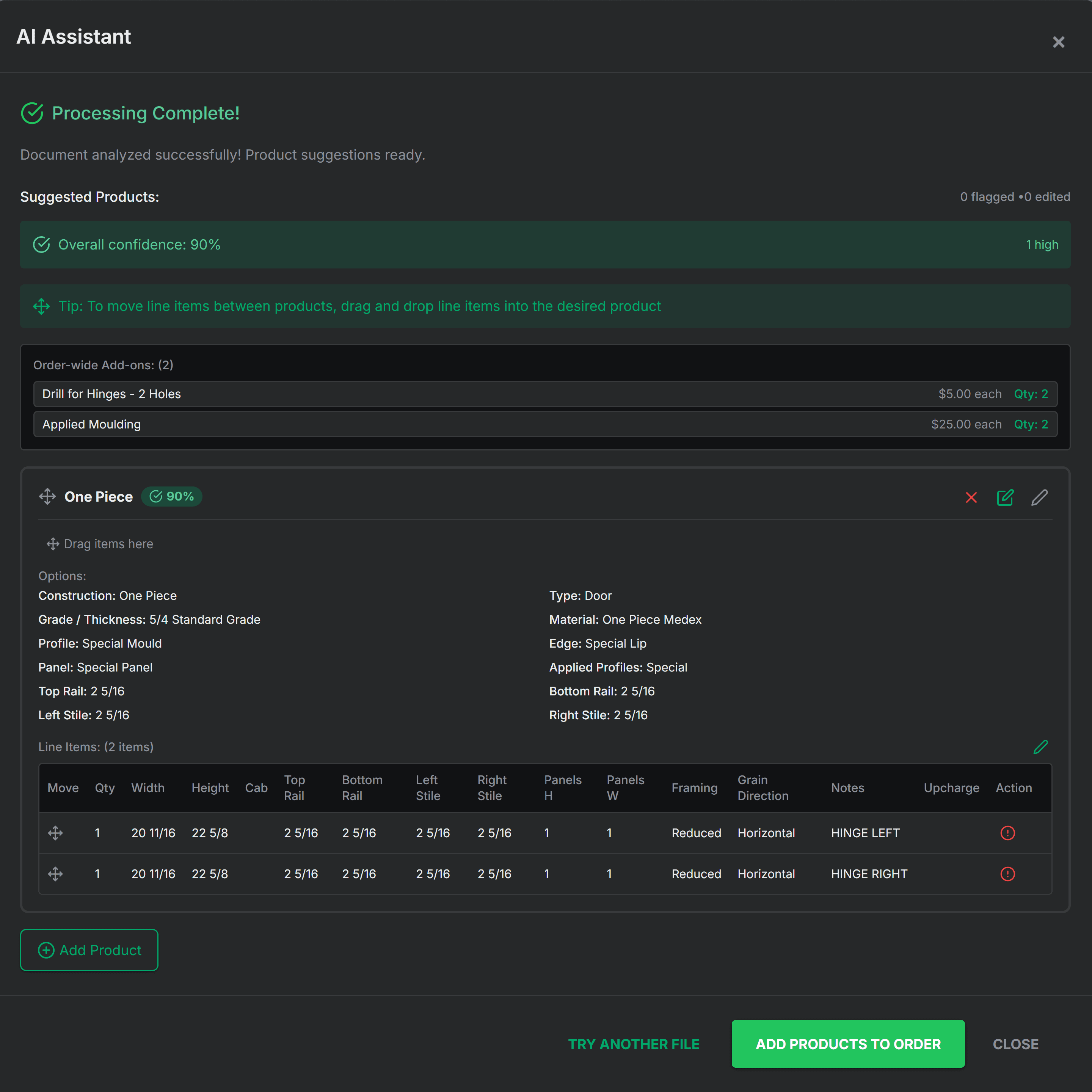
Use the AI Order Assistant to help extract product details from incoming documents. Review dimensions, quantities, materials and catalog matches before accepting the order for production.
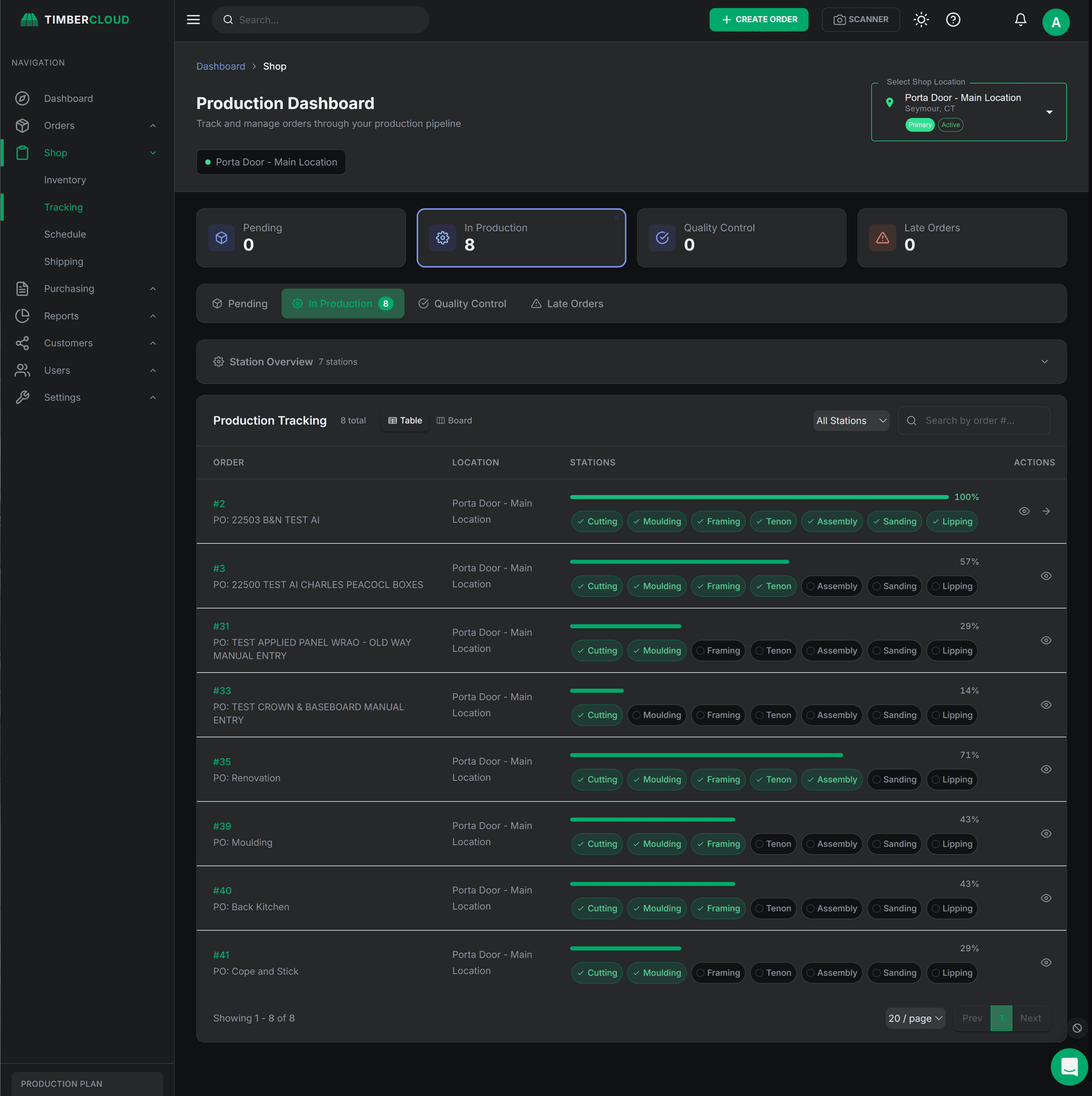
Configurable stations
Name the stations your shop uses and track jobs as they move through production. The Production / Shop Floor add-on provides a production board, schedule and station updates, including QR scanning where available.
Explore shop-floor management and station tracking, including the devices, permissions and update routine to check during setup.
The rest of the floor, in the same system.
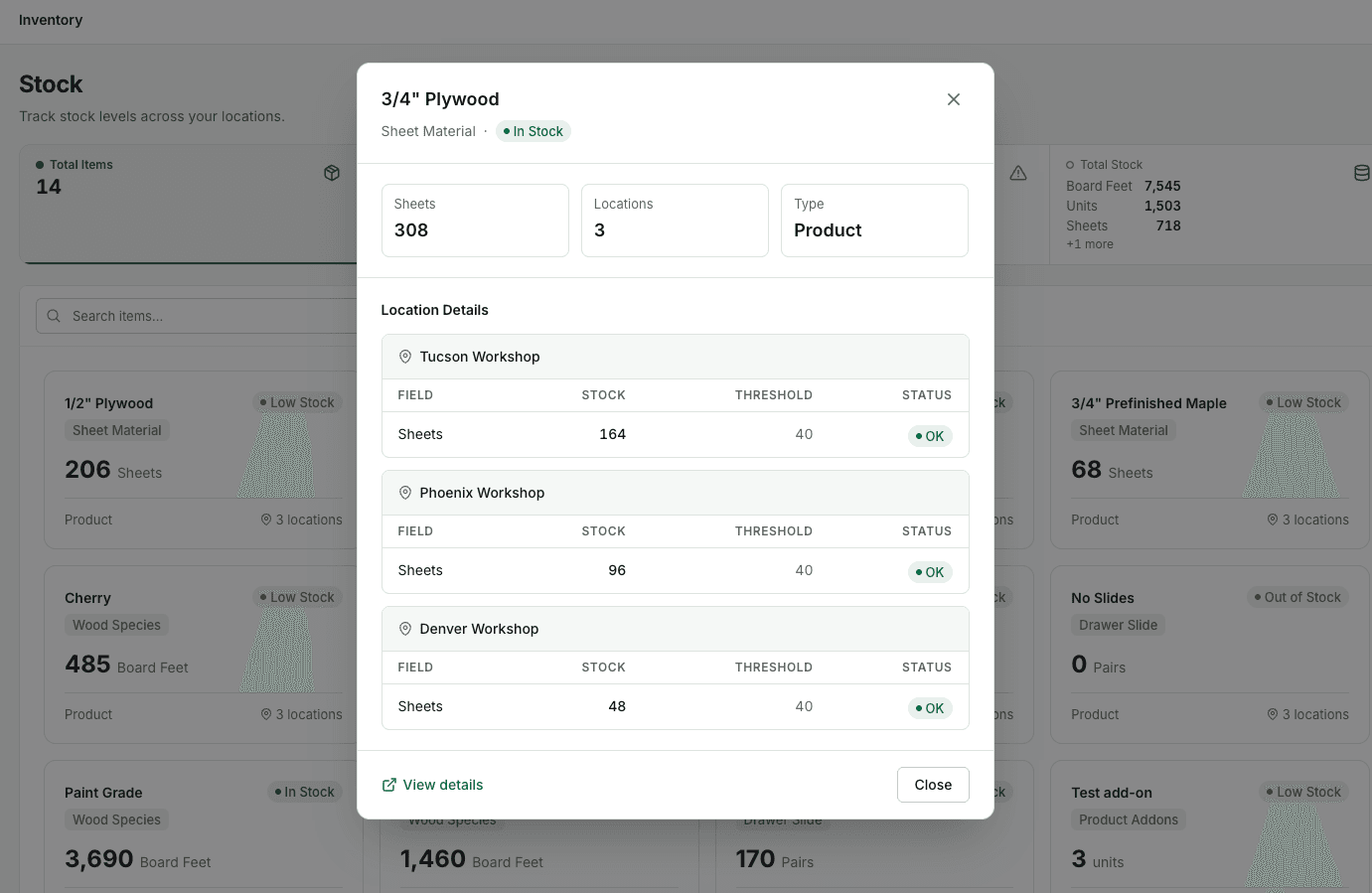
See material stock by workshop
For shops operating across locations, Inventory & Warehouses shows material quantities by workshop with thresholds and stock status. Check the stock your team can use before purchasing, scheduling or shipping a job.
The example shown tracks sheet material across three workshops. Use your own materials, units and locations when setting up inventory. See current tools and inclusions.
Cut sheets from configured orders
Use the dimensions, materials and options already captured in the order to generate cut sheets with your configured product rules. Give the shop floor build information without re-entering the same specifications in another document.
Explore cut sheets and supported CAD/CAM exports, including DXF workflows and the setup your products and equipment require.
Keep build documents with the order
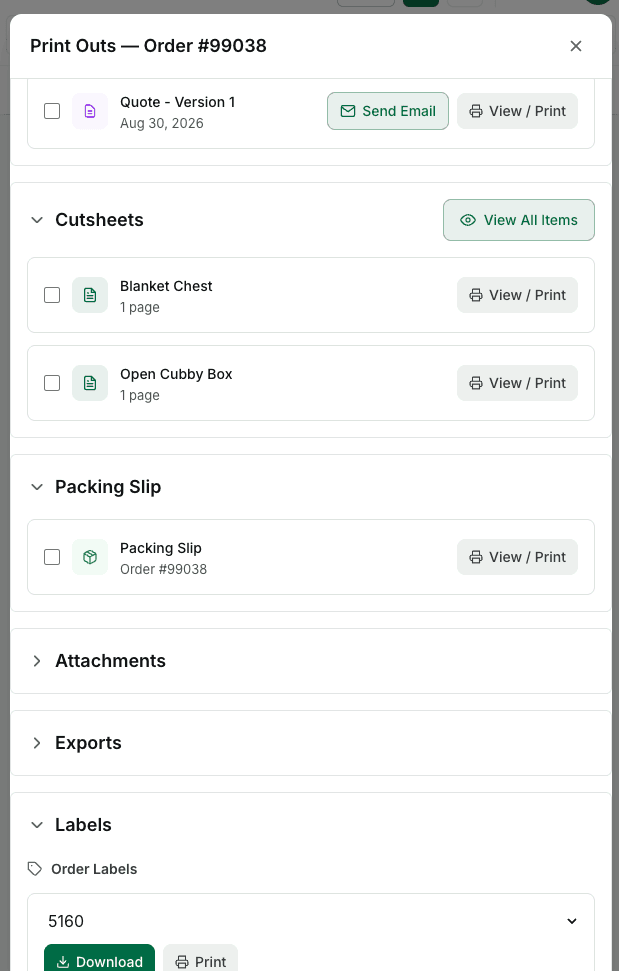
Open item cut sheets, quotes, packing slips and order labels from the order’s printouts panel. Your office and production team can find the documents for the same job in one place.
Review the generated documents against your approved product specifications before releasing work to the floor.
Keep purchasing connected to production
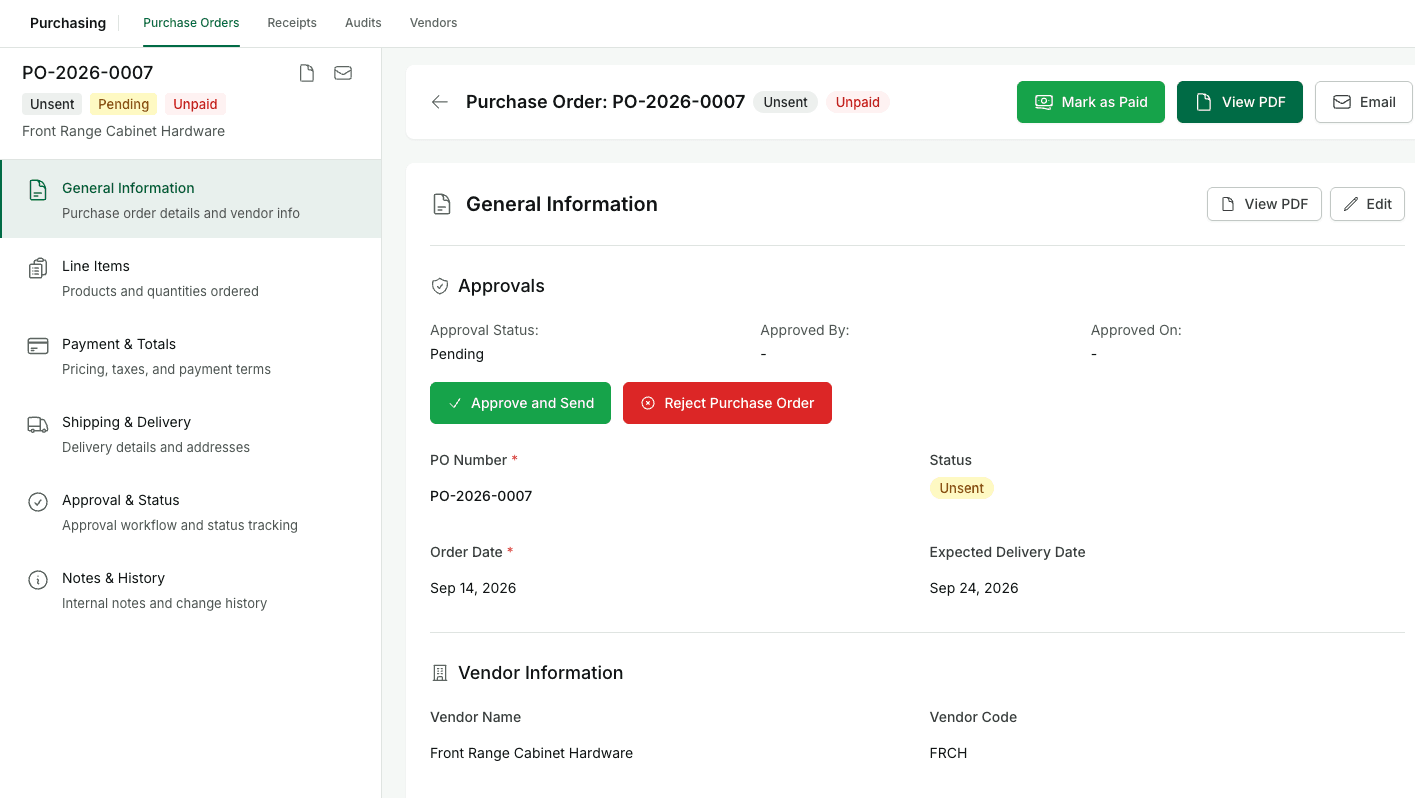
When a job needs materials or hardware, manage purchase orders with vendor details, line items, delivery dates, approval status and a PDF view. Give the office a clearer record of what has been ordered for the work ahead.
The example purchase order is awaiting approval and has not been sent. Set the review routine your shop needs before issuing orders to vendors. See current tools and inclusions.
AI Order Assistant
Reduce manual entry when order details arrive in emails, purchase orders or other documents. The AI Order Assistant helps extract product information for your team to review against the catalog.
Check dimensions, quantities, materials and options, then accept the reviewed details into the order workflow. Explore TimberCloud AI tools →
Station updates where the work happens
Keep job progress visible as work moves between stations. The Production / Shop Floor add-on supports station updates and QR scanning where available. Review the devices, user permissions and scanning routine your team will use during setup.
Shipping and fulfillment for woodworking orders
Keep the shipment connected to the order your team has already quoted and built. TimberCloud brings shipping rates, labels, LTL freight booking and tracking into the order workflow for cabinet, component, millwork and custom furniture shops.
Prepare, ship and follow the order
- Prepare the shipment. Review the delivery address, package dimensions, weight and packing details before arranging transport.
- Choose the service. Compare available rates and use the supported label or LTL booking workflow for the shipment.
- Follow fulfillment. Keep tracking details and shipping status with the order. Confirm which carrier updates arrive automatically and which status changes your team records.
For example, take a configured cabinet-door order from online ordering through build documentation, shop-floor tracking and shipment. This keeps the fulfillment discussion tied to the same customer requirements instead of rebuilding the job in another spreadsheet.
Add Inventory & Warehouses when you need stock tracking across locations. Review current pricing and inclusions, then bring a representative shipment to a demo to confirm carriers, destinations, package limits, freight requirements and applicable charges.
Give production leaders and the office a clearer view
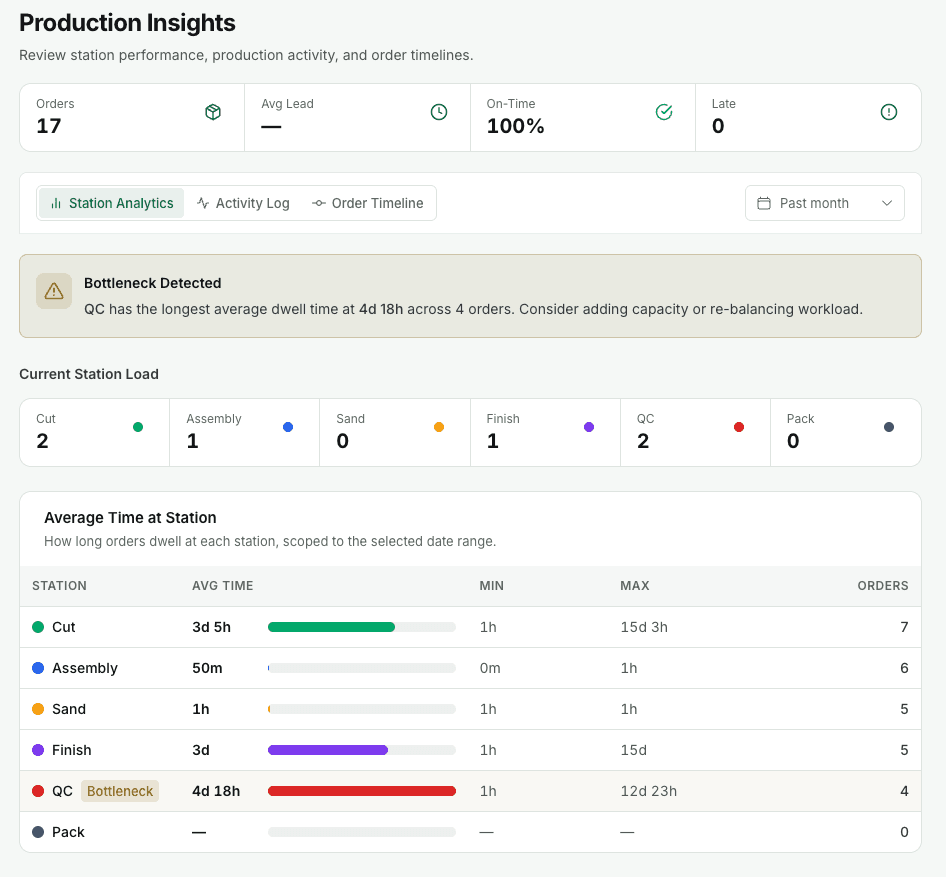
Use connected order and production information to review job progress, identify work that needs attention and coordinate the next handoff. Bring the operational questions your managers use every day into your reporting setup.
QuickBooks Online integration and financial reporting
Connect QuickBooks Online to send invoiced orders, payments, credits and refunds into accounting. View QuickBooks Profit & Loss in TimberCloud Reports alongside the work your team manages.
As order volume grows, keep the shop floor, shipping desk and financial review connected. Define the reports and production measures your team needs, then review them with a representative workflow.
Website, order, cut sheet, production, shipment. One system, from first click to final delivery.