A Guide to Woodworking Design Software for Custom Shops
Think of woodworking design software as the ultimate bridge connecting your imagination to the finished piece. It's a specialized digital toolbox that lets you design, visualize, and meticulously plan every joint and cut in a virtual 3D world. You get to perfect the project before a single piece of wood is touched, saving you from costly mistakes and wasted materials down the line.
From Sketchbook to Shop Floor: The New Blueprint
Picture your entire shop—from the initial client conversation to the final cut on the CNC—running like a well-oiled machine. That's the real promise of modern woodworking software. It becomes the central nervous system for your operation, tying your design team, sales process, and production floor together seamlessly.
This technology directly tackles the oldest headache in custom woodworking: the communication gaps and data black holes that inevitably lead to errors. The old way involved a clunky, multi-step process. A napkin sketch becomes a formal drawing, which someone then has to manually turn into a cut list, which is then programmed for a machine. Every single handoff is a landmine for mistakes.
Bridging the Gap Between Vision and Execution
This software is like having a master craftsman's apprentice who also happens to be a brilliant translator. It takes a creative vision and, in an instant, turns it into the precise, machine-ready language your tools understand, all without losing a shred of detail. The key is mastering the sketch to 3D workflow, which truly transforms raw ideas into fully realized models.
This digital blueprint gets everyone on the same page. No more guessing games.
The real magic isn't just drawing a cabinet. It's about creating a single source of truth that kills the guesswork and aligns everyone, from the person quoting the job to the person loading the truck.
The industry's embrace of these tools tells the whole story. The global market is booming, fueled by woodworkers everywhere going digital. We're looking at a compound annual growth rate (CAGR) of around 9% in the near future. Here in North America, the market is on track to hit about $300 million by 2025. It’s not just a trend; it's the new standard.
Eliminating Communication Breakdowns
An integrated software platform puts a stop to the classic problems that haunt every custom shop:
- Misinterpreted Designs: Ambiguous paper sketches are replaced with crystal-clear, interactive 3D models that leave nothing to the imagination.
- Manual Data Entry Errors: It automatically generates perfect cut lists and Bills of Materials (BOMs) straight from the approved design. No more fat-fingered mistakes.
- Wasted Time and Materials: Nesting algorithms optimize your layouts for minimal scrap, and you can be confident that every component will fit perfectly on the first try.
By directly linking the sketchbook to the shop floor, this software isn't just an upgrade—it's a whole new blueprint for how to run a successful woodworking business. It builds a foundation for a shop that's not only more profitable but also far more agile and ready for whatever a customer can dream up. If you want to get better at decoding these plans, take a look at our guide on how to read manufacturing blueprints.
The Core Features Driving Modern Woodworking Shops
To really get a handle on what this software can do, you have to look under the hood. It’s so much more than a fancy digital drawing board. Think of it as a connected set of tools that ties everything together—from the first sketch to the final piece leaving your shop.
Each feature is built to solve a specific, and often expensive, headache that custom shops deal with every day.
If your shop is an orchestra, this software is the conductor. It makes sure every section—design, sales, production—is playing in perfect harmony from the same sheet of music. Let’s break down the core features that make this possible and turn those complex projects into profitable realities.
We can boil down the most critical software functions into a few key areas. Each one builds on the last, creating a powerful system that connects your design process directly to your bottom line.
Essential Software Features for a Custom Woodworking Shop
This table shows the core features you'll find in modern woodworking software and, more importantly, what they actually do for your shop's efficiency and profitability.
| Feature | What It Does | Primary Benefit |
|---|---|---|
| CAD and CAM | Creates precise 2D/3D models (CAD) and then translates those models into instructions (CAM) for your CNC machines. | Drastically reduces manual errors and ensures what you design is exactly what gets cut. |
| Parametric Design | Builds "smart" models where changing one dimension (like cabinet width) automatically updates all other related parts. | Saves countless hours of redrawing and enables rapid customization for clients. |
| Nesting & CNC Output | Intelligently arranges parts on a sheet of material to get the highest possible yield, minimizing scrap. | Slashes material waste by 20-30%, directly boosting your profit margins on every job. |
| Bill of Materials (BOM) & Quoting | Automatically generates a complete list of all materials, hardware, and labor needed and uses that data to create accurate quotes. | Delivers fast, consistent, and profitable quotes, eliminating guesswork and costly mistakes. |
| Inventory & E-commerce Integration | Connects your designs to your live inventory levels and can even feed product data and pricing directly into an online store. | Prevents selling out-of-stock items and opens up new sales channels with less manual work. |
Essentially, these features create a digital thread that runs from the initial customer inquiry all the way through to production, ensuring everyone is working with the same accurate, up-to-date information.
The Foundation: CAD and CAM
At the very heart of any good woodworking software is the classic duo: CAD (Computer-Aided Design) and CAM (Computer-Aided Manufacturing). You can't really have one without the other in a modern shop.
-
CAD is your virtual workbench. It’s where you bring your ideas to life, creating incredibly detailed 2D drawings or immersive 3D models. This is your chance to sweat the details—joinery, hardware placement, clearances—and get the design absolutely perfect before a single piece of wood is touched.
-
CAM is your master machine operator, working 24/7. It takes that perfected digital design from CAD and translates it into a language your CNC machines understand, typically called G-code.
Together, they form a perfect bridge between the creative vision in your head and the physical reality on the shop floor, cutting out all the risky manual steps where mistakes love to happen.
The Efficiency Engine: Parametric Design and Smart Builders
Picture this: you've designed a beautiful custom cabinet. The client loves it but asks, "Can we make it three inches wider and two inches shorter?" In the old days, that meant heading back to the drawing board to painstakingly redraw every single part and recalculate every dimension.
This is where parametric design completely changes the game.
You're no longer just drawing a static box; you're building a "smart" product with rules. You tell the software how parts relate to each other. So, when you change the cabinet's overall width, every related component—the doors, the shelves, the face frame—resizes automatically. Shelf pin holes shift, the cut list updates instantly. It’s almost magical.
Parametric design turns your product library from a collection of static drawings into a dynamic, intelligent system. It’s the difference between a blueprint and a living product that adapts to any customer request in seconds.
This is the technology that powers those online "build-your-own" product configurators. To see just how powerful this can be, take a look at our guide on the power of 3D product visualization.
The Profit Protector: Nesting and CNC Output
Material cost is one of the biggest line items in any woodworking business. Every square inch of wasted plywood or hardwood is pure profit down the drain. This is where a good nesting algorithm becomes a shop owner's best friend.
Nesting software is like a master puzzle solver on steroids. It takes all the different parts for a job and figures out the most efficient way to arrange them on a sheet of material to minimize waste. It analyzes thousands of possible layouts in a split second—a feat that’s simply impossible to replicate manually with the same precision.
This kind of tech is quickly becoming the standard. The market for woodworking design software is expected to grow by over 8% annually through 2033, driven by this push to connect design directly to production. The proof is in the numbers: shops that integrate these systems can cut their material waste by a whopping 20-30%. It’s no wonder that over 60% of manufacturers have already made the switch to CNC-controlled machines to get these benefits. You can find more on these market trends on datainsightsmarket.com.
The Business Connector: BOM, Quoting, and Inventory
A beautiful design is worthless if you can't quote it accurately and build it profitably. This is where the best software platforms really shine—by connecting your digital model directly to the business side of your shop.
As soon as a design is approved, the system can spit out a detailed Bill of Materials (BOM). This isn't just a simple parts list. It's a comprehensive breakdown of absolutely everything you need:
- Raw Materials: Every stick of lumber, sheet of plywood, and roll of edge banding.
- Hardware: Every last screw, hinge, and drawer slide.
- Labor Estimates: It can even calculate production time based on the machining operations required.
This automated BOM then feeds right into a quoting engine. Suddenly, you can generate fast, accurate, and consistent prices for every custom job. Even better, it can talk to your inventory system, check if you have the materials on hand, and even flag items that need to be ordered. This creates a seamless loop, ensuring what you sell is what you can actually build, on time and on budget.
How AI Transforms Plans Into Production in Minutes
The next big leap in woodworking software isn’t just about drawing faster—it’s about getting smarter. Artificial Intelligence is now the engine driving a "plan-to-production" workflow, a shift in technology that collapses the time between a finished blueprint and the first cut on the shop floor.
Think of it like hiring a world-class production manager who can instantly read any architectural drawing, understand every single detail, and spit out a perfect production schedule in minutes. That’s exactly what an AI-powered engine does. It takes over the tedious, error-prone manual work that bogs down even the most buttoned-up shops.
This isn't just an incremental improvement; it's a fundamental change. Instead of a person manually deciphering a design and punching data into a half-dozen different programs, the AI does all the heavy lifting, creating a direct, unbroken line from the design itself to the machines on your floor.
From Blueprint to Actionable Orders, Automatically
Let's play out a common scenario. Your shop lands a big custom millwork project—a reception desk, some complex wall paneling, and a full suite of built-in cabinets—all detailed in a multi-page architectural PDF. The old way? Your best project manager would be tied up for hours, maybe even days, manually breaking down those drawings.
With an AI engine, the story is completely different:
-
Upload and Analyze: You simply upload the architectural plan into the system. The AI gets to work, scanning the entire document and using sophisticated recognition to identify every component, dimension, and material call-out.
-
Match to Your Shop's DNA: The AI then acts like a seasoned estimator, cross-referencing every part it found against your shop's own digital catalog. It already knows how you build your cabinet boxes, what hardware you stock, and what materials you have on hand.
-
Create Work Orders Instantly: In a flash, the system generates everything your team needs to get started. It creates a precise cut list, a detailed Bill of Materials (BOM), and individual work orders for every single component, all ready for scheduling.
This automatic process is the core value of modern woodworking software. It turns a static, flat design into a dynamic, optimized plan for fabrication.
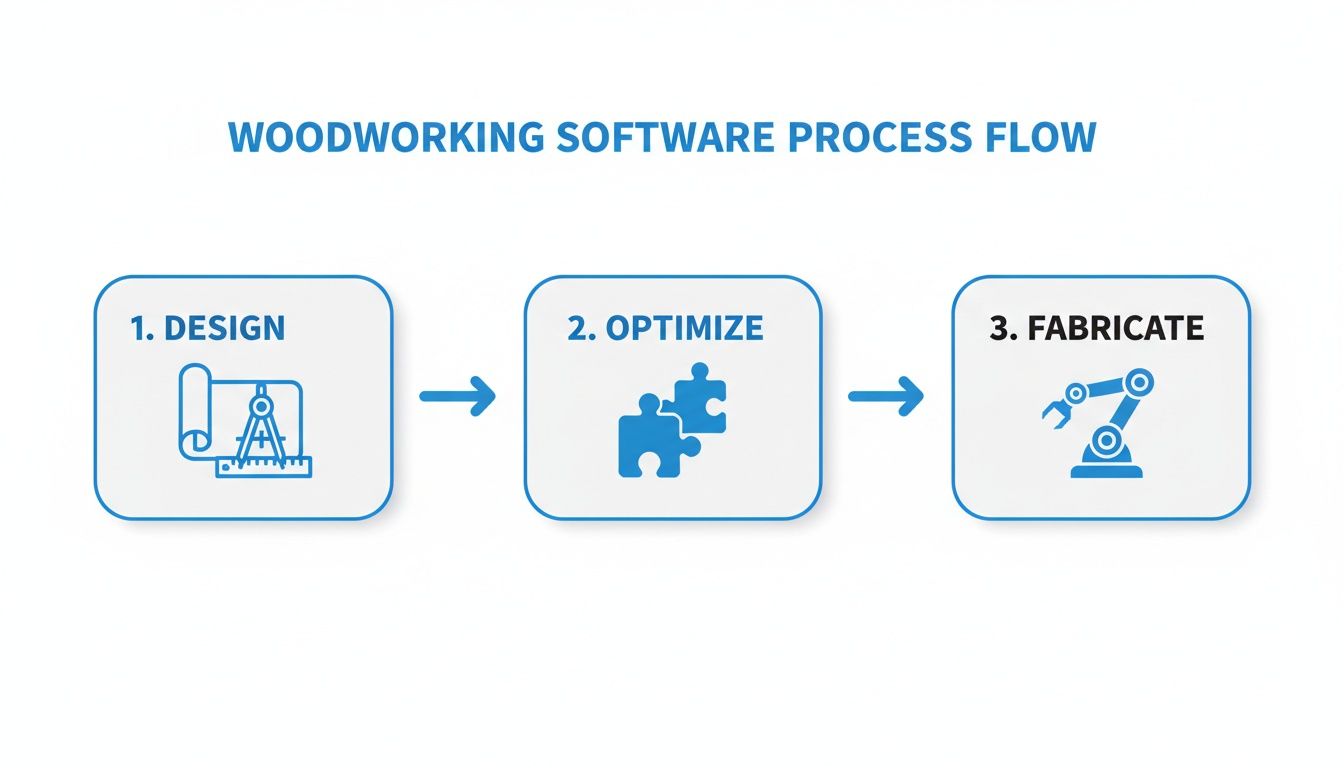
The real magic here is the seamless handoff between design, optimization, and fabrication. By removing manual data entry, you kill the primary source of costly mistakes.
Slashing Errors and Production Bottlenecks
Human error is the silent profit killer in any custom shop. We’ve all been there—a single mistyped dimension on a cut list or a forgotten piece of hardware can derail a project, leading to expensive rework, frustrating delays, and unhappy clients. AI-driven automation all but eliminates this risk.
By pulling data directly from the source, the software guarantees perfect accuracy. The information flows from a single source of truth—the original design file—straight into your production workflow without anyone having to touch a keyboard.
This isn't just about moving faster; it's about being certain. AI gives you the confidence that the work orders hitting the floor are a perfect mirror of the approved design. This frees up your team to focus on what they do best: craftsmanship, not data entry.
As AI smooths out the journey from concept to creation, it helps to understand the underlying technologies. Fields like Intelligent Document Processing are at the heart of how AI learns to read and interpret complex design files, which is key to breaking through production bottlenecks and getting jobs on the CNC faster.
The True Business Impact of AI Integration
The benefits ripple out far beyond the shop floor. An AI-powered system feeds the entire business with better data for smarter decisions. For instance, when the AI automatically generates a complete BOM from a new design, that information can flow directly into a cloud ERP for real-time inventory checks and automated purchasing. You can dig deeper into the advantages of a cloud ERP for manufacturers right here.
This integration creates a powerful, positive feedback loop. Your sales team can quote complex jobs faster and with far more confidence, knowing the price is built on accurate, up-to-the-minute material and labor data. Production managers get a crystal-clear view of the upcoming workload, making resource planning a breeze.
Ultimately, this AI-driven efficiency compresses the entire sales-to-delivery cycle, allowing your shop to boost its throughput and profitability without having to add more people.
A Practical Checklist for Choosing Your Software
Picking the right woodworking design software is one of the most critical investments you’ll ever make for your shop. This isn’t just about buying another tool; it’s about choosing a partner that will shape your business for years to come. To get past the flashy sales pitches and figure out what really matters, you need a solid plan.
Think of every software demo as an interview. You’re not just a passive observer watching a presentation; you’re grilling a potential business partner. This guide will arm you with the right questions to make a strategic decision you can feel good about.
H3: Evaluating Core Functionality and Scalability
First things first: can the software actually do the work you need it to do, both today and down the road? A platform that seems like a perfect fit right now could easily become a roadblock in two years if it can't keep up with your growth.
You need to ask some tough questions about its real-world capabilities:
- Can it handle my most complex jobs? Don't settle for their canned demo. Bring a real-world example of a tricky project you've done and make them show you exactly how the software would tackle it.
- How does the software support growth? Get specific. Ask about pricing tiers, user limits, and how features are unlocked. You don't want to be blindsided by a massive price jump just to add one more designer to your team.
- How customizable is it? A rigid system forces you to work its way. A flexible one adapts to yours. Can you easily add your specific cabinet construction methods, your preferred hardware, and your unique materials to the library?
The goal here is simple: find a solution that not only solves today's headaches but gives you a clear path forward as your shop gets bigger and better.
H3: Assessing Integration and Compatibility
In a modern shop, no tool works in a vacuum. Your design software has to communicate smoothly with everything else you use, from your accounting system to the CNC on the floor. Without proper integration, you’re just creating data islands and setting your team up for hours of tedious, error-prone manual entry.
A truly great software platform acts as the central nervous system for your shop, not an isolated outpost. It should automatically push accurate data where it needs to go, killing the risk of human error and keeping your entire operation humming along.
Before you even think about signing a contract, you need to dig into its connectivity:
- Does it talk to my accounting software? Think about how much time you’d save if quotes and invoices flowed directly into a program like QuickBooks or Xero. It's a game-changer.
- How does it connect to my CNC? This is a big one. Ask specifically about their post-processors. A solid post-processor guarantees the G-code it spits out will run flawlessly on your specific machine, whether it's a Biesse, SCM, or Homag.
- Can it link to inventory or an ERP system? Imagine catching a material shortage during the design phase, not when the job is already on the floor. That's the power of linking design to real-time inventory.
H3: Understanding Support and Training
Let's be honest—even the most powerful software is totally useless if your team can't figure out how to use it or can't get help when they're stuck. Good customer support and thorough training aren't just "nice-to-haves." They are absolutely essential for getting a return on your investment.
Here’s what you need to look for:
- Onboarding and Training: What's the plan to get my team up to speed? Is it live training, a library of videos, or some combination? A well-structured onboarding process can shave weeks off the learning curve.
- Ongoing Support: When things go wrong at 3 PM on a Tuesday, what happens? Find out their support hours and how you can reach them (phone, email, chat). Ask about their average response time for critical issues. You need answers in minutes, not days.
- Community and Resources: Is there an active user forum, a detailed knowledge base, or a library of tutorials? A strong community of other users can be an incredible resource for troubleshooting and discovering new ways to use the software.
To help you stay organized during your search, use this checklist to compare vendors side-by-side.
Software Vendor Evaluation Checklist
| Evaluation Criteria | Key Questions to Ask | Why It Matters |
|---|---|---|
| Core Functionality | Does it handle my specific type of work (e.g., face frame, frameless, architectural)? Can I build and save my own custom library of products and parts? | The software must align with your construction methods, not force you into a generic workflow. |
| Scalability | What are the user limits and associated costs? How does pricing change as my business grows? Is there a clear upgrade path? | You need a partner that can grow with you without breaking the bank. Avoid platforms that punish expansion. |
| CNC Integration | Do you have a proven post-processor for my specific CNC machine brand and model? Can you show me a sample of the G-code it generates? | Flawless G-code is non-negotiable. Bad code means wasted material, broken tools, and machine downtime. |
| System Integration | Can it connect to my accounting, ERP, or inventory software? Are these native integrations or costly custom add-ons? | A well-integrated system eliminates double-entry, reduces errors, and provides a single source of truth for your entire operation. |
| Training & Onboarding | What does the implementation process look like? Is training included? Is it on-site, remote, or self-paced? | A poor onboarding experience can doom the software from day one. Your team's adoption is critical to ROI. |
| Customer Support | What are the support hours and channels? What is the guaranteed response time for a critical, production-stopping issue? | When your shop is at a standstill, you need immediate, expert help. Vague promises of support aren't good enough. |
| Total Cost of Ownership | What is the total cost beyond the initial license fee? Are there fees for support, maintenance, updates, or post-processors? | Look for hidden costs. The sticker price is rarely the final price. Understand the full investment required over the next 3-5 years. |
Choosing your woodworking design software is a major commitment. By arming yourself with these questions and a structured evaluation plan, you can cut through the noise and find a platform that will truly become the backbone of a more efficient, profitable, and future-proof shop.
Measuring Your Return on Software Investment
Dropping a serious chunk of change on new woodworking software is a big decision. But the real story isn't the number on the invoice—it's what that software does for your shop floor, your sales team, and your bottom line. To really understand the payoff, you have to look past the purchase price and get serious about how you implement the tool, get your team on board, and track what actually changes.
The first big hill to climb is always implementation. This isn't just about clicking "install." It's about moving all your old project data over, painstakingly building out your material libraries, and getting everyone trained up. My advice? Don't try to do it all at once. Start with a single pilot project to iron out the wrinkles before you flip the switch for the entire shop.
This transition period is everything. Your goal is to turn a one-time expense into a daily source of profit, and that only happens when your team feels confident and capable with the new system.
Identifying Key Performance Indicators
To figure out if the software is actually making you money, you have to swap gut feelings for hard data. That means picking a few Key Performance Indicators (KPIs) that show you the real health of your operation. These are the numbers that will prove the software is earning its keep.
Don't overcomplicate it. Just focus on the three areas where good software makes the biggest splash:
-
Material Waste Reduction: Before you start, what’s your average scrap rate on a job? Is it 25%? After you’ve got the software’s nesting features running, track that number again. If it drops to 10%, that's a direct, measurable savings you can take straight to the bank.
-
Quoting and Sales Cycle Speed: Get out a stopwatch. How long does it really take to create an accurate quote for a tricky custom cabinet job? If that time plummets from four hours to twenty minutes, you can put a dollar value on that saved time—not to mention all the extra quotes your team can now pump out.
-
Production Lead Times: Measure the gap between a design getting the final thumbs-up and the first piece hitting the CNC. Software that automatically generates cut lists and G-code can shrink that delay from days to mere hours, letting you push more work through the shop without adding headcount.
The most convincing ROI comes from adding up all the small, daily wins that stack up over time. Shaving 15% off your scrap rate or cutting quoting time by 90% quickly turns into thousands of dollars in saved cash and new revenue.
Calculating the True Financial Impact
Once you have your KPIs, you can start attaching real dollar signs to them. Let's say your shop goes through 100 sheets of premium plywood a month at $120 a pop. Reducing your waste by just 15% means you're saving $1,800 every single month. That's not fuzzy math; that's cash in your pocket.
The impact on your payroll is just as powerful. Think about an estimator who saves three hours on every quote. If they can now send out five more quotes a week, they aren't just working faster—they're chasing down opportunities that you previously had to pass up. This is where cloud-based woodworking design software really starts to pull away from the pack.
We've seen shops using cloud tools boost their overall efficiency by 30-50%. Why? Because it connects the dots in real-time, linking design directly to the shop floor. For custom manufacturers, this integration gives everyone instant visibility into where a job stands and automates the tedious reporting. Some new AI tools can even scan a blueprint, match the specs to your product catalog, and spit out an order in minutes, which is a game-changer for cutting down errors. You can find more research on how AI accelerates custom manufacturing on verifiedmarketresearch.com.
By tracking these numbers from day one, you build an airtight case for the investment. The software stops being a "cost" and becomes what it should be: a documented engine for making your shop more profitable and competitive.
How TimberCloud Ties Your Entire Woodworking Operation Together
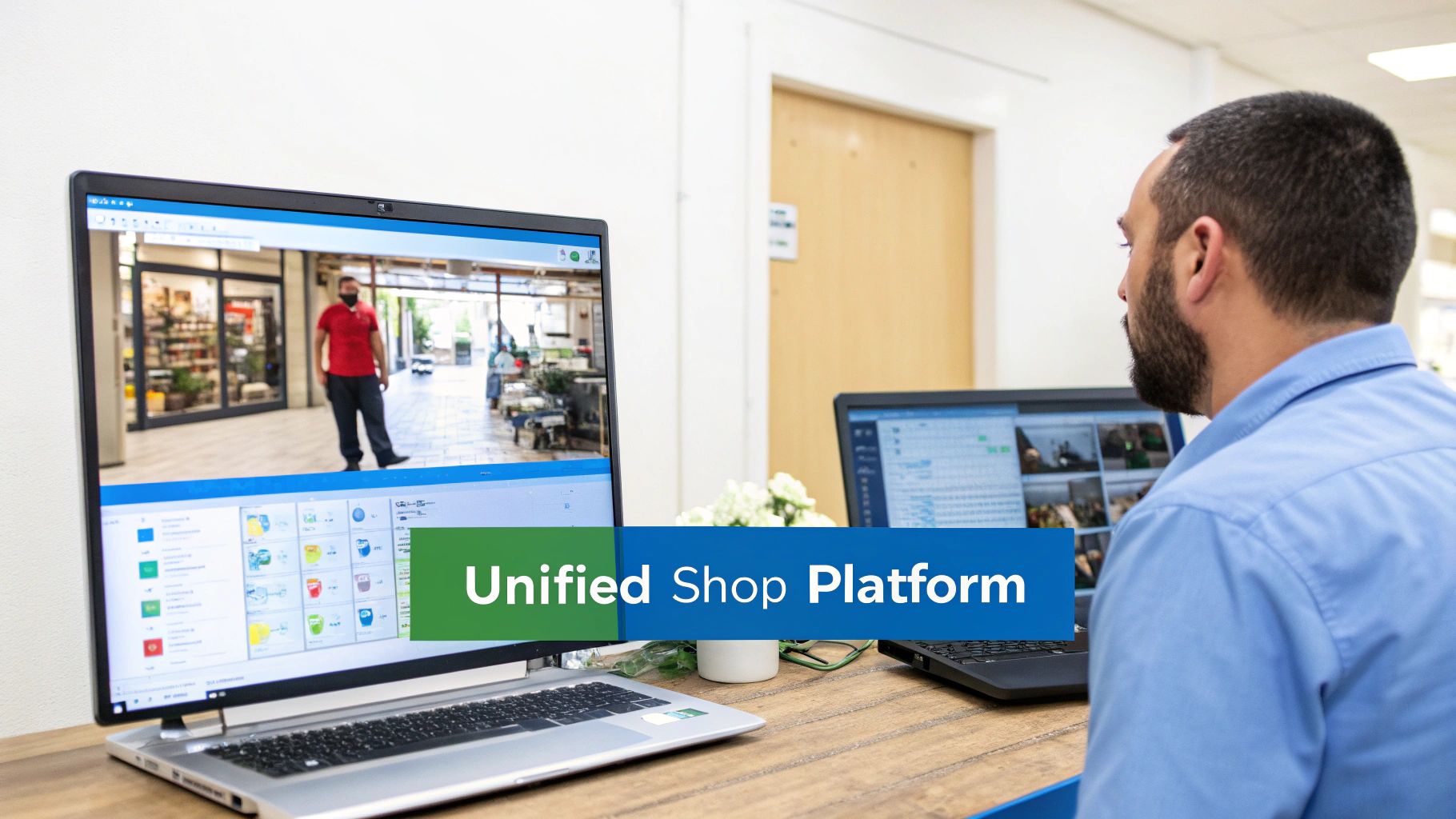
So far, we've walked through the different pieces of software that make a modern shop run. The problem? They often feel like separate islands, creating dangerous gaps between sales, design, and what actually happens on the production floor. This is exactly the problem TimberCloud was built to solve.
Instead of being just another piece of woodworking design software, TimberCloud acts as a bridge, connecting everything from your e-commerce storefront directly to your CNC machine. It’s a single, cohesive system designed to weld all those disconnected parts of your business into one powerful machine.
This approach finally tears down the walls between departments. The very same product builder a customer uses on your website to get a quote is the engine that instantly generates a production-ready work order. No more manual data entry. No more crossed wires or costly misinterpretations.
From a Click on Your Website to a Cut on the Saw
TimberCloud pulls all the most critical tools we've discussed into one seamless flow. It’s a true end-to-end solution that begins the moment a customer lands on your site and doesn't stop until the finished product is shipped out the door—all managed from a single screen. Everyone on your team, from sales to the shop floor, is working from the same playbook.
The real magic is how it combines three essential functions into one platform:
- A Direct-to-Consumer Storefront: You can embed a seriously powerful product configurator right into your website. Customers can design, see, and buy custom pieces with pricing that updates in real-time. No more "call for a quote."
- An AI Plan-to-Production Engine: Just upload a set of architectural plans. The AI gets to work, automatically generating detailed work orders, cut lists, and BOMs. This turns days of pre-production work into minutes.
- Complete Shop Floor Management: Get a bird's-eye view of your entire operation. Track jobs in real time, manage inventory, and handle shipping, all from one place.
By bringing all of this under one roof, TimberCloud removes the headache of trying to duct-tape multiple, incompatible software systems together. It creates a smooth, transparent workflow that directly translates to better margins and happier customers.
At the end of the day, it's all about real-world results. This integrated system gives your shop the power to push more jobs through, slash expensive errors, and turn on a dime to meet customer demands. It’s the operational backbone built for a modern custom woodworking business—giving you the tools to not just keep up, but to get ahead.
Got Questions? We've Got Answers
Stepping into the world of woodworking design software can feel like a big leap, especially when you're already juggling the day-to-day chaos of a busy shop. We get it. Here are some straight-up answers to the questions we hear most often from cabinet makers and woodworkers just like you.
How Long Does It Really Take to Learn This Stuff?
This is probably the number one concern, and it's a valid one. Nobody has time to shut down the shop for a month to learn a complicated program. The good news is, today's software isn't like the old-school, engineer-grade CAD systems that were famously difficult.
While a power user might spend weeks digging into every advanced feature, most teams can get the hang of the core functions—designing a cabinet, pulling a parts list, and creating a quote—within just a few days. The key is finding a platform that offers real, human-led training. That initial hand-holding can turn weeks of frustration into a few focused hours, getting your team up and running fast.
Is This Software Really Worth the Money for a Small Shop?
It's easy to see the price tag as just another expense, but the smart move is to see it as an investment. This kind of software directly targets the two biggest enemies of profit in any custom shop: wasted materials and wasted time.
Think of it this way: If the software helps you reduce material scrap by just 15% and cuts your quoting time in half, how many jobs would it take for the tool to pay for itself? For most small shops, the answer is surprisingly few.
The return on investment shows up in a hundred small ways. It's the extra quote you can get out the door before lunch. It's catching a measurement error before the plywood hits the saw. It's the professional-looking 3D render that convinces a client to sign on the dotted line. Those little wins add up quickly.
Should We Go with Cloud-Based or Desktop Software?
For nearly every custom woodworking business today, the cloud is the way to go. The benefits are just too compelling to pass up.
Here’s a quick rundown of why:
- Work from Anywhere: Cloud software runs in a web browser. That means you can finalize a design from your office, check a job's status from home, or even pull up plans on a tablet at the client's site. You're no longer chained to a single computer.
- Teamwork Made Easy: Cloud platforms are built for collaboration. Your designer in the office can be tweaking a 3D model while your salesperson is on the phone confirming the price with the client—both looking at the same live, up-to-date information.
- Zero IT Headaches: Forget about installations, updates, or backups. The software provider handles all of that for you. New features just appear, and your data is securely backed up without you ever having to think about it.
In the end, cloud-based tools give you the flexibility you need to run a modern shop without bogging you down with technical chores. It's about spending more time building and less time messing with computers.
Ready to see how an all-in-one platform can unify your entire operation, from e-commerce to the CNC machine? TimberCloud, Inc. provides the tools to connect your sales, design, and production teams seamlessly. Learn more at https://timbercloud.com.
Topics
TimberCloud Team
Content Team
The TimberCloud team is dedicated to helping manufacturers streamline their operations with intelligent software solutions.