Your Guide to a Configure Price Quote Solution

A configure price quote (CPQ) solution is so much more than another piece of software. When done right, it becomes a strategic powerhouse that stamps out quoting errors, slashes sales cycles, and delivers an experience that keeps customers coming back. The real secret, though, is nailing down your implementation strategy before you ever touch the technical side of things. This ensures your new tool solves your biggest business headaches from day one.
Building Your CPQ Implementation Strategy
One of the most common mistakes I see is teams jumping straight into the software configuration without a clear, documented plan. A truly successful CPQ project always starts with a deep, honest look at your current sales process—all the messy parts included. Think of this less as an IT project and more as a foundational shift in how your sales, finance, and operations teams collaborate.

Pinpoint Your Current Workflow Bottlenecks
You can't fix a problem until you know exactly what it is. The first step is to map your entire quote-to-cash journey just as it is right now. Get your team in a room and start asking the tough questions to find where the friction is.
- Where do quotes get held up? Is it the classic "waiting on engineering" delay or an endless approval chain?
- What's the primary cause of quoting errors? Are reps consistently messing up pricing, bundling incompatible products, or forgetting to apply the right discounts?
- How long does it really take to build a complex quote? Get an honest assessment of the hours people are losing to manual data entry and spreadsheet gymnastics.
Documenting these pain points gives you a rock-solid business case for the CPQ. For example, discovering that your sales reps spend 40% of their time fixing quoting mistakes instead of actually selling is a powerful metric that immediately justifies the investment.
Key Takeaway: A CPQ implementation is fundamentally about process improvement, not just technology. The goal is to solve specific, painful business problems. Define what "success" means in concrete terms, like "cut our quote generation time by 75%."
Set Clear Goals and Define Project Scope
Once you know what's broken, you can set tangible goals to fix it. A well-defined project scope is your best defense against "feature creep"—that all-too-common scenario where a project expands endlessly, blowing up timelines and budgets. Your initial launch should be laser-focused on solving the most critical issues first. You can always add more later.
Here’s a practical way to phase your rollout:
- Phase 1: Get your top 80% most-sold products configured and live.
- Phase 2: Roll out tiered pricing and automated volume discounts.
- Phase 3: Tackle the big one—integration with your ERP for real-time inventory checks.
This phased approach delivers tangible value quickly, which helps build momentum and keeps everyone excited about the project. The rush to automate these processes is why the CPQ software market, valued at USD 3,105.69 million, is projected to soar past USD 8,917.68 million by 2033, according to Market Growth Reports. Businesses everywhere are making this a priority.
Before you start, run through this checklist. It will save you a lot of headaches down the line.
Your CPQ Pre-Implementation Checklist
| Area of Focus | Key Action | Why It Matters |
|---|---|---|
| Stakeholder Alignment | Identify and interview key stakeholders from Sales, Finance, Operations, and IT. | Ensures the final solution meets the needs of every department it touches, preventing roadblocks and boosting adoption later on. |
| Process Mapping | Visually map your current quote-to-cash workflow from initial request to final payment. | Highlights hidden inefficiencies and bottlenecks that the CPQ system needs to solve. You can't improve what you don't understand. |
| Data & Product Catalog | Audit all product SKUs, pricing rules, and discount structures for accuracy and completeness. | Garbage in, garbage out. Clean, organized data is the foundation of an effective CPQ. Inaccurate data will torpedo your project. |
| Success Metrics | Define 3-5 key performance indicators (KPIs) to measure success (e.g., quote turnaround time, error rate). | Provides a clear, measurable way to prove the project's ROI and hold the implementation accountable to business goals. |
Completing these steps gives you a solid foundation and a clear roadmap, ensuring your CPQ project starts strong and stays on track.
Finally, getting buy-in from everyone involved—from the reps on the sales floor to the executives in the C-suite—is non-negotiable. You have to frame the benefits in a way that matters to them. For the sales team, it’s about closing deals faster and earning commissions sooner. For finance, it’s all about accuracy and predictable revenue. You can find more ideas for aligning your team by exploring different strategies on our blog at https://timbercloud.com/blog.
Mastering Product Catalogs and Pricing Rules
Let's be honest, the real magic of a CPQ solution isn't some flashy user interface. It's the brain behind the operation: the product catalog and the pricing rules that run the whole show. This is where you pour all your hard-earned business logic, turning years of experience into an automated, error-free system. When you get this part right, your sales team can stop wrestling with technical specs and get back to what they do best—selling.

We're talking about much more than just uploading a spreadsheet of SKUs. A well-built catalog acts like a digital expert, guiding reps through even the most complex sales scenarios with total confidence. It’s the difference between a quote that takes two hours of back-and-forth and one that’s done in two minutes.
Structuring Your Product Catalog for Success
Your product catalog is the bedrock of your entire CPQ setup. For any business with configurable products, a flat list just won't cut it. You have to start thinking in terms of hierarchies, bundles, and the relationships between different components.
Imagine you sell custom server racks. A basic setup might just let a rep pick a rack size. But a truly powerful CPQ lets you dive much deeper.
- Product Hierarchies: Start with a base product—the server rack frame. From there, you can build out categories for components like power supplies, cooling fans, and shelving units. This kind of organized structure feels natural and makes navigation a breeze for the sales team.
- Product Bundles: Why not offer pre-packaged solutions for common requests? A "Small Business Starter Rack" could include a specific frame, power unit, and five shelves, all at a slight discount. This makes quoting standard deals incredibly fast.
- Optional Add-ons: Give reps the flexibility to add optional items to any configuration, like advanced cable management systems or extra security panels.
When you structure your catalog this way, you're not just creating a list of parts. You're building a dynamic selling tool that mirrors how your best reps already think, making the system feel like an intuitive extension of their own expertise.
A well-designed product catalog should make it impossible for a salesperson to build an invalid quote. It’s not just a list; it’s an interactive guide that enforces your engineering and business rules on the fly.
Implementing Advanced Pricing Logic
Simple list pricing rarely works for a growing business. Your pricing strategies are what drive profitability and win deals, and your CPQ needs to handle that sophistication. This is where you leave basic calculations behind and implement rules that reflect how you actually go to market.
The ultimate goal is to automate every single pricing scenario your team might face. This gets them out of messy spreadsheets and stops them from having to call a manager for every little discount approval—a huge source of delays.
Common Pricing Rules to Implement
- Tiered Pricing: The system should automatically adjust the unit price based on how many a customer orders. For example, buying 1-10 units is standard price, 11-50 units might trigger a 10% discount, and an order of 51 or more could get a 15% discount.
- Attribute-Based Pricing: You need pricing that changes based on specific product features. A custom cabinet made from premium walnut should cost more than one made from standard oak, and the CPQ should calculate that difference instantly.
- Partner-Specific Rates: Do you work with different sales channels or partners? You can assign them unique price lists. A distributor, for instance, might get a standard 25% off list price, which the CPQ applies the moment that partner is selected for a quote.
These rules bring consistency and accuracy to every single quote. You can be confident that the right price is going out the door every time, protecting your margins and building trust. Many of these capabilities are fundamental to modern manufacturing platforms; for a closer look, you can explore the features available on TimberCloud that provide this level of control.
Creating Dependency and Exclusion Rules
The final layer of a robust catalog involves setting up the rules that govern how products can be combined. These are absolutely critical for preventing configuration errors—the kind that lead to production mistakes, shipping delays, and ultimately, unhappy customers.
Dependency rules are your best friend for ensuring required components are always included. For instance, if a sales rep configures an industrial machine with a high-powered motor, a dependency rule can automatically add the necessary heavy-duty cooling system to the quote. The rep doesn't even have to remember it.
On the flip side, exclusion rules prevent incompatible items from being sold together. An exclusion rule could block a rep from pairing a 110V power supply with a machine that needs a 220V connection. This simple check saves a world of headaches later on.
When you master your product catalog and embed your complex pricing and configuration logic right into the system, you're building a powerful engine that drives efficiency, accuracy, and more profitable growth.
Automating Your Quotes and Proposals
Once you've got your products and pricing logic dialed into the system, the next big leap is automating the documents your customers actually sign. This is where a good CPQ solution really starts to pay for itself, turning a clunky, error-prone task into a smooth, professional part of your sales process. Getting your team out of the copy-and-paste grind in Word templates or spreadsheet nightmares is a massive win.
The whole idea is to build dynamic, intelligent templates that essentially assemble themselves. Instead of static text, think of it as building with smart content blocks. When a sales rep clicks "finalize," the system should instantly grab all the right information and spit out a polished, branded document ready to go.
Weaving Dynamic Content into Your Templates
The secret sauce to quote automation is using variables and conditional logic. These are just smart placeholders in your template that the CPQ system fills in with the specifics of each deal. This way, every single document is perfectly customized without anyone lifting a finger.
Let's look at how this plays out in the real world:
- Customer Info: Variables like and
{{customer.name}}pull that data straight from your CRM. No more typos in the company name.{{customer.address}} - Product Details: Your template can instantly generate a pricing table with all the right line items, SKUs, descriptions, and quantities for everything in the quote.
- Legal Language: This is a big one. Conditional logic can insert specific legal clauses based on what's being sold. For instance, if the quote includes on-site installation, the template can automatically tack on your standard service-level agreement.
This kind of automation puts an end to those embarrassing mistakes, like sending a quote with another client's name on it or forgetting to include crucial terms. It just ensures every document that goes out the door is spot-on for that specific deal.
Moving from manual quoting to an automated workflow can cut the time it takes to generate a proposal from days down to mere minutes. A smart setup not only closes deals faster but also opens the door for AI-powered suggestions for cross-sells and upsells, bumping up your average deal size.
The demand for this kind of efficiency is exactly why the CPQ market is booming. A great example is Watlow Electric Manufacturing, who hit an incredible 98% quote accuracy after rolling out their CPQ system. You can dig deeper into these market trends in this detailed industry report.
Designing Practical Approval Workflows
Let's be real: not all quotes are the same. A small, standard deal doesn't need the same scrutiny as a massive enterprise contract with a custom discount. This is where automated approval workflows come in to keep things in check without gumming up the works.
Forget chasing down managers with emails or Slacks that get buried. You can build the rules right into your CPQ solution, and it will automatically route quotes for approval based on triggers you define.
Common Approval Triggers
- Discount Thresholds: This is the most common one. Any quote with a discount over a certain limit (say, >15%) gets automatically kicked over to a sales manager. It’s a simple way to protect your margins.
- Total Quote Value: Big-ticket deals need more eyes on them. You can set a rule that any quote over $50,000 needs a sign-off from a regional director or even the VP of Sales.
- Inclusion of Non-Standard Items: If a rep adds a custom-engineered part or special payment terms, the quote can be flagged for review by the engineering or finance teams.
This system makes sure the right people see the right deals at the right time. The CPQ platform handles all the routing, notifications, and tracking, so reps always know where their quote stands. It replaces a messy, manual chase with a clean, transparent, and fully auditable workflow. Managers can stop rubber-stamping every little thing and focus only on the exceptions, which helps everyone move a lot faster.
Integrating CPQ with Your Business Systems
A CPQ solution that sits by itself is a missed opportunity. Its real power is unlocked when it’s woven into the fabric of your business, talking seamlessly with the core systems you already rely on. When it’s isolated, you just create another data island, forcing your team right back into the manual data entry and error-checking you were trying to escape.
The whole point is to create one undisputed source of truth for all things related to customers, products, and orders. When your CPQ, CRM, and ERP are all in sync, data flows effortlessly, mistakes disappear, and your whole operation runs smoother. This is how a simple quoting tool becomes a genuine strategic asset for your business.
This diagram shows a typical flow of how information moves through these connected systems, from the moment a product is configured to when a quote is approved and sent.
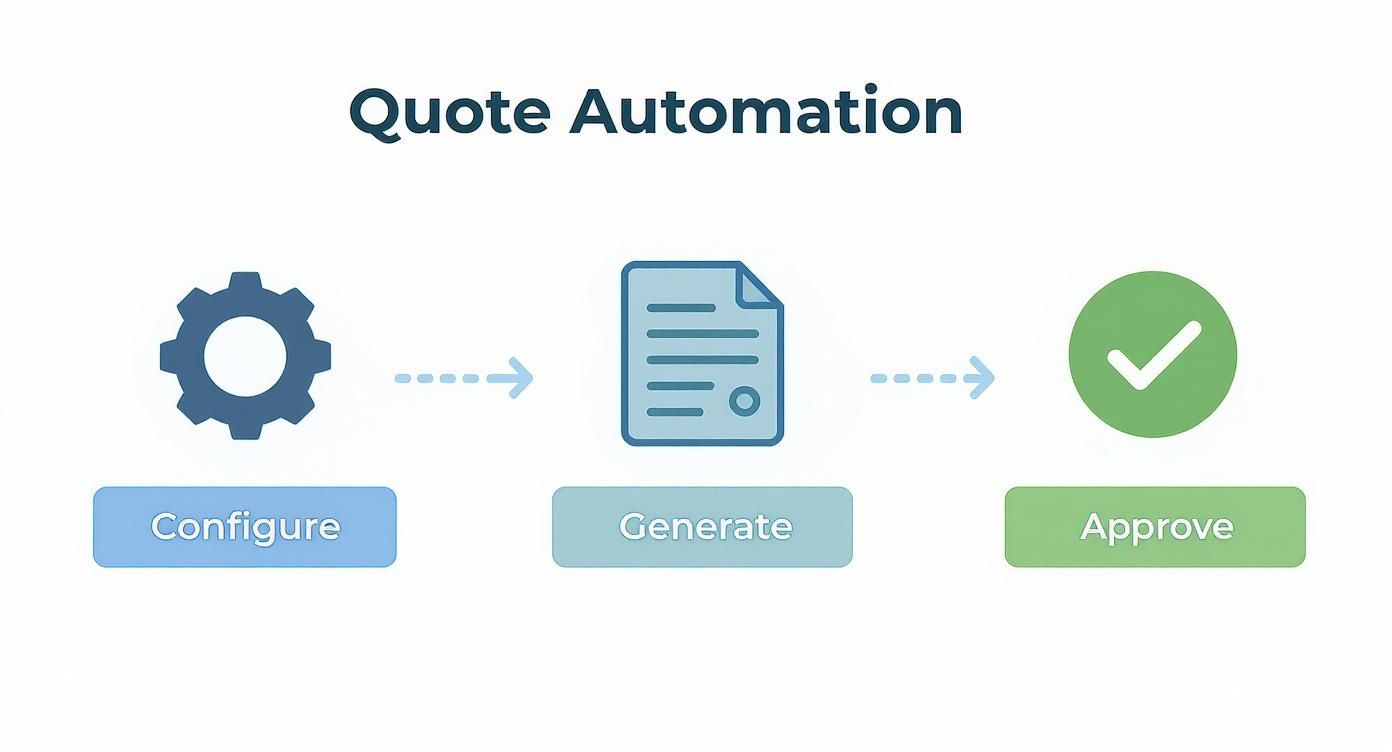
As you can see, a properly integrated system automates the entire journey from building a custom solution to generating the final document, with built-in approvals and checks at every stage.
Connecting Your CRM for a Unified Sales View
Your Customer Relationship Management (CRM) platform is the command center for your sales team, so it’s the most natural place to start. A rock-solid connection means your reps can build complex quotes without ever leaving the CRM interface they use all day, every day. This isn't just about convenience; it's about keeping your data clean and reliable.
Think about a common Salesforce integration scenario:
- Syncing Accounts and Contacts: A rep kicks off a new quote, and the CPQ instantly pulls the right account name, contact details, and shipping info directly from the Salesforce record. No more embarrassing typos on proposals.
- Updating Opportunities: As the quote is built and refined, the CPQ pushes the total value and line-item details back to the associated opportunity. This gives managers a live, accurate view of the sales pipeline.
- Logging Activities: Every time a quote is sent, viewed by the customer, or signed, that action is automatically logged as an activity on the CRM timeline. You get a complete, effortless history of every interaction.
This constant, two-way conversation ensures your CRM always has the most up-to-date information on every single deal.
Pro Tip: Look for a CPQ with an API-first architecture. This means it was designed from the start to connect with other software. It makes integrations with your ERP, payment gateways, or e-signature tools far less painful and much more reliable.
Bridging CPQ with Your ERP for Operational Excellence
If the CRM integration covers the front end of the sales cycle, connecting to your Enterprise Resource Planning (ERP) system handles everything that happens on the back end. This is where your operations, finance, and fulfillment teams will see a massive impact. Once a customer signs on the dotted line, the real work starts, and a tight ERP integration makes the handoff flawless.
The link between these two powerhouses automates the critical steps that happen after a deal is won.
Key ERP Integration Workflows
When a sales rep marks a deal as "Closed-Won," the CPQ can automatically kick off a chain reaction in your ERP. Here’s how that usually looks:
- Automated Order Creation: The signed quote is instantly transformed into a sales order in the ERP. This single step eliminates the tedious and error-prone process of having someone manually re-type dozens of line items.
- Real-Time Inventory Checks: For companies selling physical goods, this is huge. The CPQ can check inventory levels in the ERP during the configuration process. Your sales team can stop selling products that are out of stock and set realistic expectations with customers from day one.
- Accurate Invoicing: With perfect order data flowing directly into the ERP, your finance team can generate accurate invoices right away. This dramatically speeds up your quote-to-cash cycle and helps with proper revenue recognition.
By connecting these vital systems, your CPQ becomes the engine driving a smooth, automated process from the first conversation all the way to cash in the bank. You remove friction, boost accuracy, and give every department the data it needs to shine.
Launching Your CPQ and Driving User Adoption
A brilliantly configured CPQ is worthless if your team doesn't actually use it—or worse, if they don't use it correctly. The final stretch of the project isn’t just about flipping a switch. It’s about managing the human side of change with a solid plan for testing, training, and listening to feedback. This is the moment your technical build becomes a real-world business tool.
From Unit Tests to User Acceptance
Before a single salesperson gets their hands on the new system, you have to put it through its paces. Think of it like building a house: you inspect the foundation, then the framing, and then the entire structure before you let anyone move in. Your testing should move from the smallest components to the full picture.
This phase is typically broken down into a few key stages.
- Unit Testing: This is where you test individual rules in isolation. Does that complex, tiered-discount rule actually fire correctly when a certain volume is hit? Does an exclusion rule properly stop someone from bundling two incompatible products? Each piece of logic needs to be rock-solid on its own.
- End-to-End Testing: Next, you simulate the entire quoting journey from start to finish. You’ll create a quote from scratch, play with different configurations, generate a proposal document, and push it all the way through an approval workflow. The goal here is to make sure the whole process hangs together without a hitch.
But the most critical step, by far, is User Acceptance Testing (UAT). This is your final dress rehearsal. You hand the keys to a small, trusted pilot group of your best sales reps—the ones who know every weird quoting scenario inside and out. Their job is simple: try to break the system by running their messiest, most complex real-world deals through it.
UAT is your last, best line of defense against day-one disasters. The feedback you get from this pilot group is pure gold. They will uncover edge cases and user interface quirks that the project team, who is just too close to the configuration, would never find on their own.
Choosing Your Go-Live Strategy
Once you’re confident the system is ready, you need to decide how to get it into everyone’s hands. There are generally two ways to go about it, and each has its own pros and cons.
Phased Rollout vs. Big-Bang Launch
| Strategy | Pros | Cons |
|---|---|---|
| Phased Rollout | Lower risk, allows you to learn and improve iteratively, easier for support teams to manage. | Can create temporary process headaches with two systems running, takes longer for the full ROI. |
| Big-Bang Launch | Everyone is on the new system at once, immediate process consistency, faster time-to-value. | Higher risk if major issues pop up, requires an "all-hands-on-deck" support blitz. |
For most companies, a phased rollout is the smarter, safer bet. You can start with a single sales territory or product line, letting your support team focus on a smaller group of users. This gives you a chance to fix any initial bugs and apply those lessons before the next group goes live.
Driving Adoption Through Training and Support
Your launch will only be a success if your team feels confident and supported from day one. Good training is so much more than a one-hour webinar. It needs to be engaging, hands-on, and directly relevant to how your team actually sells.
I've found it's best to offer a mix of training resources to hit all the different ways people learn.
- Run interactive workshops that let reps build quotes in a safe, sandbox environment where they can’t break anything.
- Record short video tutorials showing exactly how to handle common tasks or navigate a particularly complex configuration.
- Develop a "quick reference" guide or a simple cheat sheet that reps can keep pinned to their desktop for quick answers.
Beyond the initial training push, make it incredibly easy for people to give ongoing feedback. A dedicated Slack channel or a simple form works wonders. When reps see that their suggestions are actually being heard and acted upon, they become partners in making the system better.
The journey doesn’t end at launch; in fact, it's just beginning. As your business evolves, this feedback loop is what will keep your CPQ effective. You can start planning your next phase by exploring what’s possible when you create a TimberCloud account and see more advanced features in action.
No matter how well you plan your project, questions are going to pop up. When you're in the final stretch of a configure price quote solution rollout, you’re focused on getting every detail right so the system is ready to perform from day one. Let's walk through some of the most common questions I hear from teams during and after the setup process.
Think of this as a practical field guide—just straight, clear answers to help you avoid common pitfalls and get the most value out of your new CPQ right from the start.
Quick Answers to Common CPQ Questions
For those who need the key takeaways at a glance, this table breaks down the most frequent questions we encounter about CPQ implementation and management.
| Question | Short Answer |
|---|---|
| How long does CPQ implementation take? | It varies. A simple setup can be done in 4-6 weeks, while complex enterprise projects might take 6-9 months or more. |
| Can we manage the system ourselves after launch? | Yes, absolutely. Your team should handle daily tasks like adding products and updating prices. Major changes may still need expert help. |
| What's the biggest mistake after launch? | Neglecting ongoing training. User adoption drops if you treat training as a one-time event instead of a continuous process. |
| What's the key to a good implementation? | Clean data. Starting with messy product and customer data is the fastest way to derail your timeline and budget. |
These are the essentials, but diving into the details behind each question is where you'll find the insights that truly make a difference.
How Long Should a CPQ Implementation Take?
This is the big one, and the honest answer is always "it depends." I've seen simple implementations for small businesses with straightforward product catalogs get up and running in as little as 4-6 weeks. On the other hand, a large enterprise with thousands of products, complex pricing rules, and multiple integrations is realistically looking at a 6-9 month project, sometimes even longer.
What really drives that timeline? It boils down to a few key things:
- Data Quality: How clean is your product and customer data? If you have to spend the first few weeks just cleaning up spreadsheets, you’re already behind.
- Rule Complexity: A company with simple list pricing will have a much easier time than one that relies on multi-layered, attribute-based pricing with hundreds of complex rules.
- Integration Needs: Hooking into your CRM is one thing. But connecting to an ERP, a payment gateway, and a custom inventory system? That's a whole different level of effort.
Can We Modify the CPQ System Ourselves After Launch?
You absolutely can, and you should plan for it from the beginning. A good CPQ solution isn't some static black box you set up and never touch again. It should be designed for a trained admin—like a sales ops manager or a business analyst—to handle day-to-day changes without needing to file a ticket with the IT department for every little thing.
Your team should feel comfortable handling common updates on their own:
- Adding new products or retiring old ones.
- Adjusting price lists for the new quarter.
- Tweaking the threshold for a discount approval workflow.
Of course, major structural changes like building a new integration or completely overhauling your product configuration model will probably still need a specialist. The trick is finding that balance where your team is empowered to manage the system, but you know when it’s time to call in an expert.
A successful CPQ is a living system that evolves with your business. The ability for your internal team to manage routine updates is a critical factor for long-term success and controlling your total cost of ownership.
What Is the Most Common Post-Launch Mistake?
The single biggest mistake I see, time and time again, is a lack of ongoing training. Teams pour a ton of effort into the initial launch training and then just assume everyone will remember it all forever. People just don't work that way.
Sales reps get busy and forget things, new people join the team, and you'll inevitably release new features or update processes. Without a plan for continuous learning, user adoption slowly erodes as people slide back into their old, comfortable (and inefficient) habits.
The fix is simple but requires consistency. A short monthly "tips and tricks" email, or maybe a quarterly refresher webinar, can make a huge difference. This keeps the tool top-of-mind and ensures your team is always getting the most out of the powerful system you invested in. The secret to sustained ROI is making training an ongoing process, not a one-time event.
Ready to transform your quoting process? TimberCloud, Inc. combines a powerful CPQ engine with e-commerce and ERP capabilities, all in one platform built for custom manufacturing. See how our platform works.
Topics
TimberCloud Team
Content Team
The TimberCloud team is dedicated to helping manufacturers streamline their operations with intelligent software solutions.