What is production scheduling? Planning and scheduling guide

At its core, production scheduling is the art and science of organizing your workshop's chaos. It’s the detailed roadmap that tells you exactly what to build, who should build it, on which machine, and when it all needs to happen to get the job done on time.
Before You Schedule: What Is Production Planning?
Scheduling doesn't happen in a vacuum — it's the last step of a bigger process called production planning. Planning is the strategic layer: figuring out what to build, when you'll need it done, and what it takes to pull it off.
It rests on five pillars: demand forecasting (what orders are coming, based on your pipeline and seasonality), materials planning (making sure sheet goods, hardware, and finish are on hand before the job starts), capacity planning (matching the workload to the people and machines you actually have), production routing (defining the station-by-station sequence each job follows), and production scheduling — the pillar this article covers in depth: assigning specific tasks to specific people and machines on specific days.
Get the first four right and scheduling becomes straightforward. Get them wrong and no schedule survives contact with Monday morning. Planning done well pays off fast — automated cut sheets alone can cut material waste by 15–30%.
Planning vs. scheduling in one line: planning decides you're building twelve vanities this month and orders the maple; scheduling decides who cuts panels Monday and when finishing starts Wednesday.
The Central Nervous System of Your Workshop
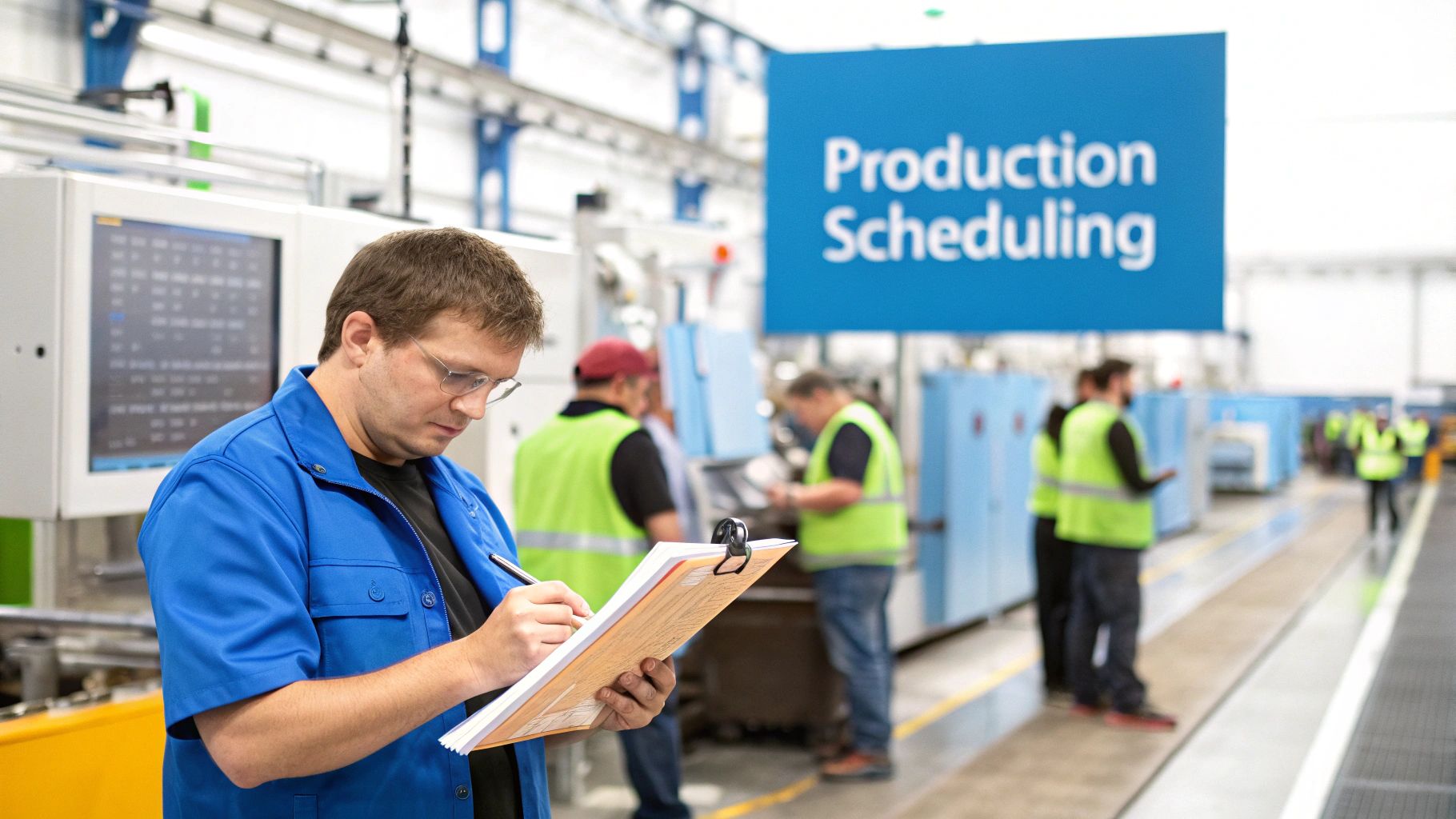
Think of your shop like an orchestra. You have incredible musicians (your skilled craftspeople), fine-tuned instruments (your machines), and a masterpiece to perform (the customer's project). But without a conductor holding the sheet music and guiding every section, all you’d get is noise.
That's what production scheduling is—it's the conductor for your shop floor. It's not just a static calendar hanging on the wall; it's the dynamic plan that ensures every person and machine works in harmony. It coordinates every cut, every assembly, and every finish, turning a jumble of tasks into a smooth, efficient process.
Why Strategic Scheduling Is a Game Changer
In a custom woodworking or millwork shop, where no two jobs are the same, scheduling isn't just helpful—it's absolutely essential. It’s what keeps a highly paid cabinetmaker from standing around waiting for parts, prevents a half-built kitchen island from hogging precious floor space, and lets you give customers delivery dates you can actually hit.
Getting this right has a massive impact on your bottom line and reputation. In fact, studies show that well-run scheduling can boost a manufacturer’s output by up to 30%. Shops that adopt modern scheduling systems often see machine downtime drop by 20-25% and can slash production lead times by 15-20%. You can dig deeper into how this affects the modern workforce by checking out research from workforcesoftware.com.
This level of control allows a business to:
- Maximize Resource Use: Keep your most valuable assets—your people and machines—busy and productive.
- Minimize Waste: Cut down on idle time, avoid making parts too early, and manage your material inventory like a pro.
- Improve On-Time Delivery: Consistently hitting deadlines builds a rock-solid reputation and keeps clients coming back.
- Increase Profitability: With less waste and more jobs completed, every project becomes more profitable.
Breaking Down the Core Components
To really understand what is production scheduling, it helps to see it as a system for answering the most fundamental questions of any project.
Here's a quick way to think about it with the 5 Ws:
The 5 Ws of Production Scheduling
| Component | Description |
|---|---|
| What | Defines the specific products or components that need to be made to complete an order. |
| Who | Assigns the right tasks to the right people or teams based on their skills and availability. |
| Where | Allocates specific machines, workstations, or production lines for each step of the manufacturing process. |
| When | Sets the start and end dates for every task to ensure the final project deadline is met. |
| Why | Aligns the schedule with business priorities, like hitting a key customer date or rushing a high-margin job. |
Ultimately, a good schedule brings order to the beautiful complexity of custom manufacturing. It provides the clarity and direction your team needs to turn raw materials into high-quality finished products, on time and on budget.
Understanding Finite vs. Infinite Scheduling
When you start digging into production scheduling, you’ll quickly run into two core philosophies that drive every plan you’ll ever make: finite and infinite scheduling. Think of them as two different ways of seeing your shop—one is the optimistic, "what-if" view, and the other is the grounded, "here's-what's-actually-possible" view. Getting the difference is key to building schedules that work in the real world, not just on paper.
The concepts might sound a little academic at first, but a simple analogy makes it all click. Imagine you’re running a popular restaurant.
-
Infinite Scheduling is like taking every reservation that comes in without ever looking at your floor plan. It assumes you have an endless supply of tables. It's great for gauging how much demand is out there, but it completely ignores the fact that you only have so much space.
-
Finite Scheduling is the reality check. It knows you have exactly 20 tables and that each one takes a certain amount of time to turn over. Every new reservation is slotted against a real, available table, so you never promise a seat you don't actually have.
This exact same logic applies to your shop floor, where your "tables" are your CNC machines, your finishing booths, and your skilled cabinet makers.
Infinite Scheduling: The Ideal-World View
Infinite scheduling works from a simple, powerful assumption: you have unlimited capacity. It slots jobs into the schedule based purely on their due dates, without ever checking if the machines or people needed are already tied up. The question it answers is, "In a perfect world, when would we need to do this work to hit our deadlines?"
Now, that might sound totally unrealistic, but it has its place. This approach is fantastic for high-level planning. It’s like an early warning system for bottlenecks. If your infinite schedule tells you that you need 300 hours of CNC time next week, but you know your machine only runs for 120 hours, you’ve just spotted a major capacity problem you need to solve—maybe with overtime, outsourcing, or rescheduling.
The weakness, of course, is that the schedule it produces is impossible to follow as-is. It’s a forecast, not a workable game plan.
Finite Scheduling: The Reality Check
This is where the rubber meets the road. Finite scheduling is the pragmatic workhorse of any modern woodworking shop. It builds the schedule by acknowledging every single real-world constraint you have. It knows your edgebander can only run one panel at a time, that your best finisher is on vacation next week, and that switching from laminate to veneer on a specific machine requires a two-hour setup.
By accounting for the real limits of your resources, finite scheduling turns a wish list into a concrete, minute-by-minute action plan. It doesn't just tell you when a job should be done, but confirms that it can be done.
This reality-based model is the only way to generate production timelines you can actually trust, especially in a high-mix, custom environment. It lets you give customers delivery dates with confidence because you know the schedule is built on what your shop can actually handle, not just wishful thinking. It’s what prevents that all-too-common scramble on the shop floor, where everyone is constantly firefighting because the original plan was a fantasy from the start.
Comparing the Two Approaches
Choosing between these methods isn't about one being "better." It's about using the right tool for the right job. One is for looking ahead strategically, while the other is for executing tactically on the ground.
| Feature | Infinite Scheduling | Finite Scheduling |
|---|---|---|
| Core Assumption | Resources are unlimited. | Resources are fixed and limited. |
| Primary Use | Long-range capacity planning, identifying future bottlenecks. | Creating detailed, accurate, and achievable daily schedules. |
| Output | A forecast of potential overloads and capacity gaps. | A realistic, step-by-step sequence of operations. |
| Best For | Strategic "what-if" analysis. | Day-to-day shop floor management. |
At the end of the day, while infinite scheduling helps you see the storm clouds gathering on the horizon, finite scheduling is the detailed map that helps you navigate right through them. For any custom woodshop serious about hitting deadlines and running efficiently, mastering finite scheduling isn't just a good idea—it's the bedrock of a predictable and profitable business.
Exploring Essential Scheduling Methods and Tools
Once you have a grasp on the difference between ideal-world plans and reality-based schedules, the next step is to actually bring that theory to life on your shop floor. This means using specific methods and tools that turn your high-level strategy into a detailed, actionable sequence of tasks.
Think of it this way: these are the instruments the conductor uses to make sure every musician plays their part at exactly the right time.
At the very heart of this process is the Master Production Schedule (MPS). Consider the MPS the foundational blueprint for your entire operation. It isn't concerned with every single cut or drill hole; instead, it answers the big-picture questions: what finished products do we need to build, how many of each are required, and when do they need to be ready for the customer? It's the primary driver for every other scheduling activity that follows.
Visualizing the Workflow
With an MPS in place, you need tools to see and manage all the detailed work. Two of the most common and effective ways to do this are with Gantt charts and Kanban boards, each giving you a different perspective on your shop's production landscape.
Gantt charts are basically timelines on steroids. They lay out a project in a visual bar chart, showing every task, its start and end dates, and how tasks depend on one another. For a custom kitchen project, a Gantt chart makes it crystal clear that you can't start assembling cabinets until the panels have been cut and edgebanded. This top-down view is perfect for planning complex, multi-stage projects and communicating clear deadlines to clients.
The image below shows the two main philosophies that tools like these are built on.
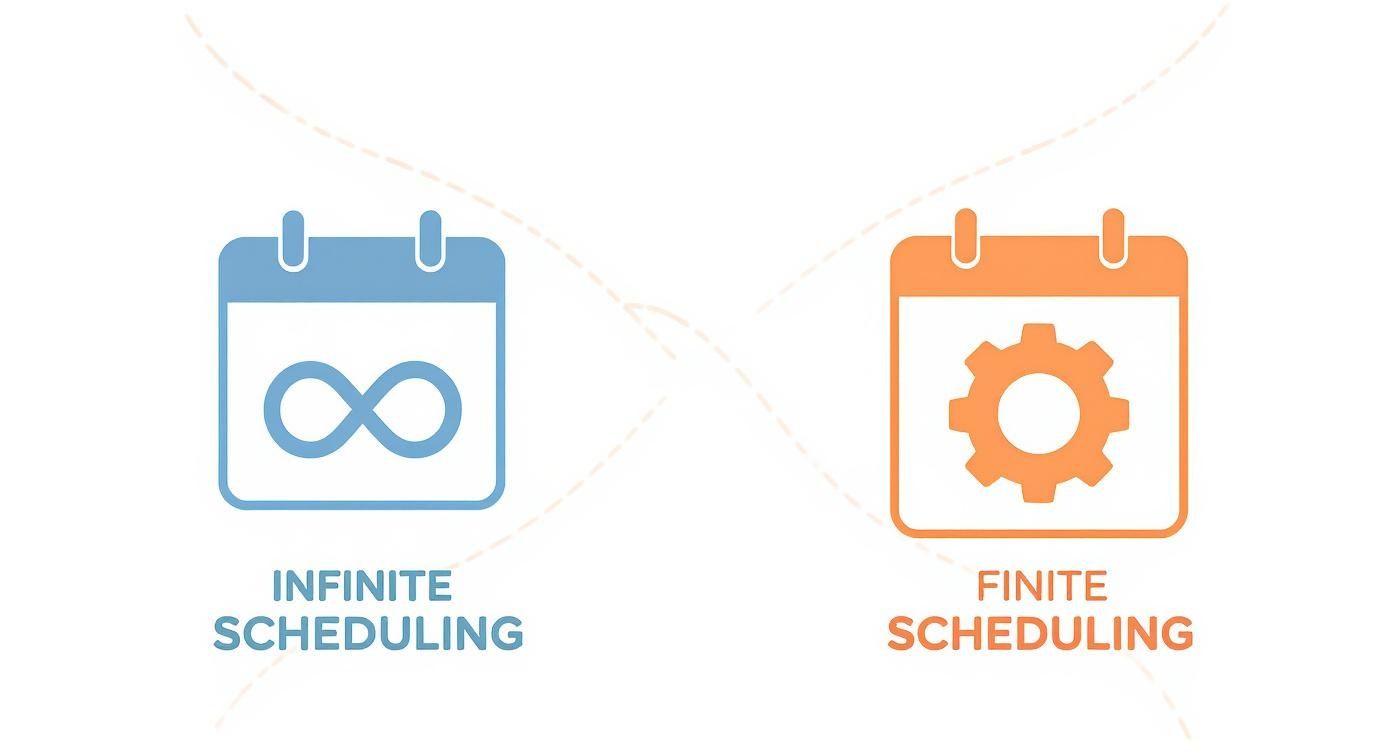
This distinction is important. The infinite approach is great for high-level planning, while the finite approach is what you need for creating the realistic, on-the-ground schedules that Gantt charts and Kanban boards help you manage.
Kanban boards, on the other hand, are all about workflow and managing work-in-progress (WIP). Picture a simple board with columns like "To Do," "In Progress," and "Done." Jobs, represented as cards, move from left to right as they get worked on. This method is fantastic for spotting bottlenecks—if you see a stack of cards piling up in the "Finishing" column, you know exactly where your process is getting jammed.
Deciding What Comes Next with Priority Rules
So, you have multiple jobs competing for the same machine or person. How do you decide which one gets to go first? This is where priority rules come into play. These are simple, logical rules that give you a consistent way to make sequencing decisions on the fly. Without them, scheduling can quickly become a game of who shouts the loudest.
A few common rules are used in shops everywhere:
- First-Come, First-Served (FCFS): This is the simplest rule. You work on jobs in the order they were received. It’s fair, but you run the risk of a high-priority job getting stuck waiting behind less critical ones.
- Earliest Due Date (EDD): This rule prioritizes jobs with the closest deadlines. It's incredibly effective for minimizing late orders and keeping customers happy.
- Shortest Processing Time (SPT): Here, you focus on knocking out the quickest jobs first. This method is great for boosting the total number of completed jobs and reducing the average time a project spends sitting in the shop.
- Critical Ratio (CR): This one is a bit more dynamic. It calculates a priority score based on the time left until the due date versus the work time remaining. A ratio under 1.0 means the job is already behind schedule and needs immediate attention.
Choosing the right priority rule really just depends on your business goals. If your shop’s reputation is built on reliability, EDD is a strong choice. If you need to maximize throughput to improve cash flow, SPT might be the better way to go.
The real power of modern scheduling comes alive when these methods are backed by technology. In fact, the adoption of advanced scheduling software has climbed to nearly 55%, with the global market valued at $3.7 billion in 2023. Projections show it hitting $7.6 billion by 2032, a surge driven by the integration of AI and real-time data into scheduling platforms. You can dig deeper into this market growth in a report from dataintelo.com.
Ultimately, these tools and methods provide the structure needed to execute your plan. They transform the high-level "what and when" of the MPS into the on-the-ground "who and how," giving your team the clarity they need to perform at their best.
Measuring Success with Key Performance Metrics
https://www.youtube.com/embed/P43L8FzpEok
So, you’ve put in the work to create a production schedule. That’s great, but how do you actually know if it's any good? A schedule is more than just a piece of paper or a file on your computer; its true value shows up on your bottom line. When done right, it moves from a simple plan to a powerful tool that directly boosts profitability and keeps your clients happy.
The results are tangible. A solid schedule means shorter lead times, which lets you finish jobs faster and get paid sooner. It cuts down on inventory costs by making sure materials show up exactly when you need them—not weeks in advance, tying up cash. Most importantly, it helps you nail your on-time delivery promises, which is everything in the custom woodworking business.
But you can't manage what you don't measure. To see these improvements, you have to swap guesswork for hard data. That's where Key Performance Indicators (KPIs) come into play. Think of KPIs as your schedule's report card; they give you a clear, honest look at what’s working and what isn’t.
Key Metrics for Shop Floor Success
You could track a hundred different things, but you don't need to. A handful of core KPIs will give you the clearest picture of your scheduling health without drowning you in spreadsheets.
Here are the essentials for any custom shop:
- Schedule Adherence: This is the big one. It simply asks: did we do what we said we were going to do? It measures the percentage of work completed on time according to the schedule. A high number here means your plan is realistic and your team is on point.
- Cycle Time: How long does it take for a job to go from raw materials to a finished product? That's cycle time. Shrinking this number means you're pushing more work through the shop without needing more people or machines.
- Machine Utilization: Your CNC, edgebander, and other key machines are your most expensive assets. This metric tells you how often they're actually making money versus sitting idle. The goal is to keep them running.
- On-Time Delivery (OTD): This is the ultimate customer-facing metric. It tracks the percentage of jobs delivered by the date you promised. A strong OTD rate is the bedrock of customer trust and repeat business.
By keeping a close eye on these numbers, scheduling stops being a chore and starts being a strategy. You can spot bottlenecks before they become disasters and make smart, data-backed decisions to keep improving.
Connecting Scheduling Benefits to Key Performance Indicators (KPIs)
It’s crucial to see the direct line between the benefits you're chasing and the KPIs you're tracking. One proves the other. This simple connection helps you justify new software or process changes by showing a clear, measurable return.
For those interested in a deeper dive into how modern analytics are applied in manufacturing, this article on AI Models for Manufacturing KPI Benchmarking offers some fantastic insights.
The table below breaks down exactly how the advantages of good scheduling show up in your data.
| Benefit | Associated KPI | What It Measures |
|---|---|---|
| Increased Predictability | Schedule Adherence | The percentage of tasks completed as originally planned, showing how reliable your schedule is. |
| Improved Throughput | Cycle Time | The total time from production start to finish, indicating how quickly you can turn orders into cash. |
| Maximized Asset ROI | Machine Utilization | The active operational time of your equipment, ensuring your capital investments are paying off. |
| Enhanced Customer Loyalty | On-Time Delivery | The rate at which you meet promised delivery dates, which is a key driver of repeat business. |
At the end of the day, measuring your success isn't about micromanaging—it’s about gaining clarity. KPIs give you an unbiased view of your shop's performance, giving you the confidence to manage, improve, and grow your business.
Overcoming Common Production Scheduling Challenges
Even the most perfectly designed schedule is just a piece of paper—or a screen. Its real test comes when it collides with the day-to-day chaos of the shop floor. One unexpected event can throw a well-oiled plan into disarray, turning a smooth workflow into a mad dash to put out fires.
But these disruptions aren't signs of failure. They're just part of the game. A truly resilient scheduling system isn't one that never breaks; it's one that's built to bend and adapt. The goal isn’t to create an invincible plan, but a flexible one that can absorb the inevitable shocks of a real-world workshop.
The best shops don’t just cross their fingers and hope for the best. They anticipate what could go wrong and build their schedules to handle it, ensuring one small hiccup doesn’t cascade into a full-blown production crisis.
Dealing with Unexpected Breakdowns
There’s never a good time for a machine to go down. When your CNC router grinds to a halt or the edgebander gives up the ghost, it doesn’t just stop one job. It creates an instant bottleneck that jeopardizes every single project that follows. It's often the most jarring challenge because a core piece of your capacity just vanished without warning.
To fight back, your schedule needs two things built-in:
- Smart Buffers: This isn’t about adding weeks of "just-in-case" time to every job. It’s about strategically placing small cushions of time around critical operations, especially those that depend on a single, vital piece of equipment.
- Contingency Plans: You need a Plan B, and even a Plan C. What’s your next move? Can another machine handle the task, even if it’s slower? Do you have a good relationship with another local shop that could help you out in a pinch?
Thinking through these scenarios before a machine dies turns a full-blown crisis into a manageable problem.
Managing Material and Supplier Delays
You can’t build cabinets out of thin air. A surprise material shortage or a late shipment can stop production just as fast as a broken machine. Any schedule that assumes every sheet of ply and every box of hinges will show up exactly on cue is a schedule that's set up to fail.
Your schedule is only as reliable as your inventory. Real-time visibility isn’t a luxury; it’s essential for an agile shop. It lets you spot a potential shortage weeks in advance, not when an assembler is standing around waiting for parts.
This is where good data and even better communication come into play. Strong relationships with suppliers can give you a heads-up on delays. Modern inventory systems linked to your schedule can flag potential issues automatically. For more practical tips on building a more efficient and resilient shop, you can find a wealth of information on the TimberCloud blog.
Handling Last-Minute Customer Changes
In custom work, change is the only thing you can count on. A client decides on a different finish, swaps out the hardware, or tweaks the dimensions halfway through a project. These requests feel like a wrench tossed right into your production gears, messing with material orders, machine setups, and your team's workflow.
The secret to handling these curveballs is having a process to quickly figure out the ripple effect of a change. You need a system that can recalculate timelines and costs almost instantly. This allows you to go back to the customer with a clear, honest answer about how their request will impact the delivery date and the final invoice. It's about transparency that protects both your schedule and your relationship with the client.
How Modern Software Transforms Production Scheduling
Anyone who's tried to manage a busy shop schedule with a whiteboard or a spreadsheet knows the pain. It's a constant battle. One small hiccup—a machine breakdown, a material delay—and the whole house of cards comes tumbling down. Keeping track of everything manually isn't just a headache; it’s a recipe for costly mistakes.
This is where modern software completely changes the game. It takes scheduling from a reactive, fire-fighting chore and turns it into a proactive, strategic advantage for your shop.
The powerhouse behind this change is often an Advanced Planning and Scheduling (APS) system. Think of it like swapping an old paper road map for a live GPS. The paper map is static; it can't tell you about a sudden traffic jam or a closed road. An APS, on the other hand, is constantly processing thousands of real-time variables, always finding the most efficient route to get your jobs done.
This kind of technology brings sophisticated finite scheduling—once only available to massive corporations—right to the doorstep of custom woodworking and millwork shops of any size.
From Manual Guesswork to Automated Precision
At its heart, this software is all about smart automation. It plugs directly into your other business systems to pull in live data, from new orders to inventory levels. To really see how this works, you need to understand the role of enterprise resource planning (ERP) systems. As this great overview on what is an ERP system in manufacturing explains, these platforms create the solid data foundation that scheduling software needs to thrive.
With that data pipeline in place, the software can do some amazing things:
- Instantly Generate Schedules: Instead of spending hours puzzling things together, the system analyzes every job, machine, and material constraint to build an optimized, realistic schedule in minutes.
- Automate Rerouting: If a CNC machine suddenly goes down, you don't have to panic. The system can automatically find the next best work center and reroute every affected job, minimizing the disruption.
- Predict Bottlenecks: By running simulations of your upcoming workload, the software can spot potential choke points weeks in advance, giving you plenty of time to adapt.
Modern scheduling software doesn’t just put your old process on a screen. It fundamentally changes how you make decisions. It replaces gut feelings with hard data, letting you run your shop with more confidence and agility.
Gaining Real-Time Visibility and Control
One of the biggest wins you'll get from a dedicated platform is the immediate visibility. No more walking the shop floor trying to figure out where a job is. Everything you need to know is right there on a single, dynamic dashboard.
You get a crystal-clear, bird's-eye view of your entire operation, from resource allocation to job progress, all in one place.
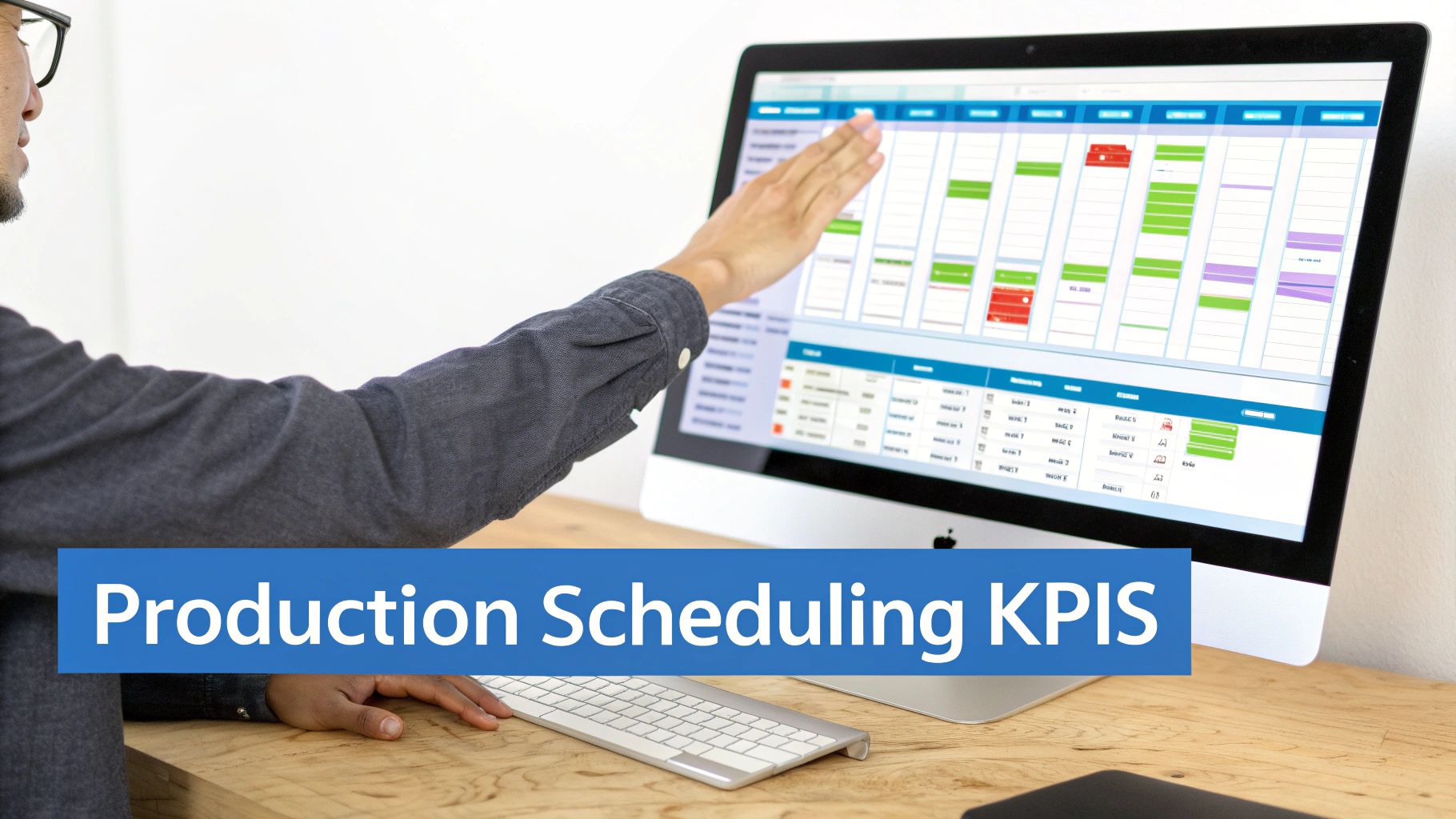
The key here is clarity. Managers can instantly see which jobs are on schedule, which are falling behind, and how a single delay might ripple through the rest of the week. This allows for quick, informed decisions before small problems become big ones. The ability to see and manage your entire workflow is a cornerstone of TimberCloud’s approach to its production features, all designed to connect every piece of your operation seamlessly. You can learn more about them here: https://timbercloud.com/features.
By adopting these tools, custom manufacturers are finally solving the persistent challenges of scheduling. This isn't just about keeping up with demand. It’s about strategically managing your capacity, shrinking lead times, and delivering a reliable experience for your customers every single time—driving both profitability and growth.
Ready to replace spreadsheets and whiteboards with a powerful, all-in-one platform? TimberCloud integrates e-commerce, ERP, and AI to connect your sales, engineering, and shop floor teams. Schedule a demo today and discover how to build a more efficient, predictable, and profitable business.
Frequently asked questions
Planning is the strategic layer — deciding what to build, forecasting demand, and confirming you have the capacity and materials to do it. Scheduling is the tactical layer — deciding exactly who runs which job on which machine and when. Planning points you in the right direction; scheduling is the turn-by-turn navigation that gets you there on time.
Demand forecasting, materials planning, capacity planning, production routing, and production scheduling. The first four determine whether a schedule is achievable at all, which is why a shop that skips them tends to rebuild its schedule every Monday morning.
It depends on how much your shop changes day to day. A high-volume operation with little variation may only need a morning review. A custom woodworking shop, where a client changes their mind or a delivery slips, may need to adjust several times a day. Treat the schedule as a living document rather than something fixed at the start of the week.
Yes, and arguably more than for a large one. Bigger companies carry buffer — spare machines, extra staff, deeper inventory. In a small shop one delayed job cascades through everything else on the board. Even a lightweight plan covering demand, materials, and capacity makes the schedule dramatically more reliable.
Three things: lead times you can quote and actually hit, better use of the people and equipment you already have, and bottlenecks spotted before they stall the floor. Moving from a whiteboard to even a simple digital tool usually pays back quickly in smoother weeks.
Topics
TimberCloud Team
Content Team
The TimberCloud team is dedicated to helping manufacturers streamline their operations with intelligent software solutions.