Small business inventory management software free
The best free inventory management software for a small business in 2026 is Zoho Inventory's free plan (50 orders a month, 1 user, 1 location) for order-driven shops, or Square's Free plan if you also sell in person and want inventory tied to your point of sale.
Both are genuinely free forever rather than trials, and both beat a spreadsheet the day you install them. For a custom woodworking shop the catch is that these general-purpose tools track finished goods well but not boards, sheet goods, or hardware consumed per job — that's the gap purpose-built manufacturing software fills when you outgrow free.
Best Free Inventory Software for Small Businesses (2026): Compared
| Tool | Free plan limits | Best for | Tracks raw materials / BOM? | Upgrade trigger |
|---|---|---|---|---|
| Zoho Inventory | 50 orders/month, 1 user, 1 location | Order-driven online sellers | No | Passing 50 orders, adding a second user or location |
| Square (Free plan) | $0/month per location, unlimited items | Selling in person, markets, showroom | No | Needing advanced reporting or lower processing rates |
| Purpose-built manufacturing software | Paid | Shops consuming materials per job | Yes | From day one if you build rather than resell |
Square retired the separate "Square for Retail" product in October 2025 and folded it into three unified plans — Free, Plus, and Premium. Inventory tools are included at $0/month per location.
Small-Business Inventory by the Numbers
- Inventory distortion — out-of-stocks and overstocks combined — costs retailers $1.73 trillion globally, about 6.5% of retail sales. (IHL Group, "Fixing Inventory Distortion," September 2025)
That is the cost of guessing, and it is why even a free tool with real-time counts and low-stock alerts beats a spreadsheet you update from memory.
Why Manual Tracking Is Costing Your Business Money
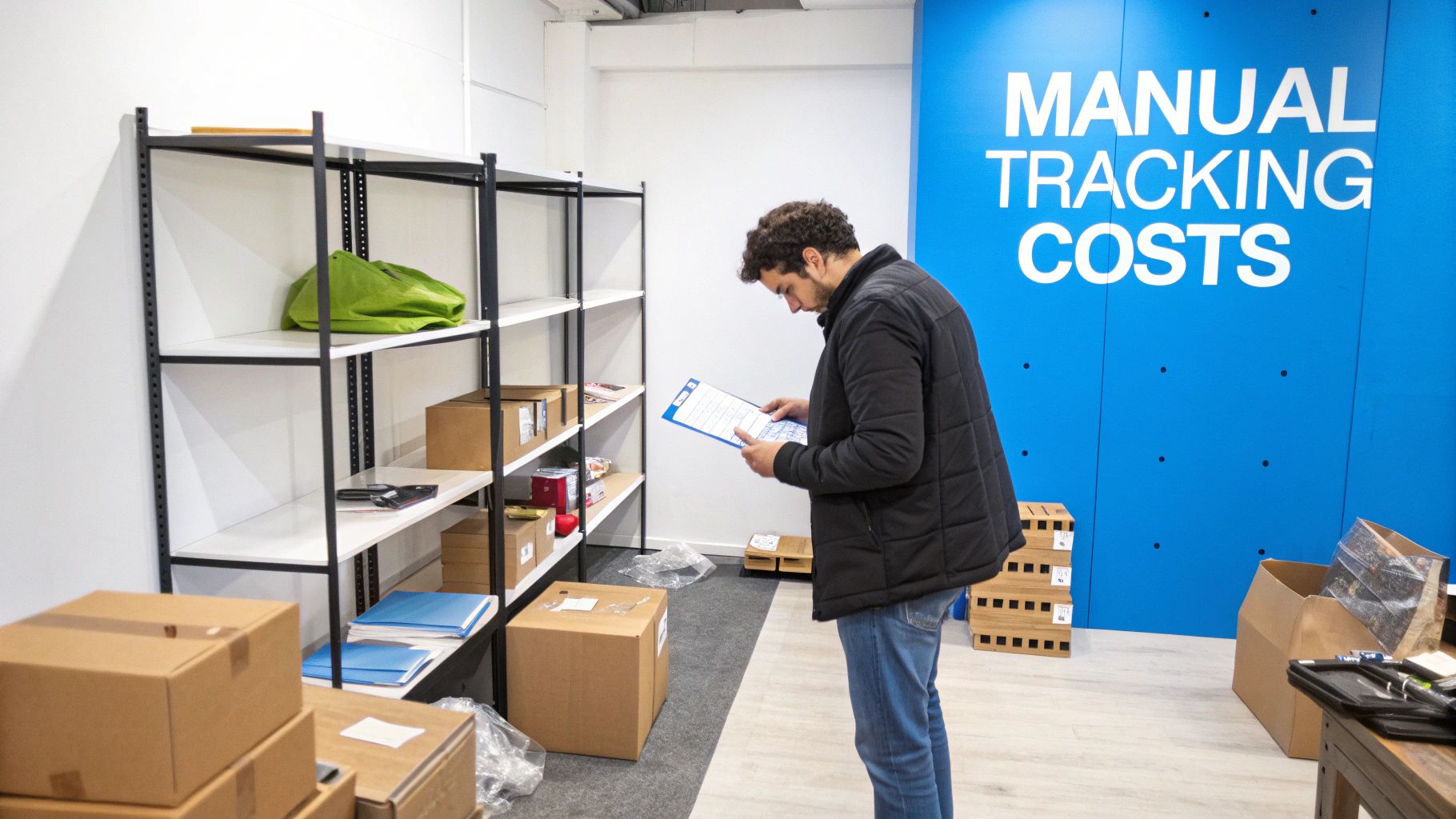
Think of your stockroom as a library without a catalog. Products get lost on shelves, you accidentally buy duplicates of books you already have, and you can never seem to find the one a customer is eagerly waiting for. For countless small businesses, this is the daily reality of relying on spreadsheets or notebooks to track inventory.
This manual approach might seem simple enough at first, but hidden costs are quietly piling up, draining your profits and slowly chipping away at your reputation.
The True Price of Human Error
Every time you type a number into a spreadsheet, there's a chance for a costly mistake. A simple typo—entering "100" instead of "10"—can cause a popular item to go out of stock or lead you to order way too much of something else, tying up cash you can't afford to waste. These aren't just little slip-ups; they create a ripple effect.
Take the story of a small online boutique owner during the holiday rush. She was using a manually updated spreadsheet and ended up overselling a best-selling handbag. The result? A flood of angry emails, canceled orders, and terrible reviews right before Christmas. She didn't just lose those sales; she damaged the customer trust she had worked so hard to build. That single error cost her more than a year's subscription to a basic inventory system.
Manual inventory counts are not only a massive time sink but are also famously inaccurate. Studies have shown that manual data entry can have an error rate as high as 1%. For a growing business, that can add up to some serious financial discrepancies.
Wasted Hours and Missed Opportunities
Beyond the direct costs of mistakes, the time you lose is enormous. How many hours do you or your team spend counting boxes, double-checking numbers, and trying to figure out where the discrepancies are? That's valuable time that could be spent on marketing, talking to customers, or planning your next big move.
Manual tracking also leaves you in the dark. A spreadsheet can't easily tell you things like:
- Which products are flying off the shelves and which are just collecting dust.
- The perfect time to reorder to avoid stockouts without overstocking.
- Seasonal sales trends that should be guiding your purchasing strategy.
Without this data, you’re basically flying blind and making critical business decisions based on guesswork instead of facts. Switching to even a basic small business inventory management software free of charge is the first step toward getting that time back and making smarter, data-driven decisions. For more tips on growing your business, you can find some great resources on the TimberCloud blog. Making this shift from chaos to control is a game-changer for any business that wants to scale.
So, What Does Free Inventory Software Actually Do?
Think of your inventory like a chaotic library without a card catalog. Books are everywhere, nobody knows what's in stock, and finding a specific title is a nightmare. Now, imagine a digital librarian stepping in—one who instantly knows where every single item is, alerts you when a bestseller is running low, and keeps a perfect record of everything coming in and going out.
That’s exactly what free inventory management software for small businesses brings to the table. It's the central nervous system for all your products.
This software acts as your business's air traffic control tower. It sees new stock landing from suppliers, tracks every sale taking off with a customer, and gives you a constant, clear picture of everything sitting on your shelves. It swaps the stress of manual counts and pure guesswork for automated, reliable data.
The Core Jobs of a Free Tool
At its most basic level, this kind of software takes over the mind-numbing, repetitive tasks that eat up your day. Forget manually updating a spreadsheet every time you make a sale; the system handles that for you in an instant. This real-time tracking is the bedrock of good inventory management.
Most free platforms will give you a solid set of essential features to get your stock under control right away:
- Live Stock Level Updates: As soon as an item sells, whether online or in your physical store, the software automatically adjusts your inventory count. No more manual deductions.
- Simple Order Tracking: You get one central dashboard to see all incoming orders and track their journey from the moment a customer pays to the second it ships.
- Basic Sales Reports: You can easily pull up reports to see what’s flying off the shelves and what’s collecting dust. This is crucial for making smarter buying decisions.
This shift to digital tracking isn't just a small trend—it's a massive movement. The global market for this software was valued at around USD 2.38 billion in 2025 and is expected to explode to USD 8.48 billion by 2035. You can discover more insights about the rapid adoption of inventory management technology.
By taking care of these fundamentals, even a no-cost tool sets you up for a much smoother operation. It frees you from the constant anxiety of overselling an item or unexpectedly running out of a customer favorite. This lets you finally switch your focus from just managing your business to actually growing it.
Must-Have Features in Your Free Inventory Tool
It’s easy to get drawn in by the word "free," but not all no-cost inventory tools are built the same. The real value isn't just the price tag; it's whether the software actually solves your day-to-day inventory problems.
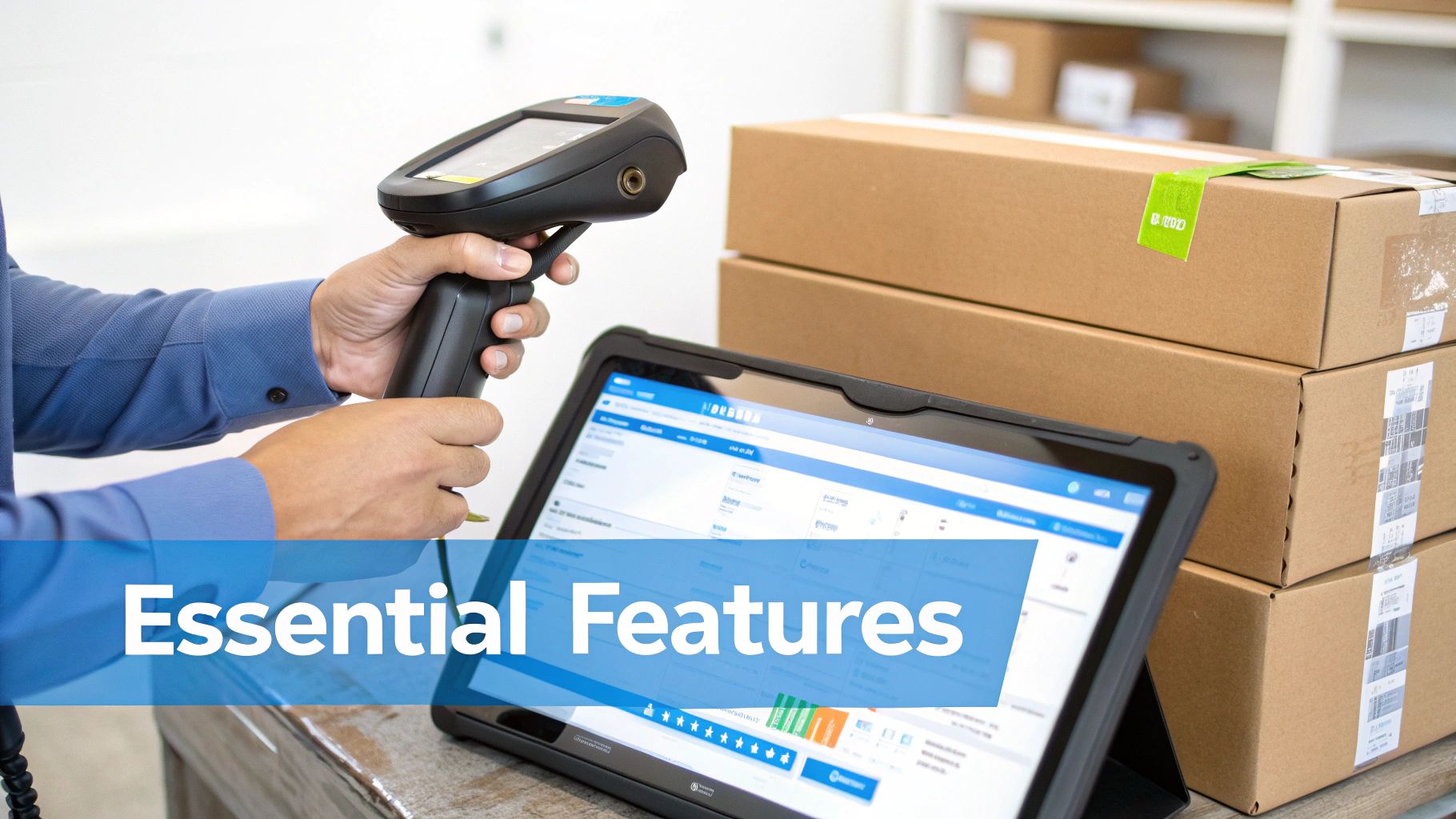
Think of features like barcode scanning as more than just a techy gimmick. It's the difference between spending hours manually logging a new shipment and getting it done in minutes, all while cutting down on costly human error. Similarly, low-stock alerts act as your personal assistant, giving you a heads-up before you sell out of a popular item.
Let's dive into the core features you absolutely need when looking for small business inventory management software free of charge.
When you're evaluating free options, certain features are non-negotiable. These are the tools that do the heavy lifting, transforming a simple list of products into a dynamic, intelligent system. Below is a breakdown of the essentials and why they matter so much for a growing business.
| Feature | What It Does | Why It's Important |
|---|---|---|
| Real-Time Tracking | Instantly updates stock levels across all sales channels the moment a transaction happens. | Prevents overselling and ensures your inventory count is always accurate, avoiding customer disappointment. |
| Low-Stock Alerts | Sends you an automatic notification when an item's quantity hits a preset minimum level (reorder point). | Turns restocking from a frantic, reactive task into a planned, proactive process. You never run out of bestsellers. |
| Barcode Scanning | Allows you to use a scanner or smartphone to quickly check items in, conduct stock counts, and process orders. | Dramatically speeds up inventory handling and virtually eliminates manual data entry errors. |
| Basic Reporting | Generates simple reports on sales trends, best-selling products, and slow-moving items. | Gives you the data you need to make smarter purchasing decisions and identify what's actually making you money. |
These core functions are the bedrock of effective inventory control. Without them, a "free" tool is often little more than a glorified spreadsheet that creates more work than it saves.
Real-Time Inventory Tracking
This is the absolute heart of any worthwhile inventory system. Real-time tracking means your stock levels update automatically everywhere—your online store, your market stall, your back office—the second a sale is made or a return is processed.
Picture this: you sell handmade soaps online and at a weekend market. You sell your last "Ocean Breeze" bar at the market. Without real-time tracking, you'd have to scramble to update your website before an online customer buys the same, now non-existent, bar. A real-time system handles this instantly, marking it "sold out" across all channels and saving you from a customer service headache.
A system that syncs inventory in real-time is no longer a nice-to-have; it's a fundamental requirement for modern retail. It guarantees that the numbers you’re basing your business decisions on are always accurate.
Low-Stock Alerts and Reorder Points
Nothing stings quite like losing a sale because you unexpectedly ran out of a popular product. Low-stock alerts are your built-in safety net against this exact problem.
You simply set a minimum quantity for each item, known as a reorder point. As soon as your stock dips to that number, the software pings you with a notification. It's a simple feature that completely changes how you manage purchasing, shifting you from last-minute panic buys to a calm, organized restocking schedule.
Basic Reporting and Analytics
Your sales history is packed with valuable insights, but only if you can actually see them. A solid free tool should offer basic reports that help you understand what's happening in your business.
At a minimum, you should be able to pull reports on:
- Best-Selling Products: This quickly shows you which items are your true moneymakers, so you know where to focus your energy and cash.
- Slow-Moving Stock: Find out which products are just taking up shelf space. This data helps you decide whether to run a sale or stop carrying an item altogether.
- Inventory Valuation: See the total cash value of the stock you're holding at any given moment, which is crucial for financial planning.
These reports provide the hard evidence you need to move beyond guesswork. For a glimpse at what more advanced systems can do, exploring a comprehensive feature set like TimberCloud's shows how deep analytics can go as your business expands. Mastering these basic reports is the first step toward building a smarter, more profitable operation.
What "Free" Really Means: Understanding the Limits
The words "free forever" can be music to a business owner's ears, but it's important to read the fine print. Think of a free inventory tool like the free sample at a food court. It gives you a great taste of what's possible, but it’s not the full meal. It’s designed to get you started, not to sustain you as you grow.
While a small business inventory management software free plan is a fantastic entry point, it’s built with intentional ceilings. These aren't sneaky tricks; it's just the business model. Software companies offer a free taste in hopes that once your business thrives, you'll be ready to upgrade. Knowing these limits from the start helps you plan ahead and spot the signs that you’re ready for more.
Common Ceilings You'll Hit as You Grow
Most limitations are tied directly to your business activity. As you get bigger and more successful, you’ll naturally bump up against these caps. Honestly, that’s a good problem to have! It means you're outgrowing your starter tools.
Keep an eye out for these common restrictions:
- User Limits: Many free versions are for a single user only. The moment you hire someone to help manage stock or pack orders, you'll need to upgrade just to give them their own login.
- SKU or Item Caps: You might be limited to tracking just 100 or 200 different products (SKUs). This works fine for a niche shop but quickly becomes a bottleneck when you want to add new product lines.
- Order Volume Limits: Free plans often put a cap on how many sales orders you can handle per month. For example, the free plan from Zoho Inventory allows up to 50 online orders monthly—a number a growing online store could easily blow past in a busy week.
"A free plan gets your foot in the door, but it’s the paid features that unlock true scalability. The goal is to choose a provider whose paid plans align with your future needs, so the upgrade is a seamless step up, not a painful migration."
What's Usually Behind the Paywall
Beyond simple volume caps, some of the most powerful features are almost always reserved for paying customers. These are the tools that help you move from basic tracking to actively optimizing your entire operation.
For instance, a free tool might connect to your Shopify store, which is great. But what happens when you want to expand and sell on Amazon and Etsy, too? Syncing your inventory across multiple sales channels at once is a classic paid feature.
Other game-changing tools often missing from free plans include:
- Predictive Analytics: The power to forecast future demand based on your past sales data, so you know what to order and when.
- Advanced Reporting: Getting deep insights into profit margins for each product, calculating inventory turnover rates, and spotting your best (and worst) sellers.
- Dedicated Customer Support: When something goes wrong at a critical moment, having a real person to call or chat with is worth its weight in gold.
Understanding these limitations upfront helps you make a smarter decision. As you compare your options, look past the free offerings and check out the company's complete pricing and plan details. This ensures the software you choose today can actually keep up with your business tomorrow.
How to Choose the Right Free Tool for Your Business
Picking the right small business inventory management software free of charge is a lot like choosing a business partner. You’re not just looking for a quick fix for today’s problems; you’re searching for a tool that can grow with you. Make a rushed choice now, and you could be facing a massive headache—and a costly data migration—down the road.
To sidestep that future pain, it’s best to start with a little self-assessment. Answering a few straightforward questions about your business will help you cut through the noise, narrowing down a sea of options to just a handful of solid contenders. This simple framework makes sure you end up with a tool that solves your real-world problems.
Start With Your Biggest Headaches
Before you dive into feature lists and flashy demos, take a moment to identify your most frustrating operational challenges. Are you constantly selling out of your best products and leaving customers disappointed? Is your cash flow choked because too much money is tied up in stock that just won't move? Or maybe the endless hours spent on manual stock counts are stealing time you should be spending on marketing and sales.
Whatever your biggest pain point is, that’s your starting line. If overselling is the issue, then a tool with reliable, real-time sync is non-negotiable. If cash flow is the problem, you'll want to find software with at least basic reporting to help you spot your slowest-moving items.
Define Your Operational Needs
Next, it’s time to get brutally honest about the scale and complexity of your business. The perfect free tool for a boutique with 50 products is going to be completely different from what a retailer managing 500 SKUs needs.
- How many products are you managing? Be realistic about your SKU count. A lot of free plans cap the number of items you can track, so look for one that gives you some breathing room to add new product lines without forcing an immediate upgrade.
- Where do you actually sell your products? A simple, free plan might be fine if you only sell through a single Shopify store. But if you’re juggling sales from Etsy, Amazon, and weekend markets, you need a system that can handle multi-channel inventory (or at least has an affordable upgrade path to get you there).
- What does your growth plan look like? If you're thinking about hiring your first employee in the next six months, choose software that lets you add a second user without jumping to a wildly expensive plan. A little foresight now can save you from getting backed into a corner later.
Choosing software with a clear and affordable upgrade path is crucial. You're not just selecting a free tool; you're investing in a long-term ecosystem for your business.
Historically, small businesses have been slow to adopt this kind of software, often due to high costs. In fact, some studies show only around 22% currently use a dedicated system. The good news is that the rise of free and freemium options is changing the game, helping small operations finally ditch the spreadsheets for something more automated. You can read the full research about these inventory management trends for more context.
The decision tree below gives you a visual on the key triggers that signal you're outgrowing a basic free plan and might need to look at an upgrade.
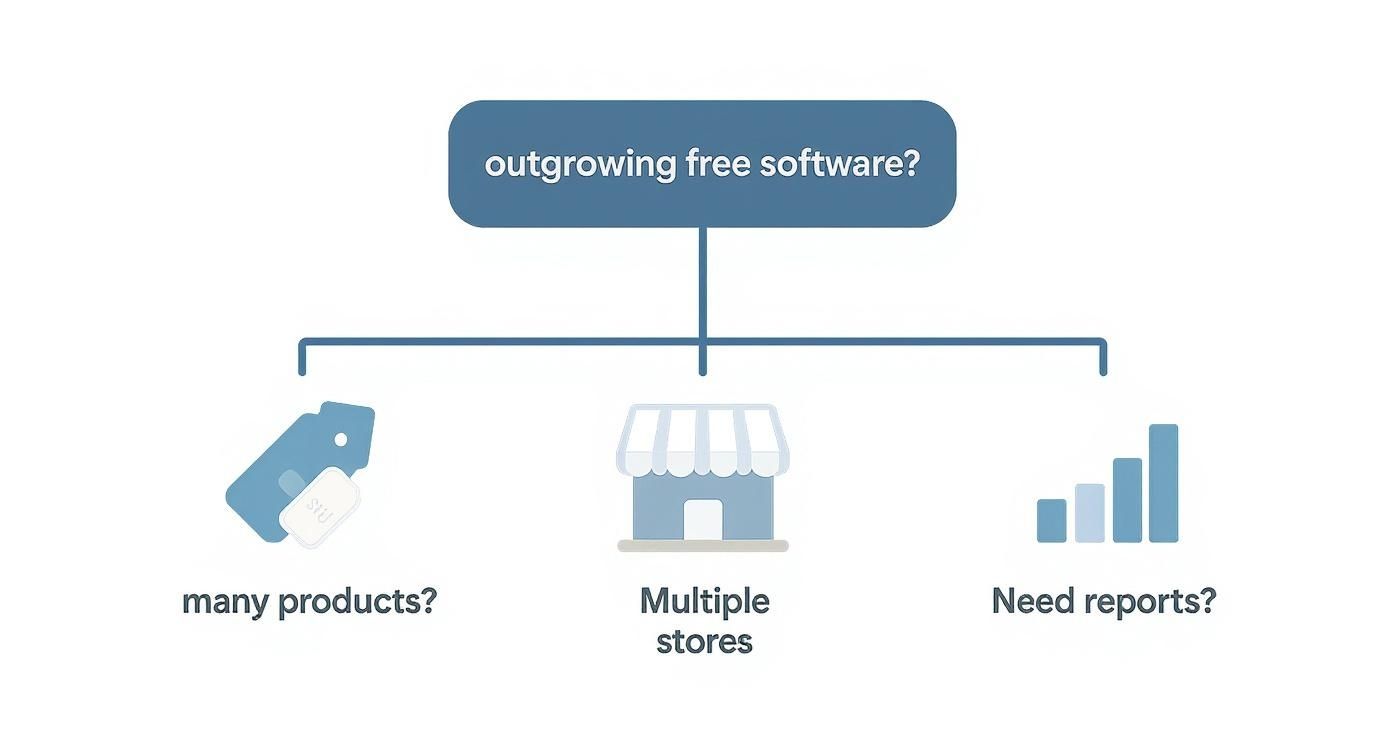
As this graphic shows, the more your business expands—whether that’s through more products, more sales channels, or a greater need for detailed reports—the more the limitations of a free tool start to show. By paying attention to user reviews and making the most of free trial periods, you can confidently pick a tool that will be a true partner on your business journey.
Your Simple Software Implementation Checklist

Picking the right small business inventory management software free of charge is a big win, but the real magic happens during setup. Let’s be honest, moving from a familiar spreadsheet to a new system can feel like a huge project. The key is to break it down.
I like to think of it as organizing a cluttered garage. You wouldn't just install shiny new shelves and then dump everything back in. You’d take everything out, sort it, toss what you don't need, and label the keepers. A little prep work here will make sure your new system actually helps you, rather than just becoming a digital version of the same old mess.
Getting Your Data and System Ready
First things first, let's talk about your product data. This is your chance for a fresh start. Crack open that old spreadsheet and give it a good cleaning. Standardize your naming conventions, delete those items you stopped selling ages ago, and double-check that every single product has a unique SKU (Stock Keeping Unit). Trust me, clean data now will save you countless headaches later.
With your data looking sharp, it's time to set up the software's basic framework. Before you even think about importing anything, you need to tell the system how your business works.
- Define Your Locations: Where do you keep your stuff? Map out every spot, whether it’s your main stockroom, the retail floor, or even a pop-up market stall.
- Add Your Team: Get your employees set up with their own logins. This ensures they can hit the ground running when you go live.
- Set Reorder Points: For your bread-and-butter products, decide on the minimum quantity you want on hand. The system will then automatically flag them when stock runs low.
Nailing these foundational steps is what separates a smooth launch from a bumpy one.
Don't rush the initial data import. Garbage in, garbage out. Taking the time to ensure your product lists and SKUs are accurate before uploading them is the single most important step for long-term success with any inventory system.
Finalizing the Setup and Going Live
Okay, your system is configured and your data is clean. Now you can import your product list, which is usually as simple as uploading a CSV file. The next step is absolutely critical: conduct a full, wall-to-wall physical inventory count. This baseline count makes sure the numbers in your shiny new software are a perfect mirror of what’s actually on your shelves. You get to start from a place of 100% accuracy.
The last piece of the puzzle is training. Walk your team through the day-to-day tasks they’ll be doing in the software, like checking in a shipment or processing an order. Thankfully, most modern cloud-based tools are built to be user-friendly. This ease of use is a huge factor in the explosive growth of the cloud software market, putting powerful tools within reach for everyone. You can learn more about the rise of cloud inventory solutions at Mordor Intelligence.
Ready to stop wrestling with spreadsheets and start making smarter decisions? TimberCloud offers a powerful, all-in-one platform that connects your e-commerce storefront with your shop floor, streamlining everything from sales to production. Discover how our tools can help your business grow by visiting https://timbercloud.com.
Frequently asked questions
Genuinely free options exist. Zoho Inventory’s free plan (50 orders a month, 1 user, 1 location) and Square’s Free plan are free indefinitely rather than time-limited. The trade-off is capped order volume, single-user access, and one location — not a countdown clock.
Zoho Inventory is the strongest general free option for a woodshop selling finished pieces online, and Square’s Free plan works well if you sell at craft fairs or from a showroom. Neither tracks raw lumber, sheet goods, or hardware consumed per job, so shops that build rather than resell will need manufacturing-specific software.
When you consistently pass 50 orders a month, need a second user, add a location, or start losing money to untracked materials and job costs. A practical test: if reconciling the free tool against reality takes more than an hour a week, it is already costing more than a paid plan.
Generally no. Free tiers track sellable SKUs rather than bills of materials, so a walnut dining table appears as one item and the 40 board feet and hardware inside it are invisible. Materials-level tracking is a paid-tier or purpose-built feature.
It works below roughly 50 SKUs on a single sales channel. Past that, manual entry introduces errors that compound at every stocktake. Free software adds real-time counts and low-stock alerts at the same price as the spreadsheet.
Usually not. Free plans are generally built to track inventory for one sales channel, so a tool may sync cleanly with one storefront but not simultaneously with a second marketplace. Multi-channel sync is almost always a paid feature, and selling in more than one place is the clearest signal it is time to upgrade.
Reputable providers apply the same core protections, such as encryption in transit and at rest, to free and paid accounts alike. What paid tiers usually add is internal control rather than external security — user permissions, role restrictions, and audit logs. Read the provider’s security and privacy policy before committing either way.
Straightforward in most cases. Upgrading is typically a setting change, and products, sales history, and customer records carry over without downtime. Check the provider’s pricing page before you adopt the free tier, so you know the paid plans will fit your budget when you need them.
Topics
TimberCloud Team
Content Team
The TimberCloud team is dedicated to helping manufacturers streamline their operations with intelligent software solutions.