ERP for Inventory Management Explained
When we talk about an ERP for inventory management, we're not just talking about another piece of software for tracking what's on the shelf. It’s a central hub that links your inventory data to literally every other part of your shop—from the first sales call and purchase order straight through to production and final accounting. It’s a complete, living picture of your entire operation, not just a static count of parts.
What Exactly Is an ERP for Inventory Management?
Imagine your custom manufacturing shop is a symphony orchestra. You've got different sections: sales, purchasing, the warehouse crew, the folks on the production floor. A simple, standalone inventory system is like trying to conduct only the drummers while the string section and brass are playing from completely different scores. It's a recipe for chaos and missed cues.
An ERP, on the other hand, is the master conductor for the entire orchestra. It gets every department on the same page, working from a single, real-time source of truth. This integrated approach breaks down the walls between departments and connects every step of your inventory's journey, from the moment raw materials hit your loading dock to the second a finished product ships out the door.
Moving Beyond Standalone Systems
If you're still using separate, non-integrated systems, you're creating isolated islands of information. Your sales team might have no idea there's a delay on the shop floor, or your purchasing manager might be completely in the dark about a sudden spike in demand for a particular part. That kind of disconnect leads to expensive, all-too-common mistakes:
- Overstocking: Buying way too much raw material because the purchasing team doesn’t have access to real-time production forecasts.
- Stockouts: Telling a customer you can deliver a product that you can't actually build because sales is working with old warehouse data.
- Reactive Firefighting: Constantly scrambling to fix problems after they've already happened instead of preventing them with solid, forward-looking data.
An ERP system essentially becomes the central nervous system for your business. The moment a sales order comes in, the system instantly checks inventory, allocates materials, updates the production schedule, and can even trigger an alert for purchasing when it's time to reorder.
An ERP doesn't just manage your inventory; it weaves that inventory data into the fabric of every business decision. It turns your stock from a liability sitting on a shelf into a dynamic, strategic tool that actively boosts efficiency and profit across your entire company.
This infographic really drives home the difference between the old way of doing things and what an integrated ERP brings to the table.
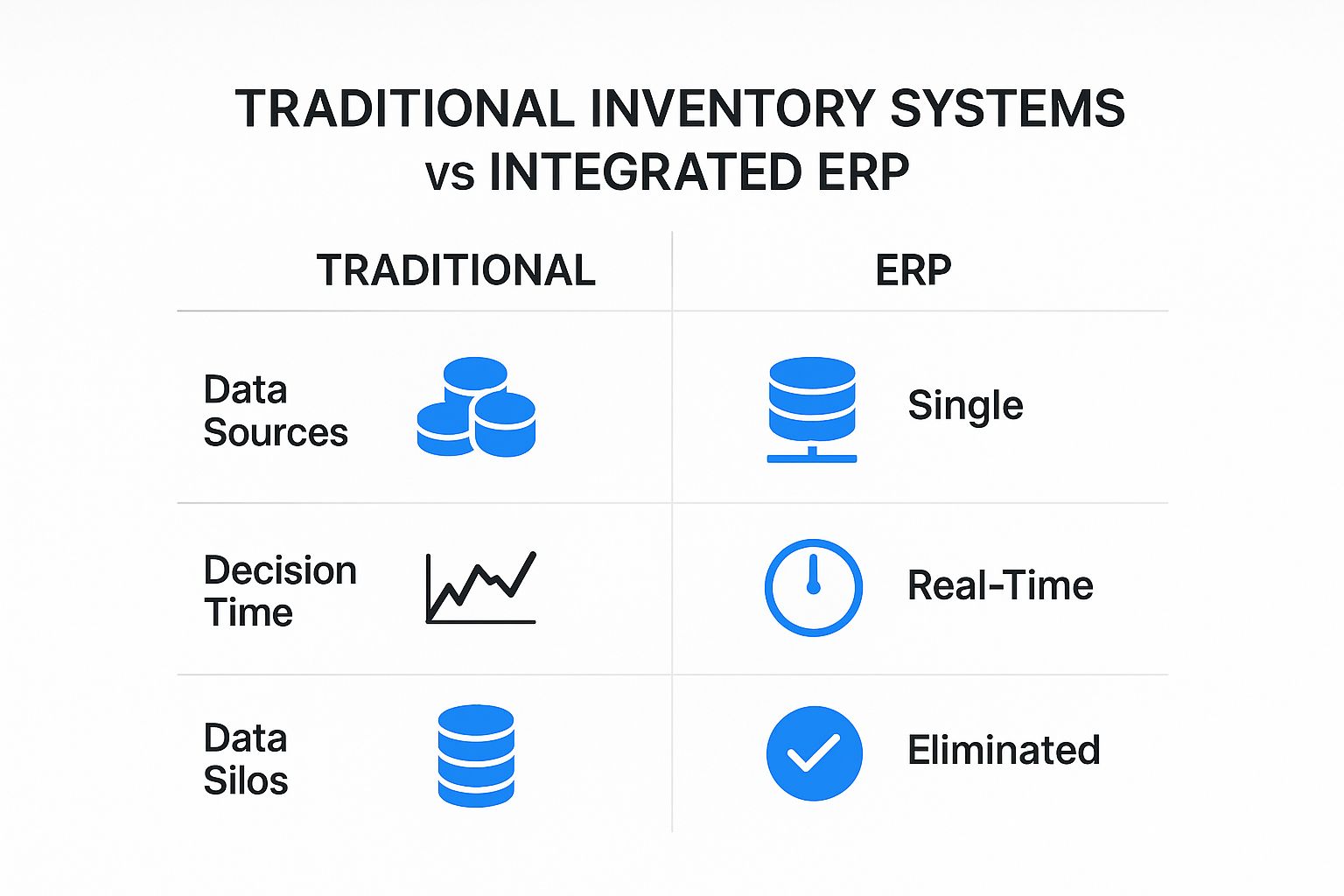
You can see right away how an ERP centralizes information and empowers real-time decisions, which is a world away from the siloed, reactive nature of legacy tools.
The Power of a Single Source of Truth
At its core, the whole idea behind using an ERP for inventory management is to create a single source of truth. No more pulling conflicting numbers from different spreadsheets or having one department's data contradict another's. Everyone—from the CEO to the shop floor manager—is looking at the same up-to-the-minute information.
This unified view completely changes the game. It shifts your decision-making from reactive guesswork to proactive strategy. You can forecast demand with genuine confidence, fine-tune your stock levels to slash carrying costs, and drastically improve your on-time delivery rates. It all comes down to getting every department perfectly in sync, working together to meet customer needs efficiently and profitably.
Key Features That Transform Inventory Control
A top-notch ERP for inventory management is so much more than a digital spreadsheet. Think of it as the command center for your entire operation, giving you a serious leg up on the competition. It’s not about just ticking off boxes; it’s about having specific tools that solve the biggest headaches in a custom shop, turning potential chaos into controlled, profitable work.
These systems are quickly becoming a must-have for any shop that wants to grow. In fact, the global ERP market is on track to hit $147.7 billion by 2025, with a huge chunk of that money aimed at beefing up inventory tools. This isn’t just hype—a staggering 91% of companies that adopt an ERP report better-optimized inventory levels, which helps them slash costs from both stockouts and wasteful overstocking.
When you're comparing options, it's easy to get lost in the weeds. A standalone inventory app might seem like enough, but it operates in a silo. An ERP, on the other hand, weaves inventory data into every corner of your business.
Standalone Inventory Software vs Integrated ERP System
| Feature | Standalone Inventory Software | Integrated ERP System |
|---|---|---|
| Data Scope | Tracks stock levels, basic item info. | Connects inventory data with sales, finance, purchasing, and production. |
| Real-Time Updates | Often requires manual updates or batch syncing. | Live, real-time updates across the entire company. |
| Automation | Limited to basic reorder alerts. | Automates purchase orders, material requirements, and financial entries. |
| Traceability | Basic tracking, if any. | Full lot and serial number traceability from raw material to finished good. |
| Reporting | Provides simple stock reports. | Generates deep insights into inventory costs, turnover, and forecasting. |
| Business Impact | Helps prevent stockouts. | Optimizes cash flow, improves production scheduling, and enhances customer service. |
The difference is clear. While a basic tool can tell you what you have, an integrated ERP tells you what you need, when you need it, and how it impacts your bottom line.
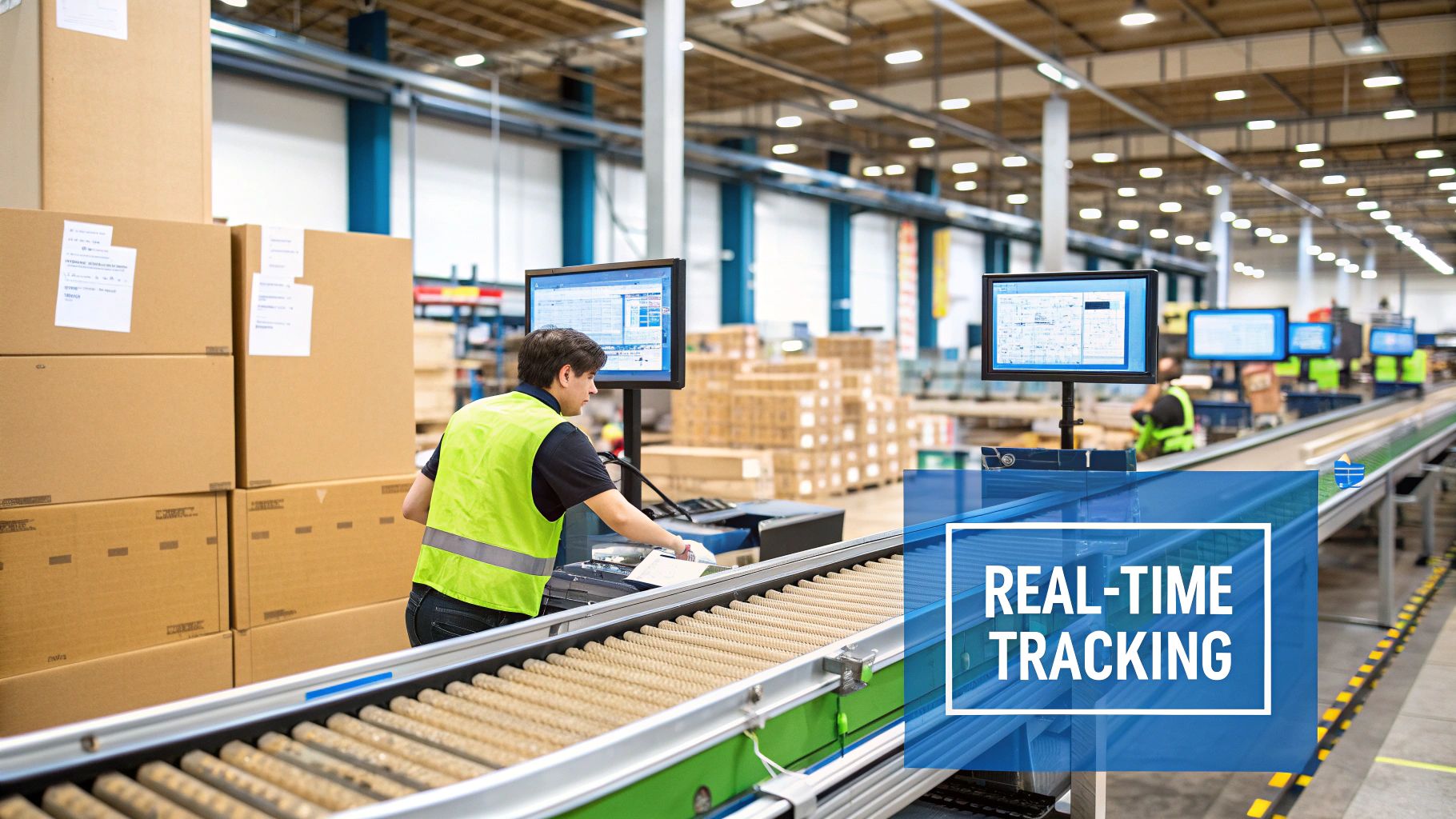
Real-Time Inventory Tracking and Visibility
This is the absolute foundation. Real-time inventory tracking isn't just about knowing how many sheets of plywood are on the rack. It’s about giving everyone who needs it a live, accurate count of every single component, piece of hardware, and finished product at their fingertips.
Picture this: a rush job for custom cabinets comes in. With real-time data, your salesperson can instantly confirm the specific wood, hinges, and finish are in stock without ever walking out to the warehouse. This simple check prevents you from promising a delivery date you can't hit and cuts out the frustrating delays of manual stock counts.
A real-time view of your inventory turns every department into an informed decision-maker. It replaces "I think we have it" with "I know we have it," which is the bedrock of reliable customer service and efficient production planning.
This live data becomes the single source of truth that pulls your entire operation together, making sure sales, production, and purchasing are all working from the same accurate playbook.
Automated Reordering and Purchasing
Running out of a critical fastener or a specific type of laminate mid-job is a custom manufacturer’s nightmare. An ERP with automated reordering acts like a vigilant watchdog, stopping these stockouts before they ever happen.
Based on your own sales history and lead times, the system helps you set reorder points and safety stock levels for every item. When your supply of a particular screw or wood veneer dips to that threshold, the ERP can automatically whip up a purchase order or ping your purchasing manager. You're no longer reacting to empty bins; you're proactively keeping stock at the perfect level without tying up cash in materials you don't need yet.
Lot and Serial Number Traceability
For many shops, especially those dealing with specific quality standards or high-value materials, traceability is non-negotiable. This is where lot and serial number tracking becomes a game-changer, giving you a detailed history of every single thing that moves through your shop.
- Lot Tracking: This is perfect for grouping items from the same production run. If you discover a defect in a batch of finishing lacquer, you can instantly find every single project that used it.
- Serial Number Tracking: This assigns a unique ID to each individual item. It's essential for managing warranties, tracking service calls, and handling any potential recalls with surgical precision.
This granular detail is indispensable for quality control. It lets you isolate problems fast, minimize the fallout from a bad batch of materials, and give your customers complete confidence in the quality of your work. You can explore a full list of these advanced operational tools and see how they fit into the bigger picture.
Multi-Location Warehouse Management
As your business grows, keeping track of inventory across multiple spots—a main workshop, a separate storage unit, or even service vans—gets complicated fast. An ERP with multi-location management syncs all your inventory data across every site in real time.
This means when a part is used from a service van, the system-wide count is updated instantly. It stops you from having a pile of parts at one location while another is completely out. This unified view makes stock transfers a breeze and leads to much smarter purchasing for the company as a whole. You always know exactly what you own, no matter where it is.
The Real-World Business Benefits of an Integrated ERP
https://www.youtube.com/embed/KWGfV8lOJZg
Thinking about an ERP system isn't just about adding another piece of software. It’s a major business decision, one that should pay for itself by driving real, measurable growth. The features and functions are great on paper, but the true value shows up in the tangible results that strengthen your bottom line and sharpen your competitive edge. This is where an ERP for inventory management stops being a technical tool and starts being a powerful engine for your shop's profitability.
The first place you'll feel the impact is in your finances. By getting a handle on your stock levels, you're directly tackling one of the biggest, often hidden, drains on a manufacturing shop's cash: carrying costs. These aren't just the obvious things like warehouse rent; they include insurance, taxes, and the ever-present risk of materials getting damaged or becoming obsolete.
An ERP gives you the hard data needed to stock exactly what you need, right when you need it. This simple shift stops your cash from being tied up in inventory that’s just sitting on a shelf. That freed-up capital can then be put to better use, whether that's investing in new equipment, training your team, or ramping up your marketing.
Driving Down Costs and Boosting Cash Flow
One of the biggest financial wins you'll see is a sharp reduction in waste. Armed with accurate forecasting and a real-time view of your inventory, you can dramatically cut the risk of over-ordering materials that might expire, fall out of fashion, or simply become useless. In the fast-moving world of custom manufacturing, where project specs can change on a dime, this is absolutely critical.
Instead of relying on a gut feeling, the system uses historical data and current sales pipelines to guide your purchasing. This data-driven approach means you aren't sinking thousands of dollars into raw materials for a job that might get delayed or canceled, which directly improves your cash flow and makes your business far more agile.
The proof is in the numbers. After putting an ERP in place, a solid 62% of businesses report direct cost savings. That's a clear signal of the system's ability to turn operational tweaks into real financial gains. You can check out more numbers in this detailed statistical analysis.
This improved financial health isn't just about saving a few bucks here and there. It's about building a more resilient and predictable business from the ground up.
Enhancing Customer Satisfaction and Loyalty
In custom manufacturing, your reputation is everything. It’s built on a foundation of trust, quality work, and—most importantly—your ability to deliver on your promises. An ERP for inventory management is a cornerstone of that trust, because it directly impacts your power to meet and even beat customer expectations.
Think about it: when a customer places an order, what they really want is a reliable delivery date. If your inventory records are a mess, you're bound to run into stockouts that bring production to a halt and force you to push back deadlines. An ERP gets rid of that guesswork.
With a single, accurate view of what's on hand, your sales team can give customers delivery timelines they can actually count on. That kind of reliability is a massive differentiator in a crowded market. Customers quickly learn they can depend on you, and that builds the kind of loyalty that creates repeat business and enthusiastic referrals.
- Fewer Stockouts: Real-time tracking makes sure you have the parts and materials to get jobs started and finished on time, avoiding those frustrating delays.
- Accurate Lead Times: Your sales team can quote delivery dates based on what you actually have, not what you hope you have.
- Better Communication: If a supply chain issue does pop up, the system gives you an early warning. This lets you get ahead of the problem and talk to your customer proactively instead of waiting for them to call you with a complaint.
This level of operational excellence translates directly into a better customer experience, turning first-time buyers into long-term partners. For more ideas on improving operations, you can explore the insights on the TimberCloud blog. Ultimately, the benefits of an ERP ripple through every part of your shop, driving not just efficiency but the kind of sustainable growth that makes you a leader in your field.
Choosing Your Deployment Model: On-Premise vs. Cloud ERP
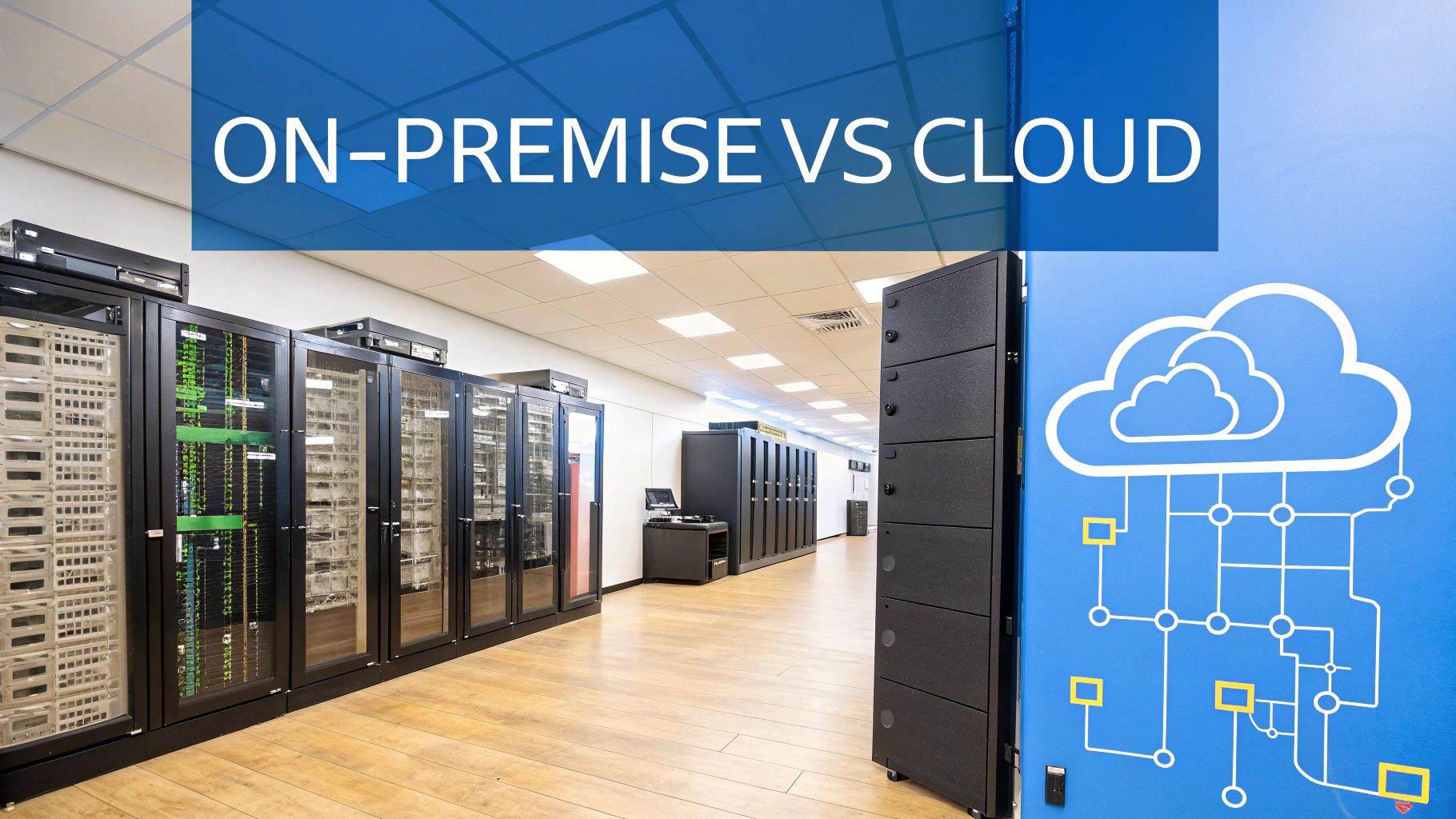
When you’re picking an ERP for inventory management, one of the first big forks in the road is deciding where the system will live. This isn't just a technical footnote; it’s a strategic choice that fundamentally shapes how you access, pay for, and maintain your software. The decision comes down to two main paths: the traditional, self-hosted on-premise model or the modern, subscription-based cloud model.
A good way to think about it is like owning a car versus using a ride-sharing service. An on-premise system is the car you buy outright. You own it, you’re responsible for all the maintenance, and you keep it in your own garage. A cloud system is like the ride-share—you just pay for access when you need it, while someone else worries about the oil changes, insurance, and upgrades. Each has its place, depending on what your shop really needs.
The On-Premise ERP Model: Control and Customization
With an on-premise ERP, the software is installed directly on your company's own servers and computers. This classic approach gives you the ultimate degree of control. For manufacturers with intensely specialized workflows or those bound by strict regulatory compliance, this level of command can be a huge plus.
You get the freedom to customize the system down to the last detail to fit your unique processes. But that control comes with a whole lot of responsibility. You’re on the hook for everything:
- The Upfront Investment: This means a major capital expense for software licenses, server hardware, and all the networking gear to connect it.
- IT Overhead: You'll need an in-house IT team (or a very capable contractor) to handle server maintenance, software updates, security, and backups.
- Slower Rollout: Getting everything set up takes time. The process is usually longer and more involved because you have to configure hardware and install the software from the ground up.
This model tends to be the go-to for large, established companies that already have a dedicated IT department and require deep, specific customizations that most cloud solutions can’t offer.
The Cloud ERP Model: Flexibility and Scalability
In stark contrast, a cloud ERP is hosted on the provider's servers and you access it through a web browser. This model, often called Software-as-a-Service (SaaS), has quickly become the new standard for most businesses, especially small and mid-sized manufacturers.
The move to the cloud is completely changing the game for inventory management. In fact, by 2025, cloud platforms are expected to make up a whopping 60% of the total ERP market, a massive leap from 40% in 2020. This trend is all about the flexibility and scalability cloud systems bring to the table. They let shops manage inventory across multiple locations with ease and even integrate newer technologies like AI for sharper forecasting. You can dig into more data on this shift and its effects in these ERP statistics for businesses.
For a growing custom manufacturing shop, a cloud ERP acts as a strategic partner, not just a tool. It scales with you, allowing you to add users or expand features without buying new hardware, providing an agile foundation for sustainable growth.
This approach flips the entire cost structure on its head. Instead of one massive upfront investment, you pay a predictable monthly or annual subscription fee. This makes a powerful ERP for inventory management far more attainable for shops that don't have a huge capital budget. You can see how this model influences the pricing structure of an all-in-one platform.
A Head-to-Head Comparison
To really see the difference, it helps to put the two models side-by-side.
| Factor | On-Premise ERP | Cloud ERP |
|---|---|---|
| Initial Cost | High (hardware, licenses) | Low (subscription fee) |
| Ongoing Cost | Variable (maintenance, staff) | Predictable (subscription) |
| Implementation | Slower, more complex | Faster, often weeks not months |
| Accessibility | Limited to internal network | Accessible from anywhere |
| Maintenance | Managed by your IT team | Managed by the provider |
| Scalability | Difficult and expensive | Easy and cost-effective |
| Security | Your responsibility | Handled by expert providers |
For the vast majority of custom manufacturers today, the benefits of the cloud model are just too compelling to ignore. The lower barrier to entry, predictable expenses, and the ability to access your system from the shop floor, the office, or even on the road gives you an operational agility that on-premise systems simply can't match. By letting the provider handle the IT headaches, you can focus your team and your resources on what you do best: building incredible products for your customers.
A Practical Roadmap for Successful ERP Implementation

Let's be clear: implementing an ERP for inventory management is so much more than an IT project. It’s a full-blown business transformation. You can have the most powerful software on the planet, but if the rollout is fumbled, you’ll never see the results you’re paying for. Success comes down to a smart, strategic roadmap that gives the process the attention it deserves.
The key is to treat this as a core business initiative, not just a software installation. That means careful planning, dedicated resources, and getting everyone on board, from the shop floor to the front office. A well-managed transition avoids costly headaches and ensures you get every ounce of value from your investment.
Stage 1: Define Your Objectives and Assemble Your Team
Before you even think about watching a software demo, you need to know exactly what problem you're trying to solve. Are constant stockouts grinding production to a halt? Are you drowning in obsolete materials that are tying up cash? Maybe your job costing is a total black box. Nailing down your biggest inventory challenges is step one.
Try to list your top three to five inventory pain points. These goals become your North Star for the entire project, helping you measure success and keep the team from getting lost in the weeds. Once your objectives are crystal clear, it’s time to build your team.
And this can't be a project you just toss over the fence to the IT department. Your implementation team needs to be a cross-functional crew with people from every department the ERP will impact.
- Warehouse Manager: This person knows the real-world inventory flow, the physical storage headaches, and what actually happens on the ground.
- Purchasing Lead: They’ve got the inside track on supplier lead times, reordering processes, and the entire procurement cycle.
- Production Supervisor: They understand exactly how material availability—or the lack of it—affects shop floor efficiency and scheduling.
- Finance Controller: This is who connects inventory data to job costing, cash flow, and the company's financial pulse.
- Sales Representative: They can tell you how inventory accuracy impacts customer promises and delivery dates.
Getting these key players involved from day one is non-negotiable. It guarantees the system you choose will solve real problems and creates a sense of shared ownership that is vital for success.
Stage 2: Manage Data Cleansing and Migration
This is it. The most critical—and most underestimated—stage of any ERP project. Your shiny new system is only as good as the data you put into it. Trying to migrate messy, inaccurate, or incomplete information from old spreadsheets is a recipe for disaster. It's the classic "garbage in, garbage out" problem.
Data cleansing isn't optional; it's essential. This is a meticulous process of reviewing, correcting, and standardizing all your existing inventory data before it gets anywhere near the new ERP. We're talking about verifying part numbers, standardizing units of measure, confirming supplier info, and doing a full physical count to get an accurate baseline.
Think of it like moving into a brand-new workshop. You wouldn't just shovel all the junk and clutter from your old, disorganized space into the new one. You’d sort through everything, clean it, and get organized first so you can hit the ground running efficiently from day one.
A clean data migration is the foundation for everything that follows—reliable reports, accurate forecasts, and, most importantly, your team's trust in the new system.
Stage 3: Prioritize Training and User Adoption
At the end of the day, technology doesn't run your business; your people do. The ultimate success of your new ERP for inventory management rests entirely on your team's willingness and ability to use it correctly. Great training isn't a one-and-done event; it's an ongoing process.
Build a training plan that’s tailored to different roles. A warehouse employee needs to master the barcode scanner and receiving workflows. A purchasing manager, on the other hand, needs to become an expert on the automated reordering and reporting tools. Hands-on, role-specific training builds confidence and shows people how the system makes their jobs easier, not harder.
Encourage feedback and make a big deal out of early wins to build momentum. When the team sees for themselves how the ERP gets rid of tedious manual data entry or prevents a frustrating stockout, adoption will happen organically. The goal is to make the system an indispensable part of their daily routine—transforming it from a complicated new tool into the reliable backbone of your operation.
Wrapping It Up: Your Path to Smarter Inventory Management
Choosing an ERP for inventory management isn't just another software purchase. It's a fundamental shift in how your entire business operates. Think of it as installing a central nervous system for your shop—moving away from the chaos of disconnected spreadsheets and gut-feel decisions to a single, smart system that everyone can trust.
The journey starts by committing to that single source of truth, where sales, purchasing, and the shop floor are all looking at the same real-time numbers.
We've walked through how specific features, like automated reordering and lot traceability, tackle nagging, everyday problems. They stop stockouts before they happen and give you an ironclad quality control process. These aren't just bells and whistles; they translate directly into a healthier bottom line through lower carrying costs, better cash flow, and customers who trust you to deliver on time, every time. Getting there means following a clear implementation plan, focusing on clean data, and getting your whole team on board.
An ERP system is what finally lets you see your inventory not as a pile of parts, but as a dynamic engine for profit and a cornerstone of operational excellence.
What's Your Next Move?
The path forward begins with an honest look in the mirror. Where are the real pain points in your current inventory process? Are you writing off dead stock every year? Do unexpected shortages constantly throw your production schedule into chaos? These aren't just unavoidable costs of doing business—they're solvable problems.
If that sounds all too familiar, it’s probably time to seriously explore what a modern ERP for inventory management can do for your shop. By bringing your people, your processes, and your data together, you can finally get out of the daily firefighting mode and start building a more resilient, predictable, and profitable future.
Got Questions? We've Got Answers
Stepping into the world of an ERP for inventory management can bring up some practical questions. It’s smart to wonder about timelines, costs, and whether a system like this is even the right fit for your shop. Let's tackle the most common questions we hear from custom manufacturers.
How Long Does An ERP Implementation Take?
This is the classic "it depends" question, but for good reason. There’s no single timeline because every shop is different. A straightforward, cloud-based setup might take a few months, while a complex project with lots of custom needs could stretch out over a year.
It all boils down to a few key things:
- Your Shop's Complexity: A single-location shop with a pretty standard process will get up and running much faster than a manufacturer with multiple sites and incredibly detailed bills of materials.
- Data Migration: This is a big one. If your data is already clean and organized, moving it over is relatively smooth. If you're currently running on a tangled mess of spreadsheets, that data will need to be cleaned up first, which adds time to the project.
- Customization: The more you need to tweak the software to match your unique way of doing things, the longer the implementation will take.
For most small to mid-sized manufacturers going with a modern cloud ERP, you can realistically expect the project to take anywhere from three to nine months.
What Is The Real Cost Of An ERP System?
Thinking about ERP cost means looking way beyond the sticker price. The real investment is a mix of several factors, making it a long-term strategic decision, not just a software purchase. You have to calculate the total cost of ownership (TCO) to see the full financial picture.
The true value of an ERP isn't measured by its upfront cost, but by its long-term Return on Investment (ROI). The system should pay for itself through reduced waste, improved efficiency, and better cash flow.
Here’s where the money typically goes:
- Software Licensing: For cloud ERPs, this is usually a predictable subscription fee you pay per user, either monthly or annually. With older, on-premise systems, it’s a big, one-time purchase.
- Implementation Services: This chunk covers the initial setup, getting the system configured for your shop, migrating your data, and the project management that keeps everything on track.
- Training Costs: Don't skip this! Budgeting for solid, role-specific training is crucial. If your team doesn't know how to use the system, you'll never get your money's worth.
- Ongoing Support and Maintenance: This covers access to customer support, software updates, and security fixes. For cloud systems, this is almost always rolled into your subscription fee.
Can A Small Manufacturing Business Benefit From An ERP?
Absolutely. The old idea that ERP is just for giant corporations is completely outdated. The rise of flexible, affordable cloud-based ERP systems has brought these powerful tools right to the doorstep of small and growing manufacturers.
Modern cloud platforms have a much lower barrier to entry. You don’t need to buy a room full of expensive servers or hire a dedicated IT team to manage them. Instead, you pay a predictable subscription, giving you all the benefits of an ERP for inventory management without the massive upfront cost.
For a small shop, an ERP provides the backbone for real, sustainable growth. It gets rid of tedious manual work, gives you a crystal-clear view of job costs and inventory levels, and just plain professionalizes your entire operation. It truly levels the playing field, helping you compete with the bigger players.
Ready to stop fighting inventory chaos and start building a more profitable future? TimberCloud, Inc. delivers the all-in-one platform custom manufacturers need to connect sales, the shop floor, and shipping in a single, streamlined system. Explore our tools and see how we can help you grow.
Topics
TimberCloud Team
Content Team
The TimberCloud team is dedicated to helping manufacturers streamline their operations with intelligent software solutions.