Your Guide to Custom Manufacturing ERP Systems
Imagine a standard, off-the-shelf ERP system. It's like a pre-fab house kit—perfect if you're building hundreds of identical homes. Everything is standardized, predictable, and designed for high-volume repetition. But what if your job is to build a one-of-a-kind, custom-designed home every single time? That pre-fab kit just won't cut it. You need a completely different set of blueprints and tools.
That’s where a custom manufacturing ERP comes in. It's the master blueprint for the businesses that build unique things—the world of made-to-order, engineer-to-order, and configure-to-order production where no two jobs are ever truly alike.
What Is a Custom Manufacturing ERP?
A custom manufacturing ERP is a software system built to manage organized chaos. Unlike standard ERPs designed for the predictable world of mass production, this platform is specifically engineered to handle the constant change that comes with building unique products for each customer. It acts as the central nervous system for your entire operation, from the first sales call to the final shipment.
The real challenge these systems tackle is managing a workflow that isn't a straight line. In standard manufacturing, the goal is simple: make 10,000 of the same part. In a custom shop, every new order kicks off a brand-new journey with its own materials, routing, and rules.
Built to Embrace—Not Fight—Variability
The biggest difference is philosophical. A custom manufacturing ERP doesn't just tolerate variability; it's built for it. This is a complete flip from how most business software works. Instead of forcing your unique processes into a rigid, pre-set box, the system flexes to match how you actually work.
This flexibility is absolutely essential for shops that deal with:
- Dynamic Bills of Materials (BOMs): The parts list changes with every single order.
- Complex Quoting: Pricing isn't pulled from a static list; it's calculated based on custom configurations, engineering hours, and real-time material costs.
- Fluid Production Schedules: Priorities on the shop floor can change in an instant due to customer requests, supply chain hiccups, or capacity constraints.
This need for adaptability is only growing. The global custom manufacturing market was valued at an impressive $939.7 billion in 2023 and is expected to climb to $1,287.4 billion by 2030. That steady growth shows a clear trend: customers want personalized products, and shops need the right tools to deliver. For a deeper dive, check out this detailed report about the custom manufacturing industry.
Standard ERP vs Custom Manufacturing ERP At a Glance
To put it in perspective, let's break down the core differences. A quick look shows how these two types of systems are fundamentally designed for different business models.
| Feature | Standard ERP (Repetitive Manufacturing) | Custom Manufacturing ERP (Unique Projects) |
|---|---|---|
| Production Model | Make-to-stock. Produces large quantities of identical items. | Make-to-order (MTO), Engineer-to-order (ETO), or Configure-to-order (CTO). |
| Bill of Materials (BOM) | Static and pre-defined. Used repeatedly for mass production. | Dynamic and often created or modified for each specific job. |
| Quoting & Estimating | Based on standard price lists and fixed costs. | Complex and variable, factoring in design, engineering, labor, and material costs. |
| Job Costing | Tracks costs against a standard, rarely changing cost model. | Provides real-time actual vs. estimated costs for every unique job. |
| Scheduling | Long-term, capacity-based planning for predictable production runs. | Agile and responsive, accommodating frequent changes and shifting priorities. |
| Inventory | Manages high volumes of a limited number of raw materials and finished goods. | Manages a wide variety of materials, often purchased on a per-job basis. |
This table really highlights the core distinction: one system is built for stability and the other is built for agility.
A standard ERP is built for repetition. A custom manufacturing ERP is built for innovation and adaptation, turning complex, one-off projects into a profitable, scalable business.
At the end of the day, this kind of system gives you the structure to manage incredible complexity without killing the creativity and responsiveness that make your shop successful. It connects sales, engineering, and production on one unified platform, making sure the custom specs quoted to the customer are the exact same ones being built on the floor. That seamless flow of accurate information is the foundation of any thriving custom manufacturing business.
Exploring the Core Modules Your Shop Needs
Let's get past the textbook definitions. The real muscle of a custom manufacturing ERP is in its modules. These aren’t just bullet points on a feature list; they're the specialized tools that make a make-to-order operation actually work, turning a customer’s unique idea into a real, profitable product. Each one is built to solve a problem that off-the-shelf, mass-production software just can't touch.
Think of it like building a custom race car engine. You don't just grab parts off a shelf. You need a precisely balanced crankshaft, forged pistons, and a custom-tuned fuel injection system, all working together perfectly. For your shop, those parts are the core ERP modules that handle everything from the first conversation with a customer to the moment a truck pulls away from your loading dock.
It’s no surprise, then, that the global ERP software market is a big deal, hitting an estimated $64.83 billion in 2024. The manufacturing world is a huge piece of that pie, making up nearly 25% of the market. Shops everywhere are realizing they need systems built for complexity, not repetition. You can explore more insights on ERP market growth to see where things are headed.
Advanced Quoting and Product Configuration
In a custom shop, a quote isn't just a price tag—it’s the first blueprint for the entire job. This is where an advanced quoting module, often with a built-in product configurator, becomes your most valuable player. It gives your sales team—or even your customers—the power to design a unique product by choosing options and plugging in dimensions, all while following the engineering rules you've already set.
Take a custom cabinet shop, for example. Their configurator would walk a client through picking wood types, door styles, finishes, and hardware. As they click, the system is in the background, instantly tallying up the materials, labor, and costs. It spits out a professional, accurate quote in minutes, not days. This single tool puts an end to the risky guesswork that eats into your margins.
This module is the essential handshake between your sales desk and your shop floor, making sure you can actually build what you promise, and make money doing it.
For custom manufacturers, an accurate quote is the foundation of a successful job. A specialized ERP module turns complex estimations into a repeatable, data-driven science, protecting profitability from the very start.
Dynamic Bill of Materials Management
Once a customer says "yes," your team needs the exact recipe to build their order. In standard manufacturing, the Bill of Materials (BOM) is static—it’s the same list of parts, every single time. But in your world, the BOM has to be dynamic, changing with every order that comes through the door.
A dynamic BOM module automatically creates a unique parts list based on what was designed in the quote. If a client orders a custom-sized electrical enclosure, the ERP figures out the exact square footage of sheet metal, the specific number of fasteners, and the precise lengths of wire needed for that one unit. No more, no less.
To truly appreciate why this is so critical, let's look at what each ERP module brings to the table and the direct problems it solves for a custom shop like yours.
Key ERP Modules and Their Business Impact
| ERP Module | Primary Function | Impact on Your Custom Shop |
|---|---|---|
| Quoting & Configuration | Generates accurate, rule-based quotes for custom products. | Stops profit loss from underbidding and cuts down quoting time from days to minutes. |
| Dynamic Bill of Materials | Creates a unique parts list for every single custom order. | Eliminates material shortages or over-purchasing and ensures accurate job costing. |
| Production Scheduling | Manages complex, non-linear workflows and shop floor capacity. | Provides the agility to handle rush jobs and equipment downtime without derailing all projects. |
| Shop Floor Control | Tracks job progress and labor time in real-time. | Gives you instant visibility to solve bottlenecks and provide customers with accurate updates. |
These modules aren't just features; they are solutions to the daily fires that custom manufacturers are constantly putting out.
Robust Production Scheduling
Scheduling for a custom shop is more like conducting a jazz band than a marching band. The rhythm is always changing, and everyone needs to be able to improvise. A powerful production scheduling module is built for this kind of controlled chaos, giving you a crystal-clear view of your shop's capacity, job priorities, and any looming bottlenecks.
Instead of a rigid, linear timeline, this tool uses live data to shuffle priorities as needed. A high-priority rush job comes in? A critical machine goes down? The scheduler can instantly re-route work and adjust deadlines across the entire floor. This kind of agility is what keeps you from breaking promises to customers.
Real-Time Shop Floor Control
Finally, to make smart scheduling decisions, you need to know what’s actually happening out on the floor. A shop floor control module is your live window into every job in progress. By using tablets, barcode scanners, or connections directly to your machines, it tracks an order’s journey from one station to the next.
This constant flow of data answers the most important questions instantly: Where is Order #785 right now? How many hours have we spent on it? Are we ahead or behind schedule? This immediate feedback loop means your managers can jump on delays before they become disasters, shift resources effectively, and give customers an honest answer when they call for an update. You can see more about how these different pieces fit together by exploring the core features of a unified platform.
What a Specialized ERP Actually Does for Your Shop
Enough with the abstract feature lists. Let’s talk about what a custom manufacturing ERP really means for your business in dollars and sense. The true test of this software isn't what it can do, but what it does for your daily operations, your bottom line, and your relationships with customers. The right system delivers tangible, measurable results that ripple through every corner of your shop.
Forget vague promises of "efficiency." A purpose-built ERP is designed to solve the real-world financial and operational headaches that custom manufacturers wrestle with every single day. The impact starts with the first quote and follows all the way to the shipping dock, building a stronger, more profitable business along the way.
Go from Quote to Cash Faster and Win More Work
For most custom shops, quoting is a time-suck. It’s a slow, manual grind often cobbled together with spreadsheets and educated guesses, pulling your most skilled people away from the work that actually makes money. An integrated quoting module turns this entire process on its head.
Instead of taking hours or days, your sales team can use a product configurator to build out even the most complex jobs in minutes. The system instantly pulls in the right material costs, calculates labor, and applies your pricing rules. The result? Quotes that are not just faster, but incredibly accurate.
- Be First in Line: When you can get a quote back to a customer in record time, you immediately jump to the front of the pack.
- Protect Your Margins: Say goodbye to the costly "oops" moments that come from underbidding. Every quote is grounded in real data, safeguarding your profit from day one.
- Unleash Your Experts: Free your best engineers from the drudgery of quoting. Let them focus on solving tough problems and innovating, not crunching numbers for the tenth time.
Finally Figure Out Where Your Money Is Really Made
Can you say, with 100% certainty, which of your jobs are profitable and which are bleeding you dry? If you’re like most, the answer is probably no. A generic accounting system just can't keep up with the moving targets of labor, materials, and overhead on unique, one-off projects.
This is where a custom manufacturing ERP's job costing capabilities shine. It acts like a hawk, tracking every single dollar and minute spent on a job from start to finish—in real time.
You can't manage what you don't measure. A specialized ERP is like a financial microscope for your shop floor, showing you exactly how estimated costs stack up against actuals as the job progresses.
This kind of clarity is a revelation. You can pinpoint which types of work are your true money-makers, which customers bring in the best margins, and where hidden inefficiencies are quietly eating away at your profits. Armed with that data, you can start making much smarter decisions about the jobs you chase.
Build a Reputation for Hitting Your Deadlines
In the world of custom manufacturing, your word is your bond. A huge part of that bond is your ability to deliver what you promised, when you promised it. Consistently hitting your delivery dates is one of the single most powerful ways to build trust, earn repeat business, and get referrals.
A specialized ERP gives you the tools to make promises you can actually keep.
- Set Realistic Deadlines: The system looks at your real-time shop floor capacity, material lead times, and current workload to generate delivery dates you can stand behind.
- Give Customers Real Answers: When a customer calls asking for an update, you can pull up their order and give them its exact status in seconds. No more "let me go check the floor and call you back."
- Spot Trouble Before It Starts: With live data from the shop floor, you can see a potential bottleneck forming long before it derail's a job. This gives you time to react, adjust the schedule, and keep things on track.
When you put it all together, these benefits create a powerful cycle. Faster, smarter quoting wins you more profitable jobs. Pinpoint job costing ensures you make money on every single one. And rock-solid, on-time delivery turns new customers into loyal fans who keep coming back for more. That’s how you build a business that lasts.
How to Choose the Right Custom Manufacturing ERP
Picking a custom manufacturing ERP is one of the biggest decisions you'll make for your business. It's not just another piece of software; it's the future nervous system of your entire shop, connecting everything from the first sales call to the final invoice. It's a huge commitment, but the selection process doesn't have to be a nightmare.
Think of it like buying a new CNC machine. You wouldn't just pick one out of a catalog. You'd start by defining exactly what you need it to do—the materials, the tolerances, the cycle times. You have to take that same hands-on, detailed approach to choosing your ERP.
Map Your Workflows and Pain Points First
Before you even book a single demo, you need to look in the mirror. The most successful ERP projects always start with a brutally honest assessment of your current operations. Get your team in a room with a whiteboard and physically trace the path of an order, from the moment a customer asks for a quote to the day you ship their finished product.
This exercise is always an eye-opener. It shines a bright light on the real bottlenecks, the communication gaps, and all the little frustrations that are costing you time and money.
- Where do quotes get bogged down? Is it because you’re waiting for engineering to weigh in? Or are you stuck doing manual cost calculations on a spreadsheet?
- What’s really causing production delays? Did materials not get ordered on time? Does the shop floor have a clear list of what to work on next?
- How do costly mistakes slip through? Are errors from the initial sales order somehow making it all the way to the shop floor?
The answers you find become your shopping list. You're not just buying an ERP; you're buying specific solutions to your shop's very real, documented problems.
Assemble Your Cross-Functional Team
This is not a decision to be made in a back office. The single biggest mistake shops make is letting the IT or finance department run this project on their own. A custom manufacturing ERP touches every single person in your company, and your selection team needs to reflect that.
Pull in people from every corner of the business:
- Sales and Estimating: They’re on the front lines, trying to win jobs and struggling to create accurate quotes.
- Engineering: They deal with the complexity of custom designs and the need for flexible, dynamic BOMs.
- Shop Floor Leadership: They live with the consequences of bad schedules and confusing work orders every single day.
- Finance: They need to see the true cost of every job to understand if you’re actually making money.
When you have this kind of diverse team, you ensure the system you choose works for everyone, not just one department. It also creates a sense of shared ownership right from the start, which is absolutely essential for a smooth rollout later.
Evaluate Cloud Versus On-Premise Solutions
One of the first big forks in the road is deciding where your ERP system will physically "live." Choosing between a modern cloud-based system (often called SaaS) and a traditional on-premise solution has huge implications for your budget, IT workload, and overall flexibility.
Choosing between cloud and on-premise is about more than technology; it's about aligning your ERP strategy with your business's long-term goals for scalability, cost management, and operational agility.
On-premise means you buy and maintain your own servers. This involves a massive upfront cost and requires dedicated IT staff to manage it all. Cloud ERP, on the other hand, is hosted by the software provider for a predictable monthly fee. For most small and mid-sized manufacturers today, the flexibility, lower initial investment, and reduced IT burden of cloud systems make them a much more practical choice.
Create a Vendor Shortlist and Conduct Demos
Once you know exactly what you need, you can finally start looking at vendors. The global manufacturing software market is huge, reaching $44.7 billion in 2024. While the top 10 vendors control 46.7% of that market, bigger isn't always better. Your mission is to find a partner who genuinely understands the chaos of make-to-order manufacturing. Look at both the big names and the smaller, specialized players. You can learn more about the manufacturing software market landscape to get a better sense of who's out there.
Narrow your list down to three to five promising vendors, and then it's demo time. This is where the rubber meets the road. Don't let them give you a canned, generic sales pitch. Insist that they show you exactly how their system solves your specific problems. Give them one of your real, messy, complicated job scenarios and make them walk you through it—from quote to cash. If you want a clearer picture of how that investment translates to value, you can explore different ERP pricing structures and what they include.
This infographic perfectly illustrates how getting your quoting right is the first step toward building a loyal customer base.
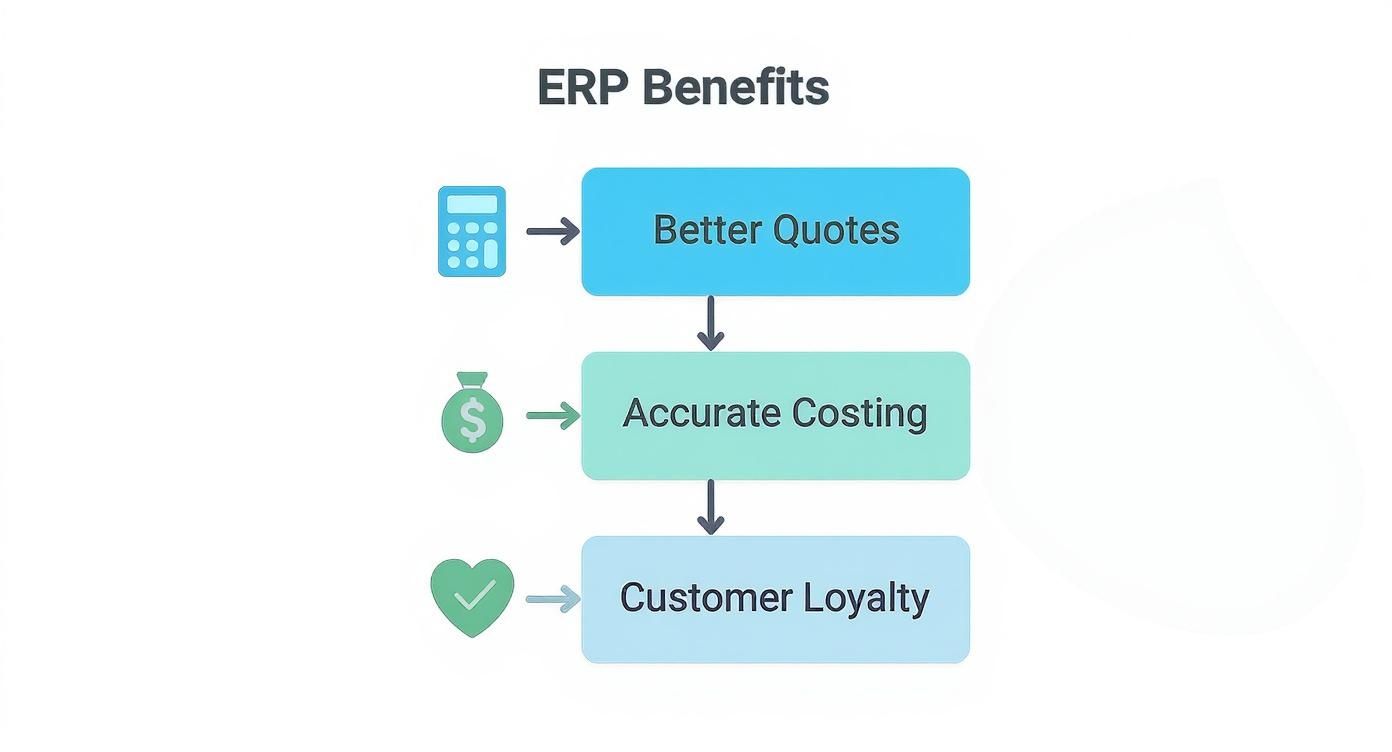
As you can see, a solid ERP foundation doesn't just clean up your internal messes—its benefits ripple outward, directly impacting how your customers see you. By following a smart, structured process, you can find a custom manufacturing ERP that solves today’s headaches and sets you up for years of growth.
A Practical Guide to ERP Implementation
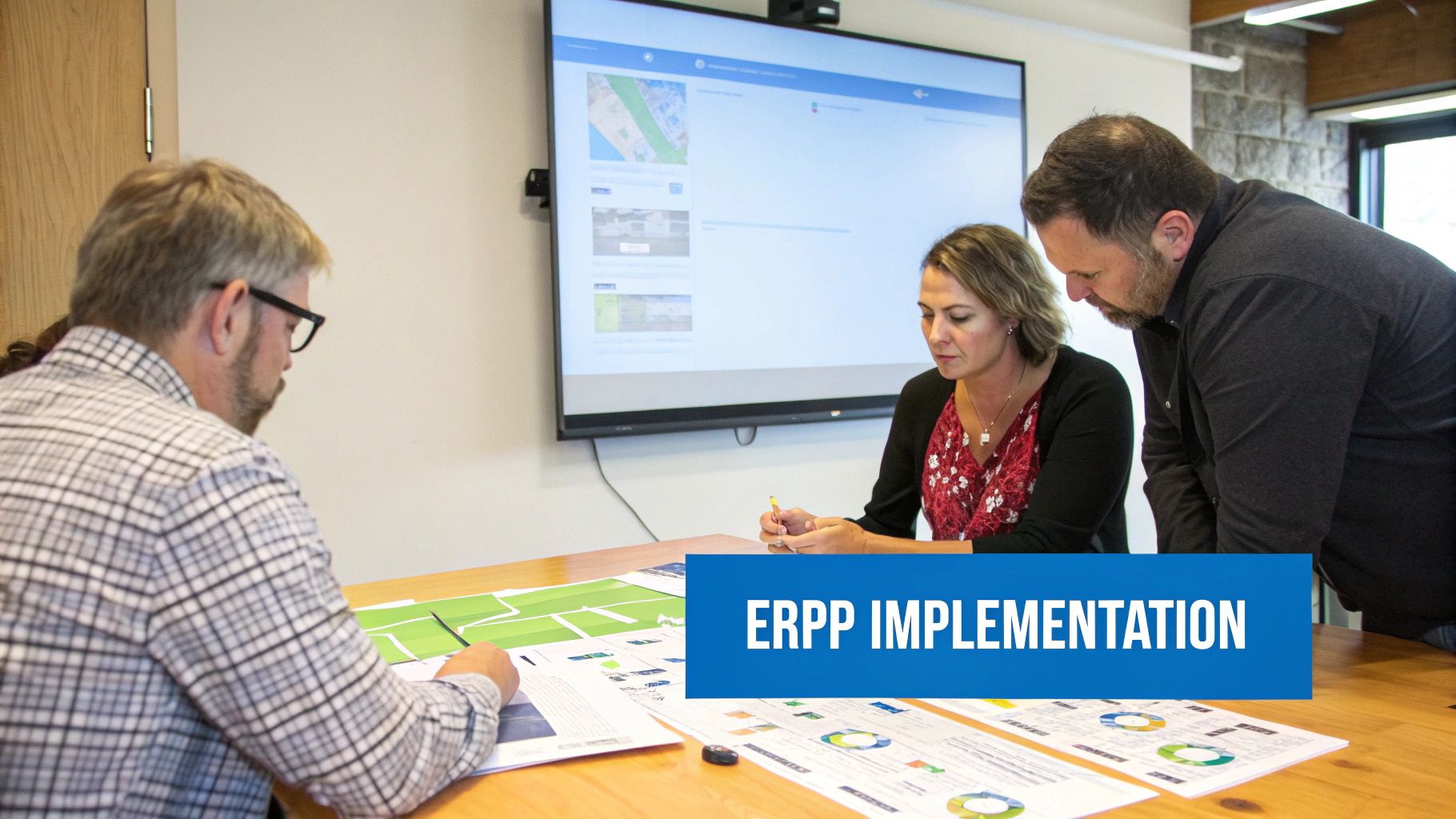
Choosing your custom manufacturing ERP is a huge step, but the real work is just getting started. Implementation is where your big-picture strategy meets the shop floor. This phase isn't just about technology; it's about people, process, and a rock-solid plan. A successful go-live turns that software purchase into the central nervous system of your entire operation.
The whole process can feel intimidating, I get it. But with the right roadmap, you can steer clear of the common traps that sink these projects. It all comes down to a clear strategy for your data, a smart rollout plan, and a genuine commitment to helping your team get on board.
The Critical First Step: Data Migration
Your existing data—customer lists, part numbers, job histories—is the lifeblood of your business. Getting it out of old spreadsheets and disconnected systems and into your shiny new ERP is one of the toughest, most important parts of the whole process.
Think of it like moving into a brand-new, top-of-the-line workshop. You wouldn't just drag in all your old, cluttered toolboxes and dump them in the corner. You'd take the time to sort, clean, and organize everything first. The old saying "garbage in, garbage out" is an absolute truth here. Starting with messy data just guarantees frustration and bad reports later on.
Your data migration strategy needs to cover a few key things:
- Data Cleansing: This is your deep clean. You'll hunt down and either fix or get rid of corrupt, inaccurate, and duplicate records from your old systems.
- Data Mapping: You need to draw a clear map showing exactly where each piece of old data (like a customer's phone number) is going to live in the new ERP.
- Validation: After a test run, your team has to go through the data in the new system with a fine-toothed comb to make sure everything moved over correctly.
Honestly, this is your chance for a fresh start. Taking the time to clean house now pays off for years to come.
Choosing Your Go-Live Strategy
Once your data is clean and ready, you have to decide how you're going to flip the switch. For a custom manufacturing shop, there are really two main ways to go, and each has its own set of pros and cons.
The choice between a phased rollout and a 'big bang' is a strategic decision that balances risk against the speed of achieving value. Your shop's complexity and your team's readiness for change should guide your path.
A "big bang" implementation is exactly what it sounds like. On a set day, you turn the old system off and turn the new one on for everyone, all at once. This is the faster and often cheaper route, but it's also the riskiest. If something goes wrong, it hits the entire business.
The other option is a phased rollout, where you introduce the ERP in manageable pieces. Maybe you start with just the quoting and finance modules, then bring in production scheduling and shop floor control a few months down the road. This approach is much lower-risk and gives your team time to learn in smaller bites. The downside? It takes longer and means you have to manage old and new systems at the same time for a while.
| Approach | Best For | Key Advantage | Main Drawback |
|---|---|---|---|
| Big Bang | Simpler operations; high team readiness | Faster time-to-value and lower overall cost | High risk; one major issue can halt the entire business |
| Phased Rollout | Complex operations; teams needing more training | Lower risk and easier user adoption per phase | Slower implementation; requires temporary integrations |
The Human Element: Change Management and Training
At the end of the day, the success of your new ERP comes down to the people using it every single day. The most powerful software on the planet is worthless if your team resists it or doesn't know how to use it right. This is where change management is so critical.
Good change management is more than just showing people which buttons to click. It's about communicating the "why" behind this big move, actually listening to their concerns, and getting them to believe in the new system. Find your champions—those respected people in each department who are genuinely excited—and empower them to help train and support their colleagues.
Comprehensive training designed for different roles isn't optional. Your sales team needs a different training session than your shop floor supervisors. A strong implementation plan carves out realistic timelines and budgets for this crucial, human-focused work. If you need expert guidance to build a successful plan, our team is always ready to help you get in touch with implementation specialists. When you invest in your people, you turn a software project into a true business evolution.
What's Next for Custom Manufacturing ERP?
The technology that drives custom manufacturing is moving faster than ever, and ERP systems are right at the center of this evolution. We're seeing a major shift away from ERPs that just manage data to systems that act more like intelligent, predictive partners in your shop. When you're picking a new system, it's critical to look for one that doesn't just fix today's headaches but sets you up for future growth.
One of the biggest game-changers is the Internet of Things (IoT). Think about your shop floor for a second. Right now, your machines might be siloed islands of activity. With IoT, they're fitted with sensors that constantly feed real-time performance data straight into your ERP. This opens the door to things like predictive maintenance, where the system can flag a potential equipment failure before it actually breaks down and kills your production schedule.
Smarter Systems and the Power of the Cloud
We're also seeing artificial intelligence (AI) and machine learning become standard features in a modern custom manufacturing ERP. These aren't just buzzwords; they're turning complex tasks that used to be based on gut feelings into data-driven decisions. For instance, an AI-powered scheduler can sift through thousands of variables to dynamically adjust your production plan on the fly, slotting in a rush order without throwing the entire week into chaos.
This kind of intelligence really shines when it’s delivered through a flexible, cloud-based system. A true cloud-native ERP gives you some serious advantages for keeping your business ahead of the curve:
- Effortless Scalability: As you land bigger jobs and grow your team, a cloud system grows right along with you. You won’t have to sink a ton of cash into new server hardware just to keep up.
- Seamless Integration: Cloud platforms are designed from the ground up to connect with other top-tier tools. Whether it's your advanced CAD software or an e-commerce site, everything can talk to each other in one unified system.
- Continuous Innovation: The vendor handles all the updates. New features and improvements just roll out automatically, so you're always working with the latest and greatest technology without any effort on your end.
Choosing a custom manufacturing ERP today isn’t just about putting out fires. It’s about investing in a platform that truly understands IoT, AI, and cloud flexibility—the very things that will keep you competitive for years to come.
When you make these future-focused capabilities a priority, your next ERP becomes more than just a piece of software. It becomes a genuine strategic asset for whatever comes next.
Got Questions? We've Got Answers
Stepping into the world of custom manufacturing ERP systems can feel like a big move, and it's natural to have a few questions. Let's tackle some of the most common ones we hear from shop owners just like you.
What's the Real Cost of a Custom Manufacturing ERP?
There's no single price tag, as the cost really hinges on your shop's specific needs—how many people will use it, which modules you need, and whether you go with a cloud or on-premise system.
For most small to mid-sized shops today, a cloud-based subscription makes the most sense. You can expect to see pricing anywhere from a few hundred to a few thousand dollars a month. On the other hand, an on-premise system requires a hefty upfront investment, often starting in the tens of thousands, not including the ongoing costs for maintenance and support.
Pro-Tip: Always get a detailed quote that spells out every single cost. This means asking about the software license, implementation fees, training, and long-term support. You need to see the total cost of ownership, not just the sticker price.
Getting a full financial picture from the start is the only way to make a solid investment.
Is an ERP System Overkill for a Small Job Shop?
Not at all. In fact, small shops often get the biggest bang for their buck. Modern cloud ERPs are built to scale, making them accessible and affordable for shops of any size. It’s no longer a tool just for the big players.
Think about the immediate advantages a small shop can gain:
- Whip out quotes faster and win more bids.
- See exactly what's happening on the floor in real-time.
- Nail your job costing to ensure every project is profitable.
- Hit your deadlines consistently and keep customers coming back.
A good custom manufacturing ERP lets a small shop punch way above its weight, turning its natural agility into a serious competitive edge.
How Long Will It Take to Get an ERP Up and Running?
The timeline really depends on a few things: the complexity of your operations, how clean your current data is, and how much time your team can commit to the project.
For a typical small or mid-sized custom manufacturer, you're usually looking at a 3 to 9-month implementation. A smart way to speed this up is with a phased rollout. You could start with essential modules like quoting and financials to get a quicker return on your investment, then add more functionality over time.
At the end of the day, a successful and on-time launch comes down to two things: a solid partnership with your ERP provider and dedicated project management from your team.
Ready to see how an all-in-one platform can transform your shop's efficiency and profitability? TimberCloud, Inc. combines e-commerce, ERP, and AI into a single, powerful system designed for custom manufacturers. Discover how TimberCloud can streamline your entire workflow today.
Topics
TimberCloud Team
Content Team
The TimberCloud team is dedicated to helping manufacturers streamline their operations with intelligent software solutions.