best inventory management software for small businesses
For a small business on the rise, the right inventory management software is more than just a tool—it's the engine for growth. It needs to handle real-time tracking, keep stock levels synced across every sales channel, and even predict future demand to stop stockouts before they happen. Systems like Zoho Inventory, Cin7 Core, and Katana are built to help businesses graduate from spreadsheets and start using their inventory to their advantage.
Why Smart Inventory Management Is a Game-Changer for Small Businesses
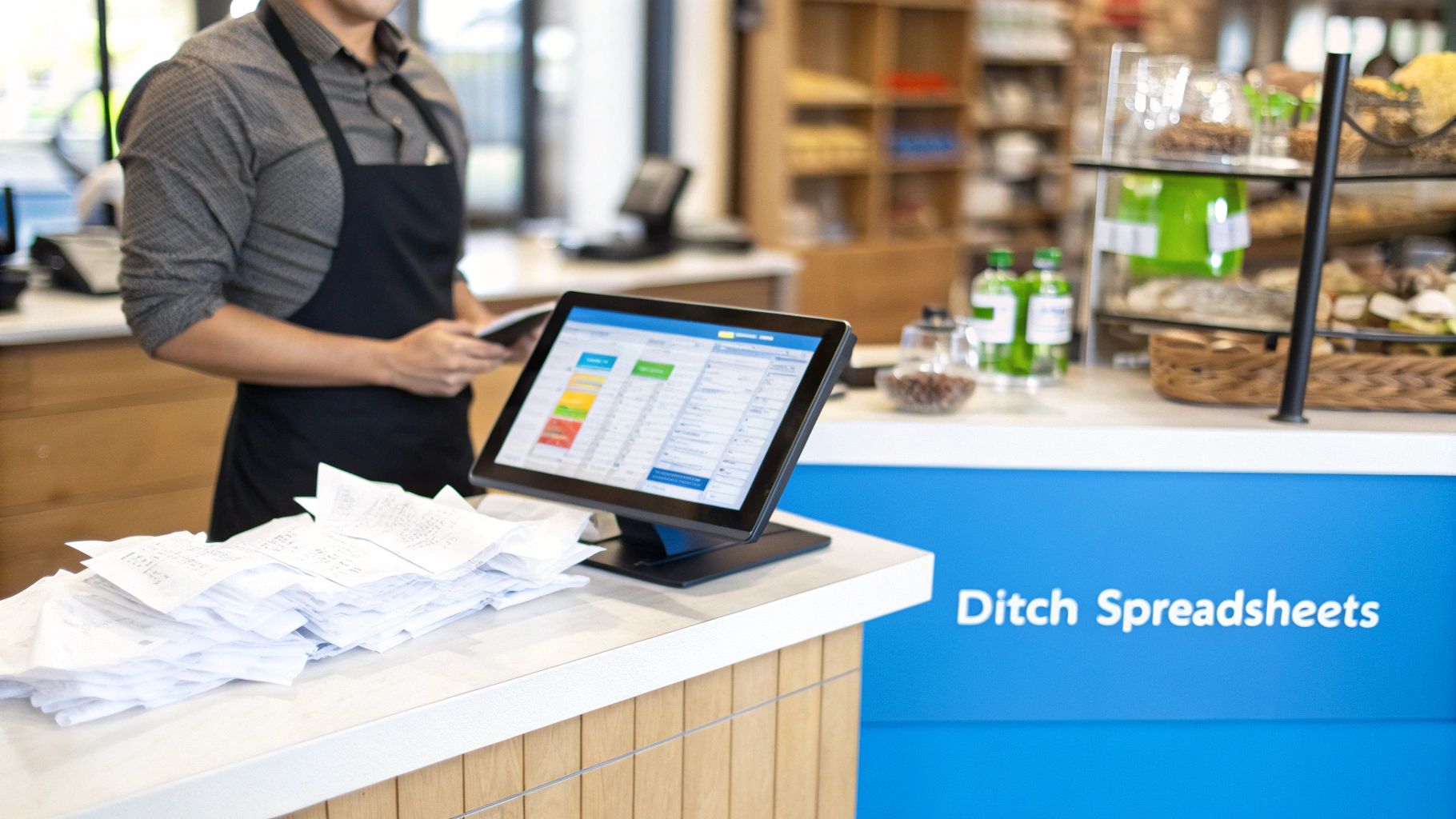
Starting out with spreadsheets to track stock is practically a rite of passage, but it doesn’t take long for them to become a major roadblock. Manual entry is a breeding ground for errors, you get zero real-time insight into what’s actually on your shelves, and trying to manage inventory across multiple places like your website and Etsy becomes a nightmare. This isn't just an inconvenience; it hits your wallet directly.
A single stockout can mean a lost sale and a disappointed customer who might not come back. On the flip side, overstocking ties up your cash in products that are just collecting dust. These problems might seem small at first, but they add up, choking your ability to grow. All those hours spent tracking items and updating counts by hand are hours you're not spending on finding new customers or developing new products.
The Shift to Modern Software Is a Strategic Move
Moving to a proper inventory management system isn't just another line item on your expense report. Think of it as a direct investment in a more efficient, profitable business. Today’s cloud-based solutions have made powerful inventory tools affordable and accessible, giving small businesses the kind of operational control that used to be only for the big players. The global market for this software was valued at USD 2.31 billion in 2024, and a huge part of that growth is coming from small businesses getting in the game.
These platforms take all the tedious, repetitive tasks off your plate. You can finally stop guessing and start making decisions based on solid data.
"For a small business, inventory isn’t just stuff on a shelf—it’s cash. The right software protects your profit margins, saves an incredible amount of time, and opens the door to growth by giving you a clear, real-time picture of what you own."
Key Benefits You’ll See Almost Immediately
Making the switch delivers real, practical benefits that solve some of the most common headaches for growing businesses. When you automate the core parts of your operation, everything from purchasing to shipping runs smoother.
- Better Cash Flow: By preventing you from ordering too much and helping you spot slow-moving products, the software keeps your money from being tied up in inventory. That cash is freed up for marketing, R&D, or other investments that actually grow your business.
- Happier Customers: When your stock levels are accurate and updated in real-time, you stop overselling. That means fewer canceled orders, more satisfied customers, and a reputation people can trust.
- A More Efficient Operation: Automating things like purchase orders, reorder points, and sales reports cuts out hours of manual work. Your team can stop counting boxes and start focusing on more important, high-value tasks. You can find more ideas for improving your operations on our blog.
At the end of the day, getting the right system in place builds the foundation you need for long-term, sustainable growth. It's what allows you to handle more orders, sell in more places, and compete with confidence.
Breaking Down the Core Features of Inventory Management Software
When you're picking inventory management software for your small business, it's easy to get lost in a long list of features. But the real game-changer isn't about having the most features—it's about having the right ones that solve your biggest operational headaches. A good system should create a seamless, automated flow from the moment you order raw materials to when a finished product goes out the door.
This is about more than just counting what’s on the shelf. The right platform gives you a live look at your stock, handles the repetitive tasks for you, and serves up the data needed to make smart decisions. Ultimately, this is how you stop hemorrhaging money on stockouts or overstock, which are silent killers of profit and customer loyalty.
Real-Time Inventory Tracking and Syncing
The absolute bedrock of any modern inventory system is real-time inventory tracking. When a product sells, arrives in your warehouse, or gets moved, your stock levels should update instantly everywhere. An item sold on your Shopify store needs to be immediately reflected on your Amazon listing and in your physical retail POS.
This single feature puts an end to overselling, a painful and common mistake for any growing business. It gives you one source of truth, so you're not burning hours trying to manually reconcile numbers from different spreadsheets and platforms.
Accurate, real-time data is the foundation of modern inventory control. Without it, forecasting is just guesswork, and multi-channel selling becomes a high-risk gamble. Your software must provide an instant, unified view of what you own and where it is.
Barcode Scanning for Ultimate Accuracy
Let’s be honest: manual data entry is slow and full of mistakes. Barcode scanning completely changes the game by automating how you receive new stock, pick orders, and perform cycle counts. A quick scan with a handheld device or even a smartphone app lets your team update inventory records with near-perfect accuracy.
This simple change dramatically speeds up warehouse operations and cuts down on the kind of errors that lead to lost items or wrong shipments. For many small businesses, adopting barcode scanning is the first big step toward professionalizing their fulfillment and getting ready to scale. You can see a full list of essential software functions and how they connect by checking out our detailed features overview.
Reporting Analytics and Demand Forecasting
You can't fix what you can't see. The best inventory management software for small businesses comes packed with robust reporting and analytics. These tools turn your raw sales data into clear, actionable insights, helping you pinpoint:
- Your Biggest Winners: See which products are actually making you money so you can keep them in stock.
- Slow-Moving Deadweight: Identify the products tying up cash and shelf space, so you can run a promotion or cut them loose.
- Inventory Turnover Rate: Get a real measure of how efficiently you’re turning stock into sales.
The smarter systems take this a level deeper with demand forecasting. By crunching historical sales data and factoring in seasonal trends, the software can predict what you'll need and when, suggesting the best time to reorder. This is how you stay lean without risking stockouts, which is a direct boost to your cash flow. It’s no wonder so many businesses report a 20-30% improvement in inventory accuracy after getting these tools in place. You can find more data on this trend in recent inventory management market research.
Comparing the Top Inventory Management Platforms
Choosing the right inventory management software isn't about finding a single "best" option. It's about finding the one that fits your reality—whether you're a small manufacturer tracking wood and screws or an e-commerce brand juggling sales across multiple online storefronts. Instead of just listing features, let's look at how top platforms like Zoho Inventory, Cin7 Core, and Katana handle real-world challenges.
We'll dig into three critical areas for any growing business: syncing multi-channel sales, managing raw materials for manufacturing, and using smart forecasting to stay ahead of demand. This will help you cut through the marketing noise and see which system truly aligns with how you work.
This decision tree gives you a quick visual guide on what to prioritize based on your main business goals, whether that’s getting your stock counts right, making better decisions with data, or automating tedious tasks.
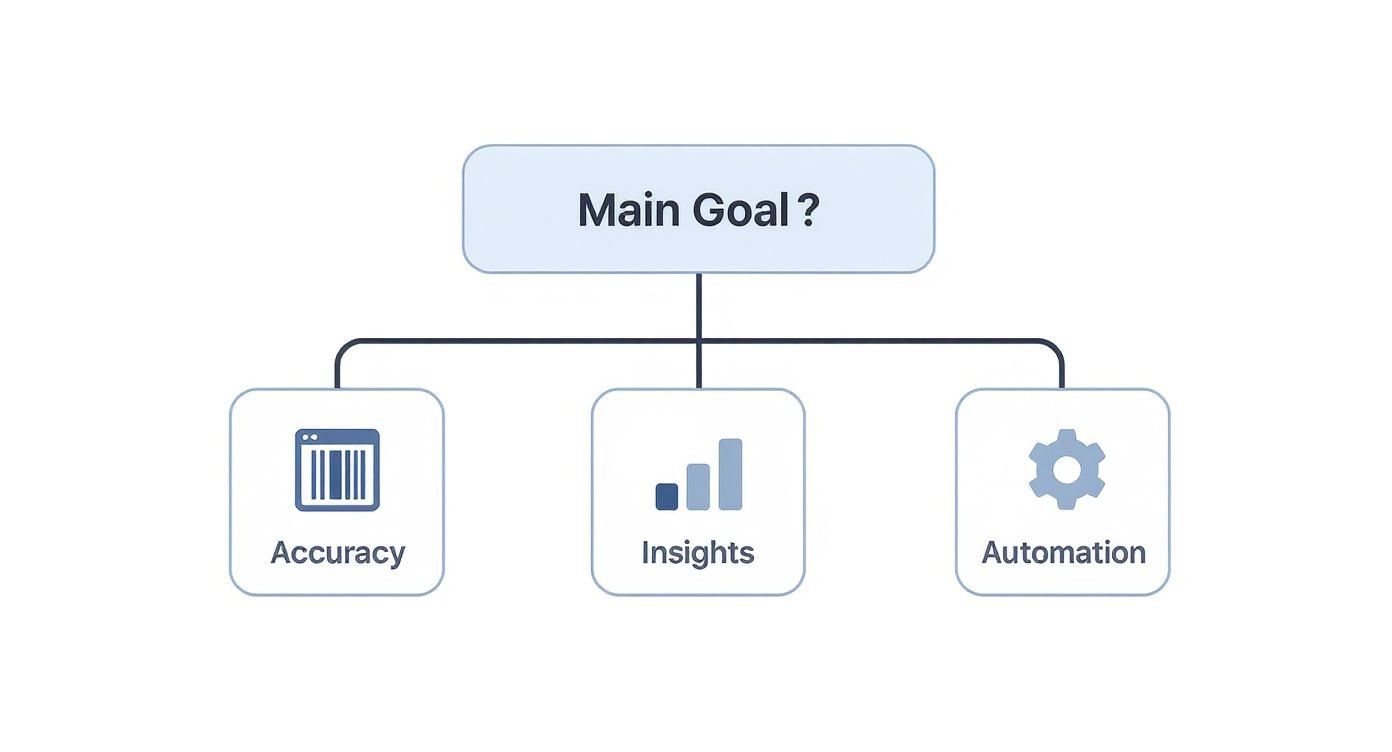
As you can see, your core objective—whether it's operational accuracy or strategic planning—should be the driving force behind the features you value most.
To help you see the finer details, here’s a quick look at how these platforms stack up against each other on key functionalities.
Side-by-Side Feature Comparison of Leading Inventory Software
This table provides a detailed comparison of key features across top inventory management solutions for small businesses, focusing on differentiators like manufacturing support and multi-channel e-commerce capabilities.
| Feature | Zoho Inventory | Cin7 Core | Katana |
|---|---|---|---|
| Primary User | Small businesses, especially those already using the Zoho software suite. | Growing e-commerce sellers and wholesalers with complex, multi-channel needs. | Small manufacturers, makers, and direct-to-consumer (D2C) brands that produce their own goods. |
| Multi-Channel Sync | Strong native integrations with major platforms like Shopify, Amazon, and Etsy. | Advanced, granular control over multiple sales channels, B2B portals, and 3PLs. | Excellent integration with e-commerce platforms, designed to link sales orders directly to production. |
| Manufacturing Focus | Basic kitting and bundling for simple product assembly. | Advanced manufacturing module with multi-level BOMs and production tracking. | Purpose-built for makers with intuitive BOMs, live production scheduling, and raw material management. |
| Forecasting & Reordering | Simple reorder points based on minimum stock levels. | Dynamic forecasting based on sales velocity and supplier lead times. | Forecasts finished goods demand and automatically generates raw material purchase orders. |
| Pricing Model | Tiered pricing based on order volume and number of warehouses. | Higher-tier pricing based on feature set and complexity, geared for scaling. | Tiered pricing based on manufacturing features and user seats. |
While the table gives a high-level overview, the real difference is in how these features work in practice. Let's explore that.
Multi-Channel E-Commerce Sync
For anyone selling on Shopify, Amazon, and Etsy at the same time, keeping inventory levels accurate is everything. Overselling by just one unit can spiral into bad reviews and a logistical headache you just don't have time for.
Zoho Inventory is a natural fit for businesses already comfortable in the Zoho ecosystem. Its native connections to major e-commerce platforms are easy to set up, making it a solid choice if you need a simple, central hub for your online sales. For instance, a small retailer already using Zoho Books for accounting can plug in Zoho Inventory and have stock, orders, and finances sync up automatically without a fuss.
Cin7 Core (which used to be DEAR Systems) takes multi-channel management to another level, offering much more granular control. It's built for businesses that are scaling their online presence fast and hard. If you're managing your own Shopify store, selling through Amazon FBA, and also running a B2B wholesale portal, Cin7 Core’s ability to handle different fulfillment types and channel rules is where it really shines. It’s designed from the ground up to manage higher order volumes and more complex setups.
The key differentiator for a multi-channel seller isn't just if a platform syncs, but how. You want software that can handle specific channel rules—like bundling products for one store while selling them individually on another—without forcing you into manual workarounds.
Raw Material and Manufacturing Workflows
Small manufacturers and makers have a completely different set of problems. Their inventory isn't just finished goods; it's a mix of raw materials, half-finished components, and works-in-progress (WIP). This is where a specialist tool makes all the difference.
Katana was built for exactly this world. It’s designed for makers, with dead-simple tools for creating recipes or bills of materials (BOMs). An artisan furniture maker, for example, can use Katana to track every piece of lumber, hardware, and finish. When an order for a new table comes in, the software automatically reserves the raw materials and updates stock levels for both the components and the final product. That live production tracking gives you a crystal-clear view of what you can actually make with the inventory you have right now.
While both Zoho Inventory and Cin7 Core have manufacturing features, they often feel like add-ons rather than core functions. Zoho offers kitting and bundling, which is fine for simple assembly, but it doesn't have the deep WIP tracking and production scheduling you get with Katana. Cin7 Core has more powerful manufacturing tools, but they can be overkill and more complicated to set up for a small shop that just needs straightforward production management.
Demand Forecasting and Reordering
Making the leap from constantly reacting to inventory problems to proactively managing them is a huge step for any business. This requires software that can look at your sales history, predict future demand, and automate your purchasing.
This is where cloud-based systems are really changing the game for small businesses. In fact, recent data shows that cloud-based solutions drove the largest share of revenue in 2024, with over 70% of SMEs in North America using them to run their operations. The most valuable segment was order management, which includes automated reordering—a clear sign of how critical this feature is. You can dive deeper into these market trends in the full industry report on GrandViewResearch.com.
Cin7 Core provides robust forecasting tools that let you set dynamic reorder points based on sales velocity and supplier lead times. This is perfect for a growing D2C brand that can't afford to run out of its best-selling products during the holidays.
Katana connects its forecasting directly to your production schedule. It can predict demand for your finished products and instantly translate that into a purchasing plan for all the raw materials you'll need, stopping production bottlenecks before they even start.
Zoho Inventory keeps things more basic with reorder alerts based on simple minimum stock levels. It gets the job done for businesses with steady demand, but it might struggle to keep up with the sales spikes and dips common in a fast-growing e-commerce company.
Getting a Grip on Pricing and the True Cost of Ownership
When you're shopping for inventory management software, the monthly price tag is just the tip of the iceberg. What really matters is the Total Cost of Ownership (TCO)—that’s every dollar you’ll spend on the software over its entire lifespan, both obvious and hidden.
Many platforms will hook you with a low introductory price, but the real costs pop up later. To make a smart investment and see a real return, you first need to understand how these systems are priced.
What Do the Pricing Models Really Mean?
Software companies usually stick to a few common pricing models. Each one is built for a different kind of business, so picking the wrong one means you’ll either be paying for features you never use or find yourself boxed in when you start to grow.
- Per-User Fees: Simple enough—you pay a fee for every person on your team who needs to log in. This can be a great deal if you only have one or two people running inventory, but the costs can balloon quickly as your team expands.
- Tiered Plans by Order Volume: This is a popular model for a reason. Your software costs grow as your sales do. It’s perfect for startups, but keep an eye out for those overage fees. A surprise holiday rush could push you into a much more expensive bracket without warning.
- Feature-Based Tiers: Here, you pay to unlock more advanced tools. Think manufacturing modules, multi-warehouse management, or deep-dive analytics. This lets you start with the basics and add horsepower only when you truly need it.
The trick isn't just to solve today's problems. You need to think about where your business will be in 12 to 24 months. A plan that seems like a bargain now could become a major headache if it can't handle more users, a higher order count, or the integrations you'll need down the road.
Don't Get Blindsided by Hidden Costs
Your monthly subscription is only part of the equation. The true TCO is full of other expenses that are easy to miss when you're just comparing features. If you don't account for them, a seemingly affordable tool can quickly become a drain on your budget.
Implementation and Data Migration Getting set up and running isn't always a freebie. Some vendors charge a one-time implementation fee that can be anywhere from a few hundred to several thousand dollars. This usually covers getting the software configured for your specific workflow and, just as importantly, moving all your product data from messy spreadsheets into the new system.
Training Your Team A new system is worthless if your team can't use it effectively. Even the most user-friendly software has a learning curve. You need to budget for training, whether that means paying the provider for dedicated sessions or just factoring in the cost of pulling your team off the floor to learn the ropes.
Integration and Add-On Fees Will the software talk to your e-commerce store and accounting software right away? Some key integrations are often included, but others might depend on a third-party tool like Zapier or require you to buy a separate add-on. These little costs add up fast. Before you sign anything, map out every system you need to connect and confirm what it will cost. You can usually find a clear breakdown by digging into detailed software pricing pages.
Why Integration Capabilities Are Non-Negotiable
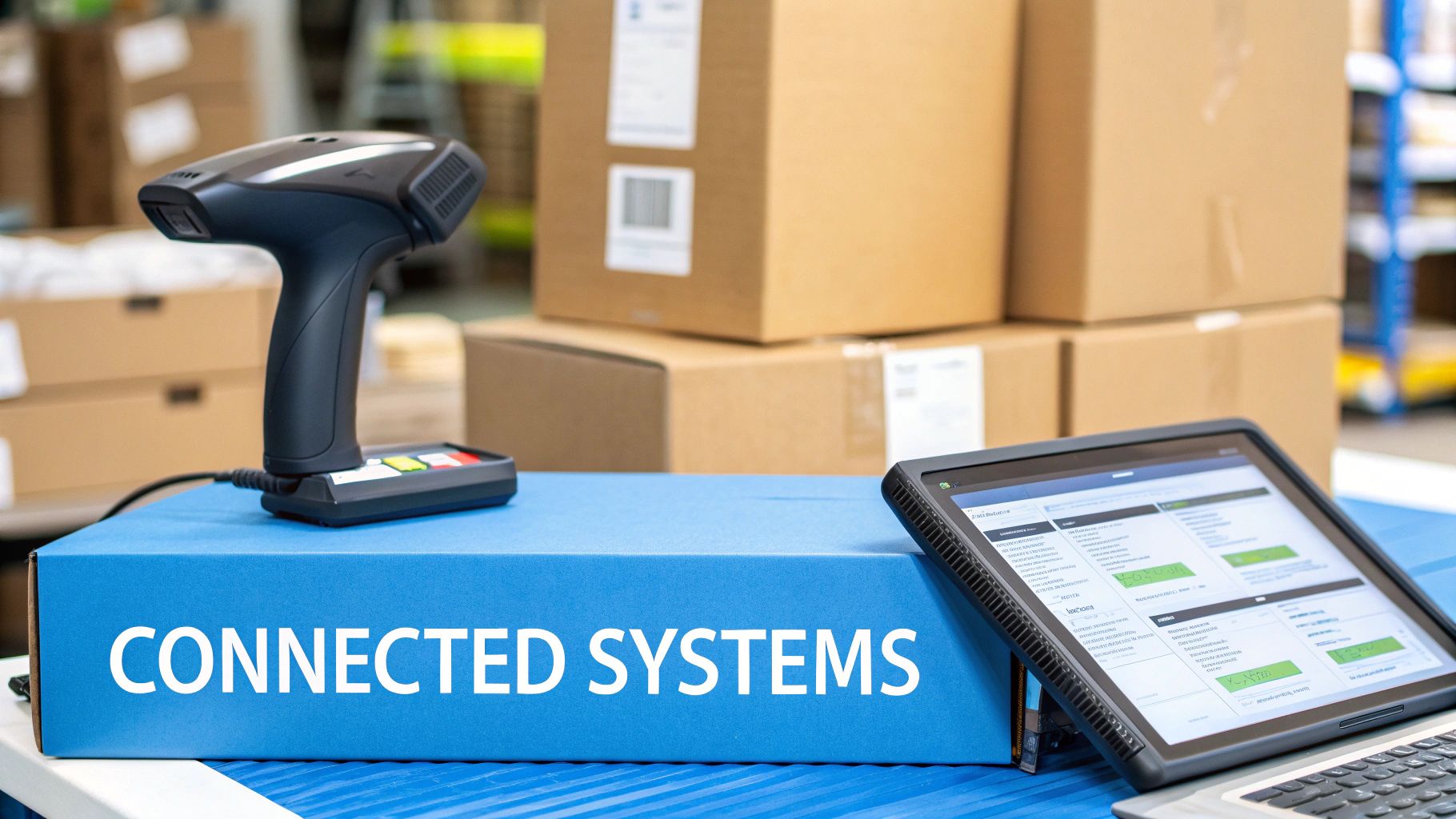
If it doesn't, you're stuck punching in data from one system to another. It's a soul-crushing, error-prone task that wastes time and leads to bad decisions. The best inventory management software for small businesses connects everything—your e-commerce site, your accounting books, and your shipping services—into one smooth, automated process.
This connection creates a single source of truth, ending the guesswork and reconciliation nightmares that come from juggling disconnected spreadsheets and apps.
Creating a Seamless E-commerce Workflow
If you sell online, the link between your inventory and your storefront is everything. A direct, native integration with platforms like Shopify or Amazon isn't just a nice feature; it's a must-have.
When a customer clicks "buy," a solid integration sets off an immediate chain reaction. The stock level instantly updates in your inventory system and, crucially, across every other sales channel you use. This automatic sync is what stops you from overselling—a painful mistake that can seriously damage your reputation through canceled orders and angry customers.
Think about a small business selling on their own website and also on Etsy. A sale on one platform has to make that item unavailable on the other, instantly. This isn't a luxury; it's the core function that makes multi-channel selling possible.
Connecting Operations and Finance
The data shouldn't stop flowing once a sale is made. Top-tier integrations push that information into your financial and shipping software, creating a truly efficient end-to-end operation.
- Accounting Integration (QuickBooks, Xero): When new stock arrives or a product is sold, the system should automatically update your books. This ensures your cost of goods sold (COGS) and asset values are always correct, giving you a live look at your profitability without any manual data entry.
- Shipping Carrier Integration (ShipStation, Shippo): After an order comes in, the system can send all the details straight to your shipping platform. This automates printing shipping labels and generating tracking numbers, which can then be fed back to your storefront to keep the customer updated.
An inventory system that doesn't communicate with your other business tools isn't a solution—it's just another data island. True operational efficiency comes from a fully connected ecosystem where information flows automatically, from sales to accounting to fulfillment.
Why Manufacturers Need More Than Generic Accounting Sync
For a custom shop, syncing totals to QuickBooks isn't enough. Generic accounting tools see a cabinet as one SKU; your shop sees maple boards, drawer slides, hinges, and finish. Look for a platform where a multi-level bill of materials drives inventory deductions automatically, job costing ties every material pull and labor hour back to the order, and an approved quote converts straight into a work order that reserves stock.
That's the difference between knowing you made money last quarter and knowing which jobs made it. The pull toward this kind of automation is industry-wide: roughly 60% of small businesses adopting new accounting software cite automation as their primary reason.
The Power of APIs for Custom Solutions
While pre-built integrations handle the usual suspects, some businesses have unique needs that require a custom-built solution. This is where a good Application Programming Interface (API) is worth its weight in gold.
An API is essentially a toolkit that lets developers build custom bridges between your inventory software and other programs. For instance, a custom furniture maker might use an API to connect their inventory system to a specialized quoting tool, ensuring material costs are always live when they build a quote for a new client.
Choosing a platform with a strong, well-documented API is a smart move for the future. It gives you the freedom to build the exact automated workflow you need as your business grows and your processes get more complex.
Choosing and Implementing Your New Inventory System
Making the final call and then actually making the switch can feel daunting. I've seen a lot of business owners get stuck right here. But if you have a solid game plan, you can move from evaluating software to a successful launch without pulling your hair out. The trick is to be methodical, test everything, and get your team ready for what's coming.
A structured approach like this keeps business disruption to a minimum and helps you see a return on your investment much faster. It's all about trading that feeling of uncertainty for a clear, actionable plan.
From Shortlist to Final Choice
Before you sign on the dotted line, you absolutely have to put your top contenders through a real-world stress test. This is where free trials become your best friend. Don't just poke around in a generic demo environment; use that trial period to see if the software can handle your actual day-to-day operations.
-
Map Out Your Must-Have Scenarios: Make a simple checklist of your most common—and most painful—tasks. Think about receiving a complicated purchase order, bundling a product with multiple components, or handling a return that came from an online sale.
-
Plug In Your Own Data: This is a big one. Import a small but representative sample of your own products, suppliers, and customer info. It’s the only way you'll know for sure how the software handles your specific SKUs and business rules.
-
Get Your Team Involved: Let the people who will be in the system every day take it for a spin. Their feedback on how easy (or hard) it is to use is gold. A clunky system that no one likes will never get used to its full potential.
A software demo shows you what a system can do. A free trial with your own data shows you what it will do for your business. The insights you'll get from this hands-on testing are what will really help you make the right final decision.
Planning a Smooth Implementation
Once you’ve picked the best inventory management software for your small business, it’s time to focus on the rollout. A smooth launch is all about preparation and communication. Done right, you can cut the typical setup time from weeks down to just a few days.
- Clean Your Data First: Before you move a single piece of information, get your existing spreadsheets in order. Standardize how you name your SKUs, do a fresh physical count to correct quantities, and get rid of any obsolete products. Starting with clean, accurate data is completely non-negotiable.
- Run a Pilot Program: Don't try to switch everything over at once. Pick a single product line or a small section of your warehouse to run on the new system first. This pilot phase lets you find and fix any workflow kinks on a much smaller, manageable scale.
- Schedule Role-Specific Training: The folks in the warehouse need to learn different things than your sales team. Set up separate training sessions that focus on the specific tasks each person actually does. Give them simple checklists and quick-reference guides they can use after you go live.
Ready to stop fighting with spreadsheets and take full control of your manufacturing workflow? TimberCloud, Inc. combines powerful inventory management, e-commerce, and production tracking into one seamless platform. See how TimberCloud can streamline your operations.
Frequently asked questions
When the cost of your inventory mistakes exceeds the cost of a subscription. In practice that shows up as constant stockouts, manual counts eating your week, or wrong orders going out. Selling across more than one channel is the other clear trigger, since syncing counts by hand between a storefront and an online shop reliably goes wrong.
Yes, if you choose a system built for makers rather than resellers. The two features that matter are a bill of materials, which lists every component in a finished piece, and work-in-progress tracking, which shows inventory as it moves from raw stock to finished goods. Without both, a cabinet is just one SKU and the lumber inside it is invisible.
Usually yes, but integrated. The inventory platform handles the operational ledger — stock, bills of materials, work orders — and pushes clean journal entries to QuickBooks or Xero, so your accountant works from accurate cost of goods sold rather than estimates.
Most modern platforms import item lists, customers, and open orders from CSV templates. Plan a cleanup pass first — migration is the best opportunity you will get to purge dead SKUs and fix naming inconsistencies before they follow you into the new system.
A straightforward setup with a few hundred products and standard integrations typically takes one to two weeks. Add manufacturing, custom workflows, or multiple locations and you should plan for four to six weeks. Most of that time is data cleanup and training, which is also where rushing causes the most damage.
Topics
TimberCloud Team
Content Team
The TimberCloud team is dedicated to helping manufacturers streamline their operations with intelligent software solutions.