How to Create a Work Order That Drives Production

If you're still tracking custom jobs on clunky spreadsheets or trying to make sense of handwritten notes from the shop floor, I get it. We've all been there. But that constant back-and-forth between the sales desk, the design team, and the guys running the CNC is costing you more than just time—it's eating into your bottom line. A great work order isn't just a piece of paper; it's the central nervous system of your entire operation.
Move Beyond Spreadsheets and Shop Floor Chaos
The frustration of a messy workflow is a familiar story in any custom shop. Chasing down the final specs for a cabinet build or trying to confirm the stain color on a furniture piece creates bottlenecks that absolutely kill profitability. This whole guide is built on one simple truth: learning how to create a work order that's clear, detailed, and connected to your entire process is the single most impactful change you can make for your business.
This isn't just about filling out a form. It's about building a living, breathing blueprint for production that gets rid of the guesswork and gives your team the confidence to execute. Forget the chaos of lost Post-it notes and "he said, she said" instructions. A proper system gives your crew everything they need, right from the jump.
Why a Digital Work Order Is No Longer Optional
The custom woodworking and manufacturing world is exploding. The global market for wood and timber products hit a staggering USD 992.43 billion in 2024, and it's not slowing down. As this multi-billion-dollar industry grows, so do the headaches of managing more orders and more complex jobs with any kind of accuracy. Let's be honest, those old paper-based systems just can't hang anymore.
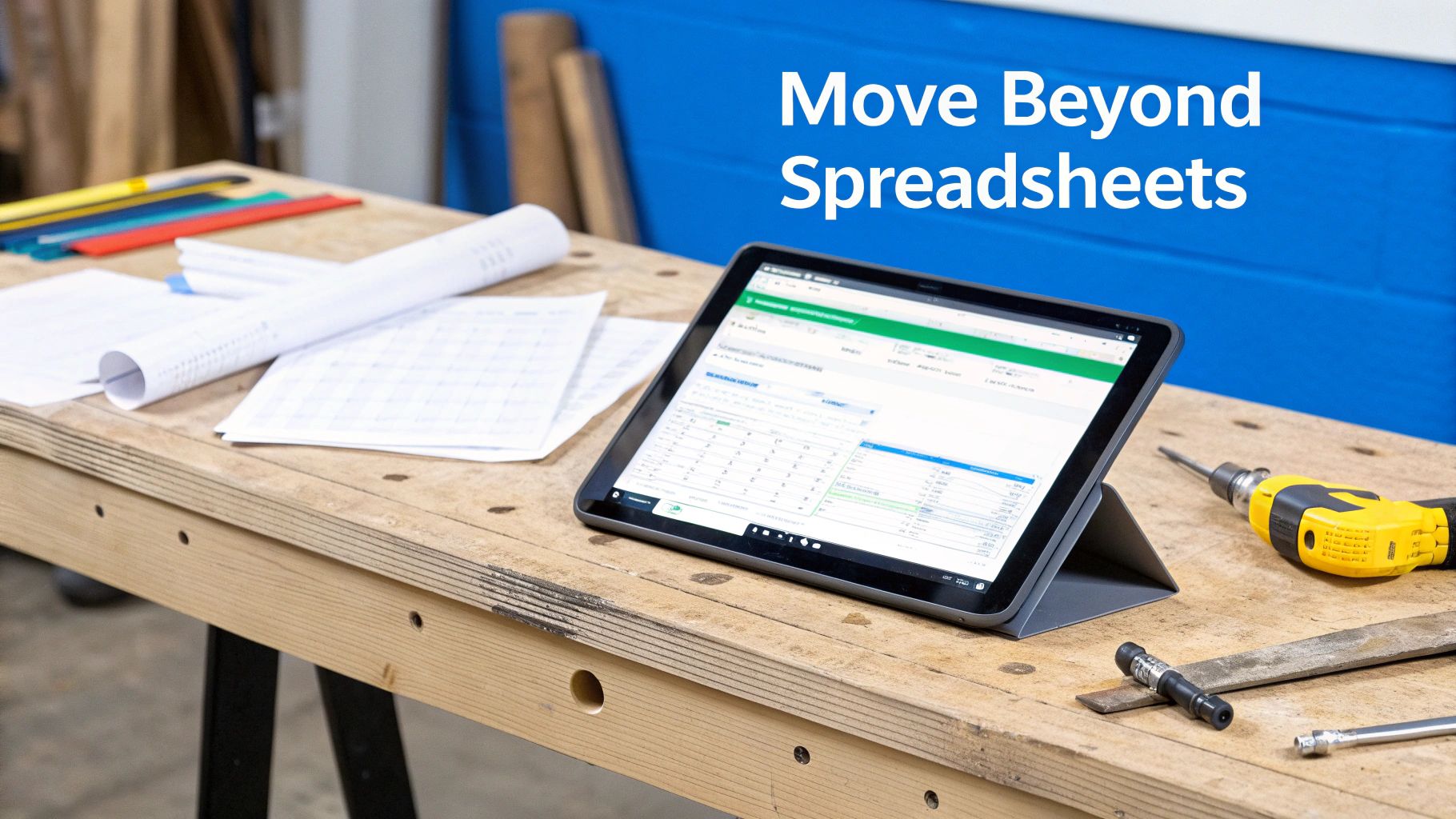
A modern, centralized system brings immediate relief and real advantages:
- One Source of Truth: Everyone, from the sales guy who quoted the job to the person packing the final product, is looking at the exact same information, updated in real time. No more version control nightmares.
- Drastically Fewer Errors: When every spec, material list, and drawing is locked into one place, mistakes from miscommunication practically disappear.
- A Huge Boost in Efficiency: Your team will spend way less time hunting for answers and way more time actually building. That directly translates to better throughput and a healthier business.
A well-crafted work order is the bridge between a customer's vision and your shop's execution. When that bridge is built on a foundation of clear, accessible data, every project moves smoother, faster, and with far greater precision.
Making the leap from spreadsheets to a dedicated system is a game-changer for any shop that's serious about scaling. It's worth taking a moment to explore how different pricing models can fit your shop's specific needs and budget.
The Anatomy of a Perfect Work Order
What’s the real difference between a work order that works and one that just creates chaos on the shop floor? It’s all in the details. A truly bulletproof work order is the single source of truth for a project. It leaves zero room for guesswork. Let’s break down the must-have components that will stop those costly, time-sucking mistakes before they ever happen.
Think about it. We’ve all seen it: a custom cabinetry job gets held up because someone missed one tiny detail, like the specific "antique brass" hardware finish. That one little oversight snowballs into rework, blown deadlines, and a client who’s less than thrilled. Building a rock-solid foundation from the get-go gives your team the power to nail it on the first try, every single time.

Core Customer and Project Details
First things first, you have to get the basics down cold before you even think about production specs. This is the foundational stuff that makes sure everyone knows who the project is for, where it's going, and precisely when it's due. It sounds simple, I know, but you’d be surprised how often a simple typo here creates massive administrative headaches later.
Make sure every single work order clearly states:
- Customer Information: Full name, phone number, email, and the exact shipping or installation address.
- Unique Identifiers: A clear, sequential work order number and the sales order or quote number it came from.
- Critical Dates: The date the order was placed, the promised completion date, and the scheduled ship date.
This info becomes the header for the entire job, giving anyone who touches it immediate context without having to hunt for it.
The goal isn't just to list tasks; it's to create a complete story of the project. A perfect work order tells a team member everything they need to know without them ever having to ask a single question.
Detailed Product and Material Specifications
Okay, this is where the wheels fall off for most shops. Vague descriptions like "walnut table" are a recipe for disaster. For any woodworking or custom project, the work order has to be brutally specific about materials. Getting your quantities right is also a huge part of this; if your team is still shaky on lumber calcs, this guide on how to determine board feet is a great starting point.
You need to get granular with your specs. We're talking:
- Product Specs: The final product name, SKU (if you use them), quantities, and all critical dimensions.
- Material List: Specify the exact type of wood (e.g., FAS White Oak), grade, and required thickness (e.g., 5/4). Don't forget hardware—list the supplier, part number, and finish (e.g., Blum Tandem Undermount Slides, 18").
- Finishing Details: Document the exact stain brand and color, the sheen level (satin, matte, 20°), and any special processes like grain filling or distressing.
To make this foolproof, I've put together a quick checklist of the fields we consider absolutely essential.
Essential Work Order Fields Checklist
Using a checklist like this for every job ensures you’re not just relying on memory. It’s a simple system that forces you to capture all the critical details before the project ever hits the floor, preventing those "I thought you meant..." conversations that kill productivity.
| Field Category | Essential Information | Why It Matters |
|---|---|---|
| Identifiers | Work Order #, Sales Order #, Client Name | Prevents confusion and allows anyone to quickly track project history. |
| Key Dates | Order Date, Due Date, Ship Date | Manages expectations for both the client and the production schedule. |
| Product Details | Product Name, SKU, Quantity, Dimensions | Defines exactly what is being built, leaving no room for interpretation. |
| Materials | Wood Species, Grade, Thickness, Sheet Goods | Ensures the right materials are pulled from inventory, avoiding waste and rework. |
| Hardware | Supplier, Part Number, Finish, Quantity | Guarantees the correct functional and aesthetic components are ordered and used. |
| Finishing | Stain/Paint Color, Sheen, Special Instructions | Creates the final look and feel the client expects; this is a high-impact area. |
| Files | Link to CAD drawing (with version #), Renderings | Provides a visual "source of truth" that aligns with the written specs. |
This table isn't just a suggestion; it's a battle-tested blueprint. If a work order is missing any of these key pieces, it shouldn't be released to production. Period.
Visuals and Production Files
Words on a page can only do so much, especially in custom work. Visual references are completely non-negotiable. Your work order needs to be the central hub for all design and production files so your team is always working from the latest, most accurate plans.
Always include direct links or attachments for:
- CAD Drawings or Blueprints: Crucially, always specify the version number. This alone can save you from building something based on an outdated design.
- Client Inspiration Photos: These are gold. They give your team vital context for the feel and aesthetic the client is after.
- Renderings: Detailed 3D visuals help the crew on the floor understand the final assembly and how all the parts come together.
By building these elements into your process, you stop creating simple task lists and start creating powerful, comprehensive production blueprints.
From Sale to Shop Floor in One Click
In any custom shop, the gap between the sales desk and the shop floor is where things go wrong. A customer signs off on a quote, and what happens next? Someone has to painstakingly re-enter every single detail into a new system to kick off production. That manual handoff is a breeding ground for typos, missed specifications, and wasted time.
The goal isn't just to pass information along; it's to build a seamless bridge from what the customer agreed to, to what your team actually builds. When a quote gets approved or an online order comes in, a modern system should automatically spin up a production-ready work order on the spot. This creates a perfect, unbroken data trail, stamping out the risk of human error.
Turn an Approved Quote into an Instant Work Order
Picture this: a client gives you the green light on a quote for a custom walnut dining table. Instead of someone having to copy-paste the details, the system instantly generates the work order. It pulls everything over automatically—the customer's info, the final dimensions, the specific wood grade, and that "satin" finish they were so particular about.
This is more than a simple time-saver. It forges an unbreakable link between the promises made during the sale and the instructions your production crew receives. This is the foundation of how to create a work order that's right from the very beginning.
The Magic of Automated Inventory Reservation
Now, here’s where a truly connected system starts paying for itself. As soon as that dining table work order exists, the system can automatically go into your inventory and reserve the materials needed to build it. We're not talking about a vague note, but a precise allocation.
- Lumber: It immediately reserves the required board feet of 8/4 FAS Walnut.
- Hardware: It pulls a set of four specific table leg fasteners from your hardware stock.
- Finishes: It earmarks one gallon of the required satin conversion varnish.
Suddenly, you have a living, breathing view of your real-world stock levels. You know exactly what's free for the next job, which means you never sell something you can't build without a last-minute scramble to your supplier. It prevents that all-too-common nightmare where a cabinet maker goes to the shelf only to find it empty, bringing the entire job to a screeching halt.
A work order should do more than just describe the job; it should actively secure the resources needed to complete it. By linking sales to inventory, you transform a static document into a dynamic logistics tool that prevents stockouts and keeps production flowing smoothly.
This kind of tight operational control is no longer a "nice-to-have." Think about it: the custom furniture segment alone grabbed 46.7% of the woodworking machinery market in 2025, and that market is on track to hit USD 45.84 billion by 2029. The trend is crystal clear—the industry is all-in on made-to-order products, which demands an airtight system for managing orders and inventory. You can dig deeper into these numbers in the full woodworking machinery market report. By directly connecting your sales process to the shop floor, you’re building an operation that’s truly ready for that growth.
From Cut Lists to Routing: Let Your Work Order Run the Shop
This is where your work order transforms from a piece of paper into the central nervous system of your shop floor. The real breakthrough happens when you stop doing the tedious, manual tasks that connect design to production. Think about it: what if perfect, optimized cut lists and CNC-ready files were created the second a work order got the green light? No more manual data entry.
This isn't some futuristic fantasy; it’s what savvy shops are doing right now. When you have a system that can intelligently pull every dimension, material, and detail from a work order, it can speak directly to your machines. That’s how you unlock a whole new level of speed and precision.
Nail Your Cut Lists, Every Single Time
Let’s be honest, creating a cut list from a blueprint by hand is a recipe for disaster. It’s slow, and it’s where costly mistakes happen. One transposed number can turn a full sheet of premium plywood into scrap, wasting both material and hours of labor.
An automated system, on the other hand, looks at the parts list on the work order and instantly generates an optimized cut list. It’s all about maximizing yield and slashing waste.
For a custom cabinet job, the system doesn't just give you a list of parts. It figures out the most efficient way to nest those parts on a sheet of material, generates the G-code for your CNC, and attaches it right to the work order. All your operator has to do is load the sheet and press "start."
This is how a project should flow—from the initial quote to having materials ready for production, seamlessly.
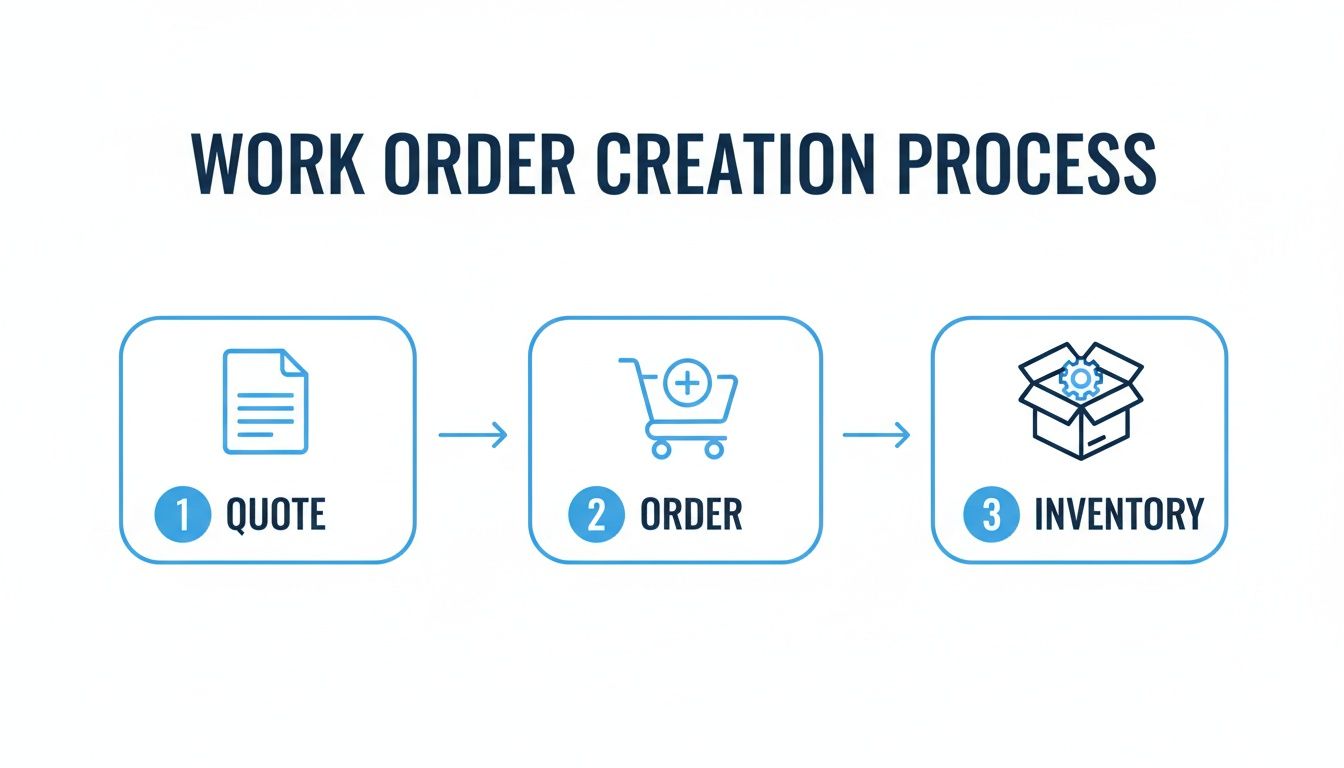
The big takeaway here is that each step feeds the next. You're creating an unbroken chain of data that keeps everything accurate, from the sales desk all the way to the saw.
Define and Automate Your Production Routing
A truly smart work order does more than just list the parts to be cut; it maps out the entire production journey. We call this production routing—the exact sequence of operations and work centers a job needs to travel through.
For a custom furniture piece, the routing might be something like this:
- Cutting: CNC and Saw Station
- Edge Banding: Edge Bander Station
- Sanding: Sanding Booth
- Assembly: Assembly Bench 3
- Finishing: Finishing Booth 1
- Quality Control: Final Inspection Area
Instead of your shop foreman having to juggle and assign these tasks on the fly, the system does it automatically based on templates you've set up. The work order for a "Custom Walnut Desk" already knows the exact path it needs to take through your shop. For instance, when mapping out an outdoor construction job, a work order might detail every step, much like a guide on how to install a fence post.
Automation isn't about replacing your skilled craftspeople. It’s about freeing them from the administrative headaches that get in the way of their craft. When the tech handles the routing and scheduling, your team can focus on execution and quality.
This systematic approach gives you incredible visibility. With a quick look, you can see which work centers are buried in work and which are waiting for jobs. This lets you manage your schedule with hard data, not just gut feelings. You can check out the various features of shop management software to see how these automated workflows come to life.
This isn’t about just working harder. It’s about letting a smart system direct the traffic, so your team can focus on what they do best: building amazing products.
Track Every Work Order From First Cut to Final Coat
Once a project hits the shop floor, the work order’s job is far from over. It needs to transform from a static set of instructions into a living, breathing document that gives you a crystal-clear view of your entire operation at a glance.
Frankly, the days of walking the floor and interrupting your team just to ask, "Where are we at with the Miller job?" should be long gone. That's a massive time-waster for everyone.
The fix is surprisingly simple: real-time status tracking. By defining a few key stages—like ‘Cutting,’ ‘Assembly,’ ‘In Finishing,’ or ‘Ready for QC’—you give everyone from sales to the shop owner immediate visibility. This one change creates a powerful, high-level dashboard of your entire production schedule without a single manual update meeting.
Status Routing and Mobile Scanning
Creating a clean work order is half the job — tracking it is the other half. Two mechanics make tracking work on a real shop floor.
Status routing: each work order carries its routing (cut → edgeband → assembly → finish), and completing a station automatically advances the job and notifies the next one. Nobody hunts for parts or asks where a job stands — the answer is on the screen. Shops that switch from paper travelers to digital routing report up to 40% fewer production errors.
Mobile scanning: a barcode on the work order or part label means any team member scans to update status in seconds. Pair it with direct CNC file transfer — no USB sticks, no retyping — and shops see 70%+ fewer programming errors and up to 30% faster setups.
Then measure three numbers: order cycle time (creation to completion), on-time completion rate, and rework/scrap rate. If those trend the right way, your work order system is paying for itself.
Build Quality Control Right into Your Workflow
Beyond just knowing where a job is, your work order system should be your first line of defense for quality. This means building mandatory QC checkpoints directly into your production routing. Instead of holding your breath for a final inspection where a costly mistake might be discovered, you can catch issues the moment they happen.
Think about how this works in practice. You can set up your system to require a specific sign-off before a project can even move to the next station.
- Post-Assembly Check: Mandate that a team member uploads a quick photo of the assembled piece. A supervisor can then give it a digital signature before it ever heads to the finishing booth.
- Finishing Verification: Before an item is sent to packaging, require a check-off confirming the correct stain color and sheen were applied, directly referencing the work order specs.
This proactive approach doesn't just reduce final inspection failures; it saves a fortune in rework and, most importantly, protects your hard-earned reputation for quality craftsmanship.
Your work order isn't just an instruction manual; it's an interactive quality assurance tool. By embedding QC steps directly into the workflow, you transform quality control from a final, stressful event into a continuous, manageable process.
Adapt to Whatever the Market Throws at You
As your shop grows, your work order system has to be flexible enough to handle whatever comes your way, whether it's a local client with unique tastes or an order with international compliance standards. The global woodworking machinery market shows just how different regional demands can be.
While Europe leads with a 41.1% market share driven by a push for eco-friendly materials, the United States is seeing a boom fueled by housing demand. For a custom shop, this means your process for creating a work order must easily adapt to different material specs, compliance rules, and customer expectations. You can discover more insights about the woodworking machinery market on coherentmarketinsights.com.
An adaptable system is what lets you meet these varied demands without having to reinvent your entire workflow for every new challenge.
Three Habits That Separate Organized Shops From Chaotic Ones
Once creation and tracking are running, these practices keep the system honest.
Prioritize by urgency, not arrival order: tag every work order Critical, High, Medium, or Low. First-come-first-served feels fair but lets a low-margin filler job block a contract deadline.
Make documentation non-negotiable: mandatory fields — material specs, hardware lists, finish codes — plus photos at key stages turn each work order into a permanent record. When a customer questions a finish six months later, or you're quoting a repeat job, the answer is in the file rather than in someone's memory.
Automate customer updates: tie milestone notifications (in production, in finishing, ready for delivery) to work order status so clients see progress without calling. Every "just checking in" call you prevent is time back on the saw.
Ready to stop the chaos and build a more profitable, efficient shop? TimberCloud provides a single platform to connect your sales, production, and inventory, turning every quote into a production-ready work order automatically. See how TimberCloud can transform your workflow today.
Frequently asked questions
Give every work order a defined routing and a scannable barcode. Each station scans on completion, which advances the job and updates status for the office and the customer in real time — no whiteboards and no walking the floor to find a job.
Start with three: order cycle time, on-time completion rate, and rework or scrap rate. They are easy to pull from a digital system and map directly onto throughput, reliability, and quality.
Use a simple four-level system — Critical, High, Medium, Low — assigned at creation and visible to the whole floor. It keeps deadline-driven jobs ahead of fillers and gives everyone the same answer to what comes next.
Yes. Milestone notifications or a client portal let customers watch progress themselves, which builds trust and removes most status-check calls and emails from your day.
With a formal change order process rather than a verbal yes. Set the work order to "on hold awaiting change order" so nobody keeps building to the old plan, write up exactly what is changing with the added labor, materials, and a revised completion date, and resume only once the client has signed. It protects the margin and manages expectations at the same time.
Match it to your current bottleneck rather than to feature count. A 1–5 person shop needs simple cloud work orders, job status, and basic inventory usable from a phone on the floor. A 5–20 person shop needs quotes flowing into work orders, cut lists, and routing automatically. Past 20 people, advanced reporting, detailed scheduling, quality checkpoints, and accounting integration start to matter.
Sell the benefit to them, not the system to yourself. Frame it as the end of hunting for paperwork, arguing over which drawing is current, and redoing work because of a bad spec. Involve your foreman or lead builder in choosing and configuring it — the people who help pick a system become the ones who defend it.
Topics
TimberCloud Team
Content Team
The TimberCloud team is dedicated to helping manufacturers streamline their operations with intelligent software solutions.