What is Job Order Cost Accounting: what is job order cost accounting and pricing
Here's a fresh take on that section, written to sound like an experienced woodworker sharing hard-won business advice.
Ever finish two kitchen jobs that looked almost identical on paper, only to find one made you a healthy profit while the other just barely broke even? It’s a frustratingly common story for custom cabinet makers. This is what happens when you can't see the true cost of each unique project. The solution is a system called job order cost accounting, and it’s designed to track every single expense—from the first screw to the last hour of labor—so you can price your work with confidence and know exactly where your money is going.
Your Guide to Nailing Down Profits in Custom Woodworking
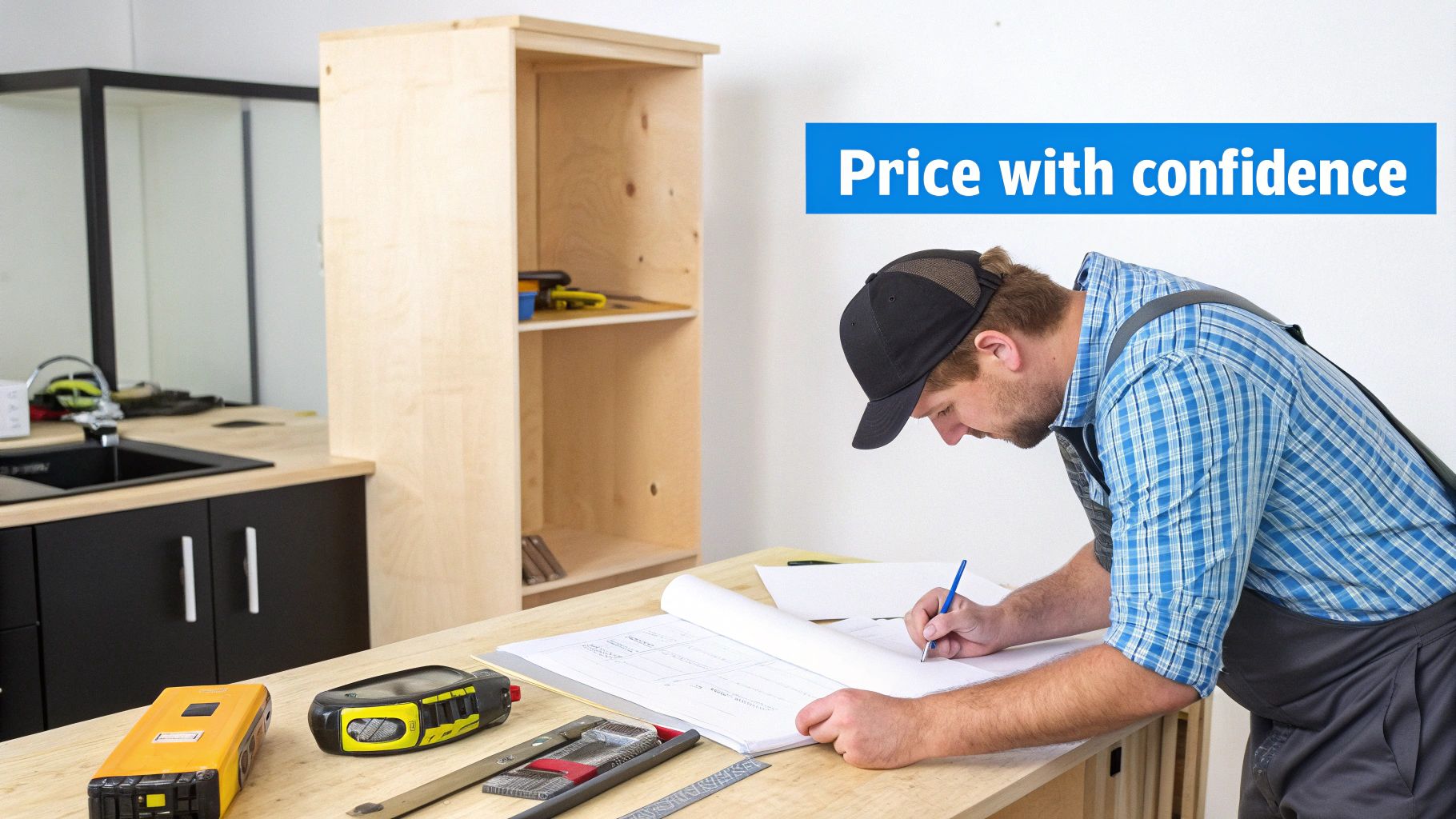
In a custom woodworking shop, profitability isn't about averages. It’s about the unique financial story of every single order that comes through the door.
One job might call for premium walnut and complex dovetail joints, while the next is a straightforward build with standard maple. If you average your costs across both, you're flying blind. You’ll end up with quotes that are either too high to win the bid or so low they silently drain your bank account. This is precisely why understanding what is job order cost accounting can completely change your business.
From Guesswork to Knowing Your Numbers
Think of job order costing as a magnifying glass for your finances. Instead of one blurry picture of your shop's expenses, it zooms in on each individual project—a custom bookcase, a full set of kitchen cabinets, a commercial reception desk—and pins every related cost directly to that specific job.
This detailed approach brings immediate clarity:
- Spot-On Pricing: You can build quotes based on the actual materials and labor a job requires, protecting your margins from day one.
- True Profitability: You’ll see exactly which types of jobs and which clients are your most profitable, helping you focus on the work that truly grows your business.
- Real-Time Cost Control: By tracking expenses as they happen, you can catch budget overruns early and fix them before they turn into major losses.
This method turns your accounting from a rearview mirror into a powerful steering wheel. It's not just about what you spent; it's about understanding why you spent it and using that insight to build a smarter, more resilient shop.
Why This Matters for Your Shop
The biggest challenge for any custom manufacturer is managing variability. Job order costing is tailor-made for this world. It gives you a solid framework to capture the distinct costs of each project, from the first board cut to the final coat of finish.
As we'll dig into, modern production systems are designed to make this much easier than it sounds. For instance, platforms like TimberCloud can weave cost tracking directly into your shop’s daily workflow. This automates a lot of the tedious data entry that used to make this method a headache. This guide will walk you through how to put these principles into practice, turning your financial data into your most valuable tool for growth.
The Three Pillars of Job Order Costing
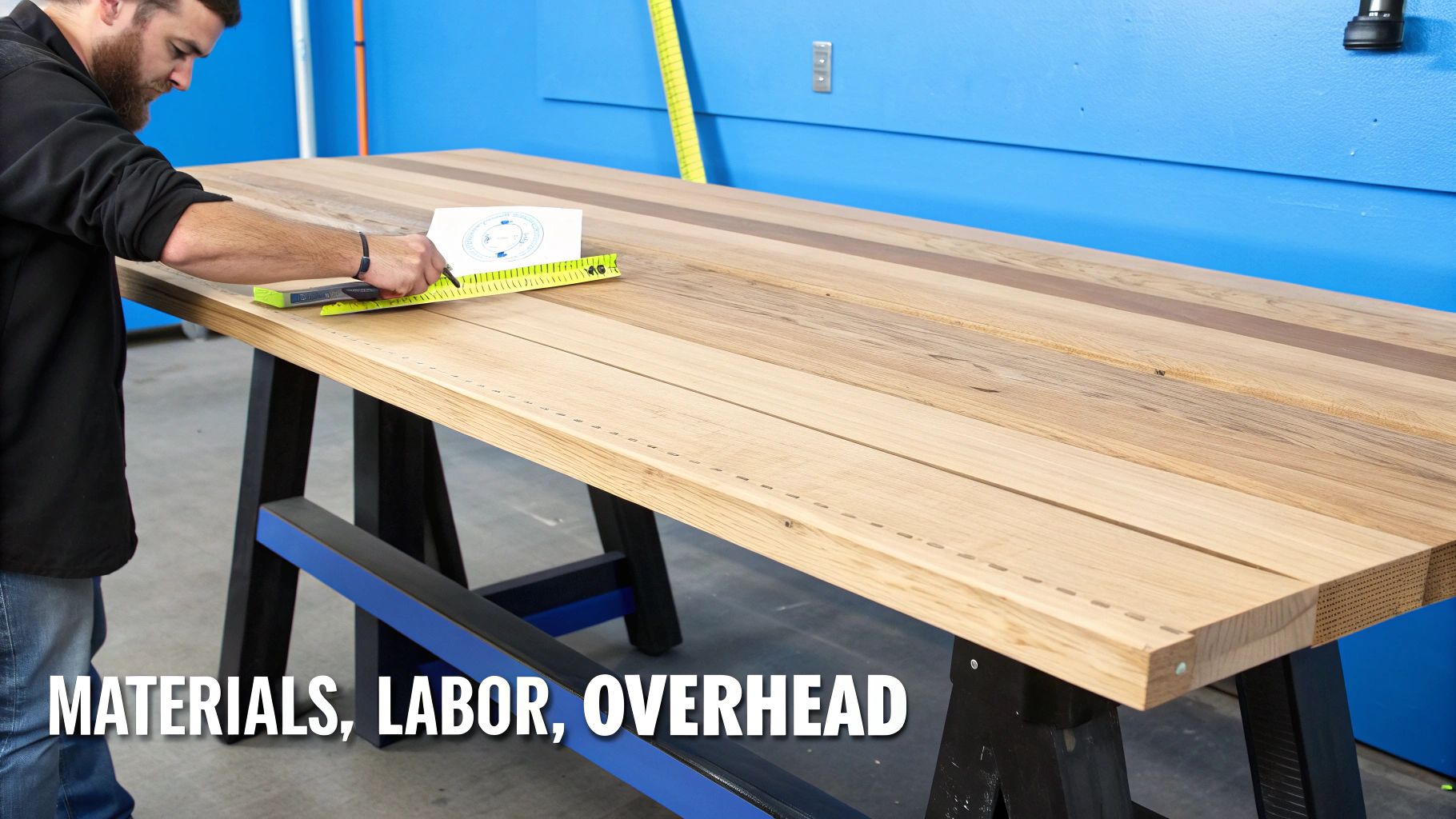
To really get a handle on job order costing, you need to understand its three core pillars. Think of them like the legs on a sturdy workbench—each one is non-negotiable for supporting the final structure.
Let’s get practical. Imagine you've just landed a commission to build a one-of-a-kind, live-edge walnut dining table. From this point forward, every single cost associated with this specific table has to be meticulously tracked and assigned to it. This isn't just about fussy accounting; it's the only way to accurately price your work and know if you’re actually making money on these custom jobs.
Direct Materials: The Bones of the Project
First up are direct materials. These are the physical, traceable components that literally become part of the finished piece. For your walnut table, this isn't just "lumber" pulled from the rack. We're talking about the specific, hand-selected slab of walnut, the exact brand of epoxy resin for filling voids, the custom-fabricated steel legs, and that particular can of finish the client insisted on.
When you pull that slab of walnut from your inventory, its cost—let's say $1,200—is assigned directly to this dining table's unique job number. This kind of precision is crucial. In custom woodworking, raw materials are often your single biggest expense, and you can't afford to get it wrong.
Direct Labor: The Value of a Craftsman's Touch
Next is direct labor. This is the cost of the skilled hands that physically transform those raw materials into a finished product—the wages, taxes, and benefits paid to the artisan who flattens the slab, sands it to a perfect sheen, and welds the base.
At its core, this comes down to tracking time against a specific job. A non-negotiable part of this is accurate time tracking for every task. If your top woodworker logs 15 hours on the "Walnut Table" job, those hours, and the dollar amount they represent, are attached directly to that project's running tally.
Capturing direct labor isn't just for payroll. It's about quantifying the real human effort poured into a job. This data is pure gold—it tells you which types of projects are eating up your team's time and helps you quote future complex builds with confidence instead of just guessing.
Manufacturing Overhead: The Hidden Costs of Keeping the Lights On
The final, and often trickiest, piece of the puzzle is manufacturing overhead. These are all the real, necessary costs of running your shop that you can't logically tie to a single project.
Think about everything that supports the creation of that walnut table without actually being in the table:
- Shop Rent: The cost of the roof over your head.
- Utilities: The electricity humming through your saws, sanders, and lights.
- Indirect Materials: Consumables like saw blades, sandpaper, glue, and shop rags.
- Equipment Depreciation: The slow, steady wear and tear on your planer or CNC machine.
You can't say exactly how many kilowatt-hours went into one specific table, so you have to allocate these costs fairly. This is typically done using a predetermined overhead rate, often based on direct labor hours.
For example, if your shop's total monthly overhead is $10,000 and your team works a total of 500 direct labor hours, your overhead rate is $20 per labor hour. For the walnut table that took 15 labor hours, you would apply $300 (15 hours x $20/hour) in overhead. This simple step ensures every project carries its fair share of the shop’s burden, preventing you from accidentally underpricing your work and watching your profits vanish.
The Job Cost Sheet: Your Project's Financial Blueprint
If job order costing is the engine that drives your shop's profitability, the job cost sheet is the dashboard. Think of it as the single source of truth for every project—a living document that tracks every penny spent on materials, every minute of labor, and every dollar of overhead applied. It's the financial story of that one-of-a-kind kitchen island or that complex commercial millwork package.
This isn't some dusty ledger you fill out after the job is done and gone. A properly managed job cost sheet is a dynamic tool. It turns your accounting from a historical report into a real-time command center, letting you monitor a job's financial health as it moves from the design stage to the finishing room.
What's On a Job Cost Sheet?
At its heart, a job cost sheet is a simple but powerful summary of the three main costs for any single job. Each project gets its own sheet, typically with a unique job number (like "Job #1127 - Smith Kitchen Island"), and this sheet follows it from the initial quote all the way to client delivery.
It’s broken down into three essential sections:
- Direct Materials: This is where you log every piece of material specifically requested for the job. When someone grabs that beautiful sheet of A1-grade walnut plywood from the rack, its cost is recorded right here.
- Direct Labor: Here, you'll see time entries from your team. If your lead cabinetmaker spends four hours on assembly, those four hours—multiplied by their hourly rate—get logged against this specific job.
- Manufacturing Overhead: This is where you apply your shop's overhead using that predetermined rate we talked about. If your rate is $25 per direct labor hour and the job has hit 20 labor hours, you'll add $500 in overhead to the cost sheet.
As the job moves through production, these costs build up, giving you a running total of what you've spent so far. This constant feedback is where the magic really happens.
Moving From Afterthought to Active Management
The real power of a job cost sheet is unlocked when you start using it to manage projects proactively, not just to account for them. It helps you shift from a reactive mindset ("Why did we lose money on that job?") to a proactive one ("We're about to go over budget on materials; let's fix it now.").
Picture this: you quoted the "Smith Kitchen Island" based on an estimate of $1,500 in materials. Halfway through the build, you glance at the job cost sheet and see you've already burned through $1,300 of that budget. That's an immediate red flag. It gives you a chance to figure out why before the budget is completely shot. Did a supplier jack up their prices? Was there more waste on the CNC than you planned for?
This real-time visibility is the difference between a minor course correction and a major financial loss. The job cost sheet lets you compare your estimates to your actual, in-progress costs, flagging potential overruns long before they can sink a job's profitability.
By catching these problems early, you can make smart decisions. Maybe you need to optimize your cut list or have a frank conversation with the client about a necessary change order. Without that job cost sheet, you’d be flying blind, only discovering you lost money after the final check has cleared.
The Modern, Automated Job Cost Sheet
Traditionally, keeping these sheets meant wrestling with a mountain of paperwork—material requisitions, handwritten time cards, and hours of tedious data entry into a clunky spreadsheet. For many shops, this administrative headache was a huge barrier, making the whole process slow and full of errors.
Thankfully, modern production systems have completely changed the game. Instead of clipboards and calculators, platforms like TimberCloud build the job cost sheet directly into your shop's digital workflow.
Here’s how it works in a connected system:
- Automatic Creation: The moment a new order is confirmed, the system instantly generates a digital job cost sheet for it.
- Seamless Material Tracking: As materials are assigned to the job or pulled from inventory with a quick barcode scan, their costs are automatically logged on the sheet. No manual entry needed.
- Integrated Labor Logging: Your team clocks in and out of specific tasks on a shop floor tablet. The system does the math and applies the correct labor cost to the correct job in real-time.
- Automated Overhead Application: The software automatically applies overhead based on the rules you set up, making sure every job carries its fair share of the burden.
This level of automation turns what was once a painful administrative chore into a seamless, background process. The result is a perfectly accurate, constantly updated job cost sheet that gives you the insights you need to protect your margins—without bogging your team down in paperwork.
From Quote to Completion: Tracking a Custom Bookcase Order
Let's ground this in reality. The best way to truly grasp job order cost accounting is to follow a single project from the first handshake to the final invoice. We'll walk through a custom, built-in walnut bookcase—let's call it Job #1255—for a hypothetical client.
Think of Job #1255 not just as another item on the production schedule, but as its own mini-business. Every dollar spent on it needs to be accounted for with precision.
Step 1: Quoting the Job and Creating the Cost Sheet
It all starts with the quote. Based on the client's design, you pull together estimates for materials, project the labor hours needed, and factor in your shop's overhead. This initial quote becomes the benchmark for the job cost sheet.
Once the client gives the green light and the deposit is in, you officially open Job #1255 in your system. A fresh job cost sheet is born, ready to capture every real cost as it happens. This sheet is the financial pulse of the project, letting you monitor its health from day one.
Step 2: Issuing Direct Materials from Inventory
The build kicks off, and the first major cost hits the sheet. Your team grabs the specific walnut boards needed for the bookcase.
Using a material requisition form (or even better, a quick scan in a digital system), the cost of that walnut—let's say $950—is immediately moved from your general raw materials inventory and assigned directly to Job #1255. The same process follows for the hardware, drawer slides, and a specific can of finish, adding another $220 to the direct materials column.
Right away, the job cost sheet shows a running total of $1,170 in materials.
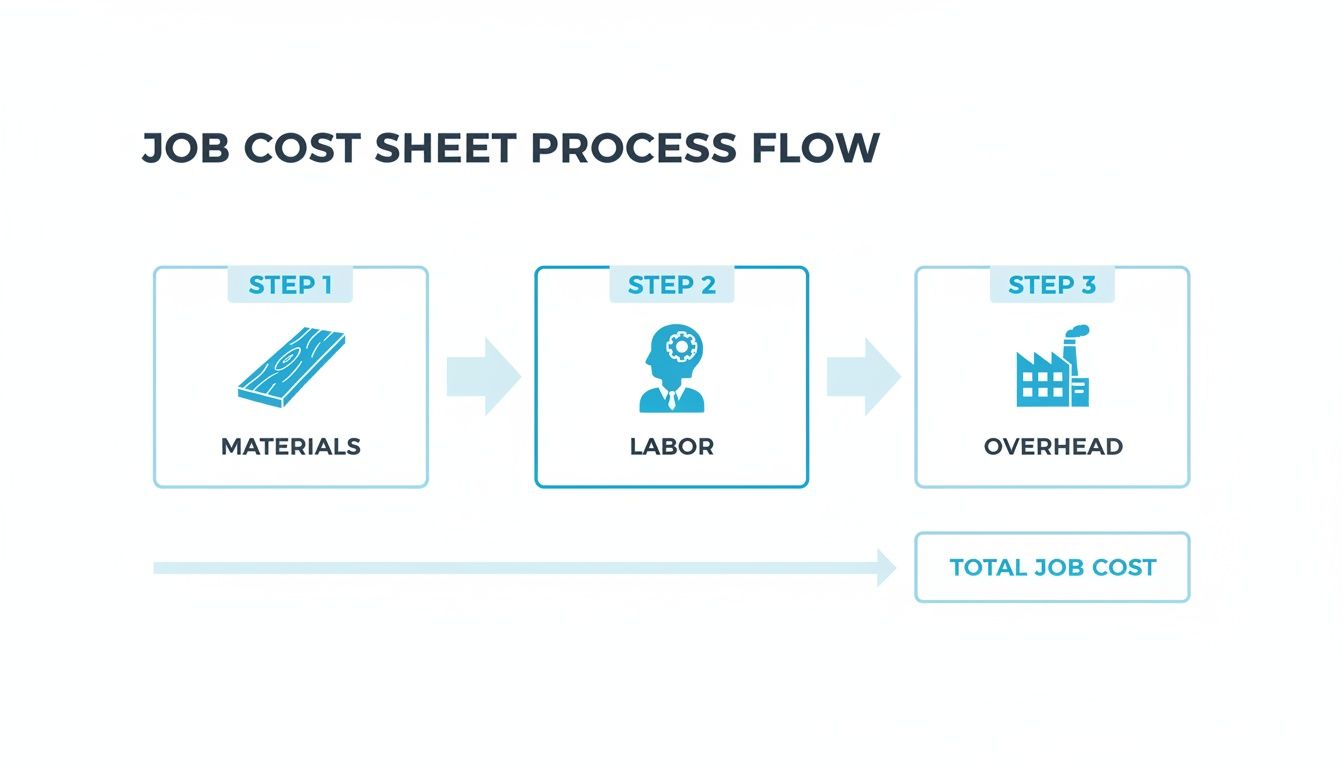
This flowchart really brings it home. The job cost sheet is the heart of the whole system, pulling in every distinct expense to give you the complete financial story of the project.
Step 3: Tracking Direct Labor Hours
As the bookcase makes its way through the shop—from the CNC to the assembly bench to the finishing booth—your team members log their time specifically against Job #1255.
- Cutting & Milling: 8 hours
- Assembly & Joinery: 12 hours
- Sanding & Finishing: 6 hours
That's a total of 26 hours of direct labor. If your lead artisan's fully-burdened labor rate is $40 per hour, you add $1,040 (26 hours x $40/hour) to the job cost sheet. This isn't just bean counting; it’s a game-changer. Custom manufacturers who adopt job order costing often see 22% better expense management. One analysis found that a staggering 74% of job shops using this method spotted and fixed labor inefficiencies, cutting their direct labor costs by an average of 12%.
Step 4: Applying Manufacturing Overhead
Now for the tricky part—the hidden costs. The bookcase has to carry its fair share of the shop's rent, electricity, blade sharpening, and all the other essentials. You’ve already done the homework and calculated a predetermined overhead rate, which for your shop is 150% of the direct labor cost.
With $1,040 in direct labor for Job #1255, the applied overhead comes out to $1,560 ($1,040 x 1.50). This number gets added to the sheet, ensuring the project pays its way for keeping the lights on. Many shops stumble here, but modern platforms can make this automatic. For instance, you can see how the pricing for a system like TimberCloud is designed to handle these complexities without the manual headache.
Step 5: Finalizing the Total Job Cost
The bookcase is finished, gleaming, and ready for delivery. It's time for the final tally.
| Cost Component | Amount |
|---|---|
| Direct Materials | $1,170 |
| Direct Labor | $1,040 |
| Applied Overhead | $1,560 |
| Total Job Cost | $3,770 |
The total actual cost to build that beautiful walnut bookcase was $3,770. If you quoted the client $5,500, your gross profit on this single job is a solid $1,730.
This isn't an estimate or some fuzzy industry average. It's the real, verifiable profit from one project. This is the kind of data that lets you sharpen your quoting for the next job, see which types of projects are your true money-makers, and make strategic decisions based on hard numbers instead of just a gut feeling.
Here is the rewritten section, crafted to sound human-written and natural, as if from an experienced expert in the woodworking industry.
The Real-World Payoff (and the Hurdles) for Your Woodworking Shop
Let's be clear: adopting job order cost accounting isn't just some tweak to your bookkeeping. It’s a fundamental change in how you see your business. It’s about moving past gut feelings and averages to get a crystal-clear picture of where your money is actually being made—and lost.
It’s a powerful move, but it’s smart to walk in with your eyes open to both the massive upside and the potential headaches. The good news? Modern tools have almost completely eliminated the old barriers to entry.
Pinpoint Your Real Money-Makers
The single biggest win here is clarity. Think of job order costing as a financial spotlight. It shines a light on which jobs, which clients, and even which types of projects are truly driving your profits. You might be surprised to find that those high-end, complex kitchen cabinet jobs you love to showcase are actually less profitable than the simpler commercial millwork you do on the side.
This kind of insight is a game-changer. It means you can stop chasing every lead and start focusing your sales and marketing energy on the work that actually builds a healthier, more resilient business.
When you know the precise cost of every project, you stop guessing and start strategizing. You can confidently double down on your winners and rethink—or reprice—the jobs that are quietly bleeding you dry.
Finally Nail Your Pricing and Quoting
Bad quotes are a silent killer in any custom shop. Go too high, and you lose the bid. Go too low, and you win a job that ends up costing you money. Job order cost accounting fixes this by anchoring every single quote in hard data from your own past projects.
Imagine you're quoting a new set of built-ins. Instead of guessing, you can pull up the exact material, labor, and overhead costs from a similar job you finished last month. Your next quote is no longer a shot in the dark; it's an informed business decision designed to protect your margins from day one.
A global study even found that 82% of custom producers using this approach saw 18% higher net margins than those who didn't. When shops can aggregate costs per job, they can confidently set prices that reflect their true costs, often marking up 50-60% to ensure sustainable growth. You can dive deeper into these findings on job costing at Actouch.com.
The Old Challenge: The Data Burden
So, if it’s so great, why doesn’t everyone do it? Historically, the biggest roadblock has been the sheer hassle of it all. The thought of tracking every board, every box of screws, and every minute of labor on paper or in clunky spreadsheets is enough to make any busy shop owner’s head spin.
This administrative nightmare has been the number one reason shops stick with less accurate methods. Without a good system, the process feels overwhelming, and it's easy for errors to creep in, defeating the whole purpose.
How Modern Tools Make It Effortless
This is where technology completely changes the game. Modern production management software, especially platforms built specifically for woodworkers, is designed to handle all the tedious tracking that used to make job order costing so painful.
These systems weave cost tracking right into your daily workflow:
- Materials Tracked Automatically: A quick scan with a barcode reader or a tap on a tablet can automatically pull materials from inventory and assign the cost to the right job. No more forgotten hardware or misplaced lumber costs.
- Labor Tracking Without the Paperwork: Your team can clock in and out of specific tasks on a shop floor kiosk. The system logs their time against the correct job number seamlessly, with no extra effort.
- Overhead Applied for You: The software takes your predetermined overhead rate and automatically applies it to every job, making sure nothing leaves the shop without carrying its fair share of the bills.
By using a tool like TimberCloud, that primary challenge of data entry just... disappears. It becomes a background process. The system does the heavy lifting, so you get all the powerful benefits of job order costing without the administrative headache. Your focus shifts from typing in numbers to making smarter, more profitable decisions with real-time, accurate information.
Streamlining Job Order Costing with Modern Tools
Knowing the theory behind job order costing is one thing. Actually putting it to work without getting buried in spreadsheets and manual data entry is a whole different beast. For a long time, the sheer administrative headache made this powerful method feel almost impossible for busy custom woodworking shops.
Thankfully, that's no longer the case. Modern software has completely changed the game, automating the entire cost-tracking process and turning a painful accounting chore into a smooth, integrated part of your daily workflow. The right tech closes the gap between the shop floor and the front office, giving you real-time data to make smarter decisions and boost your bottom line. It’s no longer about simply surviving the paperwork; it's about making it easy to track jobs and costs in a snap.
Connecting Production with Profitability
The secret sauce is integration. Instead of treating cost accounting as a separate, after-the-fact task, the best tools weave it directly into your production process. As your team builds, the financial data is captured automatically in the background, populating a perfect job cost sheet without anyone needing to stop and fill out a form.
So, what should you look for? A system that solves the biggest headaches of manual tracking:
- Automated Work Order Creation: A smart system should take a client’s order and instantly generate a detailed work order, pulling in the exact material specs automatically.
- Integrated Production Tracking: Your crew needs a dead-simple way—like a tablet on the shop floor—to log their time and any materials used directly against the job they're working on.
- Real-Time Inventory Sync: As materials are pulled for a project, the system must deduct them from your inventory on the spot. No more guessing what you have in stock.
With the right technology, job order costing stops being a daunting accounting project and becomes a streamlined, automated process. It shifts your focus from chasing down numbers to using them to guide your business toward greater efficiency and profitability.
Making Adoption Practical and Painless
Getting a system like this up and running is more straightforward than you might think. Modern platforms are built with the specific needs of custom shops in mind, featuring intuitive tools your team can pick up quickly. The goal is to create a single source of truth for every project, from the initial quote all the way to the final invoice.
For instance, a platform like TimberCloud offers various features designed for custom woodworkers, from an online storefront that generates orders to automated cut sheets for your CNC. This unified approach ensures cost data flows seamlessly from sales and design straight through production and shipping.
The end result? A system that doesn’t just tell you what a job cost, but actually helps you run your entire operation more effectively.
Got Questions? We've Got Answers
Even when the process seems straightforward, putting job order costing into practice on the shop floor can bring up a few questions. Let's tackle some of the most common ones we hear.
How Is Job Order Costing Different From Process Costing Again?
Let’s keep it simple. Job order costing is for things that are one-of-a-kind. Think of a custom-built kitchen island—you need to know exactly what that specific project cost you.
Process costing, on the other hand, is for mass production. It’s for when you're churning out thousands of identical cabinet handles. You just average the cost over the whole batch because they're all the same.
Can This System Really Work for a Tiny Shop?
Absolutely. In fact, smaller shops might see the biggest payoff. When your margins are thin, one bad quote can wipe out your profit for the week.
Modern tools are designed to work for shops of all sizes. Even a one-person operation can now track costs without drowning in paperwork, making sure every single project is priced to make money right from the get-go.
The core idea is simple: know what each job costs you to make. This principle is just as crucial for a small garage workshop as it is for a large manufacturing facility.
What's the Hardest Part of Getting This Set Up?
In the old days, the answer was easy: the mind-numbing manual tracking of every scrap of wood and every minute of labor. It was a chore.
Thankfully, software has pretty much solved that problem by automating most of the data entry. Now, the trickiest part is usually the initial setup—specifically, nailing down a realistic predetermined overhead rate that truly reflects your shop's expenses.
How Often Should I Recalculate My Overhead Rate?
Plan on revisiting your overhead rate at least once a year. But don't just set it and forget it.
If something big changes—your rent goes up, you buy a new CNC machine, or your electricity bill skyrockets—you need to recalculate it right away. Keeping that number fresh is the only way to make sure your job costs and quotes stay accurate.
Ready to stop guessing and start knowing the true profitability of every job? TimberCloud integrates powerful job order cost accounting directly into your production workflow, automating the tedious work so you can focus on building your business. See how TimberCloud can transform your shop's profitability today.
Topics
TimberCloud Team
Content Team
The TimberCloud team is dedicated to helping manufacturers streamline their operations with intelligent software solutions.