A Guide to High-Performance Shop Floor Planning

Shop floor planning is all about how you strategically organize everything in your workshop. I’m talking about the machines, the materials, the people, and the actual steps they take to get the job done. Think of it as the master blueprint that turns a pile of raw lumber into beautiful, finished products—efficiently and, most importantly, profitably. It's how you finally tame the chaos and create a smooth, predictable rhythm on your shop floor.
Why Shop Floor Planning Is Your Competitive Edge
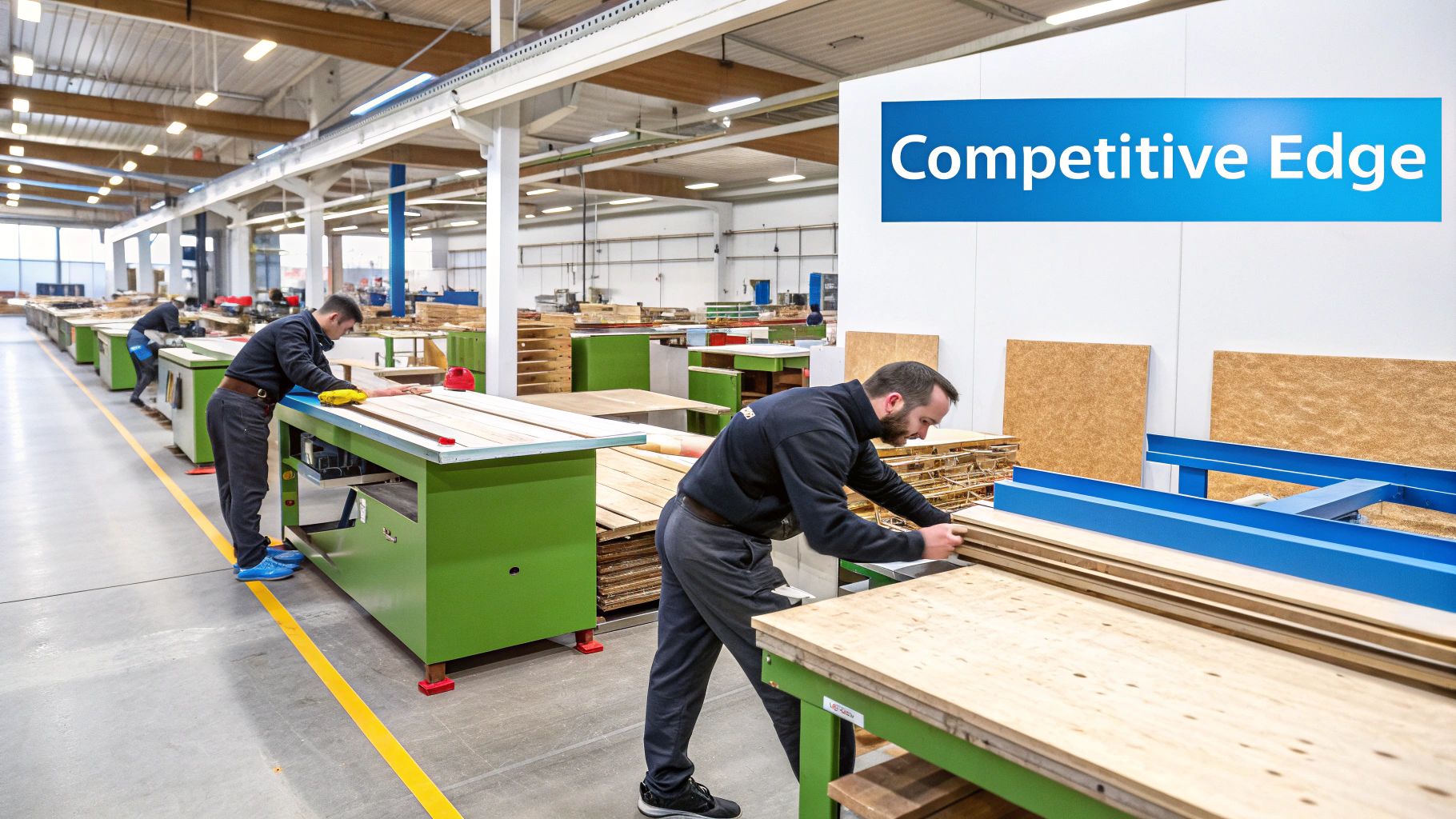
Picture a high-end restaurant kitchen during the Saturday night dinner rush. Every chef, every station, and every ingredient is perfectly placed and timed. This coordination is why dishes come out looking flawless, right on schedule. That's exactly what modern shop floor planning brings to your workshop. It’s not about old-school clipboards and rigid schedules; it's a living, breathing system that makes everything from order intake to final delivery flow smoothly.
This kind of strategic thinking is absolutely critical in the world of custom woodworking. You're constantly juggling one-of-a-kind orders, tight deadlines, and sky-high customer expectations. Without a solid plan, your shop can quickly dissolve into a frustrating maze of bottlenecks, wasted material, and blown deadlines.
The Shift from Reaction to Prevention
For years, many shops ran on a "firefighting" model, dealing with problems only after they popped up. But the game changed with the rise of lean manufacturing principles, which are all about planning ahead to cut out waste before it even happens. The results speak for themselves: manufacturers who adopt these ideas often see their cycle times drop by up to 40%. Their equipment effectiveness can jump from an average of 60% to over 85%.
In woodworking, the numbers are even more direct. Poor planning is a leading cause of production delays, contributing to roughly 30% of holdups. The good news? Integrated digital planning tools can slash that figure by a massive 70%.
This move from a reactive to a proactive mindset is where you'll find your competitive advantage. A well-oiled plan allows you to:
- Anticipate Needs: You can see material shortages, upcoming equipment maintenance, and staffing gaps on the horizon before they become emergencies.
- Optimize Resources: Every machine, every person, and every square foot of your shop is put to its best and highest use.
- Deliver Consistently: You hit customer deadlines reliably, which builds trust and brings people back for more.
- Boost Profitability: Less waste, fewer mistakes, and higher output all feed directly into your bottom line.
Effective shop floor planning transforms your operation from a bunch of disconnected tasks into a single, cohesive production engine. It’s the difference between just making things and building a scalable, profitable business.
Gaining this edge often starts with making the most of the space you already have. Clever solutions like mezzanine floor installations can double your usable floor space without the headache of major construction, opening up room for new work centers or a smarter material flow. As we’ll dig into, optimizing your physical space is just one piece of the puzzle that modern digital tools like TimberCloud help solve, completely changing the game for custom woodworking shops.
The Real-World Payoff of Smart Shop Floor Planning
Let's move past the theory. What does effective shop floor planning actually do for your business? It’s about turning the controlled chaos of a custom woodworking shop into a smooth, humming operation where every single move counts. The results aren't just about feeling more organized—they're about building a stronger, more profitable business that can handle whatever comes its way.
The numbers don't lie. Shops that get serious about optimizing their layout and production controls often see a 15-25% jump in profit margins. Think about it: a typical millwork shop might juggle hundreds of custom jobs a month. Without a solid plan, it's easy for lead times to balloon by 30%, which absolutely demolishes those margins. On the flip side, shops that implement strong floor controls often report 20% fewer defects and an 18% boost in labor productivity.
Crush Bottlenecks and Maximize Throughput
You know the machine—the one that sets the pace for the entire shop. For most of us, it's the CNC router or maybe the finishing booth. When that key piece of equipment is sitting idle, waiting for parts or clear instructions, everything grinds to a halt. That’s a bottleneck, and it's a silent killer of your shop's potential.
This is exactly what strategic planning is designed to fix. By mapping out a logical workflow and scheduling dynamically, you make sure your big-ticket assets like the CNC are constantly fed with work. It’s not about just keeping the machine running; it's about maximizing throughput—the actual amount of finished product you can ship out the door. A well-planned floor means every station is primed and ready for the next job, eliminating the dead time that eats into your capacity.
Slash Waste in Time and Materials
We've all been there. An employee grabs the wrong sheet of plywood or misreads a scribbled note, and suddenly a perfect part is now scrap. That one simple mistake triggers a chain reaction of waste: lost material, wasted machine time, and the labor hours needed to fix it all.
This is where a digital-first approach really shines. When your cut lists are automatically generated straight from the cabinet design, you take the guesswork out of the equation. No more manual data entry, no more misinterpreted handwriting.
A well-executed shop floor plan is the ultimate form of waste reduction. It systematically removes the inefficiencies—from unnecessary movement to rework—that silently eat away at your profits every single day.
When you optimize how materials move and provide dead-simple work orders, you practically eliminate these kinds of errors. Parts flow smoothly from one station to the next, and every cut is right the first time.
Elevate Product Quality and Boost Profitability
At the end of the day, all of this leads to two things that matter most: better quality and bigger profits. Consistency is the name of the game in quality. When every job follows the same proven, optimized path with quality checks built right in, you deliver a consistently fantastic product. That’s how you build a great reputation and keep customers coming back.
And that consistency is what drives profitability. Fewer mistakes mean your material costs go down and you're not paying your team for non-productive rework. Higher throughput means you can take on more jobs without adding to your overhead. It’s about getting the absolute most out of the people and equipment you already have.
To get a clearer picture of how these benefits create a tangible return on investment, you can explore the different TimberCloud pricing plans designed to fit a shop's growth trajectory.
Manual vs Digitized Shop Floor Planning Outcomes
The difference between sticking with old-school methods and embracing a modern, digitized approach is night and day. It's not just about efficiency; it's about gaining the visibility and control needed to truly scale your business. The table below breaks down the real-world impact.
| Metric | Manual Planning (The Old Way) | Digitized Planning (The TimberCloud Way) |
|---|---|---|
| Lead Times | Often long and unpredictable due to hidden bottlenecks. | Shorter and more consistent, with clear production timelines. |
| Material Waste | Higher, due to manual errors, miscuts, and lost parts. | Minimized through automated, optimized cut lists and tracking. |
| Labor Productivity | Lower, with time lost searching for info, parts, or waiting. | Maximized, as everyone knows exactly what to work on next. |
| Quality Control | Inconsistent, relying on individual memory and random checks. | Standardized, with built-in digital checkpoints for every stage. |
| Data & Visibility | Almost zero. Problems are only found after they happen. | Real-time. You can see project status and spot issues instantly. |
| Scalability | Difficult. More orders often just mean more chaos. | Simplified. The system handles complexity, allowing for growth. |
Switching to a digitized system isn't just an upgrade—it's a fundamental shift in how you run your shop. It moves you from constantly reacting to problems to proactively managing your production for maximum profitability and control.
Your 7-Step High-Performance Framework
Let's get real. Turning a chaotic, reactive shop floor into a smooth, predictable, and profitable operation doesn't happen with wishful thinking. It takes a plan. This framework is that plan—a 7-step recipe for getting control, designed specifically for the realities of a custom woodworking shop.
Think of each step as building on the one before it. We’ll go from the physical nuts and bolts of your layout all the way to the digital tools that keep you on track. Follow this roadmap, and you'll systematically weed out the waste, crank up your productivity, and build a business that’s not just surviving, but thriving.
This simple visual breaks down how the benefits stack up. Better planning leads to more jobs out the door and less material in the dumpster, which directly boosts your quality and, most importantly, your bottom line.
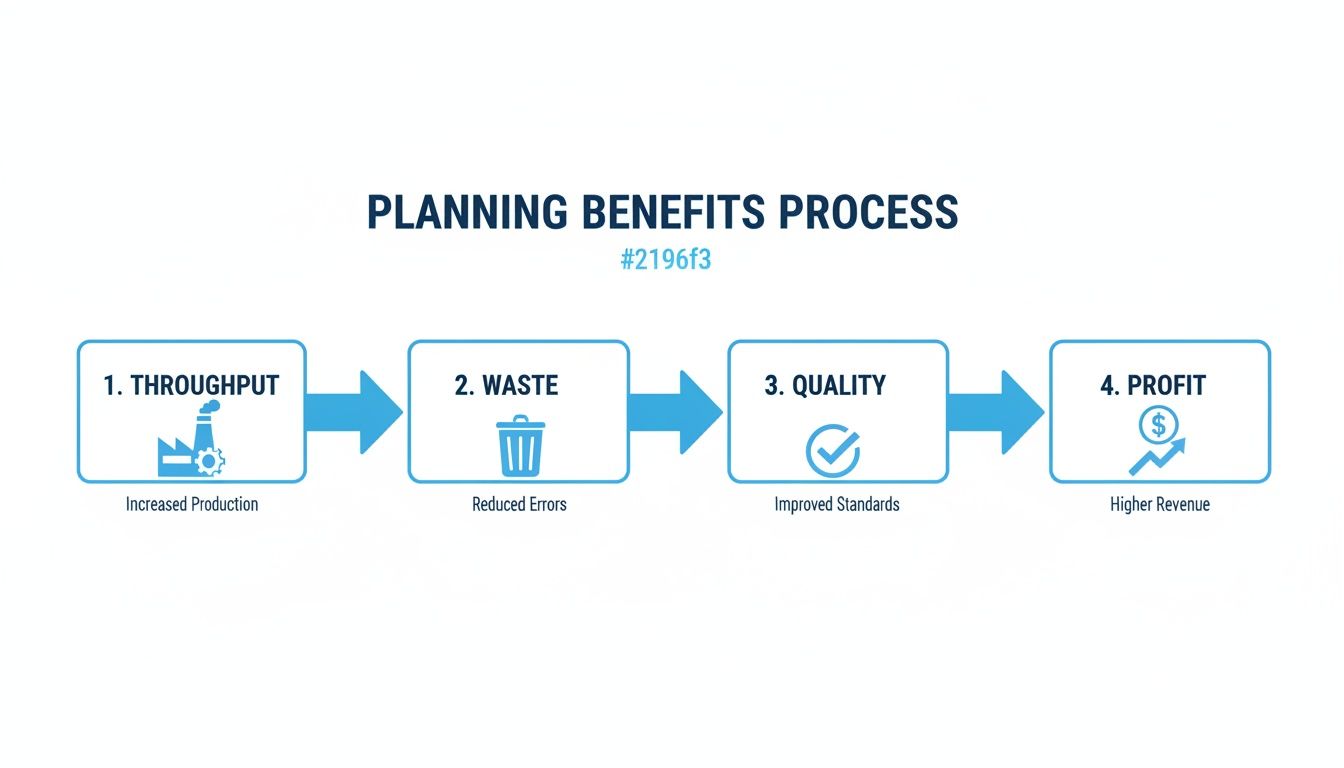
It’s a clear chain reaction: operational wins aren't just feel-good moments; they are the fuel for real financial growth.
1. Optimize Your Layout and Material Flow
Your shop’s layout is the unsung hero—or villain—of your daily efficiency. A bad layout forces your team to walk miles every week, carrying parts back and forth. All those wasted steps are wasted time and money. The goal is simple: create a straight, logical path for every project.
Think of it like a river. You want materials to flow smoothly from one end to the other without hitting any dams or whirlpools. Raw stock comes in, moves through cutting, machining, assembly, and finishing, and then leaves as a finished product. No crisscrossing, no backtracking, just forward momentum.
A great floor plan isn't about cramming machines into a space. It’s about choreographing the dance of production. Every step you save is a second gained, and those seconds add up to huge improvements in how much work you can get done.
Take a walk through your shop with a clipboard. Trace the journey of a typical project and look for the bottlenecks and tangled paths. You’ll be amazed at the simple changes—like moving a machine ten feet—that can make a world of difference.
2. Define Work Centers and Routes
Once your layout makes sense, it's time to add some structure. Formally defining your work centers and production routes brings a new level of clarity to the chaos. A work center is just a dedicated spot for a specific job: the CNC, the edgebander, the assembly benches, the spray booth.
When you define these zones, everyone knows where to go and what to do. The right tools, supplies, and instructions live in that one spot, which means your crew spends less time hunting and more time working.
Next, you map out the standard routes for your products. It's like creating a go-to playbook:
- Cabinet Box Route: Cut → Edgeband → Bore → Assemble
- Custom Door Route: Rip/Crosscut → Shape/Profile → Sand → Assemble → Finish
These standard routes make scheduling and tracking a breeze. Instead of reinventing the wheel for every job, you have a default path to follow.
This is where a tool like TimberCloud really shines. You can build these work centers and routes right into the system. When an order lands, it’s automatically assigned the right sequence, and the work orders pop up at the right stations. No more shouting across the shop or taping paper to parts.
3. Plan Staffing and Skill Allocation
Your people are your biggest asset, but only if they're in the right place at the right time. Putting your master cabinetmaker on a simple sanding task is just as wasteful as letting a brand-new hire run the five-axis CNC.
A simple skills matrix is your best friend here. It’s just a chart with your employees' names down one side and the shop's key tasks or machines across the top. Fill it in with their proficiency level, and you suddenly have a powerful, at-a-glance guide to your team’s strengths.
This matrix isn't just a piece of paper; it’s a daily shop floor planning tool. When you're scheduling, you can quickly see who's best for each critical step. It also flags your risks. If only one person knows how to run the edgebander, what happens when they go on vacation? You’ve just found your next training opportunity.
4. Implement Dynamic Scheduling
That beautifully planned-out whiteboard schedule you made on Monday morning? It's fragile. One rush job, one machine breakdown, or a late material delivery can blow it all to pieces, leaving you scrambling to put it all back together.
This is why you need dynamic scheduling. It’s a living, breathing plan that can adapt on the fly. Instead of a rigid timeline, you create a prioritized queue of jobs for each work center. If a job gets stuck, the operator doesn't have to stop and wait for you—they just grab the next task on the list and keep moving.
Going digital here is a game-changer. With a platform like TimberCloud, the schedule isn't a static document; it’s a real-time dashboard for the entire shop.
This immediate visibility allows a manager to see the whole board, drag and drop priorities as needed, and push those updates instantly to tablets at every work station. The whole team stays in sync without you having to run around the shop.
5. Integrate Quality Checkpoints
Quality control shouldn't be a final exam right before the product ships. It needs to be built into every step of the process. By putting quality checkpoints at the end of each major stage, you catch mistakes early when they are cheap and easy to fix.
Think about it: a mis-cut part found at the saw station takes minutes to replace. That same bad part found after it’s been assembled and finished could mean hours of rework or scrapping the whole cabinet.
Set up simple, clear quality standards for each work center. A basic checklist can empower your team to check their own work before passing it down the line. This builds a sense of ownership and creates a culture where everyone is responsible for quality.
6. Prioritize Safety Protocols
An efficient shop is a safe shop. Period. Accidents don't just hurt people; they shut down production, damage equipment, and kill morale. Safety isn't a separate department—it's a core part of effective shop floor planning.
When you're designing your layout, think about clear walkways and proper spacing around machines. Make sure your finishing area has top-notch ventilation. Build routine maintenance and safety checks right into your schedule.
Drill these protocols into your team until they become second nature:
- Personal Protective Equipment (PPE): Safety glasses and hearing protection are non-negotiable.
- Machine Guarding: All guards stay in place. No exceptions.
- Regular Training: Ongoing safety training isn't a suggestion; it's a requirement.
A strong safety culture doesn't slow you down. It prevents the major disasters that grind everything to a halt.
7. Establish Key Performance Indicators
You can't improve what you don't measure. Key Performance Indicators (KPIs) are like the vital signs for your shop. They are the hard numbers that tell you if your planning is actually working or if you're just spinning your wheels.
Stop guessing and start tracking. A few essential KPIs will tell you most of what you need to know:
- On-Time Delivery Rate: Are you keeping your promises to customers?
- Cycle Time: How long does it really take to get a job from start to finish?
- First Pass Yield: What percentage of your parts are made right the first time, without rework?
- Overall Equipment Effectiveness (OEE): How much value are you getting out of your most expensive machines?
Trying to track this with spreadsheets is a nightmare. A modern shop management system automates all of this, feeding you the data in simple dashboards. This gives you the objective truth you need to make smart decisions and constantly fine-tune your operation.
From Planning to Control: Running the Plan in Real Time
A plan tells you what should happen this week. Shop floor control is what keeps it true by Tuesday afternoon. If planning is the map, control is the GPS rerouting you when the edgebander goes down. Shops still running control on paper travelers and handwritten logs see costs inflate 20–30% from bad tracking alone — while shops that automate it report 20–35% lower operating expenses, 28% faster cycle times, and 22% better labor productivity.
Four pillars turn your plan into daily execution: order release (launch jobs only when material and machine capacity are actually ready, not just when the calendar says so), data collection (capture status at the workstation via tablet or barcode scan — manual tracking alone drains 15–20% of productivity), scheduling and routing (reroute work orders around bottlenecks the moment they appear), and execution and dispatching (give every operator a live, prioritized task list so nobody stands around asking what's next).
Roll it out crawl-walk-run: pilot one department (the CNC cell is a natural start), name a respected super-user as peer trainer, and frame the system as making jobs easier rather than as surveillance. And don't hoard the data — a daily ten-minute huddle over the numbers beats a dashboard nobody opens.
How Digital Tools Supercharge Shop Floor Execution
A detailed shop floor plan is a fantastic roadmap, but a map by itself doesn't drive the car. The real magic happens on the floor, where your plans collide with the day-to-day realities of production. This is exactly where digital tools come in, acting as the central nervous system for your entire operation. They close that critical gap between a great plan and a flawless performance.
Think about the old way of doing things, which many shops still struggle with. The manager drops a stack of papers on the foreman's desk—blueprints, scribbled-on notes, maybe a cut list from a spreadsheet. The foreman then spends the first hour of his day trying to decipher it all, manually punching numbers into the CNC, and yelling across the shop to see if the right plywood is even in stock. It’s a disconnected, manual process that’s slow, ripe for errors, and offers zero visibility once the work actually starts.
Now, let's paint a different picture. A new cabinet job gets the green light in the office. Instantly, an AI engine digests the design and generates a complete set of production-ready work orders. Those orders, complete with perfectly optimized cut sheets, pop up on a tablet right at the CNC station. The operator sees their queue, knows exactly what to cut, and as they finish, the system automatically deducts the material from inventory. This isn't some far-off dream; it’s what happens when you connect planning and execution with the right tech.
From Manual Guesswork to Automated Precision
The biggest problem with paper-based systems is that they turn skilled craftspeople into information messengers. They spend more time chasing down details and double-checking numbers than actually building. Every time a piece of paper changes hands, you create an opportunity for something to go wrong. A misread measurement, a misplaced decimal point, or a forgotten note can lead to costly rework that completely wrecks your schedule and your profit margins.
Digital tools get rid of these friction points by creating a single source of truth that everyone can see in real-time.
- Automated Cut Sheets: Forget manual calculations. The system generates perfectly optimized cut lists straight from the design files. This drastically cuts down on material waste and kills the chance of a data entry error at the saw or CNC.
- AI Plan-to-Production: Modern tools can now look at a project's specs and automatically build the entire production workflow. They map out every step and assign tasks to the right work centers in minutes, not hours.
This kind of automation frees up your most valuable people to do what they do best: build amazing products.
This screenshot shows exactly what I’m talking about—a clean, simple dashboard where jobs are organized, statuses are crystal clear, and every piece of information is just a click away. This one screen replaces stacks of scattered paper and endless verbal updates, giving the whole team instant clarity.
Gaining Total Visibility with Real-Time Tracking
One of the toughest challenges in any shop is knowing what’s really happening on the floor at any given moment. Without live data, you're always managing from the rearview mirror, reacting to problems long after they’ve already caused a delay.
Production tracking tools completely change the game. When operators can update a job’s status on a tablet at their station, you suddenly get a live, bird’s-eye view of everything. You can see which jobs are humming along, which are falling behind, and where bottlenecks are starting to form before they become a full-blown crisis.
This real-time visibility is your early warning system. It lets you spot a potential delay at the finishing booth hours or even days ahead of time, giving you the chance to shift resources and keep the entire schedule from going off the rails.
To get the most out of these tools, it helps to understand the fundamentals of industrial controls automation, which are the bedrock of the smart, connected systems that deliver this kind of control.
Finally, this digital thread ties everything together. An integrated inventory sync means that as materials get used on the floor, your inventory counts update automatically. This puts an end to that dreaded moment when you run out of a critical component mid-project, making sure you always have what you need to keep the work flowing. To see how these pieces fit together into one unified system, you can explore the full range of TimberCloud's shop management features.
Choosing Software That Fits Your Shop
The software is what makes both planning and control stick, and the wrong pick is the fastest way to end up back on clipboards. Three things separate tools that work in a custom shop from generic factory software.
Direct CNC and design integration: look for true automation with Cabinet Vision, Mozaik, and your CNC workflow — a quote should become a cut list without anyone retyping it. "Import/export compatible" is not the same thing. Cloud-based scalability: your platform should absorb new product lines and order volume without a server in the closet or a new license negotiation. Real automation: auto-generated work orders, BOMs, and material nesting are where the hours come back — often 10–15 hours of skilled labor per week.
One migration tip: don't try to import ten years of history. Clean the top 20% of materials you actually use, archive dead jobs, and start with active work.
Measuring Success with The Right KPIs
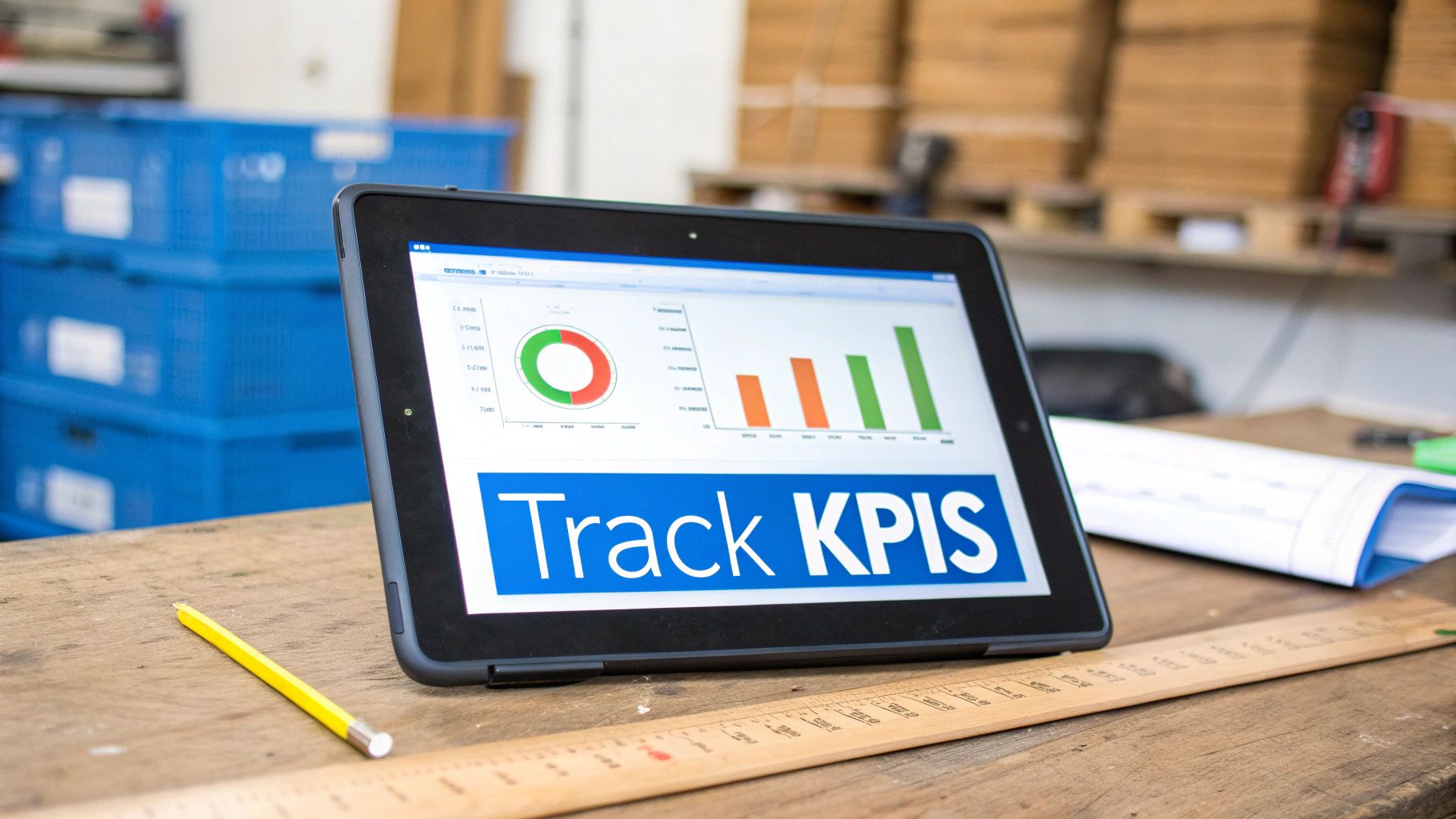
You can't fix what you can't see. A well-designed shop floor plan gives you a powerful engine, but without gauges on the dashboard, you’re just driving in the dark. That’s where Key Performance Indicators (KPIs) come in—they are your gauges, giving you the real-time data needed to turn guesswork into smart, profitable decisions.
Tracking KPIs isn't about getting bogged down in spreadsheets or creating more paperwork. It's about zeroing in on the vital signs of your business. By keeping an eye on a few key metrics, you can catch small problems before they escalate and see exactly which parts of your process are making you money.
The Core Four KPIs for Woodworking Shops
While you could track dozens of different numbers, the real magic comes from focusing on the metrics that matter most. For most woodworking shops, these four give you a complete picture of your performance, from machine uptime to happy customers.
-
Overall Equipment Effectiveness (OEE): Think of this as the ultimate report card for your machinery. OEE measures how much of your production time is genuinely productive by looking at three things: Availability (is the machine running when it should be?), Performance (is it running as fast as it should?), and Quality (is it making good parts?). A perfect score of 100% means you're making only good parts, at top speed, with zero downtime.
-
Cycle Time: How long does it really take to get a job done? Cycle time measures the entire journey from the moment you pull raw materials off the shelf to the second the finished product is ready to ship. Shorter cycle times mean you can handle more work and increase your shop's profitability. It’s also the fastest way to find bottlenecks.
-
On-Time Delivery Rate: Simple, yet incredibly important. This KPI is just the percentage of orders you ship by the date you promised the customer. It's a direct reflection of your planning and a massive factor in keeping customers happy and coming back for more.
-
First Pass Yield (FPY): This metric shows what percentage of your products are made perfectly the first time, with no need for rework or scrap. A high FPY is a sign of a truly efficient operation because rework doesn't just waste materials—it kills your schedule and eats up your labor budget.
Turning Data Into Actionable Insights
Just knowing your numbers isn't enough. The real power comes when you use that data to make meaningful improvements on the shop floor. The information from your KPIs tells a story. Is the OEE on your CNC router dipping? It might be time for some preventative maintenance. Is the cycle time for cabinet assembly dragging? Maybe the team needs a better workflow or different tools.
The goal of tracking KPIs is not just to see the numbers, but to understand the story they tell. Each metric is a starting point for a conversation about how to get better, faster, and more profitable.
The proof is in the results. Shops that adopt this data-driven mindset see dramatic changes. Real-time monitoring can boost output by 20-30%, while optimized software planning has been shown to slash cycle times by 25%. Many shops watch their OEE scores climb from an average of 60% to an impressive 85-90%, leading directly to 10-15% savings on labor and materials. It's not uncommon for woodworking manufacturers to push their on-time delivery rates from 75% to over 95%. You can dig deeper into how data capture transforms shop floors on shoplogix.com.
How TimberCloud Automates KPI Tracking
Let's be honest—manually collecting and calculating all this data is a nightmare. It's slow, full of potential errors, and most shop owners simply don't have the time. This is exactly why modern shop management platforms are no longer a "nice-to-have."
TimberCloud pulls this data automatically, right from the source. As your team updates job statuses at each work center, the system is in the background tracking cycle times, logging completion dates, and monitoring every step of production.
This information feeds directly into clean, easy-to-read dashboards. You get an instant, accurate view of your most important KPIs without ever having to build a spreadsheet. This frees you up to focus on what the numbers actually mean and how you can use them to build a stronger, more profitable business.
Ready to replace guesswork with a clear, actionable plan? TimberCloud provides the all-in-one platform you need to connect your sales, design, and production teams for unmatched efficiency. Get a demo today and see how you can transform your shop floor.
Frequently asked questions
Planning sets the layout, routes, staffing, and schedule before work starts. Control is the real-time system that executes and adjusts that plan on the floor. You need both — a strong plan paired with paper-based control still leaks 20–30% in tracking-related costs.
Collecting metrics nobody reviews. A daily ten-minute leadership huddle over three or four numbers turns data into decisions. Without that habit, even excellent tracking is just an expensive scoreboard.
It depends on the vendor, so check for documented direct integrations with the systems you actually run — Cabinet Vision and Mozaik are common in custom shops. Direct automation, where an approved quote flows straight to a cut list, beats manual import and export every time.
Do not move everything. Clean and import the top 20% of materials you genuinely use, archive stale jobs, and go live with active work only. History can be backfilled later if you ever actually need it.
No — it matters more when you are small. With fewer people, machines, and square feet, every resource has to work near capacity, and a single mistake costs proportionally more. Planning is what lets a small shop hit deadlines and budgets against larger competitors.
Weeks rather than months for a modern cloud platform. The old horror stories come from on-premise systems that needed servers and consultants. Adoption tends to follow quickly when the interface is visual and tablet-based and the system removes manual work rather than adding reporting overhead.
Yes. Whether you build one-off heirloom furniture, architectural millwork, or semi-custom cabinetry, the principles are identical — optimize workflow, manage materials, track production. The platform should adapt to your process rather than forcing a high-volume factory model onto custom work.
Topics
TimberCloud Team
Content Team
The TimberCloud team is dedicated to helping manufacturers streamline their operations with intelligent software solutions.