A Guide to Planning Production Software for Custom Woodworking
Think of planning production software as the digital brain of your workshop. It's the central command center that takes all the moving parts of a custom job—from the initial bid to the final delivery—and orchestrates them into a smooth, predictable process. This isn't just about scheduling; it's about turning chaos into a coordinated, profitable workflow.
What Is Planning Production Software and Why Does It Matter
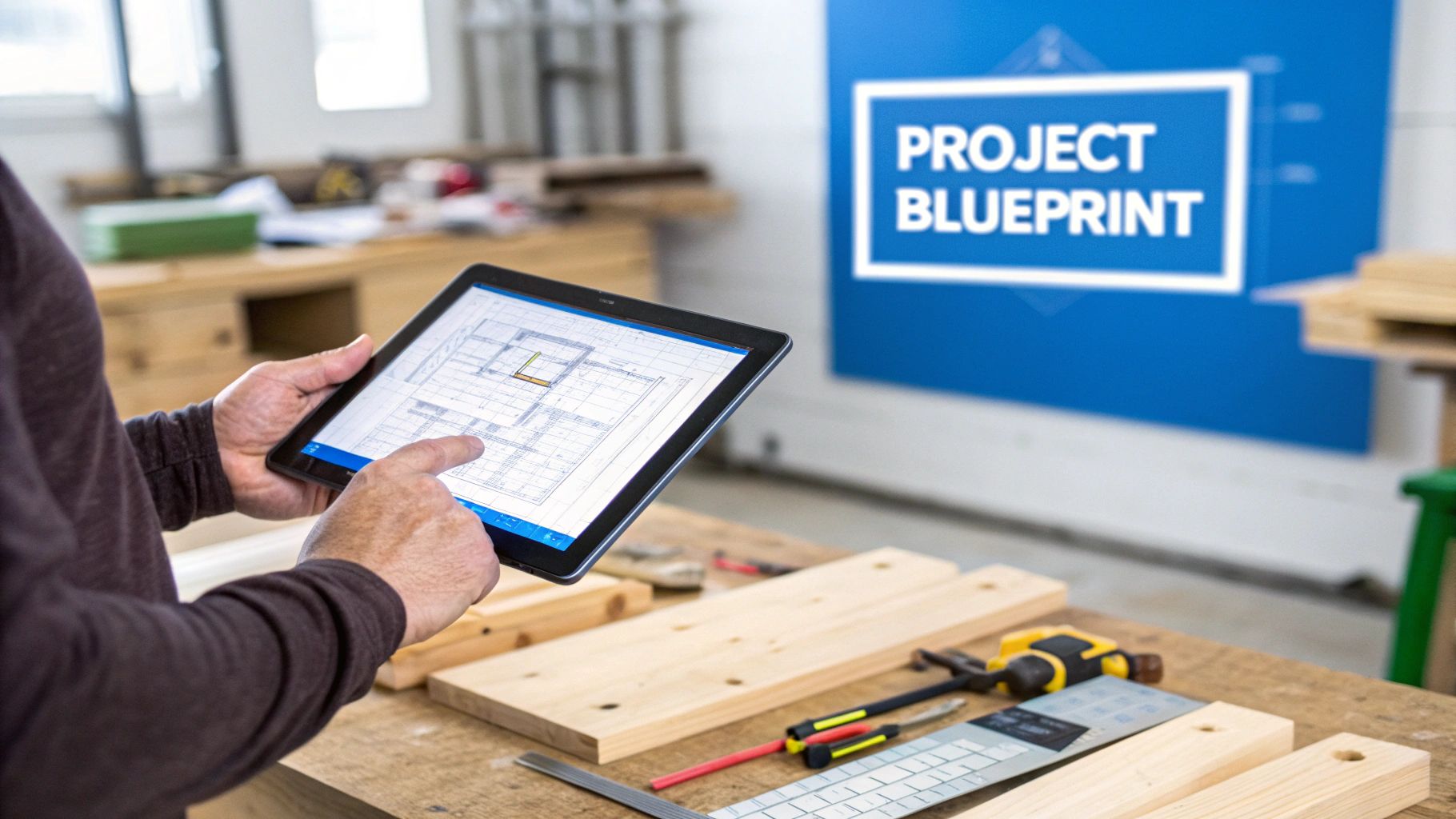
Picture a master craftsman about to build an intricate, custom cabinet. They don't just start cutting wood. First, they create a meticulous plan that maps out every joint, every piece of hardware, and the exact sequence of assembly. Now, scale that level of detail across your entire shop for every single job—that’s what planning production software does.
It’s easy to mistake this kind of software for a simple scheduling app, but that's only one piece of the puzzle. A true production planning system is the connective tissue for your whole operation. It links your sales team, your engineers, and your crew on the shop floor, giving everyone a single source of truth to work from. That shared clarity is what gets rid of the guesswork that so often leads to mistakes.
The Problem With Manual Planning
For too many custom woodworking and millwork shops, "planning" is a patchwork of spreadsheets, whiteboards, and frantic phone calls. This old-school way of doing things isn't just slow—it's incredibly fragile. One small miscalculation on a cut list or an unexpected delay can send a shockwave through all your projects.
This kind of chaos creates the same expensive problems over and over:
- Material Waste: How much profit are you losing by over-ordering "just in case" or from cutting mistakes that could have been avoided?
- Chaotic Scheduling: When you can't see your real capacity, jobs inevitably get stuck. This leads to bottlenecks, missed deadlines, and unhappy customers.
- Communication Breakdowns: Information gets trapped in different places—a note on a desk, an old email chain, or just in someone's head. When that happens, crucial details fall through the cracks and you're stuck with costly rework.
A good production planning system is more than just software; it's a strategy. It flips the script, turning these constant headaches into opportunities for real growth and efficiency. It gives you the framework to stop putting out fires and start managing your business proactively.
A Blueprint for Profitability
At the end of the day, this is all about getting a firm grip on your resources, your time, and your money. Planning software gives you a live, data-backed view of your entire operation, from the first estimate to the final payment. By putting all your project data in one place, you can finally make decisions based on facts, not hunches.
This kind of system doesn't replace craftsmanship—it unleashes it. By taking care of all the logistical heavy lifting, it frees up your skilled team to focus on what they do best: building incredible custom products. The software becomes the reliable blueprint that ensures every single project is not only beautifully built but also profitable and delivered right on time.
What Really Powers a Modern Woodworking Shop?
Let's get past the high-level talk. The true muscle of planning production software is in the specific tools it gives you. These aren’t just abstract functions; they're digital workhorses designed to handle the critical tasks you juggle every single day. Think of them less as "software features" and more as specialized assistants, each one laser-focused on perfecting a specific part of your process.
Each of these components is built to solve a real, often expensive, problem that plagues custom woodworking shops. From knowing your true capacity to making sure not a single inch of plywood goes to waste, these tools work in tandem to build a more predictable, profitable, and less stressful operation.
Let's break down the essentials.
H3: Know Your Limits with Capacity Planning
At its heart, capacity planning answers one crucial question: can we actually take on this new job without everything else catching fire? It pulls you out of the world of guesswork and gives you a data-backed look at your shop's true production ceiling. The software crunches the numbers on your available machinery, labor hours, and current jobs to paint a clear picture of your bandwidth.
This means you can finally commit to deadlines with confidence and stop the cycle of over-promising. When a juicy rush order comes in, you’ll know instantly if you have the horsepower to handle it or if it will throw your entire schedule into chaos. It’s the difference between strategically growing your business and accidentally creating a production logjam.
H3: Master the Flow with Production Scheduling
Once you know your capacity, production scheduling shows you the smartest way to use it. This feature is like an expert air traffic controller for your shop floor, sequencing jobs to slash downtime and get rid of those frustrating bottlenecks. It’s all about making sure the right materials are at the right machine at the right time.
Good scheduling stops those all-too-common situations where a high-priority cabinet job is stuck waiting for the CNC, which is tied up on a less urgent task. Most modern systems use a visual drag-and-drop calendar, making it a breeze to adjust on the fly when life happens, keeping the whole production line humming.
H3: Tame Your Materials with Inventory Management
Nothing torpedoes a job's profitability faster than mismanaging materials. Running out of a specific veneer mid-project grinds everything to a halt, while overstocking ties up precious cash in dust-collecting materials. Inventory management is your real-time window into your stockroom.
The system automatically logs materials as they’re assigned to jobs and can even fire off reorder alerts when you’re running low. A key advantage here is getting ahead of the curve; good software helps you with effective inventory forecasting methods to keep stock levels just right and avoid costly surprises.
The goal of inventory management is simple: find that perfect balance. You need enough material on hand to keep production moving, but not so much that you're tying up capital. It turns your warehouse from a cost center into a strategic asset.
H3: Guarantee Accuracy with BOMs and Cut Sheets
The Bill of Materials (BOM) is the master recipe for every custom piece you build. It’s a painstakingly detailed list of every single component you need, from the big panels and hardware down to the very last screw. The software makes sure this recipe is perfect and automatically connects it to your inventory and purchasing.
From that BOM, the system generates optimized cut sheets, and this is where the magic really happens. The software’s algorithms figure out the most efficient way to nest and cut parts from raw materials, drastically slashing waste. For a shop chewing through hundreds of sheets of plywood a month, boosting your material yield by even a few percentage points goes straight to your bottom line. You can explore the full suite of TimberCloud’s production features to see this in action.
H3: Get Real-Time Answers with Shop-Floor Tracking
The plan is one thing; reality is another. Shop-floor tracking bridges that gap by giving you a live feed of what’s actually happening out on the floor. Using simple tablets or terminals, your team can log when they start and stop tasks, flag issues, and mark a stage as complete.
This live data is pure gold. It lets you spot a delay before it snowballs into a major problem and gives you brutally honest job costing. You’ll see exactly how many hours went into a project, compare it to your original estimate, and use that knowledge to dial in your quotes for better profitability on future work.
H3: Connect Everything with Seamless Integrations
Finally, the best software doesn't live on an island. It needs to talk to the other tools you rely on to run your business. Seamless integrations are the glue that holds your entire workflow together.
Here are the essentials:
- CAD/CAM Software: Pull your designs directly into the production plan, automatically generating BOMs and CNC instructions without tedious manual data entry.
- Accounting Software: Sync job costs, purchase orders, and invoices directly to your financial system (like QuickBooks or Xero), killing double-entry and keeping your books accurate.
This connectivity creates a single source of truth where information flows effortlessly. This isn’t just a nice-to-have; it’s where the entire industry is heading. With the global market for this tech forecasted to hit $12.5 billion by 2033, the demand for real-time visibility to navigate volatile supply chains is only growing stronger. Integrating your systems is no longer a luxury—it’s a competitive necessity.
What Smart Production Planning Actually Does for Your Business
It's one thing to list out software features, but it's another thing entirely to see what they do for your bottom line. Bringing a smart production planning system into your shop isn't just a fancy way to get organized—it's a direct investment in your profitability, efficiency, and reputation. It's how you stop fighting fires and start building a more predictable, resilient business.
Think of it this way: you’re moving from constantly reacting to problems (like material shortages or unexpected delays) to proactively managing your shop. You get ahead of the challenges and make decisions based on real data, not just gut feelings. It's the difference between you running the business and the business running you.
This diagram shows how all the core functions—planning, materials, scheduling, and tracking—are woven together to power a modern shop.
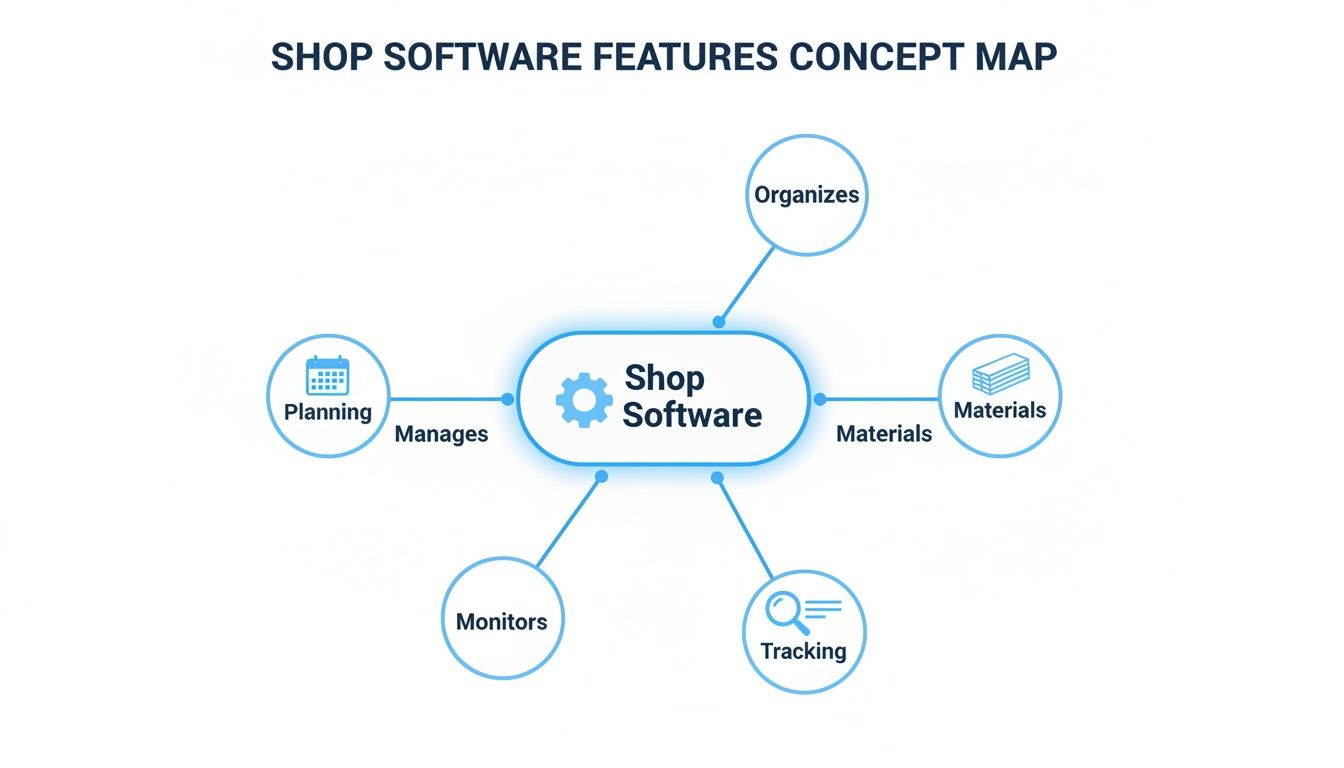
As you can see, a good system acts as the central hub, making sure information flows seamlessly from one stage of a project to the next.
Boost Your Profitability from Day One
The first place you'll feel the impact of planning production software is in your bank account. By optimizing how you use materials with things like automated cut sheets, you can slash waste in a big way. For a shop spending thousands on raw materials every month, even a 5-10% reduction in waste goes straight to your profit margin on every single job.
Then there's the labor. Accurate time tracking finally shows you the true cost of production. When you can see estimated hours side-by-side with actual hours, you suddenly have incredibly valuable insight for your next bid. A millwork shop can use that history to bid on a complex project with total confidence, knowing the quote is solid. You’re building profit into the job from the get-go.
Drive Real-World Shop Efficiency
Efficiency isn't just about making people work faster; it's about removing all the little things that slow them down. Manual data entry, hunting for the right project specs, double-checking unclear instructions—these are the silent killers of productivity. A central system gets rid of these headaches by creating one single source of truth for every project.
Bottlenecks are another huge drain. With powerful scheduling and capacity planning, you get a bird's-eye view of your entire workflow. You can spot a potential logjam at the CNC or the finishing booth before it ever happens and tweak the schedule to keep work flowing smoothly. This means you can get more jobs done in the same amount of time, with the same crew.
A well-implemented system fundamentally changes the rhythm of your shop. Chaos is replaced by clarity. It lets your team focus their skills on craftsmanship instead of chasing down information or waiting around for the next task. That shift alone can unlock huge gains in productivity.
Enhance Customer Satisfaction and Trust
Happy customers are the lifeblood of any custom shop, and their satisfaction almost always comes down to two things: hitting deadlines and clear communication. The right software gives you the tools to nail both. By creating realistic timelines based on your actual shop capacity, you can set expectations you know you can meet.
And as the project moves along, you can give your clients transparent updates without having to walk out onto the floor and interrupt someone's work. That level of professionalism builds a ton of trust, which leads to repeat business and referrals.
This isn't just a niche trend. The global market for Production Planning Software was valued at around $2.5 billion in 2023. As the industry pushes for more data-driven manufacturing, that number is only going to grow. It's a clear signal that shops everywhere are waking up to the need for the efficiency and transparency these systems provide.
How to Choose the Right Software for Your Business
Choosing production planning software is a lot like hiring a new operations manager. You’re not just buying a tool; you're bringing in a partner that needs to understand your business today and grow with you tomorrow. It’s a decision that goes way beyond a simple feature checklist. You're looking for a system that fits your shop's unique rhythm and helps your team build better, faster, and smarter.
Before you even think about scheduling a demo, the first step is to look inward. Map out your current workflow, from the initial bid to the final install. Where are things really getting stuck? Is it quoting, material ordering, or just juggling schedules? Get brutally honest about your pain points. This internal audit is your roadmap—it’ll guide you to a solution that solves your actual problems, not just the ones a sales pitch tells you that you have.
Assess Your Core Business Needs
Every custom woodworking shop is different. A high-volume cabinet manufacturer has a completely different set of challenges than an architectural millwork firm crafting one-of-a-kind masterpieces. Your search has to start with your specific reality.
Get the conversation started with these foundational questions:
- What is our single biggest operational headache right now? Pinpoint that one thing that consistently wastes time, money, or materials.
- How complex are our typical projects? Do you need deep Bill of Materials (BOM) management with multi-level assemblies, or are your builds more straightforward?
- What does our growth look like in five years? The system you pick today absolutely has to handle more users, more jobs, and more complexity down the road without forcing you to start all over again.
This self-assessment gives you a clear scorecard. As you look at different software options, you can measure them against what you truly need, cutting through the marketing noise to see what platform actually makes sense for your shop.
Key Evaluation Criteria for Software Selection
Once you have a firm grasp of your needs, you can start looking at potential software partners. Look past the flashy dashboards and focus on the fundamentals that drive long-term success. Scalability isn't a "nice-to-have"; it's a must. A system that can’t grow with you is a dead end.
Just as important is ease of use. If your team on the shop floor finds the software clunky or confusing, they won't use it. It's that simple. A clean, intuitive interface is non-negotiable for getting everyone on board and seeing a return on your investment.
A great software partner is as crucial as the software itself. Look for vendors who offer solid training, responsive support, and a clear implementation plan. Their expertise can be the difference between a smooth transition and a frustrating, costly failure.
Finally, think about the ecosystem. Your new software has to play nice with the other tools you depend on, like your accounting package or CAD software. These integrations are what stitch everything together into a unified workflow, killing the manual data entry that costs you time and introduces errors.
The industry is also getting a lot smarter. Recent market developments in 2025 have shown the power of AI-driven platforms. For example, some leading solutions can now reduce scheduling errors by 25% and boost planner productivity by 40% with advanced analytics. As you can discover more insights about these production planning software trends, it’s clear that picking a forward-thinking system is vital. Transparent pricing is also a major factor, so it's smart to review different software subscription models to find one that aligns with your budget and growth plans.
A Practical Checklist for Implementing Your New System
Bringing a new planning production software into your shop isn't just a tech upgrade—it's a fundamental change in your shop's heartbeat. A smooth transition doesn't just happen; it's the result of a deliberate, well-thought-out plan that gets your people, your data, and your processes all pointing in the same direction.
Think of it like laying the foundation for a new building. You wouldn't just dump concrete on uneven, unprepared ground and hope for the best. In the same way, you can't just drop a powerful piece of software into a chaotic environment and expect it to magically fix everything. The real work starts with cleaning up your existing data and getting an honest look at your current workflows.
Phase 1: The Pre-Implementation Groundwork
Before you even dream of hitting the "go-live" button, you have to get your house in order. This first phase is all about creating a clean slate and a clear roadmap. It's the step most people rush through, but it's almost always where a successful implementation is won or lost.
Your very first move? Appoint an internal champion. This is your project quarterback—the person who will lead the charge, answer the tough questions from the team, and keep everyone from the front office to the shop floor on the same page. Their passion and leadership are what will get everyone to buy into the change.
Once you have your champion, it's time to dig into these critical prep tasks:
- Data Cleanup: Seriously, go through all of it—customer lists, material costs, old BOMs, everything. Hunt down duplicates, fix the typos, and get everything into a standard format. The old saying "garbage in, garbage out" has never been more true than with new software.
- Process Mapping: Grab a whiteboard and map out your entire workflow, from the first customer call to the final invoice. Pinpoint every step, every handoff, and especially every bottleneck. This map is your treasure map—it shows you exactly where the new software can make the biggest impact.
- Set Clear Goals: What are you actually trying to accomplish here? Don't just say "be more efficient." Get specific. "Reduce material waste by 5%" or "hit a 98% on-time delivery rate" are goals you can actually measure.
Phase 2: The Implementation Rollout
With a solid foundation in place, you can start building. This phase is all about your people. Communication and training aren't just boxes to check; they are absolutely essential. Remember, the software is just a tool—your team's skill in using it is what will actually deliver the ROI.
Instead of a chaotic, "big bang" launch that disrupts the whole shop, think about a phased rollout. Maybe you start with just the quoting and inventory modules. Let the team get comfortable and see some early wins before you introduce shop-floor tracking. This approach breaks the change down into bite-sized pieces and makes it far less intimidating.
The goal isn't just to install software; it's to build new habits. A phased rollout gives your team the time and space to adapt, ask questions, and gain confidence with each new feature you introduce.
Phase 3: Nailing Post-Implementation Success
The job isn't over once the system is live. In fact, the first 90 days are absolutely critical for cementing new habits and fine-tuning how you use the tools. Make it a point to schedule regular check-ins with the team. Find out what’s working, what’s frustrating, and where people are getting stuck.
Keep a close eye on the real-world performance numbers and compare them against the goals you set back in phase one. This data-driven feedback loop is what lets you make smart adjustments and prove to everyone—including yourself—that this investment was worth it. It also lights the way as you begin to explore the more advanced capabilities of your new system.
To see how this works in practice, you can get your own TimberCloud workspace and start putting these principles to the test right away.
TimberCloud in Action: Real-World Use Cases
Features on a spec sheet are one thing, but the real measure of any software is what it does on the shop floor. This is where the rubber meets the road—where abstract ideas have to turn into real dollars, less waste, and smoother workflows. To show you what this looks like, let's walk through how actual custom shops are using TimberCloud to fix some of their biggest headaches.
These aren't just hypothetical scenarios; they're stories of real change. Each example dives into a specific, high-stakes problem and shows how the right tools can completely alter a business's course. Whether it's high-end custom cabinetry or complex architectural millwork, the results speak for themselves.
The Custom Cabinetry Shop and Material Waste
We all know the pain. A mid-sized custom cabinet shop was watching its profits get eaten alive by material waste. Their work was beautiful, but their manual process for creating cut lists was slow, inconsistent, and left way too much expensive material on the scrap heap. On a big kitchen job with dozens of sheets of premium walnut plywood, they knew even a small mistake would cost thousands.
This is exactly where TimberCloud’s integrated Bill of Materials (BOM) and automated cut sheet generation stepped in and made a huge difference.
- From Design to Data: Instead of tedious manual entry, they imported the cabinet designs directly. TimberCloud instantly created a perfect BOM, accounting for every last component.
- Smarter Cutting: The software then took that BOM and generated a fully optimized cut sheet. Its nesting algorithm arranged all the parts on the plywood sheets in a way no human could ever match by hand, squeezing every last inch of value from the material.
The outcome? A 12% reduction in material waste on that one project, saving them over $2,200. They immediately applied this to every job, turning a constant financial drain into a predictable profit booster.
The shop went from buying materials based on guesswork to a precise, data-driven strategy. By letting the software handle the optimization, their skilled team could focus on what they do best: building and finishing incredible cabinets.
The Architectural Millwork Firm and Scheduling Chaos
An architectural millwork firm was drowning in scheduling chaos. They were juggling three massive, concurrent commercial jobs, and their whiteboard-and-spreadsheet system had completely fallen apart. Work ground to a halt as teams waited for machines, and they were getting dangerously close to missing a huge deadline.
They needed to get a grip on their workflow, so they implemented TimberCloud's capacity planning and production scheduling tools. The first thing they did was map out their shop's real-world resources—every machine, every work center, and every team's schedule.
With a true picture of their capacity, they used the visual scheduler to lay out each project's path through the shop. The drag-and-drop interface made it easy to sequence tasks and see potential conflicts before they happened. A job could be on the CNC while another moved to the finishing booth, eliminating the bottlenecks that used to paralyze production.
By using this strategic planning production software, the firm sailed through all three projects without missing a single deadline. Their on-time delivery rate shot up by over 30% in the first quarter, which did wonders for their reputation and helped them land even bigger contracts. They finally moved from putting out fires to being in complete control.
Got Questions? We've Got Answers.
Jumping into any new shop software is a big decision, and it’s smart to have questions. Let's tackle the big ones we hear from shop owners all the time so you can feel confident about your next move.
What's This Going to Cost Me?
The price tag on production planning software is all over the map. For a small shop, a simple cloud-based system might only be a few hundred bucks a month. On the other end, a massive, custom-built system for a huge operation could easily run into the tens of thousands.
Most modern tools, including ours, are sold as a subscription (Software-as-a-Service, or SaaS). This is great because you avoid that huge upfront gut punch to your cash flow and can scale it up as your business grows. When you're comparing prices, think about the total cost—that includes setup fees, training, and support—and weigh that against the money you expect to make back.
How Long Until We're Actually Using It?
How long it takes to get up and running really depends on two things: the complexity of the software and the state of your shop's data. A clean, straightforward cloud system? You could be rolling in a matter of weeks.
But if you're trying to untangle years of messy spreadsheets or connect the new system to your old accounting and CAD software, you should plan for a few months. The smoothest launches always start with clean data and clear-cut processes. Pro tip: roll it out in phases, maybe starting with just the scheduling module or one work cell, to make the transition less overwhelming for your team.
The most powerful software on the planet is worthless if your team hates using it. Insist on a live demo with your key people—the ones on the floor and in the office—and prioritize a clean, simple layout. Getting your team on board is the single most important part of this whole process.
Is My Team Going to Struggle With This?
This one is a dealbreaker. Before you sign anything, get your team involved. Have your project managers, estimators, and especially your shop foreman sit in on a live demo. They're the ones in the trenches every day, and if they don't buy in, the software will just collect dust.
Pay close attention to the kind of training and support the software company offers. You want a partner who provides solid onboarding, has clear help guides, and actually answers the phone when you run into a problem. Good support turns a new system from a frustrating chore into a tool your team can’t live without.
Ready to see how a clear, intuitive system can get your shop running smoother and more profitably? The team at TimberCloud is here to help you build a smarter workflow. Explore the platform and get started today.
Topics
TimberCloud Team
Content Team
The TimberCloud team is dedicated to helping manufacturers streamline their operations with intelligent software solutions.