Manufacturing Project Management for Custom Wood Shops: Streamline Your Workflow
When we talk about “manufacturing project management,” we’re not just talking about fancy to-do lists or Gantt charts. We're getting into the nitty-gritty of planning, executing, and controlling every single project that moves through your shop floor. It’s about transforming the often-chaotic world of production into a predictable, profitable system that delivers on time and on budget. For any custom manufacturer, getting this right is the key to scaling up without pulling your hair out.
Why Generic Project Management Fails in Custom Woodworking
Let's be real for a moment. Trying to run a custom woodworking shop with a standard, off-the-shelf project management tool is a recipe for frustration. It's like trying to cut a dovetail joint with a sledgehammer. These tools are designed for office workflows—sending emails and tracking marketing campaigns—not the messy, hands-on reality of a shop floor.
In our world, one-off designs, last-minute change orders, and tricky material sourcing aren't exceptions; they're the daily grind. This disconnect isn't just annoying; it has a real impact. The hard truth is that globally, only a dismal 35% of projects actually succeed on the first attempt, hitting their original goals, timeline, and budget. What's the biggest project killer? Scope creep. It torpedoes a whopping 55% of all initiatives and can easily bloat costs by 30%.
The High Cost of Using the Wrong Tools
In custom manufacturing, those numbers aren't just statistics—they're the story of your profit margins bleeding out. When a client calls to request a different cabinet finish or a unique species of wood, a generic tool might let you check off a box. But it has no idea what that really means for your shop.
Suddenly, you're scrambling to answer critical questions:
- Material Sourcing: Does this new wood have a six-week lead time we didn't plan for?
- Machine Uptime: Is the CNC machine that was supposed to cut these parts now double-booked?
- Labor Allocation: Does the new finish require our master finisher, who's already tied up on another high-priority job?
Every one of these unmanaged details is a landmine waiting to go off, eating into profits and pushing back deadlines. This is where you start to lose money and, more importantly, your client's trust.
The fundamental flaw of generic PM tools is their blindness to the physical world. They can't connect a digital task list to your actual materials, your machines, and the skilled people running them. They manage lists, not the real flow of work.
This table highlights just how deep the disconnect runs between traditional tools and the specific needs of a custom shop.
Common Failures in Manufacturing vs Specialized Solutions
| Challenge Area | Traditional PM Tool Failure | Specialized Platform Solution (e.g., TimberCloud) |
|---|---|---|
| Material Management | Tracks "order material" as a simple task. No real-time inventory visibility or lead-time tracking. | Integrates with BOMs to automatically calculate material needs, check stock, and flag procurement deadlines. |
| Change Orders | A change is just an updated task description, with no impact on the rest of the plan. | Recalculates the entire production schedule, BOM, and labor needs instantly when a change is made. |
| Shop Floor Capacity | Lacks awareness of machine availability, maintenance schedules, or operator skills. | Provides a real-time view of machine and labor capacity, preventing bottlenecks and overbooking. |
| Project Costing | Tracks estimated vs. actual hours but misses the impact of material waste or machine downtime. | Captures true job costs by tracking materials consumed, labor hours, and machine time for each work order. |
It's clear that a one-size-fits-all approach just doesn't cut it when every project is unique.
A Specialized Approach for a Specialized Industry
This is exactly why dedicated manufacturing project management software is a game-changer. It's built to orchestrate the complex ballet of materials, machines, and people on your shop floor. Instead of just noting a client's change, a purpose-built system can instantly recalculate material needs, reshuffle the CNC schedule, and reroute work orders.
When you start to explore the wider world of IT solutions tailored for the manufacturing industry, you see that this shift is part of a bigger trend toward tools that understand the unique physics of production.
Ultimately, the right system turns shop floor chaos into a predictable, profitable, and scalable workflow. It closes the gap between the initial client quote and the final delivered product, making sure nothing falls through the cracks. If you're looking for more ways to get your operations humming, check out some of the other deep dives on the https://timbercloud.com/blog. In this guide, we'll walk you through how to implement a system that finally works with you, not against you.
2. Building Your Project Blueprint from Quote to Cut Sheet
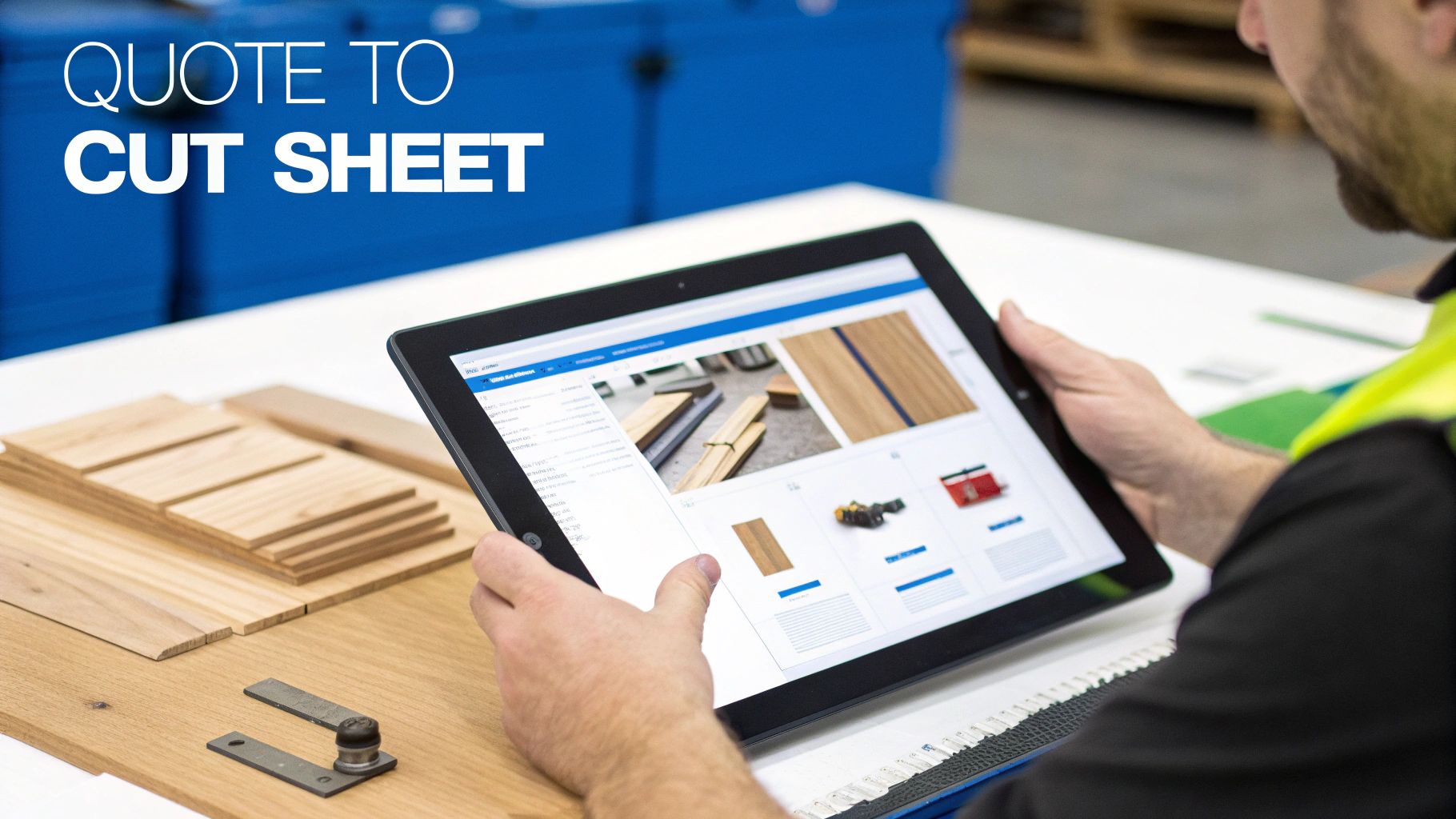
This is where your profit is made or lost, long before a blade ever touches wood. The journey from a client’s idea—whether it’s a pristine CAD file, a sketch on a napkin, or a configured order from your website—to a finished product starts with a rock-solid blueprint. Simply taking an order isn't managing a project; it’s just taking an order. True manufacturing project management is the art of translation.
You're translating a vision into a concrete, production-ready plan that leaves absolutely no room for error. A standardized intake process isn't just paperwork; it's your first line of defense against scope creep and the kind of shop floor mistakes that kill your margins.
From Vision to a Bill of Materials
At the heart of any project is the Bill of Materials (BOM). Think of it less as a shopping list and more as the project's DNA. A great BOM details every single component required for production, from the big slabs of walnut down to the last screw, hinge, and ounce of finish.
A shoddy BOM is a direct path to chaos. It guarantees material shortages, wrong parts being ordered, and production grinding to a halt while someone makes an emergency run to the hardware store. In a custom shop, this meticulous documentation is non-negotiable.
- Raw Materials: Be specific. Note the exact type, grade, and dimensions of wood. Is it "White Oak" or "Rift Sawn White Oak, FAS Grade"?
- Hardware: List every piece by part number, finish, and quantity—hinges, pulls, fasteners, slides. Don't leave it to chance.
- Consumables: Don’t forget to account for glue, sandpaper, finishing oils, and other items that are so often overlooked in the initial quote.
This level of detail is what makes your cost estimates razor-sharp and your purchasing efficient. It's how you stop those last-minute, profit-eating surprises.
Standardizing Your Intake Process
Every single project, no matter where it comes from, needs to flow through the same, consistent requirements capture process. Whether a client walks in with a folder of architectural drawings or clicks "submit" on your website, the data you collect must be uniform and complete.
For a custom cabinet job, for example, your intake checklist should be ironclad:
- Client & Project Info: Name, contact info, site address, and project name.
- Overall Dimensions: Final height, width, and depth for the entire unit.
- Material Specs: Wood species, plywood grade, and finish (e.g., "White Oak, Rift Sawn, Rubio Monocoat Pure").
- Hardware Selections: Manufacturer and model numbers for all hinges, drawer slides, and pulls.
- Construction Details: Critical notes on joinery (dovetail, dowel), edge profiles, and any unique build features.
A structured approach like this gets rid of the guesswork. It means your estimator, your designer, and your shop foreman are all working from the exact same playbook.
A project's success is determined by the quality of its inputs. If you start with vague, incomplete information, you will inevitably end up with costly rework, material waste, and delayed timelines.
The Power of Automation in BOM Creation
Let's be honest: manually creating a detailed BOM for every custom project is a slog. It can take hours of painstaking work and is wide open to human error. One wrong measurement or a forgotten part number can send ripples of chaos through the entire production schedule.
This is where modern manufacturing project management tools, like TimberCloud, really shine. These platforms can analyze project specs—even from an uploaded blueprint or a configured online order—and automatically generate a complete, production-ready BOM.
Imagine a client uses your online store to design a custom bookshelf. They pick the dimensions, wood type, shelf spacing, and finish. The second they place the order, the system can instantly:
- Generate a precise BOM with every single component.
- Create a detailed cut sheet that’s optimized for minimal waste.
- Check your inventory levels and flag anything that needs to be ordered.
This kind of automation turns hours of tedious admin work into seconds of processing. It’s not just about speed; it enforces a level of accuracy that’s almost impossible to get right every single time by hand, building a flawless foundation for everything that follows.
Mastering Your Shop’s Production Schedule
Having a perfect Bill of Materials is one thing, but it’s just a piece of paper if you don’t have the shop capacity to actually build the project. This is where the real magic happens—in the delicate, high-stakes art of scheduling and capacity planning.
In a busy custom shop, this is way more than just plugging dates into a calendar. It's about balancing the constant shuffle of new orders, work-in-progress, scheduled machine maintenance, and those ever-present, unpredictable material lead times.
Without this balance, your shop floor quickly turns into a chaotic scramble. You get bottlenecks that drain profitability and blow up your timelines. The goal is to build a master production schedule that acts as your shop's central nervous system, keeping everything in sync.
Allocating Resources with Precision
Any schedule that's worth a damn is built on realistic resource allocation. That means getting the right people and the right machines on the right jobs at the right time. Your shop calendar simply can't grasp the nuances needed for custom work.
Your master schedule has to know, in real-time, what your shop's true capacity is. That involves keeping a close eye on a few key variables:
- Machine Availability: It's not enough to see the CNC router is "free." What about scheduled maintenance? Tooling changes? Unexpected downtime? A truly useful schedule accounts for all of it.
- Labor Skills: Is your best finisher available for that complex spray job, or is he already tied up? Putting someone less experienced on it could kill your quality and cause a week of rework.
- Work Center Load: How many hours are already booked for the assembly station next week? Overloading one area creates a traffic jam that starves every process downstream, from finishing to packaging.
Mapping out these real-world constraints lets you move from wishful thinking to a production plan that actually works. This simple step can prevent that all-too-common scenario where a "simple" job gets stuck for days, just waiting for a specific machine or person to free up.
A great production schedule doesn't just list tasks; it orchestrates the flow of work. It anticipates constraints and proactively routes jobs to avoid traffic jams on the shop floor, ensuring a smooth, predictable journey from raw material to finished product.
Mapping the Flow from Cut to Coat
The next piece of the puzzle is defining the specific path each job will take through your shop. We call this job routing or production routing. It’s the roadmap for every project.
For a custom cabinet order, for example, the route might look something like this:
- Material Prep: Pulling lumber and sheet goods from inventory.
- CNC & Cutting: Processing parts on the router and saws.
- Edge Banding: Applying edge treatments to all the panel components.
- Assembly: Building the cabinet boxes and doors.
- Finishing: Sanding, staining, and applying topcoats in the spray booth.
- Final Assembly & QC: Installing hardware and running the final quality check.
- Packaging: Getting the finished product wrapped and ready for shipment.
Each of these steps is a distinct work center with its own capacity and lead time. Good project management means you're assigning realistic time estimates to each stage and sequencing them in an order that makes sense.
Creating a Dynamic Master Schedule
Once you have your resources and routes defined, you can build a master production schedule (MPS) that becomes your single source of truth. But unlike a static Gantt chart you print and stick to the wall, a modern MPS is a living document that adapts to the daily realities of the shop floor.
When a rush order comes in, the system should instantly show you the impact of squeezing it in. Will it push back other high-priority jobs? Does it mean the assembly team needs to work overtime? This visibility lets you make promises to clients that you can actually keep.
The same goes for problems. If a shipment of that special walnut is delayed by a week, your schedule should immediately flag every single job affected by that shortage. This gives you the power to proactively call customers and adjust priorities, turning a potential fire into a manageable problem. That's the kind of control that transforms a shop from a reactive, chaotic environment to a proactive, well-oiled machine.
Driving Flawless Execution on the Shop Floor
This is where the rubber meets the road. All the planning, scheduling, and engineering in the world mean nothing until the project hits the shop floor. This is the moment of truth in manufacturing project management—where well-laid plans meet the reality of sawdust, steel, and skilled hands.
Flawless execution doesn't just happen. It's born from giving your team absolute clarity and the right tools for the job. Success here is all about translating your digital schedule into physical action without anything getting lost in translation. We need to make sure the person at the CNC machine has the exact same information as the project manager, killing the ambiguity that leads to costly mistakes.
From Plan to Action with Crystal-Clear Work Orders
Think of your production schedule as a high-level map of the journey. The work orders? They're the turn-by-turn directions. These documents are the lifeblood of the shop floor, giving your crew the details they need to build things right the first time.
A great work order is more than a simple to-do list. It’s a self-contained package of every piece of information needed for a specific task. It should include:
- Detailed Cut Sheets: Precise dimensions, materials, and quantities, often optimized to minimize waste.
- Assembly Blueprints: Clear, easy-to-read diagrams showing exactly how all the pieces come together.
- Hardware & Finishing Specs: Specific part numbers for hinges and pulls, along with detailed instructions for the finishing process.
- QC Checkpoints: Built-in quality control steps that must be signed off on at critical stages.
Manually creating and handing out paper packets is a recipe for disaster. It’s slow, and you're always one revision away from someone cutting a part based on an outdated drawing. Modern systems, like TimberCloud, generate these automatically and push them directly to workstations or CNC machine controllers, ensuring everyone is on the same page.
Gaining Real-Time Production Visibility
Once a job is released to the floor, how do you actually know where it is? Walking around with a clipboard is not only inefficient, but the information is stale the second you turn your back. You need real-time tracking.
This doesn't have to be complicated or expensive. With simple barcode scans or a tablet at each work center, your team can update a job's status in seconds.
The moment a job moves from the saw to the edgebander, the project status updates for everyone to see. This live view is a game-changer. It helps you spot bottlenecks before they grind production to a halt and lets you answer a client’s "Where's my order?" question with confidence and precision.
A project plan without real-time tracking is like driving with a map but no speedometer. You know the route, but you have no idea how fast you're going or if you'll get there on time.
Integrating Quality Control into the Workflow
Quality control shouldn't be something that happens right before packaging. By that point, finding a mistake is a financial gut-punch. True quality is built-in, not inspected-on.
This means weaving quality checkpoints directly into the job routing itself. For a custom cabinetry project, this might look like:
- Post-Cutting Check: Are all parts cut to the correct dimensions? Verify before anything moves to assembly.
- Assembly Check: Is the cabinet box perfectly square? Is the joinery tight? Check it before it dares to enter the finishing booth.
- Pre-Finishing Check: Inspect every surface for defects or glue squeeze-out that would be magnified by the finish.
These checks are non-negotiable gates. A job cannot move forward until the quality standards for the current stage are met and signed off. This simple discipline catches errors early when they are quick and cheap to fix, which drastically cuts rework costs and improves your first-pass yield.
Managing Change Orders Without the Chaos
In custom work, change orders are a fact of life. But they don't have to be a fire drill that derails your entire schedule. The key is having a solid, repeatable process to manage them.
When a client wants to swap standard drawer slides for soft-close models, a connected system lets you immediately see the ripple effects. It should instantly show you how the change impacts:
- The BOM: Flagging the new hardware that needs to be ordered.
- The Schedule: Adjusting labor estimates for the different installation.
- The Cost: Recalculating the project price for immediate client approval.
This turns a chaotic "Hey, can we...?" conversation into a controlled, professional process. You can give the client an accurate quote for the change on the spot, get their approval, and seamlessly update the work orders on the floor. This agility not only keeps projects on track but also protects your profit margins from the slow, painful bleed of unmanaged scope creep.
8. Use Data to Drive Real-World Decisions and Growth
A project isn't truly finished just because the final piece has shipped. In the world of custom manufacturing, the job is only done once you’ve learned from it. This is where the magic happens—using hard data from your shop floor to sharpen your processes, boost profitability, and make smarter decisions down the road.
If you're not tracking performance, you're flying blind. You're relying on gut feelings and assumptions to figure out what's working and what isn't. By focusing on the right Key Performance Indicators (KPIs), you can shift from constantly putting out fires to proactively managing your business. That's how sustainable growth is built.
Key Performance Indicators That Actually Matter
Forget vanity metrics. For a custom woodworking shop, what really matters are the numbers that directly impact your production health and your bank account. These aren't just figures on a spreadsheet; they are the vital signs of your entire operation.
Here are a few essential metrics you should start tracking immediately:
- On-Time Delivery Rate: This is your reputation in a number. It's a direct reflection of customer satisfaction and operational reliability. A high rate doesn't just make clients happy; it brings them back.
- Material Waste Percentage: Keep a close eye on the difference between what you planned to use and what you actually consumed. Dropping your waste from 8% to 5% might not sound like much, but it can be the difference between a profitable job and a losing one.
- Machine Uptime: This tracks how much time your equipment is actually making you money versus sitting idle. Low uptime is a massive red flag, pointing to maintenance problems or scheduling bottlenecks that are eating into your capacity.
- Per-Project Profitability: This is the big one. Go beyond just revenue and calculate the true margin on every single job. You need to subtract all the real costs—materials, labor hours, and machine time—from the final price to see what's left.
I’ve seen it time and again: a project that feels profitable is often a silent money pit once you account for rework, unexpected material costs, and excessive machine time. Cold, hard data uncovers the truth, showing you which types of jobs are your real winners.
Turning Numbers into Action
Collecting data is just the starting point. The real value is turning those numbers into meaningful changes on the shop floor. For example, if your on-time delivery rate is slipping, your data can tell you why. Is it a specific machine always breaking down? Is the finishing department consistently overloaded on Thursdays?
This is where a structured system proves its worth. In fact, shops that use formal project management tools see their on-time delivery rates improve by an average of 28% compared to those still winging it with spreadsheets. Moving to an integrated platform creates a powerful feedback loop that fuels constant improvement.
To dig deeper into how structured management impacts performance, check out this detailed industry analysis.
From Raw Data to a Smarter Shop
Once you have reliable data flowing in, you can start making truly informed strategic moves. To get the most out of your operational numbers, it's worth exploring the world of business intelligence, which is all about turning raw data into strategic foresight. It helps you answer the big-picture questions.
For instance, after analyzing per-project profitability, you might discover that your highly complex, multi-finish cabinetry jobs are far more profitable than the simpler, high-volume work you thought was your bread and butter. That single insight could lead you to refocus your marketing, tighten up your quoting process, or even invest in new finishing equipment to lean into your most lucrative niche.
Here’s a look at some of the most critical KPIs and what they really tell you about your shop's health.
Essential KPIs for Custom Manufacturing
| KPI | What It Measures | Why It Matters |
|---|---|---|
| On-Time Delivery Rate | The percentage of orders completed by the promised date. | Direct indicator of customer satisfaction and operational reliability. High rates build trust and repeat business. |
| Overall Equipment Effectiveness (OEE) | A composite score of machine availability, performance, and quality. | A holistic view of how efficiently your most expensive assets are being used. It exposes hidden capacity. |
| Per-Project Profitability | The true net profit of a single job after all direct costs are subtracted. | Uncovers which types of projects are most lucrative, guiding sales strategy and quoting accuracy. |
| Material Yield / Waste % | The ratio of finished product output to the amount of raw material input. | Directly impacts cost of goods sold. Reducing waste is one of the fastest ways to improve margins. |
| First Pass Yield (FPY) | The percentage of parts that pass quality inspection on the first try without any rework. | Measures the efficiency and quality of your production processes. Low FPY means wasted time and materials. |
| Quote-to-Order Conversion Rate | The percentage of quotes or estimates that turn into secured orders. | Helps you understand the effectiveness of your pricing, sales process, and market competitiveness. |
Tracking these numbers gives you a clear, objective picture of your operation.
Most platforms designed for custom manufacturing have built-in analytics to make this easier. Understanding the potential ROI from these insights can help you choose the right tool for your shop. To see how different plans offer varying levels of analytics, you can explore the TimberCloud pricing and feature breakdown.
Ultimately, data transforms shop management from a guessing game into a science. It empowers you to spot trends, fix small problems before they become big crises, and confidently steer your business toward a more profitable future.
8. Integrating Your Operations with the Right Technology
Let's be honest, the real magic happens when you finally connect your sales, engineering, and production teams. The whole point of modern manufacturing project management isn't to become an expert at juggling spreadsheets and a half-dozen disconnected apps. It's about creating a single source of truth that powers your entire operation from the initial quote all the way to the finished product.
This is how you crush bottlenecks and actually see a difference in your margins.
Imagine your e-commerce storefront feeding a customer’s configured order directly into your production schedule. When someone designs their dream cabinet online, that exact spec—every dimension, material choice, and finish—instantly becomes a production-ready plan. No more manual data entry. No more re-interpreting a sales order. This isn't some far-off dream; it's what integrated systems do right now.
AI-powered planning tools can grab that order and spit out detailed work orders in minutes, not hours. By plugging every part of the business into the same system, you build an unbroken chain of information that drives both accuracy and speed.
Creating a Seamless Workflow
The real power here comes from unifying your data. When your shop floor tools are tracking progress in real-time, that information is immediately visible to your project managers and sales team. Think about it: no more phone calls interrupting the shop foreman just to ask for a status update.
A truly integrated system delivers:
- A Unified View: Everyone, from the sales rep to the shipping coordinator, is looking at the same project status. Miscommunication just evaporates.
- Automated Information Flow: Customer orders automatically morph into work orders. When a job is marked complete, shipping gets an instant notification.
- Data-Driven Decisions: Real-time production data gives you the hard facts you need to make smarter choices about scheduling and capacity.
This approach creates an incredible feedback loop for continuous improvement. It’s a simple but powerful cycle.
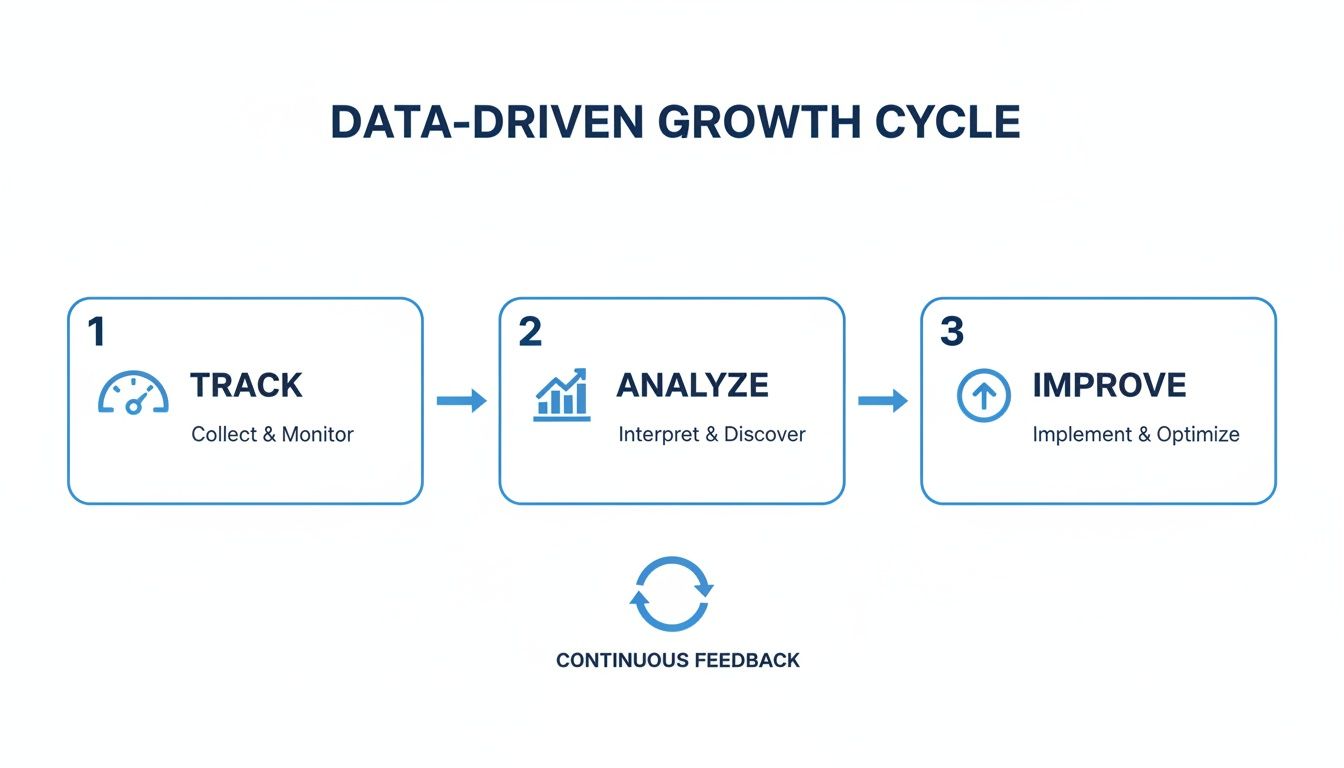
You track what's happening, you analyze the results, and you implement improvements. This becomes the natural rhythm of your business, not a once-a-year review.
The ultimate goal is to build a system where information flows as smoothly as materials through your shop. When data moves effortlessly between departments, you eliminate the friction that causes delays, errors, and wasted resources.
Bringing it all together is how you build a more resilient and profitable business. To see what an all-in-one platform that connects these dots actually looks like, you can explore the full range of TimberCloud features. This is how you stop running a collection of separate processes and start running a high-performance manufacturing engine.
Frequently Asked Questions
Jumping into a more structured project management system can feel like a huge step, especially when you're running a custom shop where no two days are alike. It’s natural to have questions. Let's tackle some of the most common ones we hear from shop owners just like you.
How much training is my team really going to need?
This is probably the number one concern, and it's a completely valid one. Your team is made of skilled craftspeople, not data entry clerks.
The great thing about modern shop management software is that it's built for the people on the floor, not just managers in the back office. A good system should feel intuitive. Most shops find they can get their teams comfortable with the new workflow after just a few hours of hands-on training.
The secret is to keep it role-specific. Your CNC operator only needs to know how to pull up the latest cut list and mark a job as complete. The finishing crew just needs to see their queue and sign off on quality checks.
The point isn't to make your team computer wizards. It's about giving them a tool that eliminates the annoying parts of their job—the guesswork, the searching for paperwork—so they can focus on what they do best: building incredible things.
Will this even work with my mix of old and new machines?
Absolutely. The goal of a solid manufacturing platform isn't to replace your trusted equipment; it's to get everything talking the same language.
For your newer CNC routers, that might mean sending optimized G-code files directly to the machine, which is a massive time-saver that cuts out manual programming errors.
But what about your trusty old edgebander or the manual sanding station? For those, the system provides crystal-clear digital work orders and instructions on a simple tablet or monitor. Your team can still track their time, log progress, and complete their checklists, making sure every single station, no matter how high-tech or low-tech, is connected to the master schedule.
What's the real cost to get this up and running?
It's smart to think beyond just the monthly subscription fee. The total cost includes the time you and your team will spend getting things set up and learning the ropes.
But you have to see this as an investment, not just another shop expense. The more important question is, what is the cost of not doing this?
Think about the money that's quietly leaking out of your business right now from:
- Rework: How many hours are burned fixing mistakes that clearer instructions would have prevented?
- Material Waste: What’s the real dollar cost of mis-cut parts from an outdated drawing?
- Lost Time: How much payroll is spent just walking around the shop looking for answers or trying to figure out a job's status?
When you add it all up, a well-implemented system usually pays for itself in just a few months by plugging these all-too-common (and costly) leaks.
Ready to stop juggling spreadsheets and start building more efficiently? See how TimberCloud, Inc. can bring your entire shop—from online quote to final shipment—into a single, reliable system. Explore the all-in-one platform at https://timbercloud.com.
Topics
TimberCloud Team
Content Team
The TimberCloud team is dedicated to helping manufacturers streamline their operations with intelligent software solutions.