Batch Processing vs Real Time Your Guide to the Right Workflow
The choice between batch processing vs real-time comes down to one simple thing: timing. Batch processing is like running your dishwasher once it's full—it collects a bunch of data and deals with it all at once, on a schedule. Real-time processing, on the other hand, is like washing a dish the moment you're done with it—it handles data instantly, as it happens.
For a custom manufacturer, this isn't just a technical detail. It’s the central nervous system of your entire operation, influencing everything from the customer's first click to the final cut on the CNC machine.
Choosing Your Shop's Core Operating System
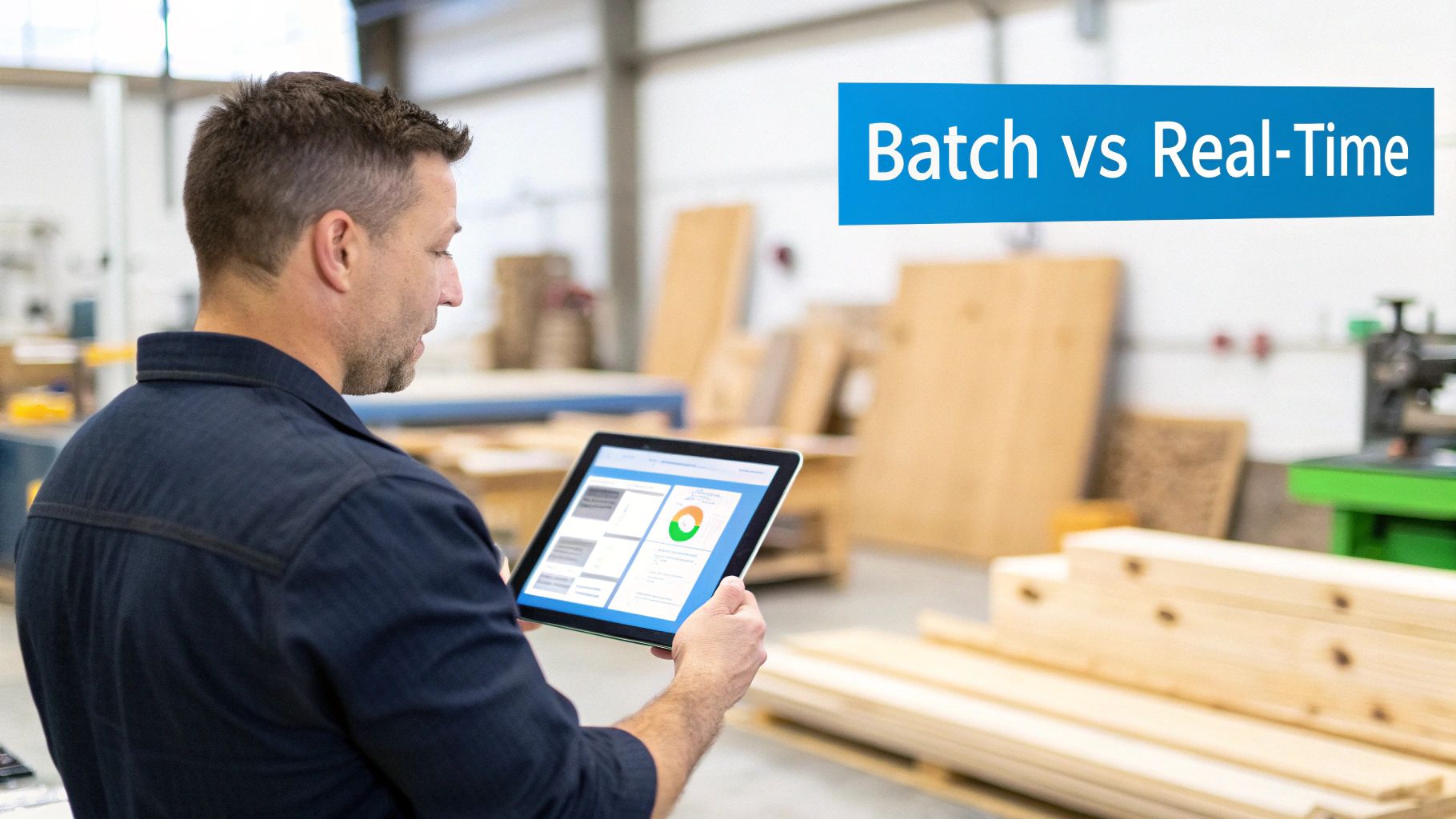
So, what's the right choice for your shop? Should you build your workflow around batch processing, go all-in on real-time data, or find a smart mix of both? The truth is, it's not about declaring one approach superior. It's about strategically picking the right tool for the right job.
Customer-facing tasks? Things like instant e-commerce quotes and showing live inventory levels are absolutely non-negotiable for real-time processing. But for backend operations—think running payroll or crunching deep financial reports—batch processing is still the sensible, cost-effective workhorse.
This guide will break down the real-world impact this decision has on your shop's bottom line, the trust you build with customers, and your ability to pivot quickly. We're talking actionable advice for cabinet makers, furniture artisans, and millwork shops that need to bridge the gap between a slick online store and a bustling shop floor. Getting this right is how you build a system that grows with you.
Quick Comparison Batch vs Real-Time Processing for Custom Shops
To get a quick lay of the land, this table offers a high-level summary. It highlights the core differences and points to the best-fit scenarios for each model within a custom manufacturing environment.
| Attribute | Batch Processing | Real-Time Processing |
|---|---|---|
| Data Handling | Gathers large volumes of data and processes it all at once on a schedule. | Processes data instantly, one transaction or event at a time. |
| Best For | End-of-day reporting, payroll, bulk invoicing, deep financial analysis. | Instant online quotes, live inventory sync, order status updates, payment processing. |
| Latency | High (minutes, hours, or even daily). The data is always slightly out of date. | Extremely low (milliseconds to seconds). The data is always current. |
| Cost | Generally lower. It's less demanding on your systems and infrastructure. | Can be higher due to the need for constant processing power and more complex setups. |
| Impact on Shop | Perfect for big-picture analysis but can cause bottlenecks and customer frustration. | Builds customer trust and boosts operational agility, but can be overkill for some tasks. |
In the fast-paced world of custom manufacturing, mixing these models is where the magic happens. For example, running inventory reports as a batch process at the end of a shift makes sense. But tracking a job's progress from the CNC to finishing in real-time can accelerate throughput by as much as 30%.
We're seeing shops that scale from 10 to 100 orders a day adopt smart hybrid models. They use batch for their nightly financial reporting but rely on real-time for routing new orders to the right machines. This isn't a niche strategy; it’s being adopted by nearly 80% of modern craft manufacturers to protect their margins.
The smartest approach isn't picking one over the other. It's about knowing exactly where to apply real-time speed for customer satisfaction and where to use batch efficiency for cost control.
This guide will help you pinpoint those key areas in your own shop. If you're curious to see these concepts in action, you might be interested in exploring TimberCloud's powerful Product Builder and other operational features.
The Power of Patience: How Batch Processing Drives Efficiency
When you're comparing batch processing vs real-time, it's easy to get caught up in the need for speed. But in the world of manufacturing, sometimes patience pays off, big time. Batch processing is the quiet workhorse of your operation, handling the heavy lifting when you don't need an instant answer. The idea is simple but incredibly effective: collect data over a set period, then process it all in one go.
Think of it as the meticulous end-of-day cleanup for all your shop’s data. Instead of reacting to every single event as it happens, you let the information accumulate. Then, at a designated time—like after everyone’s gone home—you run the big, resource-heavy jobs. This methodical approach is the backbone of smart financial management and deep operational analysis.
For a custom woodworking shop, this could mean generating a comprehensive production report after the last person clocks out. It's how you process payroll for your entire crew at the end of the pay period, not after every single shift. It’s about running a complex inventory reconciliation overnight to get a perfect snapshot for the morning, all without bogging down the systems your team needs during the day.
The Cost-Effectiveness of Scheduled Workloads
The most compelling argument for batch processing is its stunning cost-efficiency. Because these jobs are scheduled during off-peak hours, they don’t need the expensive, always-on infrastructure that real-time systems demand. You get to use your existing hardware much more effectively, preventing system slowdowns when it actually matters—during business hours.
This makes it the perfect tool for tasks that churn through massive amounts of data. Imagine you want to analyze a full year's worth of order data to figure out which cabinet styles had the best profit margins. That means sifting through thousands of records, material costs, and labor hours—a task that would be wildly impractical and costly for most real-time systems to handle on the fly.
Batch processing, which has its roots in the reliable ETL jobs of the 1960s, was built for exactly this kind of work. For a cabinetry maker with 500 monthly orders, batch jobs can generate detailed reports at the end of a shift, updating everything from raw lumber supplies to finished goods inventory. It’s tailor-made for high volumes and can process terabyte-scale datasets for 4-6x cheaper than real-time alternatives, often without needing high-end hardware.
As a real-world example of its reliability, just look at utility companies. They use batch systems to bill millions of customers every month, achieving 99.9% accuracy because they wait until all the data is collected before processing. The experts at Precisely have great insights on how batch processing tackles big data.
Where Batch Processing Excels in Manufacturing
While real-time gets all the glory for its speed, batch processing delivers the deep, reflective insights you need to actually steer the business. This isn't just about saving a few bucks; it’s about enabling smarter, more thorough analysis.
Here are a few scenarios where batch processing is hands-down the better choice for a custom shop:
- Financial Reporting: Compiling monthly or quarterly P&L statements requires pulling together every invoice, expense, and payroll record. A batch process ensures nothing gets missed, giving you an accurate picture of your business's health.
- Bulk Invoicing: Sending out invoices to all your commercial clients at the end of the month is a classic batch job. The system gathers all the billable hours and materials and shoots out the invoices in one clean, efficient run.
- Trend Analysis: Want to spot long-term patterns, like material price fluctuations over a year or seasonal demand for certain products? That requires digging into huge historical datasets—a job perfectly suited for a scheduled, overnight process.
By delegating these heavy data tasks to off-hours, you free up your systems and your team to focus on what drives immediate value—quoting new jobs, managing the shop floor, and communicating with customers.
Where Speed Matters: The Case for Real-Time Processing
While batch processing is great for crunching massive amounts of data behind the scenes, modern e-commerce runs on a completely different timeline. For a custom manufacturer linking an online store to a physical shop, real-time processing isn't just a nice-to-have; it's the very pulse of your operation. It handles data the second it's created, giving you—and your customers—an immediate, accurate picture of what's happening.
This is where the batch processing vs real time debate gets really practical. When a customer is on your site, they don't want a quote emailed to them tomorrow; they expect it right now. They need to know if that beautiful slab of walnut is actually in stock before they hit "buy," not find out you're sold out an hour later. Real-time processing makes these make-or-break moments happen, turning a potential point of frustration into a smooth sale.
Instantly Drive Sales and Stop Errors Before They Happen
The most powerful impact of real-time data is felt by your customers. It erases the gap between what they see online and the reality on your shop floor, building the kind of trust that turns a casual browser into a paying client.
Think about these critical customer touchpoints:
- Dynamic Pricing: A customer is designing their dream cabinet, picking out the wood, the hardware, the finish. With every click, the price updates instantly. That kind of transparency gives them the confidence to move forward and finalize their purchase.
- Live Inventory Sync: A real-time system is a direct line from your website to your material racks. If you have just enough cherry wood for one more project, the moment it's sold, it's gone from the site. This one function is your best defense against the nightmare of selling something you don't have, which saves you from canceled orders and angry emails.
- Instant Quote Generation: Someone submits a request for a complex, custom piece. Instead of them waiting for you to get back to them, a real-time system can analyze their specs and spit out an accurate quote in seconds. That speed is a huge competitive edge—you can lock in the order before they even have a chance to look elsewhere.
Real-time processing turns your e-commerce site from a simple online brochure into a dynamic, intelligent sales engine. It gives customers immediate answers, removes friction, and a makes a huge difference in your conversion rates.
A Live Look at the Shop Floor
The benefits don't stop at the checkout. On the shop floor, real-time data gives you a live, honest view of your entire production workflow. Instead of waiting for a report at the end of the day to find out what went wrong, you can see a bottleneck forming the moment it starts.
This immediate feedback is a game-changer for efficiency. In other industries, like stock trading, platforms have to react in under 50 milliseconds. While manufacturing isn't quite that fast, the principle is the same. Seeing a work order's status in real-time can identify production roadblocks as they happen, which can slash throughput delays by as much as 35% compared to waiting hours for a batch report. This ability to act fast can improve margins by 20-30% simply by letting you catch things like material shortages early. You can learn more about how real-time data improves operational decision-making in manufacturing.
With this kind of insight, you're always on the front foot. If a machine goes offline or a job starts falling behind, you know instantly. You can reroute work, move people around, and proactively update the customer without missing a beat, keeping you firmly in control of your shop's destiny.
A Head-to-Head Workflow Comparison for Manufacturers
The real debate over batch processing vs real-time isn't about the tech—it's about how each one performs under pressure on your shop floor. Making the right call for specific workflows has a direct, measurable impact on your efficiency, how happy your customers are, and, of course, your bottom line.
Let's break down how these two models truly stack up across the functions that matter most to a custom manufacturing business.
Order Capture and Quoting
For a customer exploring your e-commerce store, speed isn't a feature; it's an expectation. This is where real-time processing gives you an almost unfair advantage.
With a real-time system, a customer can design a custom cabinet, pick their materials, and watch the price update on the fly. When they hit "get quote," it lands in their inbox in seconds. That immediacy is crucial—it captures their interest at its peak and dramatically lowers the odds they'll wander off to a competitor while waiting.
A batch processing approach, on the other hand, slams the brakes on that momentum. A quote request could get stuck in a queue, waiting to be processed with a clump of other jobs at a scheduled time. Even a delay of a few hours creates a massive opportunity for a potential customer to lose interest or find someone faster.
The Takeaway: For any customer-facing sales function, real-time is non-negotiable. The speed and transparency it provides are essential for turning modern online shoppers into paying customers.
Inventory Synchronization
Accurate inventory is the lifeblood of any manufacturer. Nothing creates operational chaos and frustrated customers faster than selling something you don't actually have.
Real-time inventory sync creates a live link between your online store and your material racks. The second a customer’s order for a cherry wood desk is confirmed, the system deducts that exact lumber from your available stock. This constant, automatic update ensures your website reflects the ground truth of what you can actually build, preventing embarrassing and costly overselling.
Batch processing tackles inventory with periodic updates—maybe once a day or once a shift. While it's simpler on the surface, this method creates a dangerous window of inaccuracy. You could easily sell the same last sheet of premium plywood twice—once online in the morning and again to a walk-in client in the afternoon—before the system gets around to reconciling the numbers overnight.
This is where real-time systems really shine, delivering tangible boosts to both efficiency and profitability.
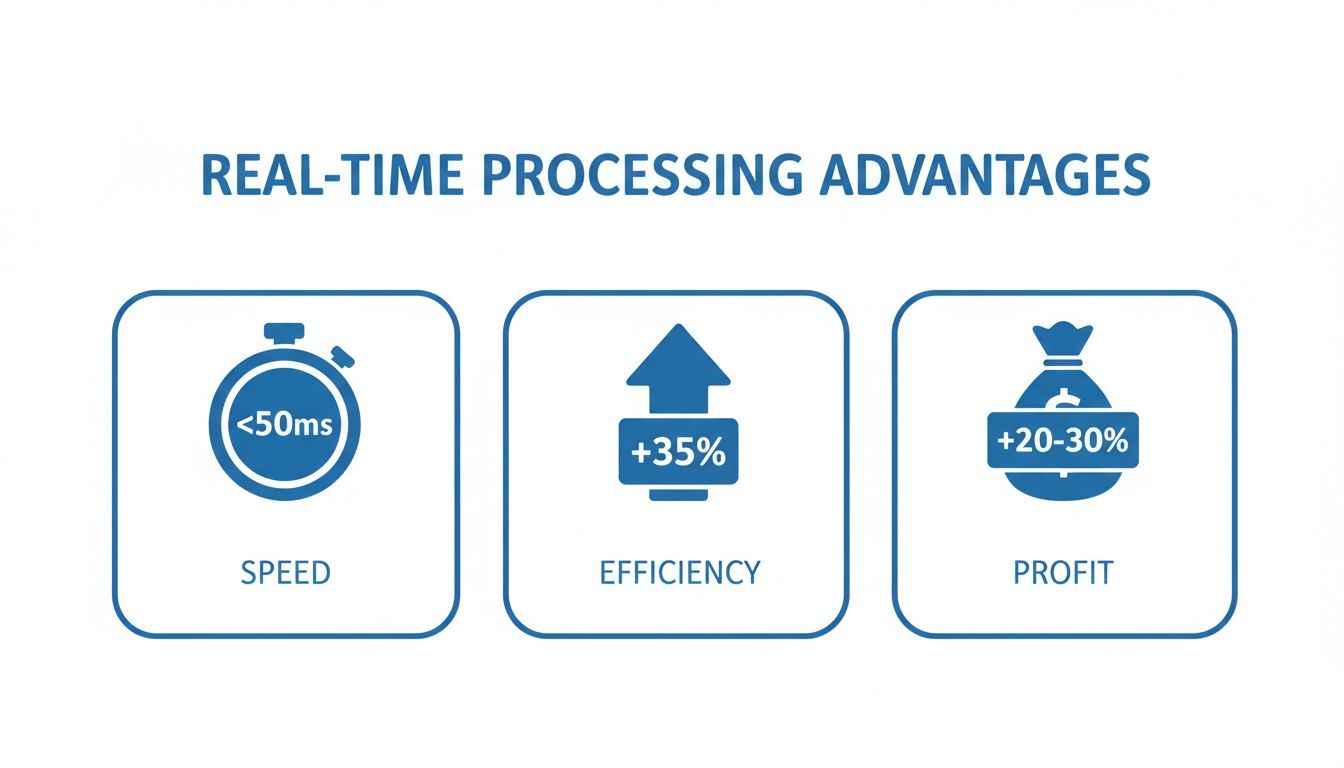
The data speaks for itself. Getting insights in milliseconds can boost your shop's throughput by over a third and pump up margins by helping you make smarter, faster decisions.
Production Planning and Scheduling
Once you’ve got the order, the action moves to the shop floor. This is where your choice between batch and real-time will dictate how you manage your workflow and react when things inevitably go wrong.
A batch approach to production planning usually means creating a fixed schedule for the day or week. Work orders are grouped and pushed out in big, predictable blocks. It's straightforward, but it's also incredibly rigid. If a CNC machine goes down or a rush job from a key client comes in, trying to manually rework that entire pre-planned schedule is a nightmare.
Real-time production planning, however, is built for agility. It schedules work fluidly based on the live status of your machines and materials. If a bottleneck starts forming, the system can flag it instantly, letting a manager reroute jobs on the fly to keep things moving. This level of responsiveness is what separates shops that thrive from those that just survive. Similarly, exploring strategies like customer services automation can reveal how processing speed directly impacts your ability to deliver a seamless, efficient experience from order to fulfillment.
Workflow Impact Analysis: Batch vs. Real-Time
To pull this all together, it helps to see a side-by-side comparison. The table below breaks down how each processing model performs across the workflows and metrics that define your business.
| Workflow / Metric | Batch Processing Impact | Real-Time Processing Impact | TimberCloud's Recommendation |
|---|---|---|---|
| Order Capture | Creates delays, risking lost sales and customer frustration. | Instantly generates quotes and confirms orders, boosting conversion rates. | Real-Time is essential. |
| Inventory Sync | High risk of overselling due to data latency between updates. | Provides a live, accurate view of stock, preventing costly errors. | Real-Time is critical. |
| Production Planning | Simple and predictable but rigid and slow to adapt to changes. | Enables dynamic scheduling and rapid response to shop floor issues. | Real-Time for agility. |
| Customer Experience | Can feel slow and outdated, leading to a poor impression. | Delivers the speed and transparency modern buyers expect. | Real-Time wins. |
| Cost & Complexity | Lower initial cost and simpler to implement and maintain. | Higher setup costs and requires more robust infrastructure. | Hybrid model is best. |
In the end, you don't have to choose just one. The smartest setups often use a hybrid approach. They leverage real-time processing for the urgent, customer-facing tasks where speed makes money, while using the cost-effective power of batch processing for heavy-duty backend analytics and reporting. This strategic blend gives you the best of both worlds—speed where it drives revenue and efficiency where it saves you cash.
Building a Hybrid Model: The Smartest Path for Growth
The whole batch processing vs real time debate often sets up a false choice. For any growing manufacturer, the most effective path forward isn’t about picking a single winner; it’s about building a smart hybrid model that pulls from the strengths of both. This "both/and" strategy is what creates a resilient, scalable foundation for your entire operation.
Think of your shop as having two distinct operational speeds: the need for now and the need for later.
Your customer-facing operations—the e-commerce storefront, payment gateways, and quoting engine—absolutely demand the immediacy of real-time processing. Any delay here directly translates into lost sales and frustrated customers. It's that simple.
At the same time, your back-office functions and deep analytics thrive on the methodical, cost-effective power of batch processing. These are your heavy-lifting tasks, like detailed financial reporting and material usage analysis, that don’t need an instant answer but demand complete accuracy. Forcing these into a real-time framework is usually an expensive and unnecessary headache.
Designing Your Hybrid Architecture
A well-designed hybrid architecture assigns each workflow to the right engine. You use the fast, responsive real-time system where it directly impacts customer experience and immediate shop floor decisions. Then, you lean on the powerful, patient batch system for everything else.
Here’s what that blueprint looks like in action for a custom manufacturing shop:
-
Real-Time Workflows (The "Now" Engine):
- E-commerce Storefront: Instantly updating product prices as a customer clicks through configuration options.
- Live Inventory: Immediately deducting materials from stock the moment an order is confirmed. No lag, no overselling.
- Payment Processing: Securely handling transactions in seconds to lock in a sale.
- Work Order Tracking: Giving your team a live view of where every single job is on the shop floor.
-
Batch Processing Workflows (The "Later" Engine):
- Nightly Margin Calculations: Running complex reports to see which jobs were actually profitable after the day's work is done.
- Weekly Material Usage Reports: Aggregating data over a week to spot trends in waste or consumption patterns.
- Monthly Financial Summaries: Compiling all sales, costs, and expenses for a complete P&L statement.
- Payroll Processing: Handling timesheets and payments efficiently at the end of each pay period.
This deliberate division of labor ensures your systems are always optimized. Your website stays snappy for customers, while your heavy analytics don’t grind daily operations to a halt. Regardless of which model you choose, a solid grasp of how to build a data pipeline is the bedrock for successfully implementing a batch, real-time, or hybrid approach.
A hybrid model isn't a compromise; it's a strategic advantage. It lets you invest in speed where it generates revenue and rely on efficiency where it protects your margins.
Maximizing Benefits and Managing Costs
The real beauty of a hybrid model is its financial intelligence. Real-time systems, for all their power, can be expensive to build and maintain because they have to be "on" and ready 24/7. Applying them selectively to only the most critical tasks gives you all the benefits without the enterprise-level price tag.
For instance, your work order tracking needs to be live so you can spot bottlenecks the second they happen. That justifies the investment in a real-time system for the shop floor. However, your year-end tax reporting is a classic batch job. It requires processing a huge volume of data just once, a task perfectly suited for a scheduled, low-cost process.
By taking this balanced approach, you create an operational framework that is both powerful and pragmatic. It delivers the instant gratification modern customers demand while giving you the deep, reflective insights needed to steer your business toward long-term growth. You get speed where it counts and efficiency everywhere else.
Your Decision Checklist for Choosing the Right Workflow
Let's move past the theory and get practical. Deciding between batch processing vs real time isn't about finding one right answer for your entire business. It's about looking at each distinct workflow—from the shop floor to your sales desk—and making a smart choice for that specific job.
Think of this checklist as your diagnostic tool. Run each of your processes through these questions, whether it's generating a quick quote for a new client or pulling your end-of-month financials. The answers will point you toward the most efficient and profitable path.
How Quickly Does This Data Need to Be Available?
This is the big one. The urgency of the data is the clearest indicator of which processing model you need. Think about the "shelf life" of the information you're handling.
- Immediate Need (Seconds to Minutes): If a short delay makes the data useless or, worse, actively harmful, you absolutely need real-time processing. Imagine a customer configuring a product on your website—they need a price now, not in an email an hour later. The same goes for inventory. Knowing a specific material is out of stock before a customer buys it is non-negotiable.
- Delayed Need (Hours to Days): If the data's real value comes from looking at a complete set over time, batch processing is your workhorse. A weekly report on machine uptime or a monthly analysis of profit margins doesn't need to be up-to-the-millisecond. Its power is in the big picture, which is a perfect job for a scheduled process that runs overnight.
What Is the True Cost of a Delay in This Process?
Now, let's put a dollar figure on latency. A delay is more than a minor annoyance; it often carries a real cost in lost sales, wasted material, or eroded customer trust.
For instance, a lag in updating your online inventory could mean you sell material you don't actually have. The cost isn't just the refund. It’s the hit to your reputation and the administrative scramble to clean up the mess. In a case like that, the cost of delay is high, easily justifying a real-time system.
On the flip side, what’s the real cost if a payroll report is processed at midnight instead of noon? Pretty much zero. Here, a batch process is the smart financial move. It gets the job done reliably without the higher price tag of an always-on, real-time infrastructure.
The rule is simple: If a delay directly risks a sale or causes an operational error, invest in real-time. If it only affects internal, non-urgent analysis, stick with the cost-effective reliability of batch processing.
Does This Workflow Directly Impact the Customer Experience?
Finally, put yourself in your customer's shoes. Any process a customer touches, sees, or is immediately affected by is a prime candidate for real-time processing. Today's buyers have been trained to expect speed and transparency.
Workflows that absolutely must be real-time include:
- Online Quoting and Ordering: Customers demand instant feedback and confirmation.
- Payment Processing: Transactions have to be authorized in seconds, period.
- Order Status Updates: Live tracking information builds a massive amount of trust and reduces phone calls.
Meanwhile, internal processes like financial consolidation or deep data analytics are critical for your business but are completely invisible to the customer. Using batch for these back-end tasks saves you money without ever compromising the speedy, modern experience that keeps customers coming back. How these choices are bundled can often be seen by exploring different pricing models for manufacturing software, which frequently reflect the system's underlying processing power.
Frequently Asked Questions
When you're in the trenches running a shop, deciding between batch and real-time processing can feel abstract. Let's tackle some of the real-world questions that come up when custom manufacturers start thinking about upgrading their operations.
Can a Small Shop Start with One and Switch Later?
Absolutely. In fact, most shops do. You probably started out with batch processing—think end-of-day data entry into spreadsheets—because it’s straightforward and doesn't cost much. That’s a perfectly logical place to begin.
The shift usually happens when you bring e-commerce into the picture. Suddenly, you have customer-facing tasks that just can't wait. The trick is to find a platform that lets you adopt a hybrid model. You can move certain workflows to real-time without having to flip a switch on your entire operation overnight. For instance, you could process online orders instantly while still running your big financial reports as a nightly batch job.
What's the Biggest Mistake Shops Make When Choosing?
The most common trap is thinking it's an all-or-nothing decision. I see it all the time: a shop either tries to shoehorn every single process into a pricey real-time system or clings to slow batch methods for everything, which ultimately frustrates customers and creates bottlenecks.
The real goal isn’t to pick a single winner. It’s about using the right tool for the right job. A live inventory count on your website is non-negotiable, but running complex profitability reports the second an order closes is often overkill and a waste of resources.
The smart move is to look at each part of your workflow. Ask yourself: where does speed genuinely add value, and where does a bit of patience save us money?
How Does an AI Plan-to-Production Engine Fit into This?
An AI engine is a perfect example of real-time processing at its best. Think about it: when a customer uploads a blueprint, you can't have it sit in a queue overnight. An AI engine gets to work immediately. It reads the specs, pulls the dimensions, and kicks out a production-ready work order in a matter of minutes.
That’s real-time power directly speeding up your throughput and cutting down on those painful manual entry mistakes. The engine handles the urgent, complex task instantly. Later on, you can gather all that production data and analyze it in a batch process to spot long-term trends and find new efficiencies. It's a prime example of using both systems to build a smarter operation.
For more deep dives into modernizing your shop, check out other articles on our manufacturing and technology blog.
At TimberCloud, Inc., we built our all-in-one platform to give you the best of both worlds, blending real-time e-commerce with powerful shop management tools. Discover how TimberCloud can build a smarter workflow for your shop.
Topics
TimberCloud Team
Content Team
The TimberCloud team is dedicated to helping manufacturers streamline their operations with intelligent software solutions.