A Guide to an ERP System for Manufacturing Industry Growth
So, what exactly is an ERP system in the context of a manufacturing business? Think of it as the central nervous system for your entire operation. It’s a single software platform that ties everything together—from the initial sales quote and inventory management to what’s happening on the shop floor and the final financials. The goal is simple: reduce chaos and boost profitability by making sure everyone is working from the same, up-to-the-minute information.
From Shop Floor Chaos to Seamless Control
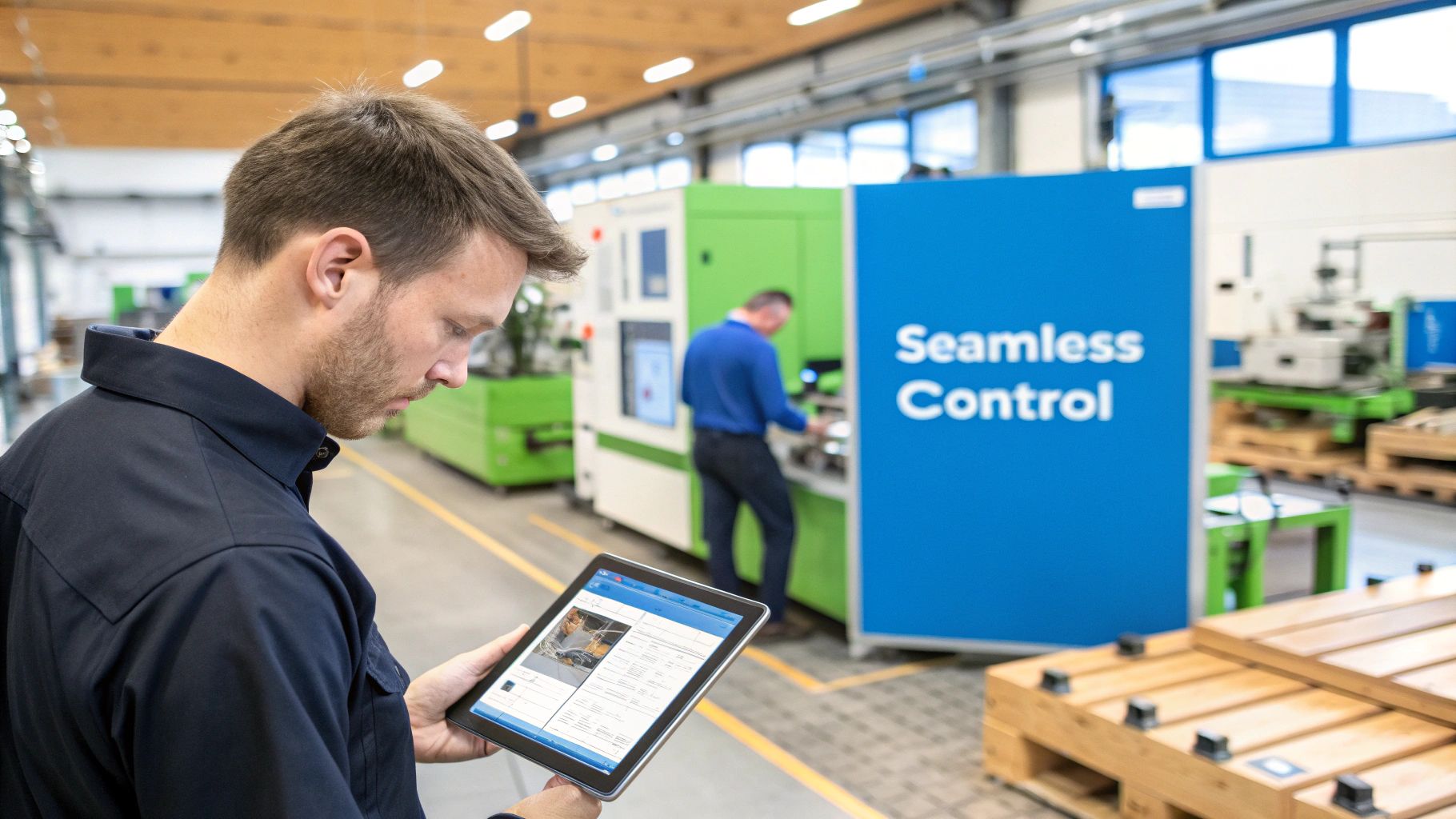
Trying to run a custom manufacturing shop without a unified system is a lot like trying to conduct an orchestra where every musician has different sheet music. You’ve got the talent and the instruments, but you just can't make them work in harmony. This is the daily reality for many shops—a world of disconnected workflows, endless manual data entry, and siloed departments that create a constant state of putting out fires.
Now, imagine a shop floor without that daily scramble. No more frantic searches for lost work orders, no more walking the floor to manually check if you have enough material, and no more guessing a project's real-time status. An ERP system for the manufacturing industry replaces that frustrating, fragmented reality with a single source of truth. It isn't just another piece of complicated software; it's the operational backbone that connects your quoting engine, design files, production schedule, and shipping dock.
The Before and After ERP Picture
Before a manufacturing ERP, most shops are juggling a patchwork of different tools. The sales team might have its own CRM, production planning lives on a series of complex spreadsheets, and inventory is often just a gut feeling based on who walked the warehouse last. It's a recipe for costly mistakes, missed deadlines, and unhappy customers.
A properly integrated ERP isn't just a minor improvement—it can be a genuine game-changer. Some businesses have cut their lead times by an incredible 95% just by getting their workflows in order.
After implementing an ERP, that entire chaotic process becomes a smooth, automated flow of information. A customer placing an order on your website can kick off a chain reaction:
- Instant Work Order: The system immediately creates a detailed work order with every spec and custom detail.
- Automatic Material Check: It checks your live inventory and reserves the exact raw materials needed for that job.
- Smart Scheduling: The new job is automatically slotted into the production schedule, taking machine availability and labor capacity into account.
This is a fundamental shift. You move from being constantly reactive to proactively managing your business with real data.
Unifying Your Operations
At its core, the goal is to bring order to operational chaos. For a custom woodworking or millwork shop, this means building a direct bridge from the customer-facing parts of your business—like an e-commerce store or a quoting tool—straight to the machinery and people on the shop floor. What you get is a transparent workflow where every single team member has the exact information they need, when they need it.
A modern, cloud-based platform connects all these moving parts, getting rid of the guesswork and manual updates that kill your momentum and stunt your growth. By putting this foundation in place, you’re paving the way for smarter decisions, better profit margins, and a customer experience that sets you apart. The rest of this guide will break down the specific modules that make it all happen.
What's Inside the Toolkit? A Look at Your ERP's Core Modules
Think of a modern ERP system as a master craftsman's toolkit. It’s not just one tool, but a whole collection of specialized instruments, each designed for a specific job, yet all working together perfectly. To really grasp its power, we need to open this toolkit and look at each core module—the individual pieces that turn operational chaos into predictable, profitable work.
These aren't just abstract software features. They are the digital workhorses that manage every piece of lumber, every machine, and every minute of your team's day.
For a custom woodworking shop, the difference is night and day. Without these integrated modules, you're constantly fighting fires—running to the warehouse to check stock, manually creating complex cut lists, and just plain guessing how long a project will take. A platform like TimberCloud brings these essential tools under one roof, creating a single source of truth that kills the costly guesswork and communication breakdowns that hold growing shops back.
Let's look at the core modules that make it all happen.
Inventory Management: Your Digital Warehouse
Solid inventory management is the bedrock of any profitable manufacturing business. This module is your tireless digital warehouse manager, keeping a meticulous, real-time record of every single item you own. It goes way beyond a simple count of raw materials.
An ERP system isn't just about knowing what you have; it's about knowing what you need, when you need it, and exactly where it is. This is where profitability is won or lost.
A good inventory module tracks everything from the moment it arrives to the second it’s used:
- Raw Materials: It monitors every board of walnut, sheet of plywood, and gallon of finish. When a job starts, it automatically deducts the stock.
- Hardware & Components: Every screw, hinge, and drawer slide is accounted for. No more halting a project for a last-minute run to the hardware store.
- Finished Goods: For shops that produce stock items, it manages ready-to-ship products, ensuring your website or showroom always shows what’s actually available.
This real-time tracking stops you from over-ordering, cuts down on carrying costs, and makes sure you never have to delay a high-value custom job because you ran out of a basic part.
Production Planning: The Blueprint for Success
If inventory is your warehouse, the production planning module is your master architect. This is where you translate a customer’s dream into a concrete, step-by-step manufacturing plan. It schedules every task, allocates the right people and machines, and creates a clear timeline, turning a complex custom order into a manageable workflow.
For example, when a new kitchen cabinet order comes in, this module automatically maps out the whole process. It books time on the CNC, assigns a craftsman for assembly, and reserves a slot in the finishing booth. This foresight helps you spot potential bottlenecks before they happen and gives you the confidence to give customers lead times you can actually stick to. We dig into these concepts more deeply when we cover the different types of ERP modules and what each one does.
Bill of Materials (BOM): Your Recipe for Every Product
Every custom product you build has a unique recipe, and the Bill of Materials (BOM) module is your digital recipe book. A BOM is simply an exhaustive list of every single raw material, sub-assembly, and component needed to build one finished product. For a custom shop, managing these BOMs can be a massive headache.
Imagine creating a custom media center. The BOM for that one piece would include:
- Specific types and quantities of wood
- Dozens of fasteners, handles, and hinges
- All finishing materials, from stains to lacquers
- Sub-assemblies like doors and drawers, each with its own mini-BOM
The BOM module handles this complexity effortlessly. For every job, it ensures the correct materials are automatically pulled from inventory and listed on the work order. This kind of precision eliminates costly mistakes and material waste.
Shop Floor Control: Real-Time Eyes on Production
Finally, the shop floor control module is your eye on the factory floor. It gives you a real-time window into what’s happening at every workstation. You can track progress, monitor machine uptime, and manage labor hours as they happen, not a week later.
This live data feed is what lets you make smart decisions on the fly. You can see instantly if a project is falling behind and shift people or resources to get it back on track.
The demand for this kind of tailored system is exploding. By 2026, industry-specific ERPs are set to dominate manufacturing because they drastically cut down on implementation time. The global ERP market, valued at $92.6 billion in 2025, is projected to soar to $281.58 billion by 2034, with small and mid-sized shops like yours driving a huge part of that growth. These integrated modules aren't just software—they're an unstoppable operational engine.
Beyond the Shop Floor: The Business-Side Modules
Production modules get the attention, but an ERP earns its keep by connecting them to the front office. A finance and accounting module logs job costs as they happen, so you see profitability per order rather than per quarter. A CRM module keeps quotes, approvals, and customer history in the same system that schedules the work — no re-keying an approved quote into a separate tool.
For shops chasing repeat commercial work, quality management (inspection checkpoints, defect tracking) and maintenance management (preventive schedules for your CNC and edgebander) turn two common sources of blown deadlines into managed processes. Start with the modules aimed at your biggest bottleneck; companies that implement ERP this way typically reach positive ROI in about two and a half years.
Integrating E-commerce and Client Payments
In the world of custom woodworking and millwork, your website needs to be more than just a digital brochure. It should be your hardest-working salesperson and your most efficient showroom. But if it’s running as a standalone island, completely disconnected from your shop floor, you're missing a huge opportunity for growth and efficiency. This is exactly why weaving your e-commerce platform directly into your ERP isn't just a nice-to-have; it's a must-do for scaling your business.
A properly connected storefront turns a simple website into an interactive sales powerhouse. Tools like TimberCloud let you embed a product configurator right on your site, allowing customers to design their own cabinets or furniture. They can pick materials, tweak dimensions, and choose finishes, all while watching the price update in real-time. It’s a game-changer.
The Automated Customer Journey
Think about the perfect customer interaction. A potential client finds your site, excited to start a project. Instead of hitting a "contact us" wall and waiting for someone to get back to them, they can jump right into the design process.
- Visual Customization: The client uses your online tool to build their ideal cabinet, selecting the wood species, door style, and hardware.
- Instant, Accurate Quoting: With each click, the price adjusts instantly. This isn't a ballpark guess; it's a precise quote pulled directly from your ERP, based on your real-time material costs and labor rates.
- Secure Checkout: Once they love the design, they place the order and pay right there through a secure, integrated processor. No back and forth, no waiting.
This smooth front-end experience is fantastic for the customer, but the real wizardry is what happens next. That single online purchase automatically kicks off your entire production workflow. Gone are the days of manual data entry, follow-up emails, and endless phone tag.
This diagram shows how the core ERP modules—Inventory, Production, and the Bill of Materials—talk to each other to make this kind of automation a reality.
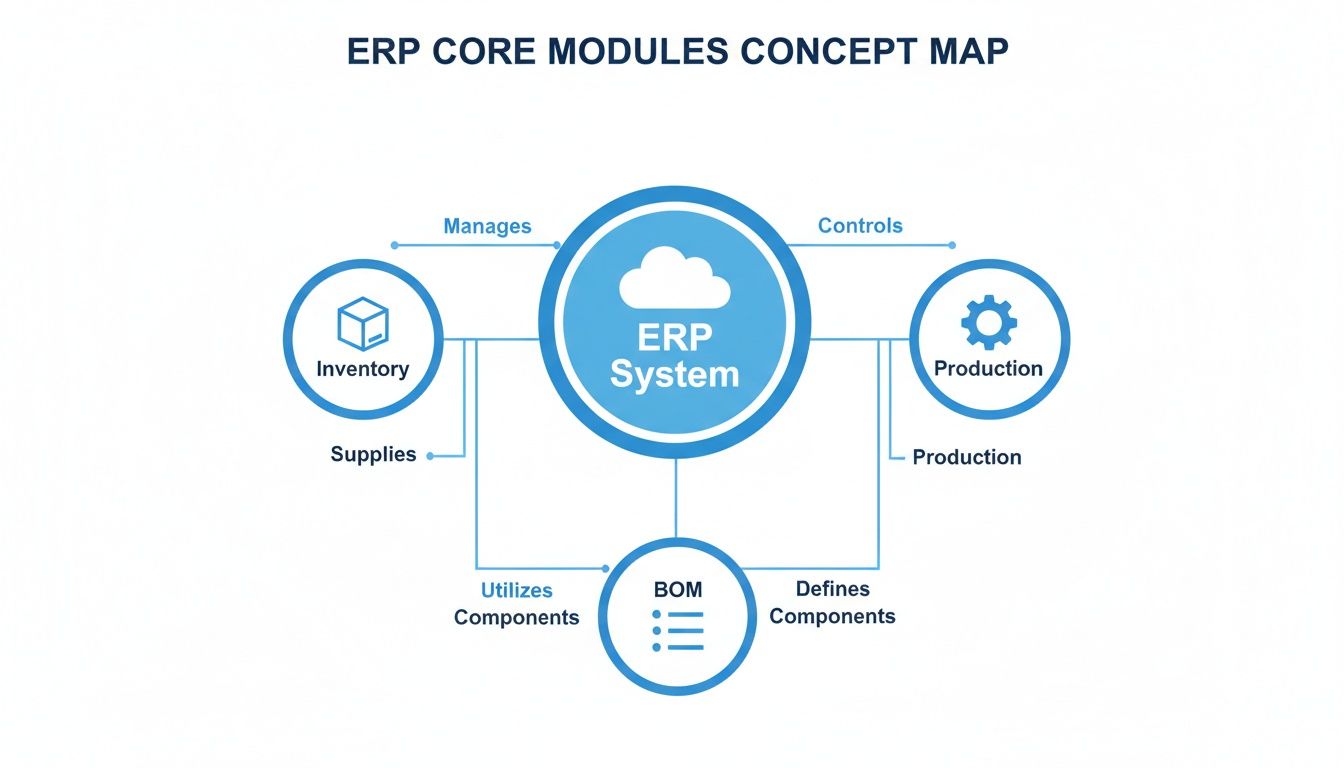
When these pieces are connected, you create a seamless flow of information that drives the entire business forward.
From Digital Order to Physical Product
The moment your customer clicks "buy," the integrated ERP takes the baton. It instantly generates a detailed work order, checks your live inventory and reserves the necessary lumber and hardware, and then pencils the job into the production schedule. This level of automation is what separates thriving shops from struggling ones. To get this right, you have to nail the connection between your systems; looking at these 5 Critical ERP Integration Steps can help you avoid common headaches.
An integrated system doesn't just make you faster; it builds trust. When tax calculations are accurate, payments are secure, and customers receive automatic order tracking updates, you project a level of professionalism that wins repeat business.
This connection also creates a powerful feedback loop. The customer can log into their account on your site and see exactly where their order is in your shop—from cutting to finishing to shipping. This transparency all but eliminates those "where's my stuff?" phone calls and builds a professional, trustworthy experience that your competitors, who are still stuck with spreadsheets and clipboards, just can't match.
To explore this further, you can find more on the benefits of https://timbercloud.com/blog/ecommerce-for-manufacturers and how it can completely reshape your sales process.
Using AI to Automate Production Planning
When you hear "AI in manufacturing," it's easy to picture a futuristic factory filled with complex robots. The reality, at least for now, is much more practical and closer to home. Think of AI less like a robot and more like an incredibly sharp, tireless assistant who’s eager to take on your most mind-numbing, error-prone tasks. This is the new frontier for an ERP system for the manufacturing industry—smart automation that genuinely works for you.
The real magic here is the AI's ability to process and make sense of complex information almost instantly. For a custom woodworking shop, this isn't just an improvement; it's a complete game-changer.
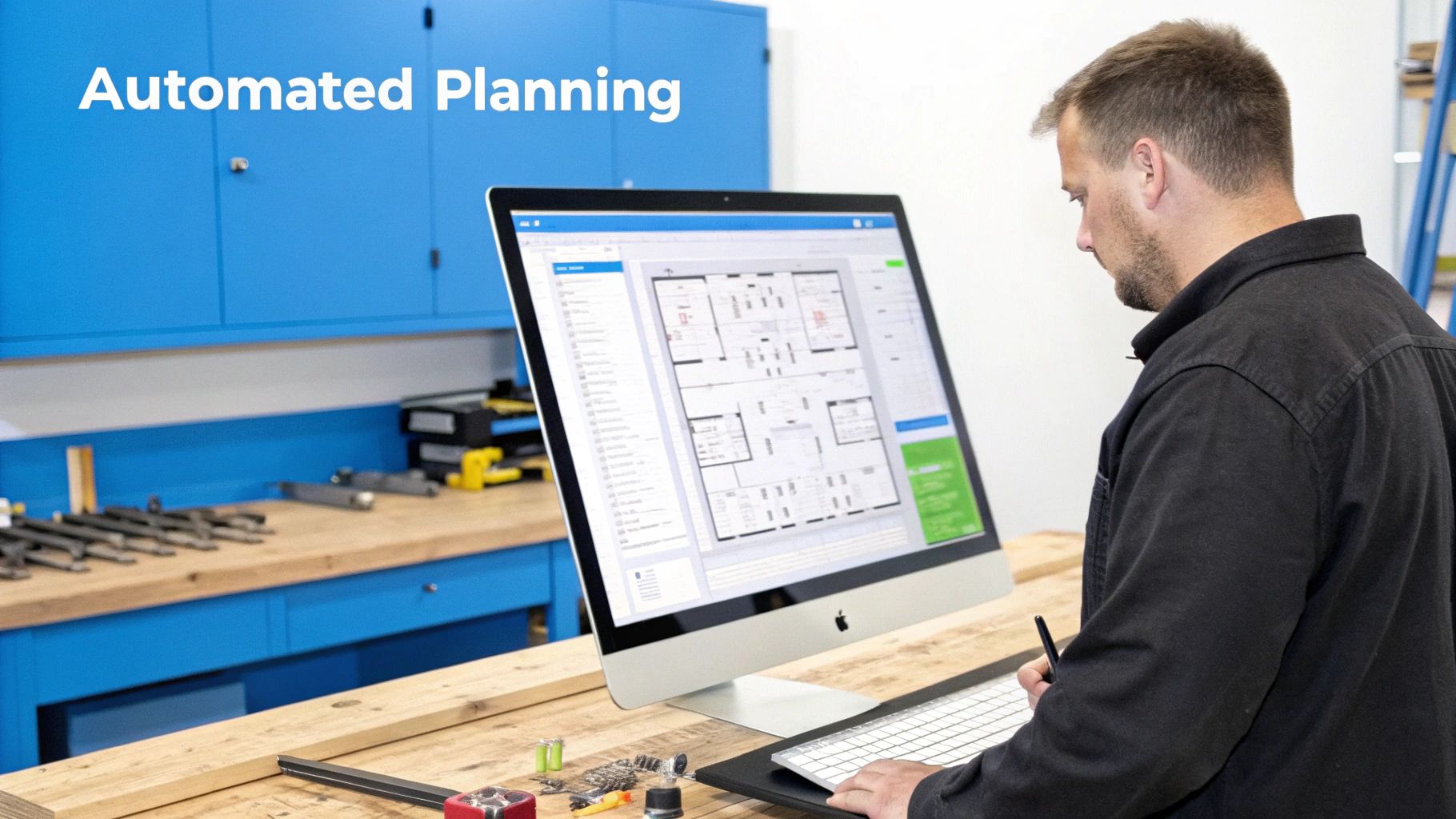
Imagine this: you feed the AI engine a set of architectural blueprints or even just a customer's detailed notes. Instead of a person spending hours squinting at drawings, punching in dimensions, and double-checking product codes, the AI gets it done in seconds. It pulls out every key dimension, identifies each component, and matches everything to your product catalog. The sheer reduction in manual data entry errors is a huge win for your profit margins.
From Blueprint to Cut Sheet Instantly
But this automation goes well beyond simple data entry. Once the AI has absorbed the project details, it can start connecting the dots, linking your sales and engineering work directly to the shop floor. For a great breakdown of how AI and process automation are shaking things up, check out this piece on Intelligent Automation.
This is where the true strength of an AI-driven ERP shines. The system can immediately:
- Generate Optimized Cut Sheets: The AI figures out the most efficient way to cut your materials based on the required parts, dramatically cutting down on expensive scrap.
- Create CNC-Ready Files: It can convert the project data straight into G-code or other instructions your CNC machines can understand, removing another manual conversion step.
- Forecast Production Bottlenecks: By comparing the new job against your current schedule and machine availability, the AI can warn you about potential logjams before they bring production to a grinding halt.
This kind of proactive planning means you stop reacting to fires and start preventing them altogether.
An AI-powered ERP doesn't replace your best people; it frees them from paperwork. It lets your skilled craftspeople get back to what they do best—building incredible products—instead of being stuck behind a keyboard.
The Future of Manufacturing ERP
This level of smart automation is quickly becoming the standard, not the exception. Industry forecasts suggest that by 2026, AI will be a fundamental part of manufacturing ERPs, analyzing everything from purchasing data to logistics to predict needs and flag risks early. The best systems are already pulling data directly from CNC machines, which makes everything more accurate and gets rid of manual time tracking.
At the end of the day, bringing AI into your production planning isn't about replacing your team. It’s about giving them better tools and removing the friction that slows your whole operation down. By automating the painful process of turning a customer's dream into a concrete plan, you get projects through the shop faster, with fewer mistakes, and build a stronger, more profitable business. On a related note, you might find our article on the benefits of a cloud ERP for manufacturers insightful.
How to Choose the Right Manufacturing ERP
Picking an ERP for your shop is a huge decision. Let's be honest, it's a make-or-break moment that can either fuel your growth or become a major headache. The market is flooded with options, from massive, complex systems designed for corporations to simple accounting add-ons that barely scratch the surface. For a custom woodworking or millwork business, the trick is to ignore the hype and zero in on what actually solves your specific problems.
This isn't about ticking off the most features on a spreadsheet. It's about finding a system that fits your workflow as snugly as a well-made dovetail joint. To do that, you have to move past the generic sales talk and start asking the hard questions—the ones that reveal whether a system truly gets what it's like to run a shop like yours.
A one-size-fits-all ERP just won’t cut it when every job is different. Start by focusing your search on these mission-critical areas.
Does It Actually Understand Custom Manufacturing?
First things first: the software has to handle the beautiful chaos of custom work. A generic ERP built for making thousands of identical widgets will fall apart the second you try to manage one-off jobs. Your evaluation needs to be a real-world test drive, not just a demo of fancy dashboards.
Ask these deal-breaker questions right away:
- Can it handle your dynamic products? Can the system manage a complex Bill of Materials (BOM) that changes with every single order—from custom dimensions and wood species to unique hardware selections? If it can't, it's a non-starter.
- Will your team on the floor actually use it? Your crew needs a tool that simplifies their day, not one that adds another layer of complexity. A clunky, confusing interface will get ignored, and your investment will be wasted.
- Is it genuinely built for the cloud? Modern shops are dynamic. You need a system that lets your team see what’s happening in real-time from anywhere—the shop floor, the office, or even a client's job site.
The right ERP doesn't replace your team's skill; it amplifies it. It should take over the soul-crushing admin work—like manual data entry and juggling schedules—so your craftspeople can focus on what they do best: building amazing things.
Look Past the Software and at the Partnership
Buying an ERP isn't like buying a new saw; it's more like entering a long-term partnership. The software itself is just one part of the equation. The quality of the support, the smoothness of the implementation, and the vendor's real-world industry knowledge are just as crucial. So many shops get this wrong, and it costs them dearly.
Think about the long haul:
- Integrated E-commerce: Does the platform offer a built-in online store or a seamless integration? A disconnected storefront means you're stuck manually re-entering orders, which is a recipe for mistakes and wasted time.
- Implementation and Support: Who is going to help you get this thing up and running? A vendor that knows the woodworking industry inside and out will make for a much smoother, faster transition than a generic IT consultant.
- Scalability: Will the system grow with you, or will you outgrow it in a year? Steer clear of overly complex enterprise systems that demand a dedicated IT department. You want a platform that can scale from a five-person shop to a fifty-person operation without a massive leap in cost or complexity.
To help clarify the difference, here’s a quick breakdown of what separates a purpose-built system from a generic one:
ERP Selection Criteria for Custom Woodworking Shops
| Feature/Capability | Modern, Industry-Specific ERP (e.g., TimberCloud) | Traditional/Generic ERP |
|---|---|---|
| Product Configuration | Designed for dynamic, one-off products with configurable options (materials, dimensions, hardware). | Struggles with non-standard BOMs; often requires manual workarounds for custom orders. |
| Quoting & Estimating | Generates fast, accurate quotes based on real-time material costs and labor rates. | Relies on manual spreadsheets or clunky add-ons; estimates are slow and prone to error. |
| Shop Floor Interface | Simple, tablet-friendly interface designed for craftspeople, not accountants. | Complex, desktop-based interface that is difficult to use in a busy shop environment. |
| E-commerce Integration | Built-in or seamlessly integrated storefront for direct-to-consumer or B2B sales. | Requires costly and fragile third-party integrations, leading to data sync issues. |
| Implementation Support | Guided by experts who understand the nuances of woodworking and millwork manufacturing. | Generalist consultants who may not grasp the specific challenges of a custom shop. |
| Cloud Accessibility | True cloud-native platform, accessible from any device, anywhere, with real-time data. | Often "cloud-hosted" versions of old on-premise software, lacking mobile-friendliness. |
Ultimately, choosing the right manufacturing ERP is about finding a tool built for your world. By focusing on these specific criteria, you’ll have the clarity and confidence to pick a system that won’t just manage your business—it will help you build a better one.
Measuring the ROI of Your ERP Investment
Let's be honest: an ERP system is a major commitment of both money and time. You can’t just hope it works out. To justify the cost, you need to prove its worth with hard numbers, not just vague promises of “better efficiency.” This means tying your Return on Investment (ROI) directly to the metrics that actually impact your profitability.
The great thing is, a modern, all-in-one platform with built-in analytics does most of the heavy lifting for you. Gone are the days of digging through stacks of old work orders and messy spreadsheets. The data you need is right there, in real-time.
You can finally connect the dots between how your shop runs and how your bank account looks. It’s the difference between guessing and knowing exactly how this new system is fueling your growth.
Key Performance Indicators to Track
Vague metrics are a waste of time. To really see the impact of your ERP, you need to focus on specific numbers that show a clear "before and after" picture. A good erp system for the manufacturing industry should deliver tangible results you can take to the bank.
Here are four of the most important KPIs every custom shop should be watching:
-
Reduced Quote Generation Time: How long does it take to pull together an accurate quote for a complex, multi-room cabinet job? An integrated ERP can slash this from hours—or even days—down to minutes. That’s more time your team can spend chasing down new leads instead of doing paperwork.
-
Decreased Material Waste: Every offcut is money thrown away. By creating perfectly optimized cut lists and keeping a laser-accurate count of your inventory, an ERP directly cuts down on scrap. Tracking this shows a real, dollar-for-dollar reduction in material costs.
-
Improved On-Time Delivery Rates: Happy clients become repeat clients. Start measuring the percentage of jobs you deliver by the date you promised. A rising on-time rate is one of the strongest signs that your scheduling and production flow are finally in sync.
-
Increased Production Throughput: It all comes down to this: how many jobs can you get out the door each week? An ERP helps you find and fix the bottlenecks holding you back, letting you push more work through the shop without needing more people or machines.
A Cabinet Shop Case Study
Think about a custom cabinet shop that was constantly getting bogged down in the finishing department. They knew jobs were getting stuck, but they couldn't figure out why. It was just a feeling.
After putting in an ERP, the data told the real story.
The shop floor control module showed that a staggering 40% of projects were delayed waiting on a specific type of drawer pull that was always out of stock. Their old, manual inventory system just couldn't keep up.
With that one piece of information, the shop manager set up an automated reorder point in the ERP for those drawer pulls. The fix was immediate. Within a single quarter, their on-time delivery rate shot up from 75% to 92%, and their overall throughput jumped by 15%.
The system didn't just point out a problem; it gave them the tool to solve it and the numbers to prove the investment was worth it.
This is what modern manufacturing is all about. It’s no surprise that manufacturers who get their operations in order with ERP see cost reductions from 5% to 25% and huge jumps in productivity. You can find more insights on this from ERP Today.
Ready to stop juggling spreadsheets and start running a truly connected shop? The TimberCloud platform was built from the ground up for custom woodworking and millwork shops. See for yourself how our all-in-one system links your e-commerce site to your shop floor, automates quoting, and finally gets your entire operation in sync.
Frequently asked questions
The production side covers inventory, production planning, bill of materials, and shop floor control. The business side adds finance and accounting, CRM, quality management, and maintenance management. Most shops start with whichever module addresses their biggest bottleneck rather than deploying everything at once.
Technically yes, but it usually recreates the disconnected-systems problem an ERP exists to solve. A single platform sharing one database means your quote, work order, and invoice never disagree with each other.
A module maps to a department — inventory, finance, production. A feature is a specific tool inside one, like barcode scanning within inventory. Evaluate vendors at the module level first, then verify that the features you actually need exist inside each.
Fit depends on operational complexity rather than headcount. If you are juggling custom orders, losing track of materials, or slow getting quotes back, you are ready regardless of crew size. Cloud systems removed the server-and-IT-department barrier that once made ERP a large-company purchase.
Anywhere from a few weeks to several months, depending on complexity. A small or mid-sized shop on a cloud system built for the industry is often fully operational in four to twelve weeks. The three things that move that timeline are data cleanliness, how fast the crew adapts, and how much customization you need.
Cloud, for the large majority of custom manufacturers. On-premise means buying licenses and running your own servers, with the hardware cost and maintenance burden that implies. Cloud is a subscription where the provider handles servers, security, and updates, so you get lower upfront cost, access from anywhere, and no version drift.
Topics
TimberCloud Team
Content Team
The TimberCloud team is dedicated to helping manufacturers streamline their operations with intelligent software solutions.