Choosing Manufacturing Software for Small Business
If you’re running your small manufacturing business on spreadsheets, you know the grind. It's a never-ending fight against siloed data, the inevitable (and costly) manual entry errors, and the constant struggle to get a real-time pulse on your shop floor. This isn't just inefficient; it's a cap on your growth and a drain on your profits.
Moving Beyond Spreadsheets and Manual Chaos
Does your shop floor run on a patchwork of Excel files, sticky notes, and what I call "tribal knowledge" locked in your best employees' heads? You're not alone. Many shops start this way. But you eventually hit a wall where manual work just creates more problems than it solves.
The real cost isn't just the time spent wrestling with spreadsheets. It's the mistakes that slip through the cracks.
Think about a custom cabinet shop. One order can involve dozens of calculations for materials, cut lists, and labor. A single typo in a spreadsheet cell can cascade into a misquoted price, the wrong materials being ordered, or a production delay that torpedoes your relationship with a good customer. That's the reality of manual management—you spend your days putting out fires instead of focusing on growth.
From Reactive Chaos to Proactive Control
The biggest shift you'll get from dedicated manufacturing software for small business is moving from a mess of disconnected documents to a single source of truth.
Instead of digging through different files to find inventory levels, order statuses, or customer details, every scrap of information lives in one place. Everyone from sales to the shop floor works from the same playbook, eliminating the guesswork. This is the foundation for making smart, proactive decisions.
A centralized system gives you the clarity to compete and grow. It’s not just about managing tasks; it's about taking strategic control of your entire operation.
What This Looks Like in the Real World
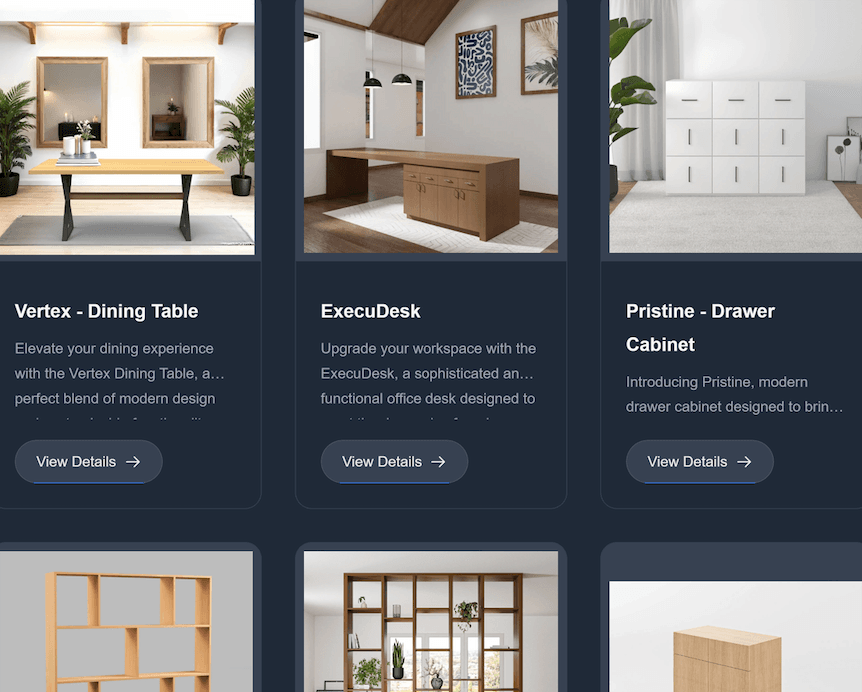
Let's go back to that cabinet shop, but this time they're using a proper system. A customer calls for a quote on a custom kitchen. Instead of punching numbers into a calculator, the salesperson uses a product configurator. In minutes, it spits out an accurate price, a full bill of materials (BOM), and an optimized cut list.
The moment the order is approved, the system automatically pulls the required materials from inventory and schedules the job. Out on the floor, the team sees the exact specs and can track their progress in real-time. Now, management has a live view of job costing and completion timelines.
This isn't some futuristic fantasy; it's the practical, day-to-day advantage of having the right software. You can even extend this control to other critical areas. For instance, when it comes to workplace safety, you can finally ditch the paper and clumsy spreadsheets by Choosing Health and Safety Management Software that integrates with your core operations.
Don’t Talk to a Single Vendor Until You’ve Done This
Jumping into software demos without a clear plan is a recipe for disaster. It’s like walking onto a car lot with a vague idea that you need "something with four wheels." The salesperson will steer you straight to the flashiest, most expensive model, and you'll walk away dazzled but unsure if it can even haul your gear.
Before you ever speak to a vendor, you need a precise map of your own operational needs.
This isn’t about writing some overly-technical document. It's about getting real about your workflow, from the moment a lead calls to the moment you get paid. This map becomes your single most powerful tool for finding the right manufacturing software for your small business.
The pressure is on. Small manufacturers are investing heavily to keep up, and the market for this technology is booming—projected to hit USD 15 billion by 2033. This isn't just a trend; it's a survival tactic. You can dig deeper into these trends in manufacturing software adoption.
Assemble Your A-Team
Here’s a secret: the best insights won’t come from the owner’s office alone. Your team on the ground—the people who actually fight with spreadsheets, track down job folders, and manage inventory—live your operational pain points every single day. Bring them into this process from the very beginning.
Get a small, cross-functional group in a room. You’ll want someone from sales or quoting, a key person from the shop floor, and whoever handles purchasing or inventory.
Their firsthand experience is gold. They can pinpoint exactly where communication breaks down, where data gets entered twice, or where a simple lack of information causes a costly delay.
Ask them real questions that get to the heart of the problem:
- "Where do you waste the most time each day?"
- "What information are you constantly chasing down from other people?"
- "Which mistake happens over and over, and what’s the root cause?"
Doing this not only paints an accurate picture of your needs but also builds buy-in from the very people who will have to use the new system. It becomes their project, not just another top-down mandate.
Separate the "Must-Haves" from the "Nice-to-Haves"
With your team's input, start building a prioritized feature list. This is where you get brutally honest about what you absolutely cannot function without versus the features that would be cool but aren't critical. This simple act will save you from being hypnotized by slick demos of features you’ll never actually use.
Your goal is to find a solution that solves your biggest, most expensive problems first. A feature is only valuable if it directly plugs a hole in your specific workflow.
For a custom cabinet shop, a "must-have" is a product configurator that stops quoting errors in their tracks. A "nice-to-have"? Maybe an advanced analytics dashboard. The first solves a daily, profit-draining headache; the second is useful, but it can wait.
To help you get started, use this checklist to identify where your biggest pains are and which features can solve them.
Your Feature Checklist for Manufacturing Software
Use this checklist to identify and prioritize software features that address your most pressing operational challenges.
| Feature Category | Essential Feature Examples | Why It's a Game-Changer |
|---|---|---|
| Quoting & Sales | Product Configurator, CRM, Quote-to-Order Conversion | Eliminates quoting errors, stops data re-entry, and streamlines the sales process from lead to live job. |
| Inventory & Purchasing | Real-Time Stock Levels, Low-Stock Alerts, Purchase Order Management | Prevents stockouts that halt production, reduces over-ordering, and gives you a real-time view of material costs. |
| Production Management | Bill of Materials (BOM), Cut Sheets & Work Orders, Shop Floor Tracking | Ensures jobs are built correctly the first time, provides clear instructions, and gives you visibility into production status. |
| Finance & Integration | Accounting Sync (QuickBooks, Xero), E-commerce Integration | Automates invoicing, connects your online store directly to production, and eliminates manual bookkeeping tasks. |
This prioritized list is now your compass. When you finally start talking to vendors, you can cut right through the fluff and ask, "Does your system do these specific things, and can you show me exactly how?"
This focus keeps the conversation centered on your needs, not their marketing script. For more practical advice on streamlining your operations, you might find some valuable insights on our blog: https://timbercloud.com/blog.
The Core Features Your Business Cannot Afford to Ignore
Once you've mapped out what your shop actually needs, it's time to find the tools that fit. The market for manufacturing software for small business is a crowded place, with everyone promising to solve all your problems. But let’s be honest, not all features are created equal.
Some are just shiny distractions. Others, however, are the absolute bedrock of a modern, profitable operation.
For a custom shop, zeroing in on a few core functions that fix your biggest daily headaches will give you the fastest and biggest payback. So let's cut through the noise and talk about the non-negotiables—the features that directly lead to less waste, quicker turnarounds, and healthier margins.
The Product Configurator: Quoting Made Perfect
If you build custom products, you know quoting is both an art and a minefield. One tiny miscalculation can kill your profit on a job before you even start cutting. This is precisely where a Product Configurator becomes your most powerful tool.
Think about a custom cabinet shop. Instead of fumbling with a spreadsheet to calculate the cost of different wood species, dimensions, and hardware, they just click through the options with the customer. The price updates instantly. Accurately. Every single time.
This does way more than just stop errors; it completely changes the sales conversation.
- Speed and Accuracy: You can pump out complex quotes in minutes, not hours, with 100% confidence in your numbers.
- A Better Customer Experience: Customers can see their choices and the price changes in real-time. It’s professional, it’s engaging, and it builds trust.
- Automatic Bill of Materials: The best configurators instantly create a detailed Bill of Materials (BOM) the second a quote gets the green light, bridging the gap between sales and the shop floor.
A great product configurator isn't just a sales gadget; it's your first line of defense against unprofitable jobs. It enforces your pricing rules and ensures every order starts on a solid financial footing.
Integrated Inventory and Bill of Materials
Running out of a critical hinge or a specific board mid-production is a nightmare. Work grinds to a halt, you miss deadlines, and your reputation takes a hit. An inventory system that's directly tied to your Bill of Materials (BOM) is the cure for this chronic headache.
A BOM is just the recipe for your product—it lists every single part and piece needed to build it. When that recipe is connected to a live inventory system, that's when the magic happens.
As new orders come in, the software automatically reserves the materials you need from your stock. You’re no longer guessing what you have on the shelf; you know exactly what’s available and what you need to order for the next batch of jobs. This simple connection prevents both costly production stalls and the waste of having too much cash tied up in excess material.
Optimized Cut Sheets That Slash Material Waste
For anyone in woodworking or cabinetry, material is one of your biggest line items. Every scrap of plywood or hardwood that ends up in the bin is just money thrown away. Trying to plan sheet layouts by hand isn't just slow—it’s a surefire way to waste material.
This is a problem modern manufacturing software solves with automated cut sheet generation.
You feed the system your parts list and your stock sizes, and its algorithm figures out the most efficient way to lay everything out. It’s all about maximizing your yield. For a shop cutting dozens of sheets a day, the savings add up fast, often hitting thousands of dollars a year. It's one of the quickest ways to see a real, tangible return on your investment.
Shop Floor Tracking for True Job Costing
Do you really know which jobs are making you money? Or are you just guessing? Without tracking what’s happening on the shop floor, it's all guesswork. This feature lets your team log time against specific tasks and jobs, giving you a crystal-clear picture of your actual labor costs.
This data is gold. When you can compare the hours you quoted against the hours it actually took, you can spot where you’re bleeding time and money. It helps you dial in your quoting for the next job and make smarter decisions about your process. It replaces gut feelings with hard data. You can dig into the full suite of production tools by checking out the core features that drive efficiency.
E-commerce Integration Opens New Doors
Finally, we live in a world where customers expect to buy everything online. An e-commerce integration isn't a luxury anymore—it's a massive growth opportunity.
Imagine connecting your manufacturing software directly to an online storefront. A customer can configure and buy a custom cabinet on your website, and that order—complete with the BOM and all their details—lands directly in your production queue. No manual data entry, no missed details.
This doesn't just save you a ton of admin time. It opens your business up to a national, or even global, market, breaking you out of the limits of just selling locally.
How to Choose the Right Software Partner
Picking software is easy. Picking a partner is hard, and make no mistake, that’s what this is. The vendor you choose becomes an extension of your team. They’re your first call when a system goes down on a busy Tuesday morning and your strategic guide when you’re planning to double your output next year.
This isn’t just a purchase; it’s a commitment. You’re betting a big part of your shop’s future efficiency and growth on this relationship. That’s why you have to look past the slick sales demo and see the real company—and the real people—behind the code.
They Need to Speak Your Language
Here’s the first question you should ask yourself: Does this vendor actually get what it’s like to run a custom manufacturing shop? Or are they just a generic software company with a "manufacturing module" tacked on?
The difference is everything.
A partner who lives and breathes your world knows that a bill of materials for a custom kitchen island is a living, breathing document, not a static parts list. They understand the unique frustration of trying to manage plywood offcuts or track dozens of tiny hardware components for a single job.
So, during the demo, don’t let them drive. You take the wheel. Ask them to solve one of your real-world headaches right there on the screen.
- "Show me how your system would quote a set of custom built-ins with two paint colors and non-standard hardware."
- "A priority client just called. Walk me through how we’d push their job to the front of the line without messing up the entire production schedule."
- "How does your inventory handle remnants? I need to track a half-sheet of ¾" walnut ply so it doesn't get wasted."
How they handle these questions tells you everything. If they navigate it smoothly, they get it. If they stumble, offer clunky workarounds, or say, "that would be a custom request," you know they don't truly understand your business.
Put Their Support Team to the Test
Sooner or later, you’re going to need help. Every piece of software has a learning curve, and glitches happen. When they do, the quality of your vendor's support team suddenly becomes the most important feature they offer. Don't just take their word for it; you have to dig deeper.
Ask them directly: Who answers the phone when I call? Is it a call center agent reading a script, or is it an expert who knows the difference between a dado and a rabbet? What are your actual response times, and is premium support going to be another hidden charge on my bill?
A vendor’s true character is revealed by how they act when you’re in a jam. A great partner sees your support ticket not as a burden, but as a chance to help you get back to work.
Before you even think about signing a contract, insist on talking to a few of their current customers. And be specific—ask for references from shops that are your size and in your niche. A vendor who believes in their product and their service will have a list ready for you. When you get those owners on the phone, you’re not just checking a box. You’re getting priceless, real-world intelligence.
Uncover the True Cost of Ownership
Software pricing can be a minefield. That attractive monthly fee you see on the website? It’s often just the tip of the iceberg. It’s your job to map out the Total Cost of Ownership (TCO) before you commit.
Get right to the point and ask for a full breakdown of every possible cost:
- Setup & Onboarding: Is there a one-time fee to get started? What does it actually include?
- Data Migration: Are you going to charge us to import our customer lists, BOMs, and inventory from our old system?
- Training: Is the initial training for my team included, or are you billing me by the hour?
- Support Tiers: Is the support you're quoting the basic package or the one I'll actually need?
- User Fees: How much will it cost me when I hire two more people next year?
A transparent partner will give you a straightforward, all-in quote. If a vendor gets cagey or vague about these details, it's a massive red flag. It’s a preview of a business relationship that will be full of frustrating and expensive surprises.
Luckily, the market is on your side. The U.S. manufacturing operations management software space is incredibly fragmented—no single vendor holds more than a 10% market share. This competition is great for you, as it drives vendors to create better, more focused solutions to earn your business. You can explore more insights on the competitive software market and see how this dynamic benefits shops like yours.
Ultimately, choosing the right partner means finding a company whose success is directly tied to yours. Find the industry experts with a reputation for incredible support and honest pricing, and you’ll be setting your shop up for years of sustainable growth.
Your Roadmap for a Smooth Implementation
You’ve made the decision to invest in new manufacturing software. That’s a huge step. But let's be honest, the thought of a messy, disruptive rollout is probably keeping you up at night. I get it. The good news? You can transition to a new system without grinding your entire operation to a halt—if you have the right game plan.
A successful launch isn't about flipping a switch and hoping for the best. It's a carefully managed process that builds momentum, not chaos, and gets you seeing value from day one.
Mastering Your Data Migration
The first and most critical hurdle is getting your data from the old system (or spreadsheets) into the new one. This is where so many implementations go off the rails, but it doesn’t have to be a nightmare. The secret is to be ruthless.
Don't try to migrate a decade of old, messy data. Archive it somewhere safe and start fresh with only what's essential.
Your initial migration checklist should be laser-focused on clean, current, and absolutely critical information. Think of it as spring cleaning for your business data.
Here’s what to prioritize:
- Customer & Supplier Lists: All your contacts, terms, and key details.
- Product Catalog: Your SKUs, descriptions, and current pricing.
- Bills of Materials (BOMs): The core recipes for everything you build. This has to be right.
- Current Inventory Levels: An accurate snapshot of raw materials, WIP, and finished goods.
The goal is to migrate clean, usable data, not to replicate the digital cobwebs of your old system. A fresh start is your chance to build good data habits from the get-go.
This is the perfect opportunity to fix all those little errors, delete duplicate entries, and standardize formats. A little bit of pain now saves a world of hurt later.
Don't Go Big—Launch a Pilot Program First
Instead of throwing the software at the entire company at once, start small. Run a pilot program. Think of it as a dress rehearsal in a controlled environment. Pick a single, straightforward production line or a small work cell to be your testing ground.
This limited rollout gives your team a safe space to work out the kinks. They’ll uncover workflow quirks, identify where more training is needed, and confirm the system actually works in the real world. That focused feedback is pure gold, allowing you to make adjustments before the stakes get higher. It’s a low-risk way to build confidence and, just as importantly, create a small group of internal champions who can help you train everyone else.
This infographic lays out the key stages for picking the right software partner in the first place—a critical step before you even think about a pilot.
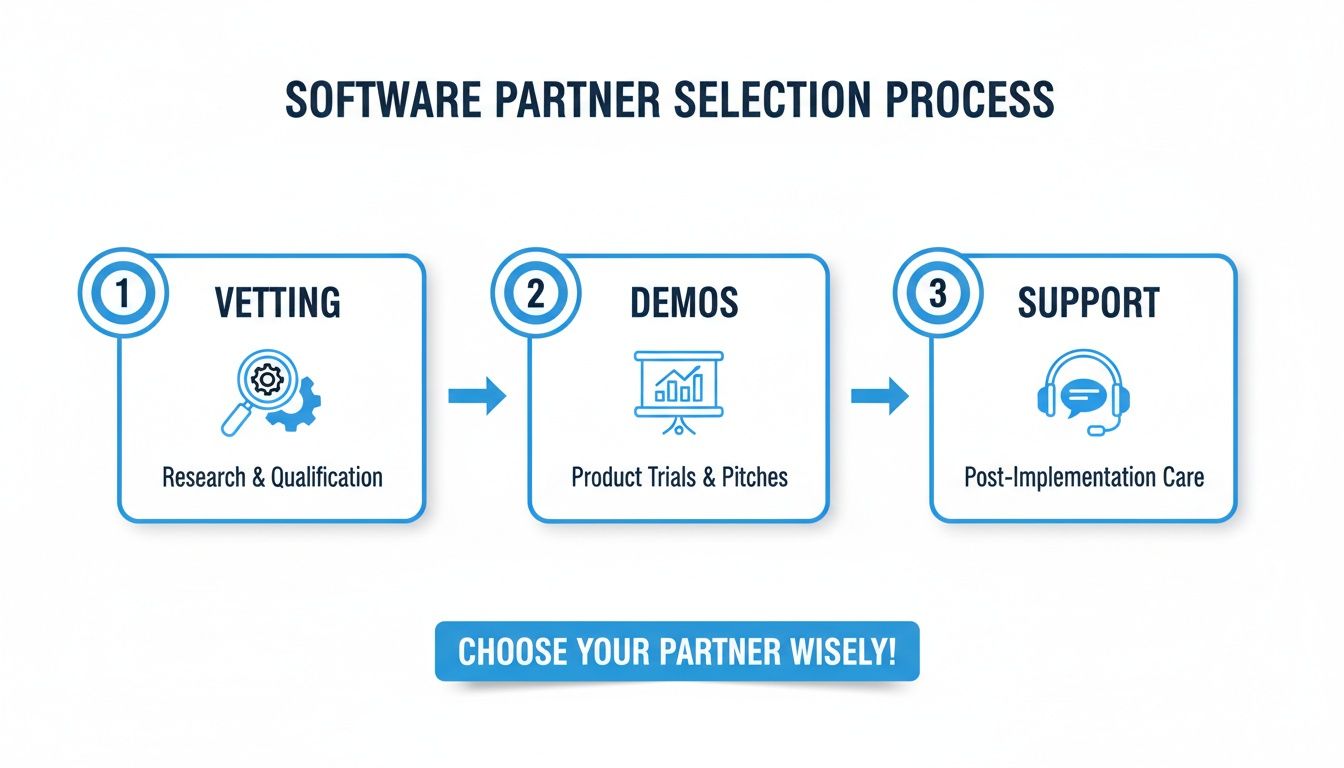
As you can see, a solid partnership starts with thorough vetting, hands-on demos, and a serious look at their ongoing support.
Turning Resistance into Enthusiasm
Here's a truth I've learned over the years: the biggest barrier to a smooth rollout usually isn't the technology. It's the people. Change is hard, and your team will naturally be skeptical if they feel a new system is being forced on them.
The key is to get out in front of it. Be completely transparent about why this change is happening. Show them how the new software will make their specific jobs easier, not just how it helps the company's bottom line. Frame it as a tool that eliminates the tedious stuff they hate, like chasing down paper work orders or manually entering data.
Here are a few battle-tested ways to get your team on board:
- Involve Them Early: Bring key people from the shop floor into the selection process. When they have a say in the decision, they become owners of the outcome.
- Provide Role-Specific Training: Generic, one-size-fits-all training is a waste of time. Show your quoting team exactly how to build a quote. Walk your production crew through the new way to track jobs. Make it real for them.
- Celebrate Small Wins: When the pilot program ships its first perfect order, make a big deal out of it. Publicly thank the team and point out how the new system made it happen.
- Listen and Adapt: Create a feedback box or regular check-ins where people can voice concerns and ideas without getting shut down. When you act on their feedback, you show you respect their expertise.
A successful implementation is a team sport. By managing your data wisely, starting with a controlled pilot, and bringing your people along for the ride, you'll have a transition that delivers real results right from the start.
How Do You Know If It Was All Worth It? Measuring Your Real ROI
So, you've sat through the demos, navigated the implementation, and trained your team. The dust has settled. Now for the million-dollar question: was this new software actually worth the investment? The answer isn’t just a gut feeling or hearing fewer complaints from the shop floor—it’s in the cold, hard numbers.
This isn't about needing a finance degree to prove the software's value. It’s about tracking tangible improvements in the areas that make or break a custom manufacturing business. By zeroing in on the right key performance indicators (KPIs), you can build an undeniable case for your investment and see precisely how it’s paying off.
The KPIs That Actually Matter
Your new system is probably spitting out a ton of data. Don't get lost in the noise. The key is to focus on a handful of high-impact metrics that tell a clear story about how your operations have improved.
Here’s where I’d start looking for the proof:
- Slash in Material Waste: This is often the first and most obvious win. Pull your scrap reports from before and after the new software went live. A good system with optimized cut lists can easily improve your material yield by 5-15%. That's pure profit dropping straight to your bottom line.
- On-Time Delivery Rate: How many jobs are getting out the door by the date you promised? Better scheduling, real-time tracking, and clear visibility into bottlenecks should be pushing this number way up. Happier customers mean more repeat business.
- Quote-to-Cash Cycle Speed: Clock the time it takes from the moment you send a quote to when the final payment hits your bank account. Automating proposals and invoicing can shrink this cycle from weeks to days, which does wonders for your cash flow.
If you really want to dig deep and understand what these numbers are telling you, it’s worth spending some time mastering operational efficiency metrics. It provides a great framework for turning all this new data into smart business decisions.
A Simple Way to Calculate Your ROI
You don’t need a complicated formula here. At its simplest, ROI is about comparing the money you're saving (and making) against what the software costs you.
First, add up your total investment. That means the monthly or annual subscription fee plus any one-time setup or training costs. If you need a refresher, you can usually find a clear breakdown of what to expect with software pricing.
Next, put a dollar value on your improvements. Let's say you're saving $1,000 a month on material waste and cutting 20 hours of administrative work previously done by someone earning $25/hour. That’s a $1,500 monthly gain right there. If your software costs $500 a month, you're not just breaking even—you're tripling your investment every single month.
The initial ROI is just the beginning. Think of your new software as a perpetual engine for improvement. As you keep analyzing the data it provides, you’ll uncover more and more opportunities to refine your processes, trim costs, and boost your profitability year after year.
Your Questions, Answered
You've got questions, and that's a good thing. Choosing the right software is a big decision, so let's tackle some of the most common ones we hear from shop owners.
So, What's This Going to Cost Me?
This is usually the first question on everyone's mind. The honest answer? It varies—a lot.
You could be looking at a few hundred dollars a month for a modern, cloud-based system (often called SaaS, or Software as a Service). On the other end of the spectrum, a traditional, on-premise installation could run you tens of thousands of dollars right out of the gate.
For most small manufacturers, the SaaS model just makes more sense. The upfront investment is minimal, and you typically pay a predictable monthly fee per user. But here’s a pro tip: always ask for a full quote. Make sure it spells out any and all fees for setup, migrating your existing data, and training your team. The sticker price isn't always the final price.
How Long Will This Take to Get Up and Running?
The timeline really depends on the complexity of your shop.
A straightforward, ready-to-use system might be up and running in a few weeks. But if you need to move a lot of data over and tailor the software to your unique workflows, you should probably plan for a 3 to 6-month project.
The smartest way to approach this is with a phased rollout. Don't try to flip the switch for the entire company overnight. Start with a small pilot program—maybe in one department or with a single production line. This lets you iron out the kinks and build momentum without bringing your whole operation to a standstill.
For nearly all small manufacturers, cloud-based (SaaS) software is the superior choice. It offers lower initial costs, automatic updates, superior accessibility, and scales easily as your business grows.
An on-premise system might feel like it gives you more control since the hardware sits in your building, but it also means a massive upfront check and the headache of managing your own IT. The flexibility and cost-effectiveness of SaaS have made it the go-to standard for any manufacturing business that's serious about growth.
Ready to see how an all-in-one platform can transform your custom manufacturing shop? Explore how TimberCloud, Inc. connects your sales, engineering, and shop floor into a single, powerful workflow.
Topics
TimberCloud Team
Content Team
The TimberCloud team is dedicated to helping manufacturers streamline their operations with intelligent software solutions.