A Woodworker's Guide to Tracking Serial Numbers

Tracking serial numbers is all about giving every single item you build a unique fingerprint. This isn't just a SKU for a product line; it's a specific identity for that one cabinet door or that particular table leg. It lets you follow its journey from a raw board all the way to your customer's doorstep. For any custom shop, this is where you move from just managing products to having true, item-level control over your operation.
Why Tracking Serial Numbers Is a Workshop Game Changer
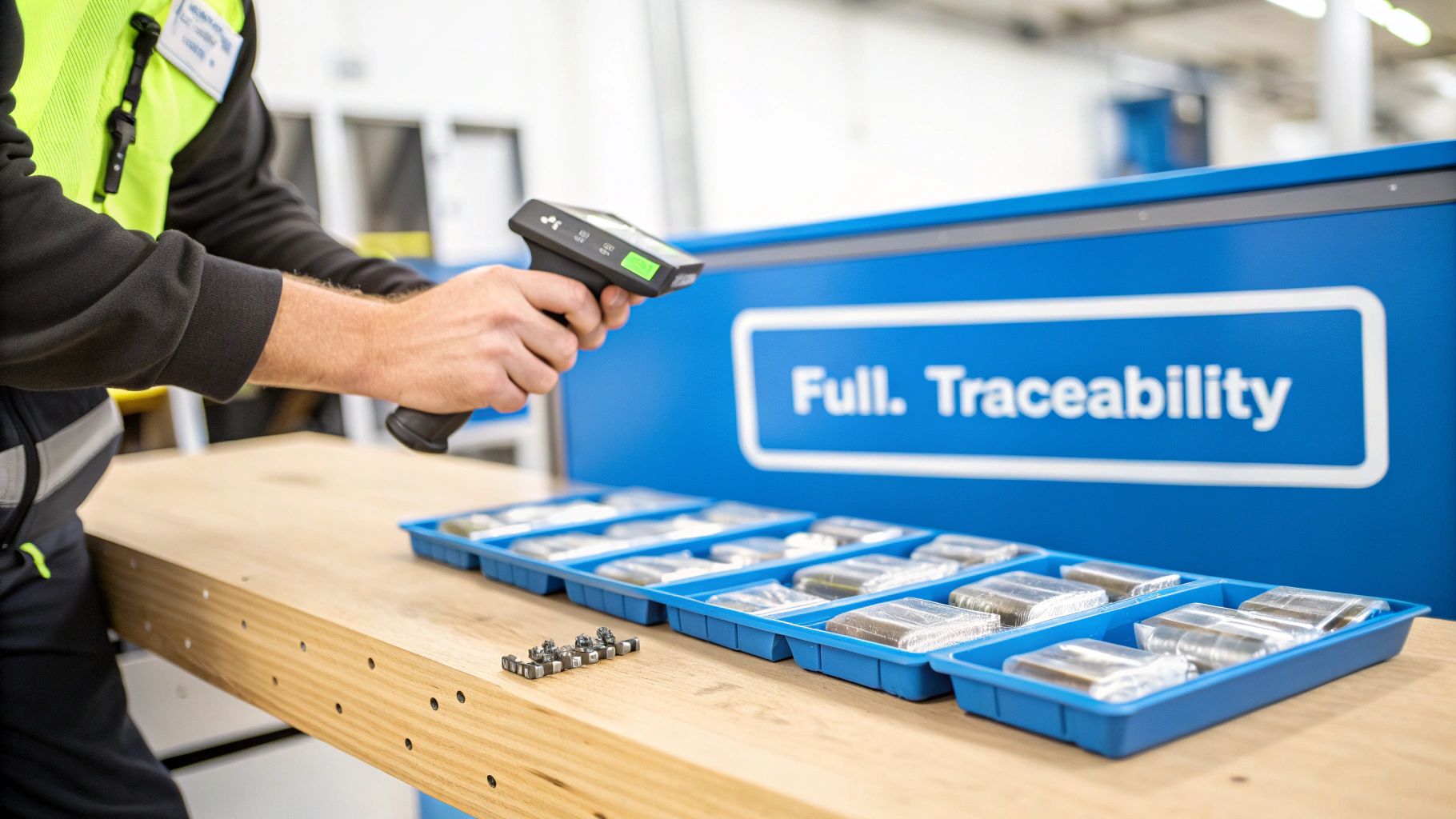
Think about what it would mean to know the full story of every single piece that leaves your shop. I'm not just talking about sticking a label on something before it ships. I mean having total command over your production process, from start to finish. Putting a solid serial number tracking system in place brings real, measurable benefits that hit your bottom line and make your shop run smoother.
Gain Total Control and Visibility
Operating without item-level tracking is like trying to navigate your shop floor in the dark. You have huge blind spots. Serial numbers turn the lights on, giving you a crystal-clear view of every component and finished piece. It’s more than just finding an item; it’s about knowing its entire history.
This kind of detail is a massive deal in the wider timber industry, which is struggling with a serious lack of transparency. If you look at the research, it's pretty shocking: only 4% of top tropical forestry companies can actually trace their products all the way back to the specific forest they came from. That's a huge gap that proper tracking can help close.
When you give each product a unique ID, you're no longer looking at abstract inventory. You're managing a collection of individual, traceable assets. This one change lays the groundwork for smarter quality control, dead-on job costing, and customer service that actually solves problems.
Drive Real-World Improvements on the Floor
The real magic happens when you start using this data in your day-to-day work. Forget about massive, expensive product recalls; with serial numbers, you can isolate exactly which units were affected. Warranty claims? They become a breeze. A quick scan tells you everything you need to know—when it was made, what materials were used, and who worked on it.
This opens up some powerful advantages:
- Pinpoint Quality Control: Trace a defect back to a bad batch of finish, a machine that needs calibrating, or a specific production run. You get to fix the root of the problem, not just the symptom.
- Stress-Free Inventory Management: Go beyond just counting what you have. Know the exact location and status of every single piece, whether it's raw material or a finished product waiting on the shipping dock.
- Finally-Accurate Job Costing: You can tie labor and material costs directly to serialized items. This gives you incredibly precise data to see how profitable each job truly is.
This is exactly what platforms like TimberCloud are designed for. They take what sounds like a complicated process and turn it into a simple scan on the shop floor, making your data do the heavy lifting for you.
How to Design Your Serial Numbering System

Before you ever print a label, you’ve got to get the foundation right. Your serial numbering system is the unsung hero of a smooth-running shop—it’s the universal language that everyone from the cut list to the shipping dock can understand instantly.
A good system is the difference between a random string of digits and an intelligent code that tells you a story about the piece it's on. And trust me, there's no one-size-fits-all answer here. The right choice depends entirely on your operation. A high-volume cabinet shop has wildly different needs than a custom furniture maker building one-of-a-kind heirlooms. The goal is to create a system that’s logical, can grow with you, and actually solves problems on the floor.
Finding Your Numbering Format
The first big fork in the road is deciding between a simple, straight-up sequential system and a more informative, intelligent one. Neither is "better"—it's all about what aligns with your workflow and the level of detail you need at a glance.
A simple sequential system is exactly what it sounds like. You start at
0000100002Then you have the intelligent numbering system, which packs key data right into the number itself. This format gives you context on the spot, without having to pull up a record in your software. It’s a seriously powerful tool for shops with defined product lines or those needing quick operational insights on the fly.
The real goal isn't complexity for its own sake. Your numbering system should provide just enough information to be useful at a glance, without becoming so convoluted that it’s a pain to manage or, even worse, a source of errors.
So, how do you pick? I've put together a quick comparison to help you weigh the options based on what we see working in shops every day.
Comparison of Serial Numbering Schemes
This table breaks down the three main approaches to help you figure out what makes the most sense for your business.
| Scheme Type | Structure | Best For | Pros | Cons |
|---|---|---|---|---|
| Simple Sequential | A single, incrementing number (e.g., | Shops creating unique, one-off custom pieces. | Super simple to implement; impossible to create duplicates. | Provides zero context about the product on its own. |
| Intelligent | A code with multiple segments representing data (e.g., | High-volume shops with standard product lines. | Conveys rich information at a glance (product type, date, order #). | Can become complex; requires careful planning and training. |
| Hybrid | A mix of a product code and a sequential number (e.g., | Shops with a few product categories but a lot of customization. | Balances simplicity with useful context. | Less detailed than a fully intelligent system. |
Ultimately, the best choice is the one that your team will actually use and understand. Don't over-engineer it—start with what you truly need to know from looking at a label.
Building an Intelligent Serial Number From Scratch
If you've decided an intelligent format is the way to go, think of it like building with LEGOs. Each block is a piece of information you combine to create a single, cohesive code.
For example, a serial number like CAB-1125-WO4321-001 can be deconstructed in seconds.
- CAB: This prefix instantly tells you the product category—it's a Cabinet.
- 1125: This block could be the manufacturing date, like November 2025.
- WO4321: This directly ties the part back to Work Order #4321.
- 001: This is the simple sequential part—the first unit produced for that specific work order.
A structure like this means anyone, anywhere in the shop, knows they're holding the first cabinet for Work Order #4321, built in November 2025. That kind of at-a-glance information is gold for QC, sorting, and final assembly.
You can also look into more advanced tools to help manage this. Some systems can generate these numbers for you programmatically, and technologies like Radio Frequency Identification (RFID) technology are changing the game for tracking high volumes of parts without manual scanning. But no matter the tech, the core principle is the same: design a system that fits your reality. Start with your biggest headaches and build your numbering system to solve them.
Choosing Hardware That Survives the Shop Floor
Your whole serial tracking system lives or dies by the hardware you use to scan and label your parts. Let’s be honest: sawdust, finishing chemicals, and the occasional drop to a concrete floor are the natural enemies of anything electronic. Investing in gear that can take a beating isn't a luxury—it’s the basic price of entry for a system you can actually depend on.
This isn’t about just buying the most expensive tools. It’s about being smart and strategic. The right hardware should feel like a natural extension of your workflow, quietly doing its job in the background. The wrong tools? They’ll quickly become a bottleneck and a constant source of frustration you just don't have time for.
Picking the Right Barcode Scanners
Think of your scanner as the bridge between your physical inventory and your digital records in TimberCloud. It has to be quick, reliable, and tough. Your main choice comes down to handheld or fixed-mount scanners.
For most custom shops, a handheld scanner is the way to go. It gives your team the freedom to move around large assemblies, scan parts on high racks, or get into tight spaces. When you’re building custom pieces of all shapes and sizes, that flexibility is priceless. I always recommend a rugged, wireless handheld model with an IP (Ingress Protection) rating of at least IP54. That means it’s built to resist dust and a bit of splashing liquid—exactly what you’ll find in a busy shop.
Here's a look at the kind of handheld scanner that's become a workhorse in industrial settings. Notice the ergonomic grip and trigger? They're designed for all-day use, making scanning quick and painless for your team.
A fixed-mount scanner, on the other hand, is built for a production line. Think a conveyor belt or a dedicated station where every part passes the same exact spot. If you have a standardized finishing line or a packing station, a fixed scanner can automate the process, which is a huge time-saver. For most custom and small-batch manufacturers, though, the go-anywhere nature of a handheld scanner just makes more sense.
Choosing Your Label Printer and Materials
A barcode is only as good as the label it’s printed on. A tag that smudges, tears, or falls off is worse than useless—it’s a dead end. When it comes to printers, you’re basically deciding between direct thermal and thermal transfer.
- Direct Thermal Printers: These use special heat-sensitive paper to create the image. No ink or ribbons needed, which sounds great, but the labels fade over time, especially with exposure to heat or sunlight. They are a terrible choice for any part that might sit in storage or go through a heated finishing process.
- Thermal Transfer Printers: This is the one you want. These printers use a heated printhead to melt a wax or resin ribbon onto the label, creating an incredibly durable image. The resulting barcode is resistant to chemicals, abrasion, and temperature changes. It’s built for the workshop.
I can't stress this enough: The extra cost for a thermal transfer printer and its ribbons is a tiny price to pay for reliability. A single unreadable label that stops a shipment or causes a mis-pick will cost you far more in lost time and frustration than you'll ever save with a cheaper printer.
The label material itself is just as important. Standard paper labels will turn to mush in a workshop. You need something industrial-grade, like polyester or polypropylene. These synthetic materials are basically waterproof and stand up to tearing and the chemicals you find in stains and finishes. If you're looking for more ways to make your shop more efficient, we have a ton of other articles over on the TimberCloud blog.
Putting It All Together: A Combined Approach
The most effective tracking systems often blend a few different technologies. Research across the timber industry confirms what we see in the real world: integrated systems that use a combination of scanners, QR codes, and sometimes even RFID tags provide the best visibility.
One major review found that these combined methods were the most common approach in successful tracking implementations. This just reinforces the idea that your hardware choices aren’t made in a vacuum. They’re part of a bigger, interconnected strategy to see exactly what’s happening in your shop, from raw material to finished product. If you're interested in the academic side of this, you can read the full research about timber tracking methods.
Weaving Serial Tracking into Your TimberCloud Workflow
This is where the rubber meets the road. All that time you spent hashing out the perfect numbering scheme and picking the right hardware? It all comes together right here, on your shop floor, inside your TimberCloud workflow. We’re going to embed this system so deeply into your day-to-day operations that it feels completely natural—creating a rock-solid, end-to-end history for every single piece you make.
The goal isn't to add another complicated layer to your process. Instead, this should feel like a logical extension of how you already work. It all starts with telling the system which products need this level of tracking. From there, automation takes over, connecting your digital plan to the physical reality of production and giving you a live, real-time view of your entire operation.
Flipping the Switch in the Product Builder
Your first move is inside the TimberCloud Product Builder. This is ground zero for your tracking system, where you lay down the rules for each item you manufacture. You just need to configure a product or component to require serialization, which essentially flags it for special treatment across the board.
Once you enable that setting, TimberCloud automatically enforces the tracking requirement throughout that item’s entire life. That simple toggle means a serialized part can't slip through the cracks—it can't move to the next stage until its unique ID is created and recorded. It's a powerful, set-it-and-forget-it setup that plugs potential compliance gaps before they ever open up.
Getting this initial configuration right is the most critical step. When you make serialization a core part of the product's DNA, tracking stops being an afterthought. It becomes a non-negotiable part of your manufacturing process from the jump.
Putting in this small bit of work upfront in the Product Builder makes everything that follows smoother and more reliable. You're building accountability right into the design.
From Work Orders to Live Floor Tracking
With your products properly configured, the real magic starts when a new job hits the floor. As soon as a Work Order is generated for a serialized item, TimberCloud instantly assigns a unique serial number from the scheme you designed. Right away, that number is tied to the Work Order, forging the first link in its traceability chain.
This tight integration delivers some huge wins:
- No More "Fat Finger" Errors: The system generates numbers automatically, so you can forget about typos or accidental duplicates. Every ID is guaranteed to be unique and correctly formatted.
- Cut Lists on Autopilot: Using the Work Order details, the system generates automated cut lists where every single component already has its unique serial number assigned.
- Real-Time Progress, One Scan at a Time: When a team member scans a component's barcode at their workstation, its status updates live in TimberCloud. A part can go from "Cutting" to "Assembly" to "Finishing" with a quick zap of the scanner.
This constant feedback loop gives you an up-to-the-minute, bird's-eye view of the shop. You can see exactly where every part is, spot bottlenecks before they become major logjams, and make smart decisions without ever having to walk the floor.
This simple flow shows how the hardware on the floor powers the visibility in your system.
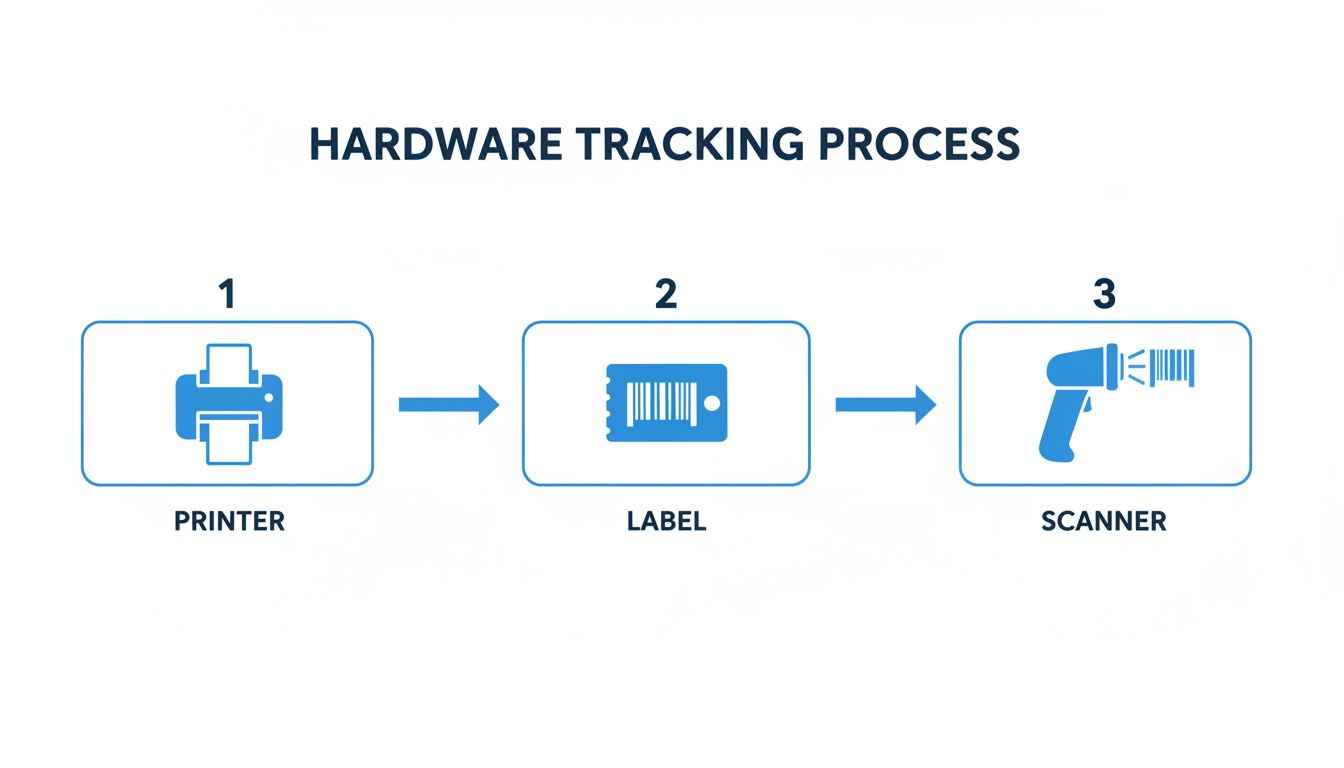
From printing a durable label to slapping it on a part and scanning it at each station—those are the physical actions that feed the digital beast and keep your data current.
Connecting All the Dots for a Complete History
Real traceability is about more than just watching a part move from one machine to the next. A truly effective system connects every single dot—from the raw materials used to create a piece all the way to the shipping label on the final crate. TimberCloud is built to forge these connections for you automatically.
The system links each component’s serial number back to the specific batch of raw material it was cut from. Let's say a customer calls a few years down the road about a cabinet door that's showing some unusual wear. With a quick search of the door’s serial number, you can instantly trace it back to a specific pallet of lumber that arrived on a particular date. That kind of information is gold for quality control and managing your supplier relationships.
The final connection is made on the shipping dock. As you pack an order, a final scan of each serialized item logs it as "Shipped" and ties it permanently to that customer's order. This creates an unchangeable record that is absolutely essential for handling warranty claims, service calls, and building long-term trust. You have a permanent, searchable history of exactly what you sent, and when.
By weaving serial tracking this deeply into your process, you do more than just build products—you create a complete, verifiable story for everything that leaves your shop. To see all the tools that make this possible, you can dig into the complete set of TimberCloud features and see how they all work together. It’s about closing the loop and giving you absolute certainty and control, from the initial order to the final delivery and for years to come.
Using Traceability Data for Quality Control and Reporting
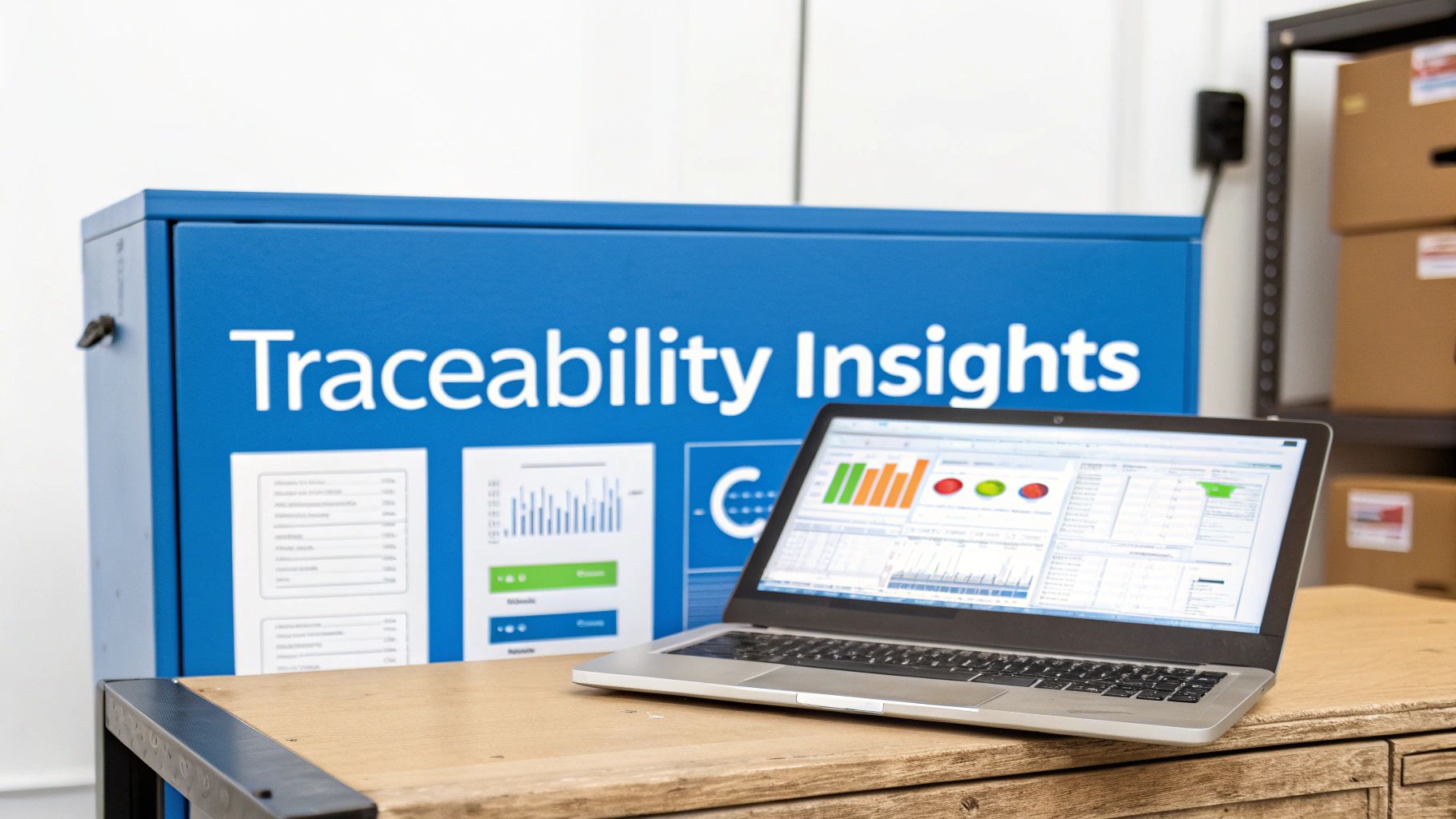
So, you’ve got all this great tracking data flowing in. That’s a fantastic start, but it’s just that—a start. The real magic happens when you turn those raw scans and status updates into intelligence you can actually use to make your shop better.
Think of each serial number as the key to a product's entire life story. This history is your secret weapon for killer reporting and airtight quality assurance. It’s how you shift from putting out fires to preventing them in the first place.
From Warranty Claims to Material Recalls
One of the first places you'll feel the impact is in how you handle post-sale issues. When a customer calls with a warranty claim, you can finally ditch the guesswork and get straight to the facts.
A quick search of that product’s serial number in TimberCloud instantly lays out its entire history. You’ll see the exact day it was made, which work order it was part of, and—this is huge—the specific lot of raw materials that went into it.
This is a complete game-changer for handling something like a material recall. Instead of a blanket recall that costs a fortune and damages your reputation, you can isolate only the affected units built with a bad batch of lumber or faulty hardware.
This level of detail protects both your reputation and your wallet. You can surgically address a specific problem without alarming your entire customer base or eating unnecessary costs, turning a potential crisis into a controlled, manageable event.
This targeted approach doesn't just save money; it shows your customers you have a serious command over your production process, which builds incredible trust and loyalty.
Pinpointing Bottlenecks and Boosting Efficiency
Your traceability data is also a goldmine for finding hidden inefficiencies in your shop. By looking at the timestamps from each serial number scan, you get a crystal-clear map of your workflow. This isn't just about knowing where a part is; it's about knowing exactly how long it spent at each station.
With this data, you can:
- Spot Production Bottlenecks: Easily see where parts are piling up. That’s a clear signal you might need to tweak a process, upgrade equipment, or provide more training.
- Track Rework and Scrap Rates: By flagging serial numbers that get sent back for rework, you can finally put a real number on the cost of quality issues and trace them back to the source—whether it’s a machine, an operator, or a bad batch of material.
- Optimize Your Crew: See which processes are dragging behind schedule and adjust your staffing or workflow on the fly to boost throughput.
This isn't just theory. The financial and efficiency gains from this level of tracking are well-documented. For instance, Tanzania’s Timber Tracker system used digital verification to clean up its supply chain. After implementation, their royalty revenue more than doubled between 2017 and 2021, partly because the system cut down on waste and saved officials a massive amount of time.
Generating Reports That Actually Mean Something
A good system doesn't just hoard data; it helps you make sense of it. Inside TimberCloud, you can create reports that turn all that shop floor activity into clear, measurable insights. This is how you create a continuous feedback loop for improvement.
Imagine being able to pull up an instant report on your average production time per unit, defect rates by product line, or on-time completion rates for specific work orders. This information is invaluable for smart planning, accurate job costing, and proving compliance to those clients with super-strict requirements.
For a practical look at how this works, checking out a demo on reporting serial traceability data can really connect the dots, showing how raw data becomes a powerful business tool.
Common Questions About Serial Number Tracking
Even with the best-laid plans, jumping into serial number tracking for the first time is going to stir up some questions. I've heard just about all of them from shop owners and woodworkers who are ready to get serious about traceability but want to do it right from the start.
Let's walk through some of the most common questions that pop up.
What Is the Difference Between a Serial Number and a SKU?
This one comes up constantly, and it’s the most important distinction to get right. It’s actually pretty simple.
Think of a Stock Keeping Unit (SKU) as a label for a product type. For example, all of your "36-inch Shaker oak base cabinets" will share the exact same SKU. It's a broad category for everything that's identical in your catalog.
A serial number, however, is the unique fingerprint for one specific item. You might have one SKU for that cabinet model, but every single cabinet that comes off your line gets its own individual serial number. SKUs are for managing what you sell; serial numbers are for tracking what you've built.
Can I Start Tracking Serials Without Expensive Hardware?
You absolutely can. This is a huge relief for smaller shops worried about a massive upfront investment, and it's a perfectly fine way to begin.
While the high-volume shops eventually get dedicated, ruggedized scanners and thermal transfer printers, you can get the ball rolling with the tools you probably already own. Modern systems like TimberCloud are built for this reality, letting you use the camera on any smartphone or tablet to scan barcodes. You can even print high-quality, durable polyester labels on a standard office laser printer.
The process is what matters most when you're starting out. You can always upgrade the hardware later as you grow. A solid workflow with basic tools is infinitely more valuable than expensive gear with a half-baked plan.
How Do I Track Products Made of Multiple Serialized Parts?
This is where traceability gets really powerful, especially for complex assemblies. We call this component traceability, and it’s all about creating parent-child relationships in your tracking system.
Let’s say you’re building a high-end custom entry door. The finished door—the "parent"—gets its own final serial number. But as you build it, you simply scan the serial numbers of its key components, or the "children." This could be the specific slab of reclaimed lumber, the German-engineered hinge set, and the smart lock mechanism.
The system automatically links all those child serials to the parent serial. Now you have a permanent, detailed build history. If that smart lock fails two years from now, you can instantly trace it back—not just to the door it was on, but to the exact purchase order and supplier batch it came from. That’s a game-changer for warranty claims and quality control.
What Are the Biggest Mistakes to Avoid When Starting?
I've seen this go wrong a few times, and it almost always boils down to two things: poor planning and inconsistent execution.
On the planning side, a poorly designed numbering scheme that doesn't leave room for growth will eventually tie you in knots. Think ahead!
But the most common failure point, by far, is a lack of team buy-in and training. If your crew on the floor doesn't understand why they're scanning a part at a specific station—and if they don't do it every single time—your data becomes useless. The whole system falls apart. It is absolutely critical that the process is easy to follow and that you explain how it makes everyone's job better by cutting down on mistakes and rework.
Ready to gain complete control over your production with end-to-end traceability? TimberCloud integrates serial number tracking directly into your shop’s workflow, from work orders to shipping. Discover how TimberCloud can transform your operations today.
Topics
TimberCloud Team
Content Team
The TimberCloud team is dedicated to helping manufacturers streamline their operations with intelligent software solutions.