Parts inventory management software: Boost Woodworking Shop Efficiency
Ever felt that gut-sinking feeling when a project grinds to a halt because you’re missing one specific type of screw? Or that frustration of realizing you have three times more plywood than you need, and all your capital is just sitting on a shelf?
Imagine your workshop running with total clarity. You know exactly what materials you have, where every single piece is, and precisely when to order more. That’s not a fantasy; it's what parts inventory management software delivers. It becomes the central command for all your physical assets—from raw lumber and hardware to sub-assemblies and finished goods—swapping chaotic guesswork for airtight control.
What Is Parts Inventory Management Software
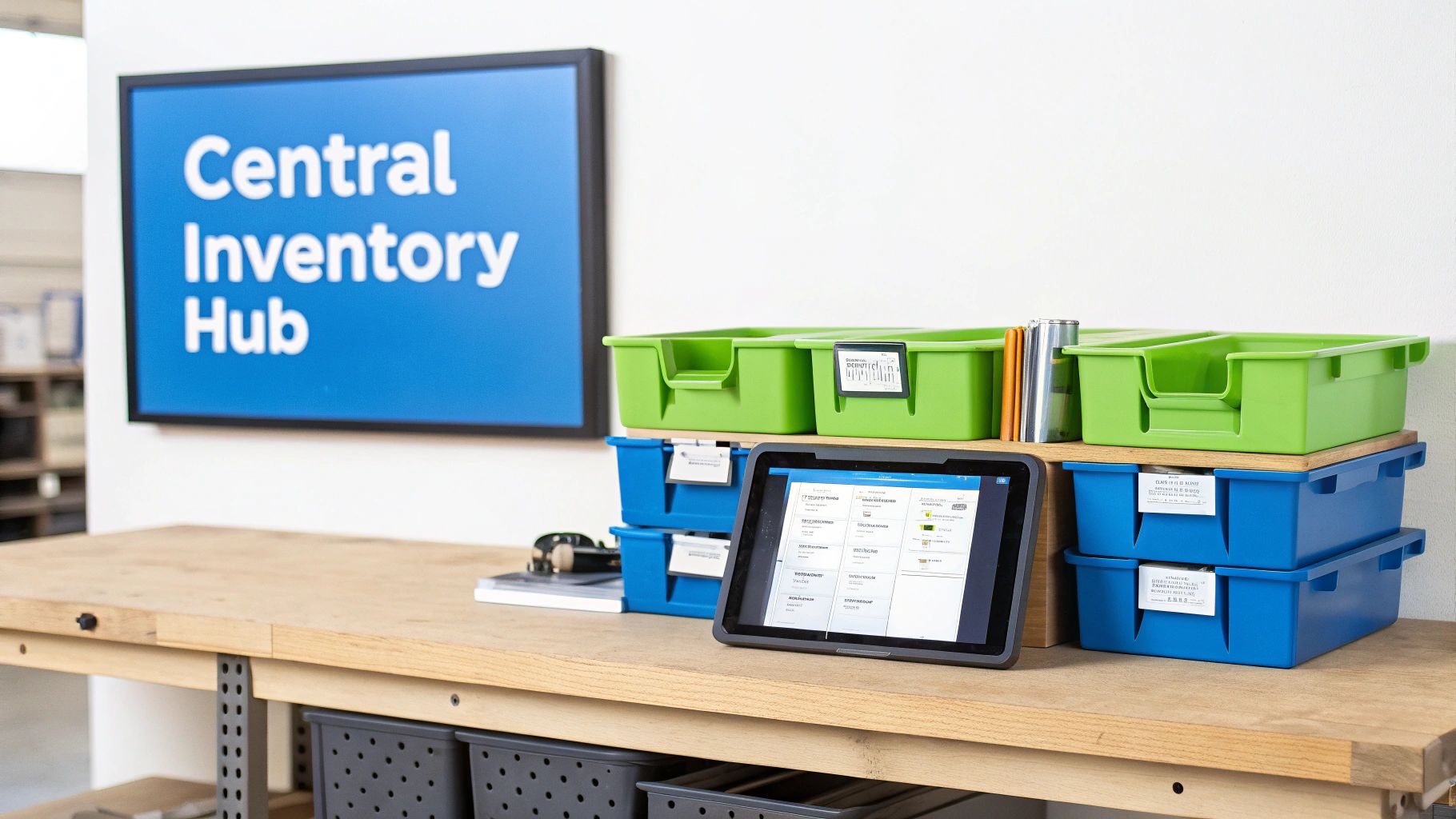
At its core, parts inventory management software is a digital system built to track, manage, and fine-tune the flow of every component and piece of raw material you use in production. For any custom woodworker or manufacturer, this is the leap you take to get beyond the chaos of spreadsheets and frantic manual counts. We all know those methods are riddled with errors that cause project delays, kill budgets, and lead to mountains of wasted material.
Think of it this way: it’s the difference between a disorganized pile of lumber in the corner and a perfectly organized, automated warehouse system where you know what every board is for. It fundamentally solves resource chaos by giving you one single, reliable source of truth for your entire shop. The whole process is powered by a set of essential inventory management formulas that help predict demand and calculate when it's time to reorder.
Moving from Guesswork to Data-Driven Decisions
Without a dedicated system, you're constantly gambling. "Do we have enough drawer slides for that big cabinet job?" "Where did that specific batch of maple veneer go?" Relying on memory or luck introduces huge risks into your operation.
A solid parts inventory management system gets rid of those blind spots. It makes sure every component is accounted for from the moment it hits your receiving dock to the final screw in the assembly. This visibility is the bedrock of a more efficient, and ultimately more profitable, business.
Instead of constantly reacting to stock-outs or over-ordering "just in case," you can make smart decisions based on what's actually happening. This move from reactive fire-fighting to proactive planning unlocks some serious advantages:
- Reduced Carrying Costs: Stop tying up cash in excess inventory that just gathers dust.
- Minimized Production Delays: Make sure critical parts are always on hand, preventing those expensive work stoppages that throw your schedule into chaos.
- Improved Job Costing Accuracy: Know the precise material cost for every single project, which means you can create better quotes and protect your margins.
In the end, this software gives you the framework to grow your business with confidence. It turns your inventory from a constant source of stress into a true strategic asset.
Core Features That Transform Your Workshop
So, what's actually in the box? When you move past the big promises, the real muscle of parts inventory management software comes from its specific, hands-on features. These aren't just flashy digital gadgets; they're thoughtfully designed tools that solve the real-world headaches that kill your momentum and bleed profits.
Think of it like this: each feature is a specialist on your team. One handles the recipes, another tracks every single part's history, and a third makes sure you never run out of critical supplies. Individually they're useful, but together they create a smooth, predictable system that puts you firmly in control of your shop floor. Let's look at the functions that really move the needle.
Bill of Materials: Your Production Recipe
At its heart, a Bill of Materials (BOM) is simply the recipe for everything you build. It’s an exact list detailing every single component, its quantity, and any sub-assemblies needed to create a final product. For a custom kitchen cabinet, the BOM would spell out everything from the wood panels and drawer slides down to the last hinge, screw, and handle.
Without a solid BOM, quoting a job is basically guesswork, and your quality becomes a coin toss. Good software breathes life into your BOMs, turning them into dynamic documents tied directly to your inventory. This connection ensures every job is quoted accurately and built right the first time.
Lot and Serial Tracking: Full Traceability From Start to Finish
Ever discovered a defect in a batch of finishing lacquer weeks after shipping a dozen projects? How do you figure out which customers got the bad batch? This is precisely where lot and serial tracking saves the day. It acts like a detailed history for your materials and finished goods.
- Lot Tracking: This is perfect for materials like lumber, hardware, or finishes. It groups items from the same production run, so if an issue pops up with a specific lot, you can instantly pinpoint every single project it touched.
- Serial Tracking: This assigns a unique ID to individual items, like a high-end appliance or a custom furniture piece. It gives you a complete, end-to-end history for that specific product.
This isn't just about covering your bases; it's about protecting your reputation. This level of traceability is fundamental for solid quality control, hassle-free warranty management, and building trust with your clients.
Kitting and Reorder Rules: Your Secret Weapons for Efficiency
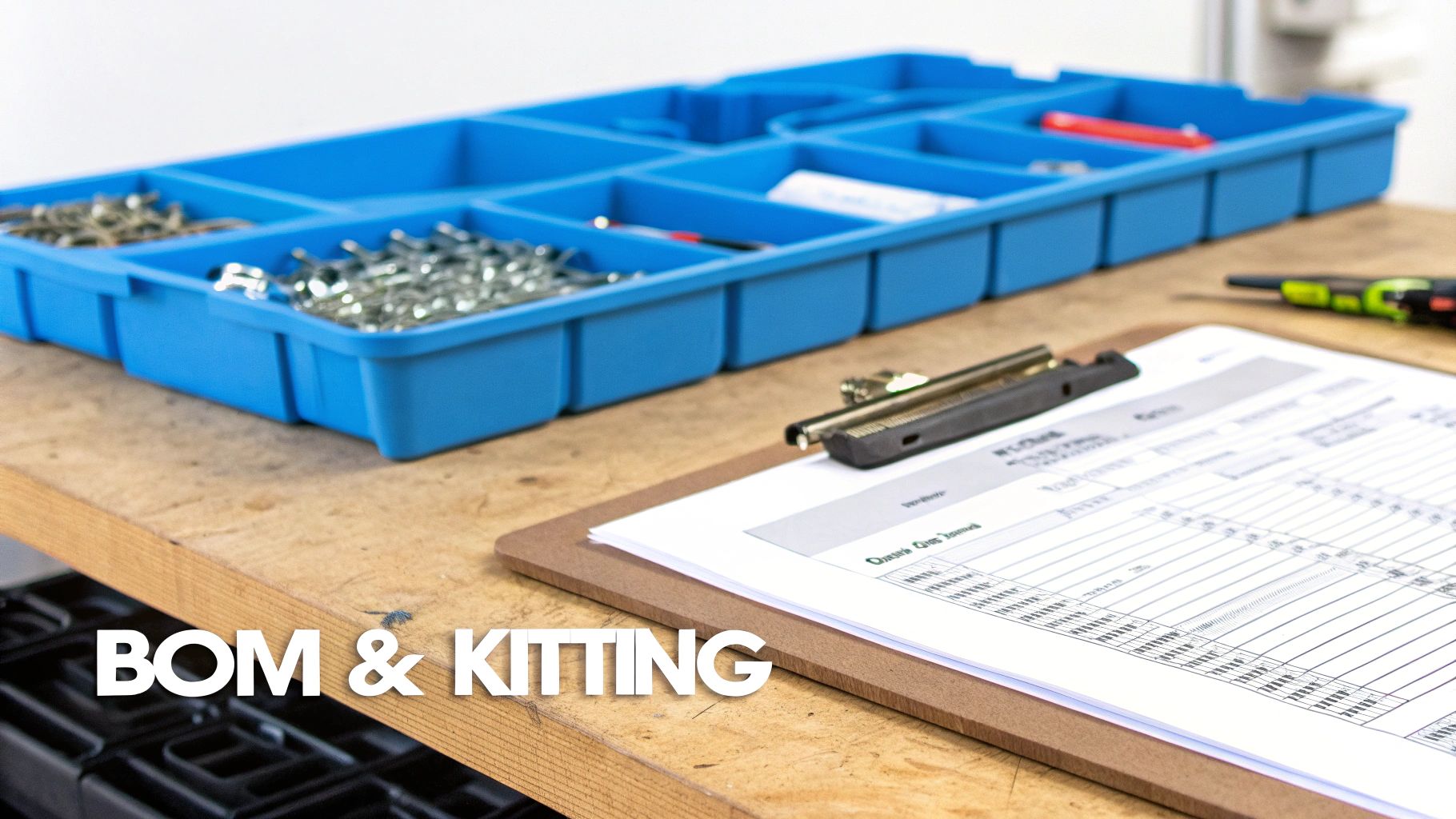
Kitting is one of the simplest and most powerful ways to speed up your assembly line. It’s the process of gathering all the necessary parts for a job or sub-assembly and bundling them into a single package. Think of it as "meal prep" for your workshop.
Instead of your team wasting precious minutes hunting down components, they get a complete kit, ready to go. This simple shift in process dramatically cuts down assembly time and slashes the errors caused by missing parts.
Working hand-in-hand with kitting are automated reorder rules. This feature is your always-on purchasing assistant. You set minimum stock levels for your essential items, and the system automatically flags them for reorder when they run low. No more last-minute scrambles or project delays because someone forgot to order screws. It’s a proactive approach that keeps production humming.
It's no surprise the market for this technology is expanding so quickly. Between 2025 and 2030, the global spare parts management software market is set to grow from $1.02 billion to $1.82 billion. This surge is driven by a demand for the kind of precision that old-school manual systems just can't deliver. You can learn more about the market growth of parts management software and see why so many shops are making the switch.
Real-Time Synchronization: The Glue That Holds It All Together
Finally, real-time synchronization is what makes the whole system work. It’s the connective tissue ensuring that when a part is used in production, sold online, or received from a supplier, your inventory levels update everywhere, instantly.
This creates a single source of truth for your entire operation. It stops you from selling something you don't have the parts to build and gives everyone from sales to the shop floor a live, accurate view of what’s on hand. Explore the full list of how these integrated software features work together in TimberCloud to see how a connected system can truly transform your business.
A clear way to see the difference is to compare the old way with the new.
Manual Spreadsheets vs. Automated Inventory Software
| Feature | Manual Spreadsheet System | Automated Software (like TimberCloud) |
|---|---|---|
| Data Entry | 100% manual, prone to typos and human error. | Automated data capture via scanners and integrations. |
| Real-Time View | Never truly live; always outdated the moment it's saved. | Instant updates across all departments as inventory moves. |
| BOM Management | Static lists that are difficult to update and link to stock. | Dynamic, interactive BOMs directly tied to live inventory. |
| Traceability | Nearly impossible; requires tedious manual record-keeping. | Built-in lot and serial tracking for full, instant traceability. |
| Reordering | Relies on manual counts and guesswork, leading to stock-outs or overstock. | Automated alerts and purchase orders based on preset rules. |
| Accessibility | Limited to whoever has the latest version of the file. | Cloud-based access for the entire team, anywhere, anytime. |
The table makes it obvious. While spreadsheets might feel free, they come with hidden costs in the form of mistakes, wasted time, and missed opportunities. An automated system isn't just a replacement; it's a fundamental upgrade to how your business operates.
The Strategic Edge of Getting Your Parts in Order
Think of parts inventory management software as more than just a digital spring cleaning for your workshop. It's a fundamental shift in how you run your business, one that directly strengthens your profitability. By giving you a painfully clear view of every screw, hinge, and wood panel you own, it lets you finally put an end to overstock and dead inventory. Those are the silent killers, the carrying costs that quietly bleed cash from your business.
Imagine this: you're halfway through a high-end kitchen cabinet build, and you suddenly realize you're out of a specific drawer slide. The whole project grinds to a halt. That scenario becomes a thing of the past. Having the right materials on hand, precisely when they're needed, is the secret to getting more work out the door, faster. Your workflow smooths out, bottlenecks vanish, and your shop becomes a hum of predictable productivity.
From Workshop Chaos to Customer Confidence
The positive effects ripple far beyond your shop floor. A reliable, well-oiled production process means you hit your deadlines. Every. Single. Time. Your customers get their custom orders exactly when you promised, building a rock-solid reputation for dependability that's worth its weight in gold in this industry.
This isn't just about good feelings; it's about good business. It leads to stronger client relationships, five-star reviews, and the kind of word-of-mouth praise that fuels real, sustainable growth. You stop being just another shop and become the go-to partner they can always count on.
At its heart, this is about moving from a reactive "I hope we have it" mindset to a proactive, data-driven operation. You gain the confidence to make solid promises to your customers and the operational backbone to deliver on them without breaking a sweat.
Modern systems make this possible through incredible precision. We're talking about accuracy levels approaching 99.5% for companies that use tools with barcode scanning and automation. Compare that to the old way of doing things, where one manager uncovered a jaw-dropping $2.3 million in dead stock once he finally had the right visibility tools in place. You can discover more insights on how inventory tools reduce waste and see just how big the financial impact can be.
The Financial Payoff of Taking Control
When you get right down to it, every one of these benefits leads back to a healthier bottom line and a more stable business. The advantages are clear, measurable, and make a powerful argument for leaving spreadsheets and clipboards in the past.
- Slash Carrying Costs: Why pay to store materials you aren't using? A lean, just-in-time inventory means your cash isn't sitting on a shelf collecting dust.
- Cut Down on Waste: With better tracking and forecasting, you can stop materials from becoming obsolete or getting damaged in a crowded storeroom.
- Boost Labor Efficiency: Think of all the time your team wastes searching for parts or waiting on last-minute emergency orders. That's time they could be spending on revenue-generating work.
By taking firm control of your inventory, you’re not just organizing parts. You are building a more resilient, more profitable, and far more competitive manufacturing business from the ground up.
Weave Inventory Management into Your Entire Workflow
A parts inventory system is useful on its own, but its real power is unleashed when it stops being an island. To get the most out of it, the software needs to plug into the rest of your business, becoming the central hub for your entire operation. Think of it as creating a seamless current of information that flows from the moment an order is placed to the final product shipping out the door.
Let's walk through an example. A customer orders a set of custom cabinets from your website. Instantly, the system checks your live inventory, finds the right lumber, hardware, and finishes, and reserves them for that job. No more manual checks or "I'll get back to you."
That same data then flows directly into a work order, automatically pulling the correct bill of materials and adjusting your stock counts. You’ve just eliminated the lag time, the back-and-forth emails, and the costly human errors that creep in with manual data entry.
As your CNC machine starts cutting, it can even report its material usage back to the system in real time. This creates a powerful feedback loop where information moves effortlessly between sales, the shop floor, and purchasing. It's about building one unified source of truth, giving you a crystal-clear view from the first customer click to the finished product.
Create a Truly Connected Ecosystem
This kind of connection breaks down the walls between departments that usually operate in their own little worlds. Suddenly, everyone is working from the same playbook. The positive effects ripple across the entire business, smoothing out friction and making every step more efficient.
- Sales and Quoting: Your sales team can finally give customers firm delivery dates because they know exactly what materials are on hand. Quotes become more accurate, pulling real-time material costs to protect your margins on every single job.
- The Shop Floor: Production teams get work orders with perfect parts lists, which means no more time wasted hunting for components or second-guessing a printout. They can just focus on what they do best: building.
- Purchasing: Your purchasing manager isn't flying blind anymore. Instead of guessing, they get automatic low-stock alerts based on actual consumption and upcoming orders. This means they can replenish inventory just in time, avoiding both expensive stock-outs that halt production and wasteful over-ordering that ties up cash.
This isn't just about making life easier; it's about turning operational improvements into real strategic wins.
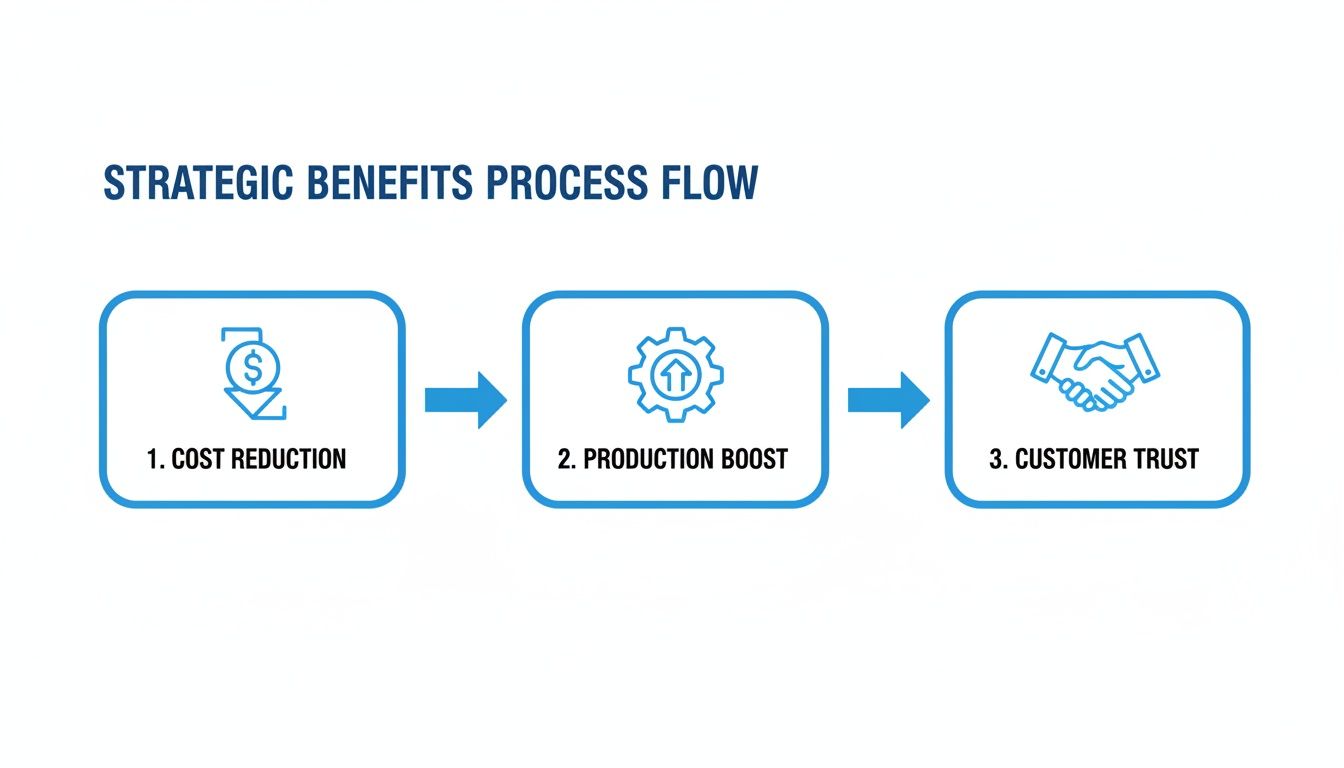
As you can see, a connected system isn't just an abstract concept. It directly leads to lower costs, faster production, and ultimately, happier customers who trust you to deliver on time.
Tear Down the Information Silos
When your systems don't talk to each other, every department is stuck on its own island. Sales has no idea what's actually in stock, and the shop floor is blindsided by a big order until it's already behind schedule. These disconnects are the root cause of most delays, mistakes, and frustrated customers.
An integrated parts inventory system is the bridge connecting those islands. It ensures that when something happens in one part of the business—like a new sale coming in—every other department sees it and can act on it immediately.
For any custom manufacturer, this complete picture is a game-changer. Your inventory stops being a static list of assets and becomes a dynamic tool that actively drives your workflow and fuels your growth. By connecting every piece of the puzzle, you build a stronger, more agile, and more profitable business.
How to Choose and Implement the Right Software
Jumping into a dedicated parts inventory management system can feel daunting. I get it. It’s a big step. But with the right game plan, you can turn a potential headache into your single greatest competitive edge. The first—and most important—move is picking the right system. You’re not just buying software; you’re choosing a partner.
My first piece of advice is to focus on cloud-based platforms. This isn't just a tech trend; it's a practical necessity that gets everyone—from the front office to the shop floor—working from the same live data on any device. Look past where you are today and ask, "Will this system grow with me?" And never, ever compromise on a clean, intuitive interface. A system your team hates using is worse than having no system at all.
Key Selection Criteria
Forget about trying to patch together a bunch of different tools. That’s a recipe for data chaos and endless finger-pointing. What you need is an all-in-one solution that becomes your single source of truth.
As you start comparing options, here’s what to zero in on:
- Industry-Specific Features: Does it speak your language? A generic inventory tool won't understand the realities of custom manufacturing. You need native support for complex BOMs, kitting, and seamless CNC workflow integration.
- Integration Capabilities: Your software can't live on an island. Make sure it plays well with the tools you already rely on, whether it's your accounting package, e-commerce platform, or a company-wide ERP. A connected system is a powerful system.
- Scalability and Pricing: Your business is going to change. Your software needs to be able to keep up without forcing you into a pricing tier that suffocates your cash flow. Take a close look at the available software pricing tiers and feature sets to find a plan that makes sense for you now and down the road.
- User-Friendliness: Can a new hire check stock levels or update a work order without a two-hour training session? If the answer is no, walk away. Adoption hinges on simplicity.
A successful transition is not about flipping a switch overnight. It’s a deliberate, step-by-step process that builds a solid foundation for long-term operational excellence and profitability.
Your Implementation Roadmap
Okay, you've picked your software. Now comes the critical part: rolling it out. If you rush this stage, you're setting yourself up for failure with bad data and a frustrated team. A smooth launch follows a clear, common-sense path.
1. Establish an Accurate Baseline Before you import a single file, you need to conduct a full, wall-to-wall physical inventory count. This is non-negotiable. This count becomes your ground truth, the bedrock of the entire system. Starting with accurate numbers prevents you from importing old mistakes into your shiny new software.
2. Clean and Standardize Your Data This is your one chance for a fresh start. Take the time to create a logical and consistent system for everything—SKUs, part names, descriptions, supplier details. Remember the golden rule: garbage in, garbage out. A little bit of data hygiene now will pay you back tenfold later.
3. Roll Out Training in Phases Don't try to teach everyone everything in a single, overwhelming session. That just doesn't work. Instead, start with a small pilot group of tech-savvy team members. Let them become the experts. Then, expand the training department by department. This creates internal champions who can help their coworkers, making everyone feel confident and in control of the new system.
Measuring Your Success and Calculating ROI
Let's be honest: investing in new software can feel like a shot in the dark. How do you actually prove it was worth the money? It’s not about gut feelings; it’s about tracking the right numbers. To see the real-world value of your parts inventory management software, you need to measure its impact with clear, concrete Key Performance Indicators (KPIs).
Think of these numbers as the story of your shop's efficiency and profitability. By getting a snapshot of these metrics before you flip the switch on a new system, you create a powerful before-and-after picture. This comparison doesn't just justify the expense—it shows you the hard financial return on your investment, proving its worth to you, your team, and your bottom line.
Key Metrics That Prove Your ROI
You don't need to track a hundred different things. Just focus on a few high-impact KPIs that tell you how healthy your operations really are. These aren’t just numbers on a spreadsheet; they're direct signals of whether your inventory is working for you or against you.
-
Inventory Turnover Rate: This is the big one. It tells you how many times you sell and replace your entire inventory over a set period. A higher number is fantastic—it means you're moving products efficiently and not tying up cash in slow-moving stock.
-
Carrying Costs: Do you know what it actually costs to have parts sitting on a shelf? This includes rent for storage space, insurance, and the risk of materials becoming obsolete. When smarter reordering rules help you cut down on overstock, those savings go directly to your profit margin.
-
Stock-Out Rate: How often does a job grind to a halt because you're missing one critical component? Tracking how often this happens reveals your ability to prevent those expensive production delays and keep the CNC machines running.
When you start measuring these areas, you shift from simply managing parts to strategically managing capital. The goal is to transform your inventory from a necessary cost into a lean, productive asset that fuels your growth.
Tying It All Back to the Bottom Line
The last step is connecting these operational wins to your financial results. Take a hard look at your Order Fulfillment Cycle Time—the clock starts the moment a customer places an order and stops when they receive it. When you eliminate delays caused by part shortages, that cycle time shrinks. That leads directly to happier customers and gives you the capacity to take on more work.
Put it all together, and these metrics make an undeniable case for the software's ROI. You can confidently say, "We cut our carrying costs by 15%," or "We reduced project delays from stock-outs by 40%." This data-driven proof transforms the software from a simple expense into a profit-generating engine for your business. For a deeper dive into operational metrics, explore the wealth of information available on the TimberCloud manufacturing and woodworking blog.
Ready to see how a truly integrated system can transform your workshop's profitability? TimberCloud provides the tools to not only manage your parts inventory with precision but also to track the metrics that prove your success. Start your journey to a more efficient and profitable shop today.
Topics
TimberCloud Team
Content Team
The TimberCloud team is dedicated to helping manufacturers streamline their operations with intelligent software solutions.