A Guide to Manufacturing Operations Management Software

If you're running a custom woodworking or small manufacturing shop, you know the daily grind. It's a constant juggle of disconnected spreadsheets, scribbled notes on a whiteboard, and a flood of emails. This is where Manufacturing Operations Management (MOM) software comes in, acting as the central nervous system for your entire shop. It connects every single step, from the moment a customer places an order to the final product being packaged and shipped.
From Sawdust And Spreadsheets To Smart Operations
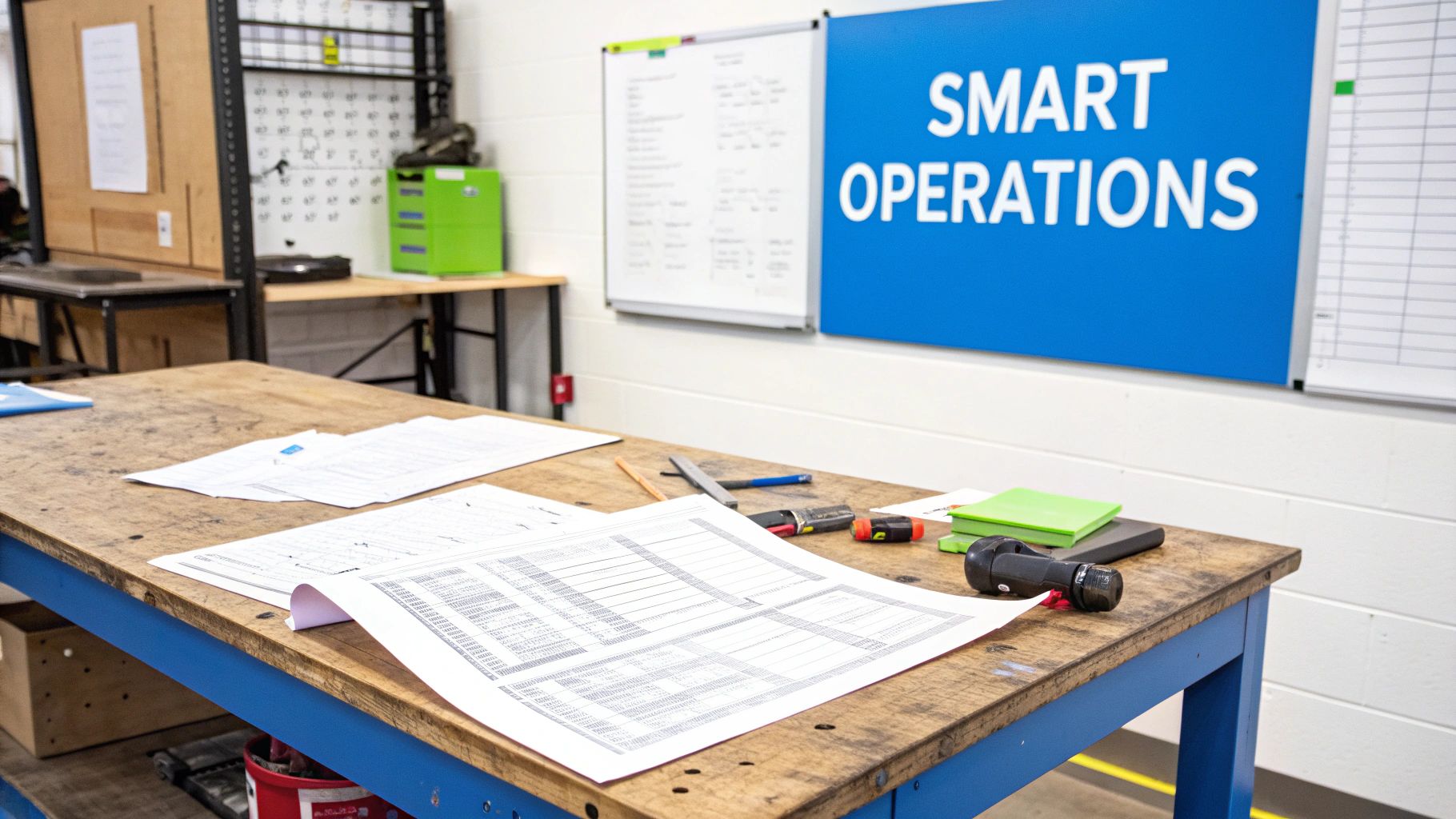
This is where profits leak and deadlines get blown. The constant disconnect between sales, design, and the shop floor creates friction. All those little things—time spent hunting for order details, re-entering data into another system, or walking to the back to physically check material stock—add up to massive operational headaches. For many growing shops, this is the painful reality of managing increasing complexity with manual tools.
The Shift to a Digital Backbone
This is precisely the problem Manufacturing Operations Management software is built to solve. Don't think of it as just another piece of software; it's the digital backbone for your entire business. It doesn't just manage one part of your workflow; it integrates all of them into a single source of truth.
By digitizing workflows and improving production tracking, manufacturers are able to identify and eliminate the source of quality issues, reduce waste, and improve the bottom-line performance of the business.
Making this shift turns operational chaos into a smooth, predictable, and much more profitable system. It's no surprise the global MOM software market is booming, valued at USD 17.46 billion in 2024 and projected to explode to USD 76.71 billion by 2033. This growth is all about the need for real-time data and precision control—essentials for staying competitive today.
Why This Is a Game-Changer for Custom Woodworking
For shops crafting custom cabinets, furniture, or architectural millwork, the impact is immediate and powerful. Instead of chasing a paper trail, you get a clear, live view of your entire operation. This means you can:
- See Everything Clearly: Know the exact status of every single job, from the design queue to the finishing station, all from one screen.
- Work Smarter, Not Harder: Automate tedious tasks like generating cut lists or updating inventory levels. This frees up your skilled team to focus on their craft.
- Slash Costly Errors: Put an end to mistakes caused by manual data entry or miscommunication between your front office and the shop floor.
- Make Decisions with Confidence: Use real-time data to understand your true costs, spot bottlenecks before they become disasters, and improve your margins on every project.
The goal here is simple: stop reacting to problems and start proactively managing your business with clarity. For a deeper look at how AI is being applied in this space, you can check out specialized resources like ekipa's manufacturing industry solutions.
What Really Runs Your Shop? A Look Inside the Core Modules
At its core, manufacturing operations management software isn't just one thing—it's a collection of smart, connected tools designed to wrangle the beautiful chaos of turning raw materials into finished products. But to really get it, you have to look past the fancy name and see how each part solves a real-world headache on your shop floor.
These modules aren't siloed features; they talk to each other. Think of them as a tight-knit crew, constantly sharing information to give you one clear, trustworthy picture of your entire operation. Each module tackles a specific piece of the production puzzle, swapping out guesswork and messy spreadsheets for automated, reliable data.
Let's pull back the curtain and look at the essential components that make a modern shop hum.
H3: Work Order Management: The GPS for Every Single Job
Imagine the Work Order Management module as the GPS for every project that comes through your doors. This is your command center. It holds every critical detail for a job: who the customer is, the exact specs, the materials needed, the due date, and the step-by-step routing through the shop.
Once an order is live, it doesn't just sit there. The system digitally passes the baton from one station to the next, so everyone knows exactly what to do and when. No more lost paper travelers or "he said, she said" confusion between the saw and the spray booth. Your entire team, from the CNC operator to the final assembler, is working off the same real-time playbook.
H3: Production Tracking: Your Live Feed from the Floor
If the work order is the GPS, then Production Tracking is the live traffic report. This module gives you a real-time, bird's-eye view of where every single job is at any given moment. With a simple barcode scan or a tap on a tablet at each station, your team updates a job's status instantly.
That one simple action feeds crucial data back to you, answering questions that used to require a frantic walk around the shop:
- What's currently running on the CNC?
- Did the Johnson cabinet order make it to finishing yet?
- Are we still on track to deliver that big millwork contract on time?
This is how you spot bottlenecks before they derail your schedule. It’s also how you give customers confident, accurate updates instead of vague guesses.
By digitizing workflows and improving production tracking, manufacturers can identify and eliminate the source of quality issues, reduce waste, and improve the bottom-line performance of the business. This immediate feedback loop is where shops gain a significant competitive edge.
H3: Inventory Management: The Never-Empty Pantry
A woodworking shop's inventory is a beast to manage. The Inventory Management module is like a smart pantry that never lets you run out of the essentials. It automatically tracks every board, hinge, screw, and can of finish from the moment it’s delivered to the moment it’s part of a finished piece.
When materials are assigned to a work order, the system deducts them from stock. When a cabinet is complete, it's added to finished goods. This simple logic prevents two of the biggest profit-killers: stopping production because you're out of a critical part, or tying up cash by over-ordering expensive materials that just collect dust. The best systems will even send you low-stock alerts and help you generate purchase orders, so you have what you need, right when you need it.
To give you a clearer picture, here’s a breakdown of how these essential modules tackle the day-to-day challenges of a custom shop:
Core MOM Software Modules for Woodworking Shops
| MOM Module | Key Function | Problem It Solves in a Woodworking Shop |
|---|---|---|
| Work Order Management | Creates and routes digital job travelers with all specs and instructions. | Eliminates lost paperwork, verbal miscommunications, and confusion about job priorities. |
| Production Tracking | Provides real-time status updates from each workstation on the shop floor. | Answers "Where's my order?" instantly and helps you spot production bottlenecks early. |
| Inventory Management | Automatically deducts raw materials and adds finished goods to stock levels. | Prevents costly stock-outs that halt production and stops you from over-buying materials. |
| Cut Sheet Generation | Creates optimized cutting diagrams directly from work order specifications. | Reduces material waste, saves hours of manual calculation, and lowers raw material costs. |
| Shipping & Logistics | Manages packaging, label generation, and shipment tracking. | Ensures a professional handoff and closes the loop on the order-to-delivery process. |
| Reporting & Analytics | Gathers data on job costing, lead times, and employee productivity. | Gives you hard data to make smarter business decisions on pricing, scheduling, and efficiency. |
Each of these pieces plays a vital role in creating a smoother, more profitable operation.
H3: Cut Sheets and Shipping: Nailing the Final Mile
For any custom woodworking shop, creating accurate cut lists is a massive time sink. An integrated Cut Sheet Module handles this for you. It pulls the specs directly from the work order and generates optimized cutting plans that get the most out of every sheet of material. That's less waste, which translates directly into more profit on every job.
Finally, the Shipping Module takes care of the last leg of the journey. It helps your team organize packaging, print shipping labels, schedule carrier pickups, and track the order until it's safely in the customer's hands. This is about more than just logistics; it’s about closing the loop professionally, building trust, and earning that repeat business.
You can see how all these pieces fit together by exploring the full range of manufacturing operations management features that are giving modern shops a serious competitive advantage.
How AI Turns Raw Plans Into Production-Ready Orders
We've all been there. A customer hands you anything from a detailed blueprint to a sketch on a napkin, and the clock starts ticking. The biggest headache in any custom shop is that painful gap between a client’s vision and something your team can actually build. This is where time gets wasted, money is lost, and costly mistakes are made.
This is exactly where modern manufacturing operations management software with AI built-in gives you a serious edge. It’s not just another tool; it's an intelligent bridge that takes the guesswork and grunt work out of turning design data into clear, actionable instructions for the shop floor.
From Blueprint to Bill of Materials in Minutes
Let's be honest about the old way of doing things. When a design for a custom kitchen comes in, someone has to sit down and painstakingly pull out every dimension, list every piece of hardware, check if you even have the right plywood in stock, and then manually build a work order. It’s tedious, and it's a breeding ground for errors.
An AI-powered system completely flips the script. The whole process becomes automated and shockingly fast.
- Upload the Design: You drag and drop the customer's file—a PDF, CAD drawing, you name it—right into the platform.
- Let the AI Analyze It: The AI gets to work, scanning the design with computer vision. It recognizes the critical details: height, width, depth, material type, finish, and all the specified hardware.
- Extract the Data: It intelligently pulls this information out, turning a static picture into structured data your system can actually use.
- Check Your Stock: The system instantly cross-references the required materials with your live inventory. It confirms you have the right panels, drawer slides, and hinges ready to go.
- Generate the Work Order: In a final step, it pulls everything together into a complete, production-ready work order, including an optimized cut list and the right routing for the job.
This flow is all about connecting the dots in real-time.
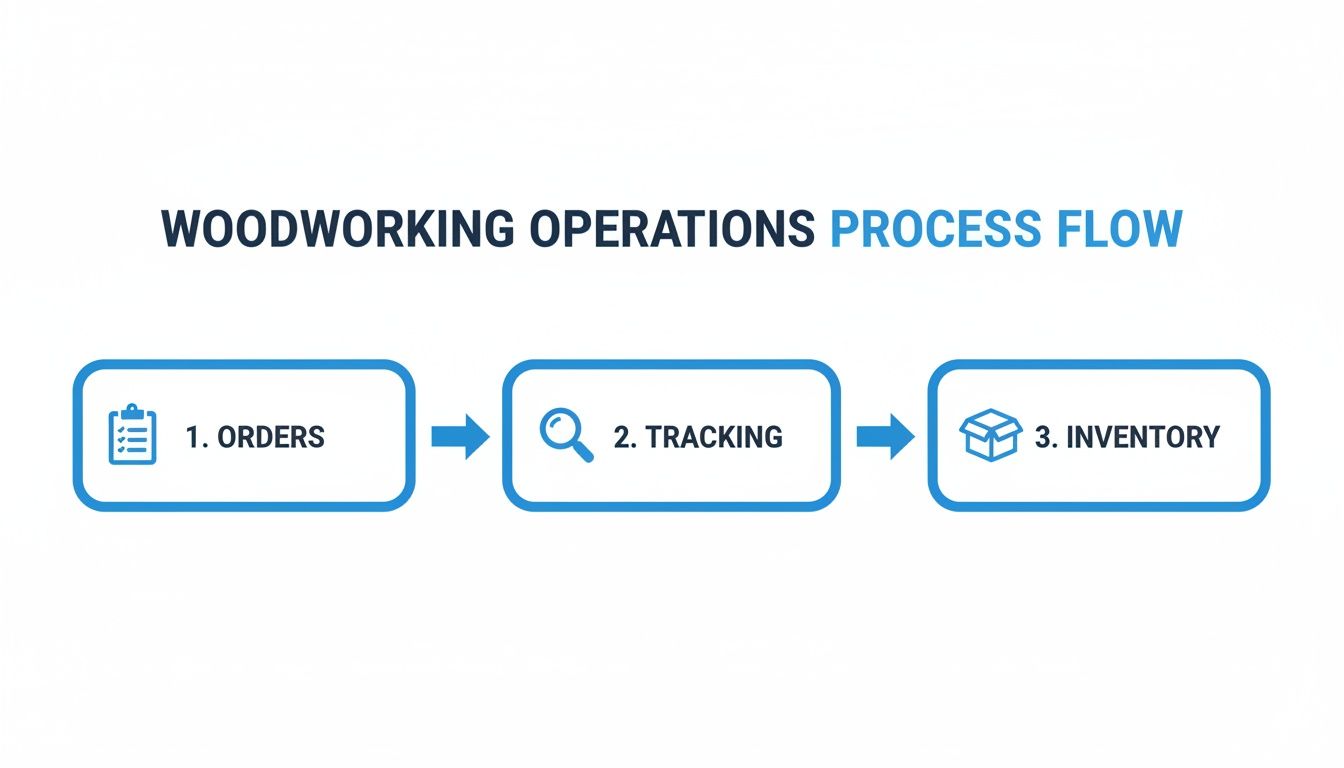
From the moment an order hits your inbox, every subsequent step is guided by accurate, up-to-the-minute data, from what's on the shelf to what's happening on the CNC machine.
The Real-World Impact on Your Shop Floor
This isn't just about moving faster; it’s about changing the entire rhythm of your shop. A task that used to burn hours of your best designer's time is now done in minutes. We're not just talking theory here—studies show that this kind of automation can boost a shop's productivity by up to 40% by slashing manual errors and administrative drag.
The real magic of AI here isn't just making old tasks faster. It's about erasing the administrative burden completely. It frees up your most skilled people to focus on craftsmanship and quality, not data entry.
That speed creates a ripple effect. You can shrink your lead times dramatically, pushing more jobs through the shop without hiring more people. Better yet, the incredible accuracy of AI-generated work orders means less material waste from bad cuts and fewer costly do-overs from misreading a customer’s plan.
You're essentially liberating your best people from the clipboard and letting them do what they do best: build amazing things. To dig deeper into how these ideas can shape your business, you can find more insights on our manufacturing management blog.
Choosing The Right MOM Software For Your Shop
Picking the right manufacturing operations management software isn’t like buying a new saw. A system built for a massive auto plant is completely out of its element in a 20-person cabinet shop. The wrong choice is a costly paperweight your team will fight you on. The right one, however, becomes the heartbeat of your entire operation.
To avoid a bad investment, you need a clear way to cut through the noise. This isn't about finding the software with the most bells and whistles; it's about finding a partner who gets the unique rhythm of custom manufacturing—where no two orders are the same and flexibility is king.
Let’s break down the four things you absolutely have to nail down to make a smart decision for your shop's future.
Seamless Integration With Your Existing Tools
Your shop already has tools that work. You've got your accounting software, your design programs, and your trusted CNC machine humming along. The last thing you need is a new system that refuses to talk to any of them. That's why seamless integration is the first hurdle any MOM software has to clear.
Get specific with vendors. Ask them how their platform connects with what you already use. Can it automatically grab sales info from QuickBooks to kick off a work order? Even more crucial, can it push G-code directly to your CNC and get real-time status updates back? This kind of two-way communication kills the double-entry that breeds errors and wastes precious time.
A great MOM platform doesn’t force you to rip and replace everything. It makes the tools you already have smarter by creating a single, unbroken data thread from the front office to the shipping dock.
Deep Configurability For Your Unique Workflows
Custom woodworking is all about options. You build with different materials, finishes, and hardware. You have your own construction methods. A rigid, one-size-fits-all software will try to shoehorn your proven process into its box—and that’s a recipe for failure. This is why deep configurability is a deal-breaker.
The software has to bend to your way of building, not the other way around. Can you set up your specific product options and rules? Can you create different production flows for different jobs—say, a fast lane for standard cabinet boxes and a more detailed route for high-end architectural millwork? If the system can’t mirror how you actually work, your team will find workarounds, and your big investment will start collecting dust.
Shop-Floor Usability Is Everything
The most feature-packed software on the planet is worthless if your crew on the floor hates using it. The interface has to be built for the reality of a workshop—dusty, loud, and run by people who need information on the go, usually on a tablet. Shop-floor usability is the ultimate acid test.
Look for a clean, simple layout that doesn't require a computer science degree to figure out. Can a builder update a job's status with just a couple of taps? Can they pull up cut sheets and 3D models right at their bench without a hassle? The goal here is to make their life easier, not to bury them in clicks and menus. The software should feel like a helpful assistant, not a micromanager looking over their shoulder.
You'll often find that vendors with transparent pricing models are the ones most focused on user-friendly design. You can see what we mean by checking out our own pricing and feature breakdown.
E-Commerce Connectivity For Modern Sales
More and more shops are selling online, and connecting your digital storefront directly to your shop floor is a huge competitive edge. If you sell online—or plan to—then e-commerce connectivity is a must-have. It’s the bridge that connects a customer’s click to your crew firing up the saw.
This is especially true as cloud-based MOM software takes off. The market, valued at USD 10 billion in 2019, is on track to hit USD 39.01 billion by 2032, and that growth is all about flexible, connected systems. For a shop with an online configurator or store, a connected MOM platform is gold. It can automatically pull in new orders, update inventory in real time to avoid overselling, and even handle complex pricing for custom products without the IT headaches. You can dig into this trend in this detailed industry report.
Measuring Success With The Right KPIs
Putting manufacturing operations management software into your shop isn't just about adding another piece of tech. It’s a strategic move to get real, tangible results. But here's the thing: if you can't measure it, you can't manage it. This is where you have to connect the software's features directly to your financial performance to prove it was worth every penny.
So, how do you actually track the return on your investment? It all comes down to defining the Key Performance Indicators (KPIs) that really matter to a custom manufacturing business. These metrics are the vital signs of your shop's health, giving you a clear picture of exactly where the new system is making a difference. Without this data, you’re just flying blind.
To really get a handle on the impact of your MOM software, you need to get good at tracking the right operational efficiency metrics. These KPIs create the "before and after" snapshot that proves the investment was the right call.
Tracking Your Order-to-Cash Cycle
For any custom shop, one of the most revealing metrics is the Order-to-Cash (O2C) Cycle Time. This number tells you how long it takes from the moment a customer signs off on an order to the moment their payment hits your bank account. A long O2C cycle is a cash flow killer, tying up your money in half-finished jobs when it could be funding growth.
- Before MOM Software: Maybe your cycle drags on for 60 days. An order gets buried in an inbox for a week, someone spends a few more days keying it into a spreadsheet, production snags add a couple of weeks, and then the invoice sits on a desk waiting to be sent.
- After MOM Software: You can absolutely crush that cycle time. With automated order entry, real-time production tracking, and instant invoicing, it's not uncommon to cut the O2C cycle by 30% or more. That’s cash in your pocket, faster.
This isn’t just a small tweak; it’s a game-changer for your financial agility.
Measuring Equipment And Shop Productivity
You've poured a ton of money into your machinery. Is it actually earning its keep? The gold standard for measuring this is Overall Equipment Effectiveness (OEE). It’s a single score that rolls three critical factors into one:
- Availability: How often is the machine actually running versus sitting idle for setups or maintenance?
- Performance: When it's running, is it going as fast as it was designed to?
- Quality: Of the parts it produces, how many are perfect versus how many end up in the scrap bin?
Let’s be honest, before a MOM system, most shops are just guessing at their OEE. With sensors and integrated tracking, you finally get the hard data to see what’s really causing downtime or slowdowns. Pushing your OEE score up means you get more out of the equipment you already own.
The point of tracking KPIs isn't to create fancy reports. It's to see what's really happening on the shop floor so you can make smart decisions that directly boost your bottom line.
Nailing Your Deliveries And Reducing Waste
Two other KPIs that will make or break your reputation are your On-Time Delivery Rate and Material Waste Reduction. In the world of custom manufacturing, your word is everything. Hitting your deadlines consistently builds the kind of trust that brings customers back and gets you referrals. A MOM system provides the scheduling clarity to see bottlenecks before they happen, helping you keep your promises.
At the same time, material costs can eat you alive. By using the software to generate truly optimized cut lists and track every bit of scrap, you can start plugging those leaks. A seemingly small 5-10% reduction in material waste can easily add thousands of dollars straight back to your profit margin each year.
Your Roadmap From Decision To Go-Live
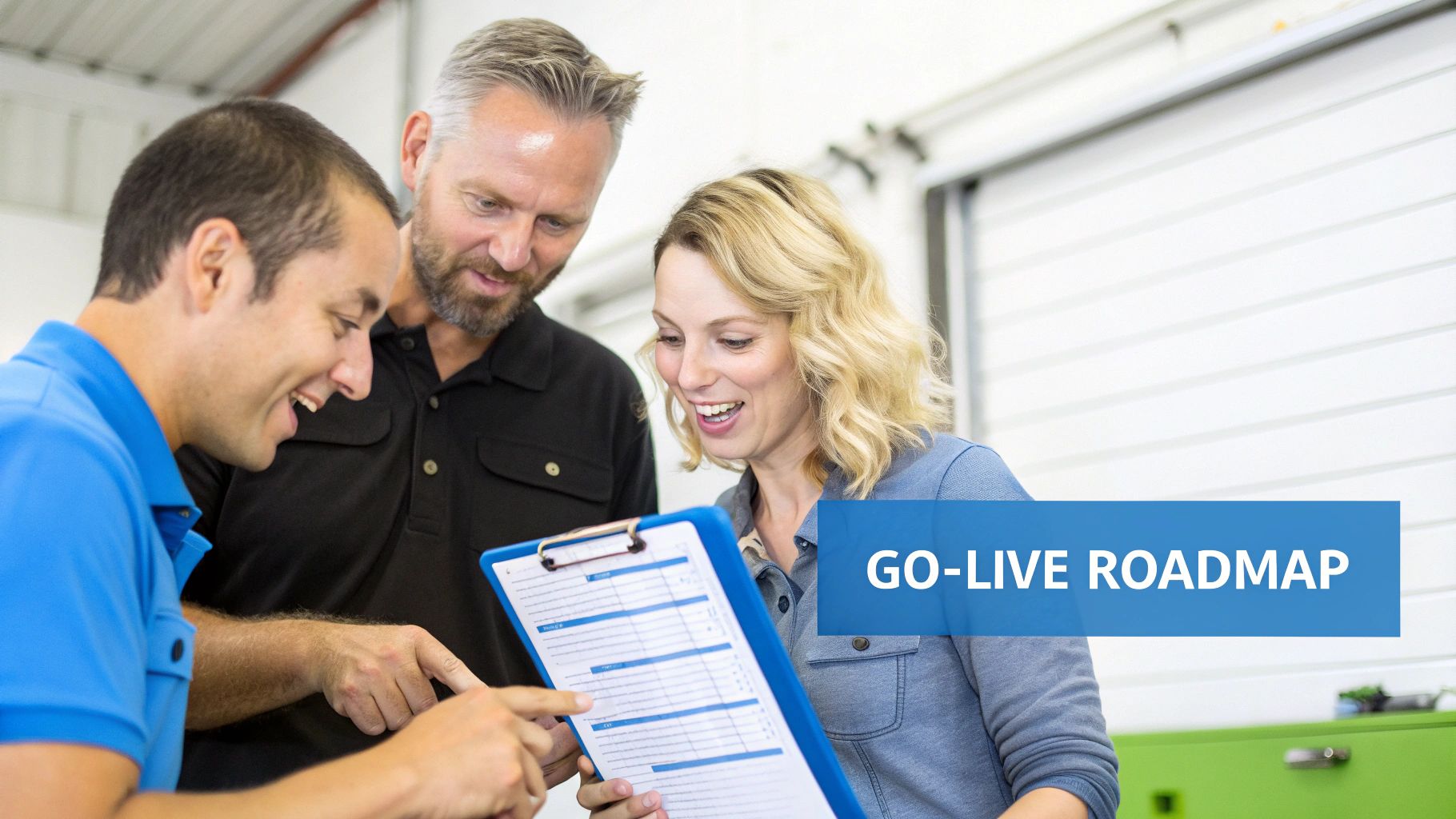
Choosing the right manufacturing operations management software is the easy part. Actually weaving it into the daily rhythm of your shop floor? That’s where the real work begins. Let’s be clear: a successful rollout isn't a tech problem; it's a people-and-process puzzle.
Getting this right means moving from cluttered spreadsheets to a clean, integrated system without derailing production. The trick is to treat it like a project with a clear plan, not an overnight switch. This avoids the all-too-common nightmare of buying powerful software that just collects dust.
Phase 1: Data Cleanup and Prep Work
Before you can fire up the new system, you need clean fuel for the engine. This first step is all about getting your shop’s core information organized and accurate. It’s the most important part of the whole process because as the old saying goes: garbage in, garbage out.
Think of it as a chance to finally standardize how you talk about materials, parts, and products. You're creating a single source of truth for the entire company.
Here’s where to focus:
- Inventory Audit: Walk the floor and get a real-world, hands-on count of every piece of lumber, sheet good, and box of hardware. Your starting inventory levels must be dead-on.
- Workflow Mapping: Grab a whiteboard and sketch out how an order actually moves through your shop. Who does what, and in what order? Be honest about the real steps, not the "official" ones.
- SKU Standardization: Create a clean, consistent list of your products, components, and raw materials. This is non-negotiable for getting accurate job costs and inventory counts later.
Phase 2: Team Training and Getting Buy-In
Software doesn't solve problems; people do. Your team on the floor is what will make or break this entire effort. If you want them to embrace the new system, you have to bring them into the process from the very beginning.
People use what they help build. The best rollouts don’t happen to a team; they happen with them. Involve your most experienced operators and assemblers from the start. Their feedback on what actually works on the floor is worth its weight in gold.
Find your internal champion—someone on the team who is respected, gets technology, and can be the go-to person for questions. This creates a sense of ownership and keeps the lines of communication open, which is critical for building trust.
Phase 3: The Phased Rollout Strategy
Flipping every switch at once is a surefire way to overwhelm your crew and grind production to a halt. A much smarter play is a phased rollout. You introduce one piece of the system at a time, letting the team get comfortable and confident before moving on.
A logical game plan looks something like this:
- Start with Inventory: Get the inventory management module running first. It’s a relatively contained process and a great way to get everyone used to the software's basic look and feel.
- Introduce Work Orders: Once your inventory is humming along, roll out digital work orders. This is a huge step, connecting the office directly to the activity on the shop floor.
- Activate Production Tracking: With work orders flowing smoothly, turn on real-time production tracking. Since your team is already using the system for their jobs, this becomes a natural and easy next step.
Phase 4: Post-Launch Fine-Tuning
"Go-live" isn't the finish line; it’s the starting gun. For the first time, you'll have a constant stream of clean, accurate data about what's really happening in your shop. Now the real fun begins: continuous improvement.
Use the new analytics to hunt down hidden bottlenecks, dial in your job costing, and optimize your production schedules. And don't forget to celebrate the wins—like a big drop in material waste or shaving a few days off your lead time. It’s the best way to prove the value of the change and keep everyone motivated.
Making a change this big takes careful planning. To help you stay on track, we’ve put together a simple checklist that breaks down the entire process.
MOM Software Implementation Checklist
| Phase | Key Actions | Success Tip |
|---|---|---|
| 1. Discovery & Planning | Define clear goals (e.g., reduce waste by 10%). Map current workflows. Get quotes from 2-3 vendors. | Involve a key person from the shop floor in vendor demos. Their buy-in is crucial. |
| 2. Data Preparation | Conduct a full physical inventory audit. Standardize part numbers and SKUs. Clean up customer and supplier lists. | Don't try to import messy data. Take the time to clean it up in a spreadsheet before you import. |
| 3. System Configuration | Set up user accounts and permissions. Configure workflows and stations. Build out your initial product and material database. | Start simple. You can always add complexity later. Get the core functions working perfectly first. |
| 4. Team Training | Hold hands-on training sessions with small groups. Create simple "cheat sheets" for key tasks. Identify your internal "super-user." | Train people on the tasks relevant to their job. Don’t overwhelm the whole team with every feature. |
| 5. Phased Go-Live | Launch one module at a time (e.g., Inventory first). Run the new system in parallel with the old one for a week. | Go live at the start of a slow week if possible. This gives you breathing room to fix any unexpected issues. |
| 6. Optimization | Schedule weekly check-ins for the first month. Review initial reports to find bottlenecks. Collect feedback from the team. | Act on feedback quickly to show your team you're listening. Celebrate the first few "wins" the new system delivers. |
This roadmap turns a potentially overwhelming project into a series of manageable steps, ensuring your new software becomes a powerful tool for growth, not just another expense.
Frequently Asked Questions
Jumping into manufacturing operations management software can feel like a big leap, especially for a custom woodworking shop. It's natural to wonder about the cost, the learning curve, and whether these systems are just too much for a smaller business. Let's tackle some of the most common questions we hear from shop owners.
Is MOM Software Too Complex For My Small Shop?
It's a fair question, and ten years ago, the answer might have been yes. Old-school manufacturing systems were clunky beasts built for huge factories. But that's not the world we live in anymore.
Today's cloud-based platforms are built from the ground up for shops just like yours. They're not just more affordable—often with a simple subscription—they're genuinely easier to use. You don't need a dedicated IT person on staff. The best ones let you start small by solving your biggest headache first, whether that's taming your inventory or just getting a handle on work orders.
How Long Does It Take To Implement A MOM System?
This is probably the biggest surprise for most people: it’s much faster than you think. With a modern, cloud-based system, you aren't looking at a year-long project. We almost always recommend a phased approach.
The key is to start with your single biggest pain point. Get a quick win, prove the value to your team, and then build momentum from there. A good software partner will provide a clear roadmap and support to guide you through each step.
You could have your work order or inventory management running in just a few weeks. This way, you avoid getting bogged down and your team sees the benefits right away, making the whole process smoother.
Can This Software Connect To My CNC Or Online Store?
Absolutely—and it should. That’s the whole point. A modern manufacturing operations management platform shouldn't be another isolated island of data; it should be the central hub that connects everything.
Think about the critical connections it can make:
- E-commerce Platforms: When an order comes in through your website, it can land directly in your production schedule. No more manually re-entering order details.
- Accounting Software: Imagine your invoices and purchase orders syncing up automatically. This alone saves hours of tedious double-entry work and keeps the books clean.
- Shop Floor Machinery: This is where it gets really powerful. Some systems can talk directly to your CNC router, sending job files and pulling back real-time status updates. That's how you build a truly connected shop.
Getting all your tools to talk to each other is what eliminates the errors, ends the confusion, and creates a seamless path from a customer's click to a finished product heading out the door.
Ready to see how an all-in-one platform can transform your shop's efficiency and profitability? TimberCloud, Inc. connects your e-commerce storefront directly to your shop floor operations. Schedule a demo today!
Topics
TimberCloud Team
Content Team
The TimberCloud team is dedicated to helping manufacturers streamline their operations with intelligent software solutions.